

Sharing videos on Discord can be challenging due to the platform’s strict file size limit of 8MB for non-Nitro users. Without this, users often have to upgrade to Discord Nitro or use external tools, which can be a cheaper alternative for compressing files. The benefit of using a Discord video compressor is that it helps users save space while ensuring that the process of sharing files goes smoothly.
Moreover, as you compress videos of gameplay clips or tutorials, you can ensure that they remain under the limit while maintaining good quality. With smaller file sizes, individuals can share the videos instantly and avoid long upload times. This article will explore the 5 best video compressors for Discord that offer easy solutions to reduce your video size without impacting quality.
Part 1. The Best Video Compressor for Discord Without Losing Quality
Part 2. 4 Other Discord Video Compression Tools
Part 1. The Best Video Compressor for Discord Without Losing Quality
If you are looking for a tool that provides extensive features while simultaneously compressing your Discord files, you must choose Wondershare UniConverter. Utilizing this tool, you can compress your files while maintaining high-quality videos. You can adjust them up to HD 8K, 4K, 1080p, and much more. Unlike other tools, it lets you preview your files before downloading them to your device.As a result, Discord video compression can be easily carried out through this extensive tool since it gives you the flexibility to adjust the frame rate. Its integrated cloud storage system allows you to keep track of your files and manage them in an organized manner.
Supported OS: Windows, macOS
Main Features of UniConverter Video Compressor
- Custom File Size Percentage: While using UniConverter, users get the ability to set a custom compression percentage on file sizes. This can be done based on your requirements so that the tool can compress the video accordingly.
- Quality Compression Mode: You can adjust the compression mode from a high-quality video to a low-quality mode. The standard mode is the best-recommended compression mode as it meets the requirements of users who want a small file with good video quality.
- Multiple File Format Supported: It offers multiple video and audio file formats that you can utilize while reducing file size. This can help you compress files for different purposes, not just limited to Discord.
- Batch Compression: If time constraints restrict you, you can use UniConverter to compress multiple documents in one go. While reducing file size in bulk, the tool still ensures the quality of the videos is maintained.
A Quick Tutorial on Compressing Video for Discord with UniConverter
In addition to the above discussion, the following are the steps you need to take while performing the MP4 compressor for the Discord process:
Step 1. Install Wondershare UniConverter and Access the Compressor Tool
Initiate the process of compressing your files for Discord by installing the software to your device. Then, click the “Compressor” tool from the main home page.

Step 2. Add the Discord Video to the Interface
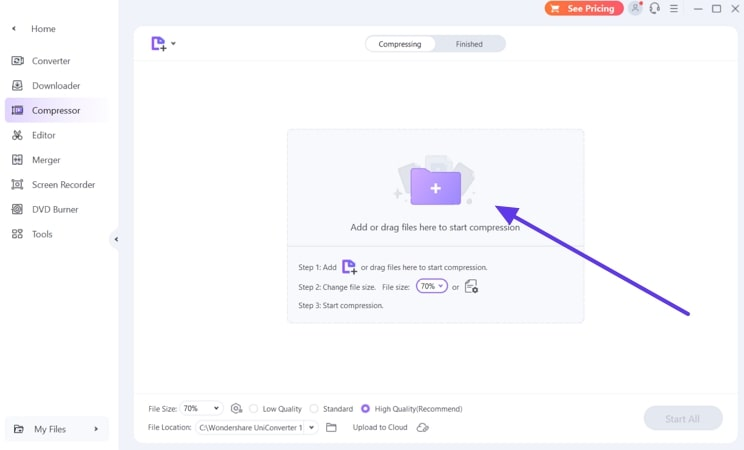
Next, click the “+” icon to add your Discord video files or drag them to the interface to begin the compression process.
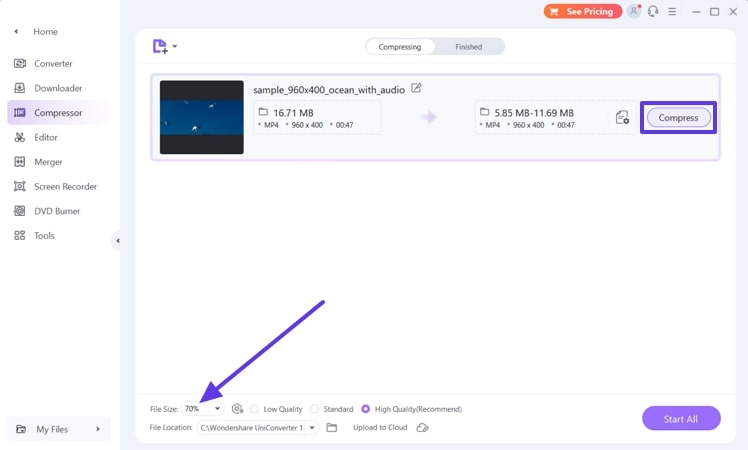
Step 3. Adjust the File Size and Compress
Once your video is uploaded to the software, adjust the “File Size” according to your requirements. Then, hit the “Compress” button next to the video to allow UniConverter to reduce the file size.
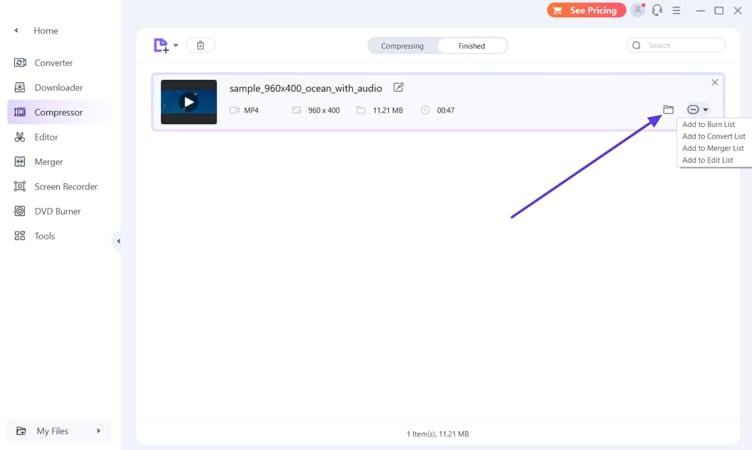
Step 4. Locate the Compressed File on Your Device and Share it on Discord
When the file is compressed, move to the “Finished” section of the interface and click the “File” icon. Doing so will redirect you to the location of the file on your device.
Part 2. 4 Other Discord Video Compression Tools
After reviewing one of the best Discord video compressor tools, Wondershare UniConverter, let’s examine the other tools in the following section:
1. Media.io
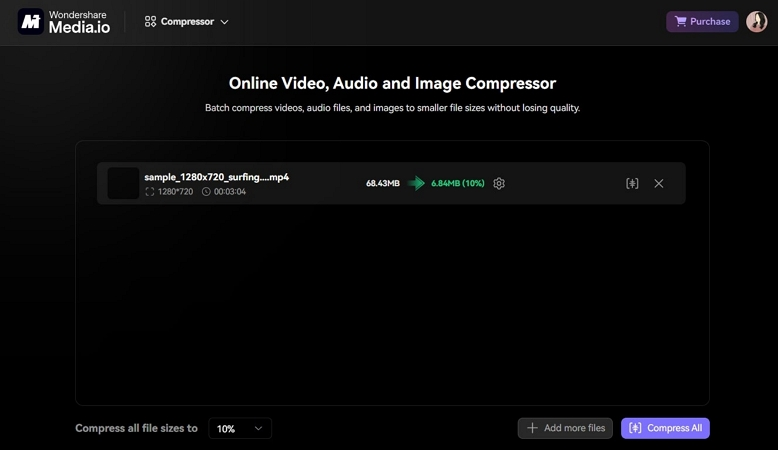
With an unlimited batch of video compression capabilities, Media.io is an excellent video compressor for Discord. Users can compress any type of video format, from MP4 to WVM, into any customizable size. Moreover, it provides a faster upload speed of 8% and an improved compression speed of 65%, never seen in any other tool.
Supported OS: Web
Pros
- You can adjust the video resolution and bitrate to get a uniform compression ratio.
- This compressor tool can minimize the video size by 30% at most.
- It also provides advanced video editing features, which you can apply after compressing it.
Cons
- There are various delays during the compression processing.
- It requires a high-quality input to compress the video up to the desired 8MB.
2. 8mbvideo
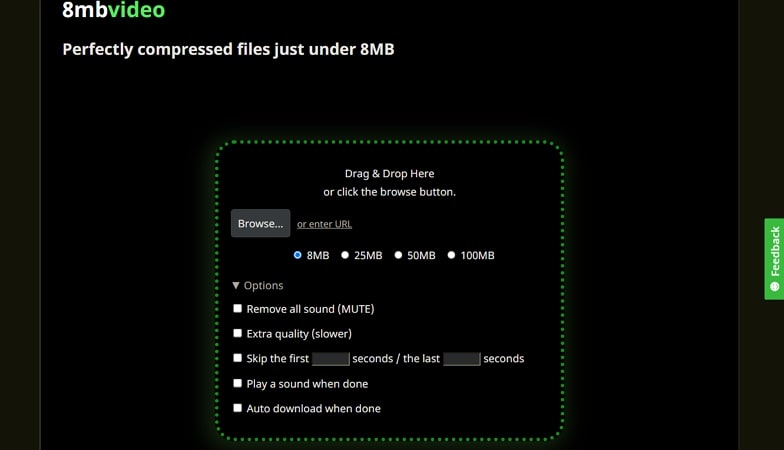
8mbvideo is a spot-on video Discord compressor tool that allows you to compress any type of video under 8MB file size. Furthermore, you can browse, drop, and even enter any URL of the video you want to compress onto this tool. Users can remove all the sound altogether and enable the automatic downloading option whenever compressing is done
Supported OS: Web
Pros
- You can specify different time limits from the video so the tool can skip over when compressing.
- 8mbvideo tool can help you compress any larger video file in various other sizes, like 25, 50, and 100 MBs.
- This video Discord compressor can facilitate studio-quality results in seconds.
Cons
- Users cannot preview the final compressed video before downloading.
- The tool does not support adding the link directly to a media platform.
3. HandBrake
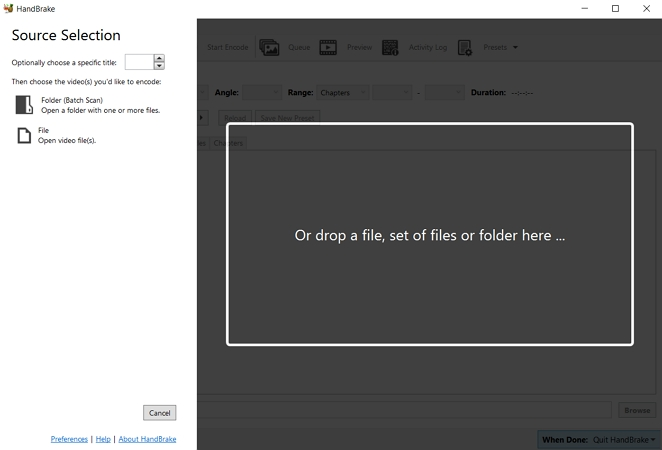
This open-source Discord video compressor is another one of the best tools you can try compressing all sorts of file formats. It can process common multimedia files and provide you with different video editing options. Furthermore, you can change the video encoder, quality, framerate, and more from the advanced video compression options.
Supported OS: Windows, macOS, and Linux
Pros
- This tool can compress multiple videos at once without losing any of the quality.
- HandBrake offers live static and video preview options before downloading.
- You can apply multiple video filters, such as decomb, denoise, grayscale, and more, for enhanced video.
Cons
- It takes a long time to compress videos that are larger in size.
- This tool is not available for Android or iOS mobile devices.
4. FFmpeg
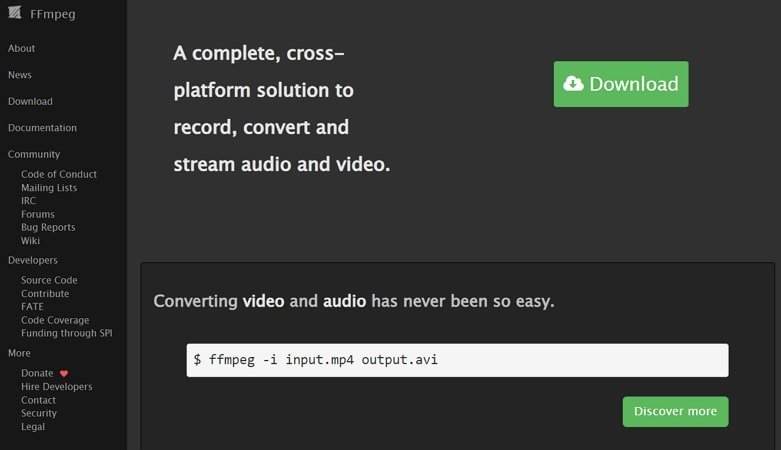
For tech-savvy individuals, FFmpeg is a popular, powerful software that can handle multimedia files, including video, audio, and images. By installing the tool, coders can compress any video using the H.264 codec. It can also be used to change the resolution of the video from 1280px to 720px using a series of commands.
Supported OS: Windows, macOS, and Linux
Pros
- It has a wide range of video editing features, such as conversion, video filters, and more.
- You can manipulate the metadata of the video with different titles, descriptions, and copyright content.
- FFmpeg can help users adjust the volume and framerate of a video, along with the removal of audio.
Cons
- This compression tool is based on a command-line interface, making it difficult for beginners.
- It might experience occasional bugs and instability while performing various tasks.
FAQs
1. How to compress a 66 MB video into 8MB without losing quality?
If you don’t want to lose the quality of your 66MB video, use Wondershare UniConverter for effective results. It is an excellent Discord video compressor tool that can compress over 1000 types of video and audio formats in suitable sizes.
2. What is the best video compressor for Discord?
Wondershare UniConverter is the most recommended video compressor for Discord, as it can compress multiple videos at once. Its latest compression mode feature lets you choose the output format, quality, and more with a faster compression speed.
Conclusion
To summarize the article, we can say that compressing videos is necessary if you want to share and upload them on various media platforms, like Discord. Therefore, we looked at the top 4 Discord video compressor tools, which have certain flaws. The one that caters to all your video problems is Wondershare UniConverter. It produces 8K quality, can batch compress, supports over 1000 formats, and more.
