

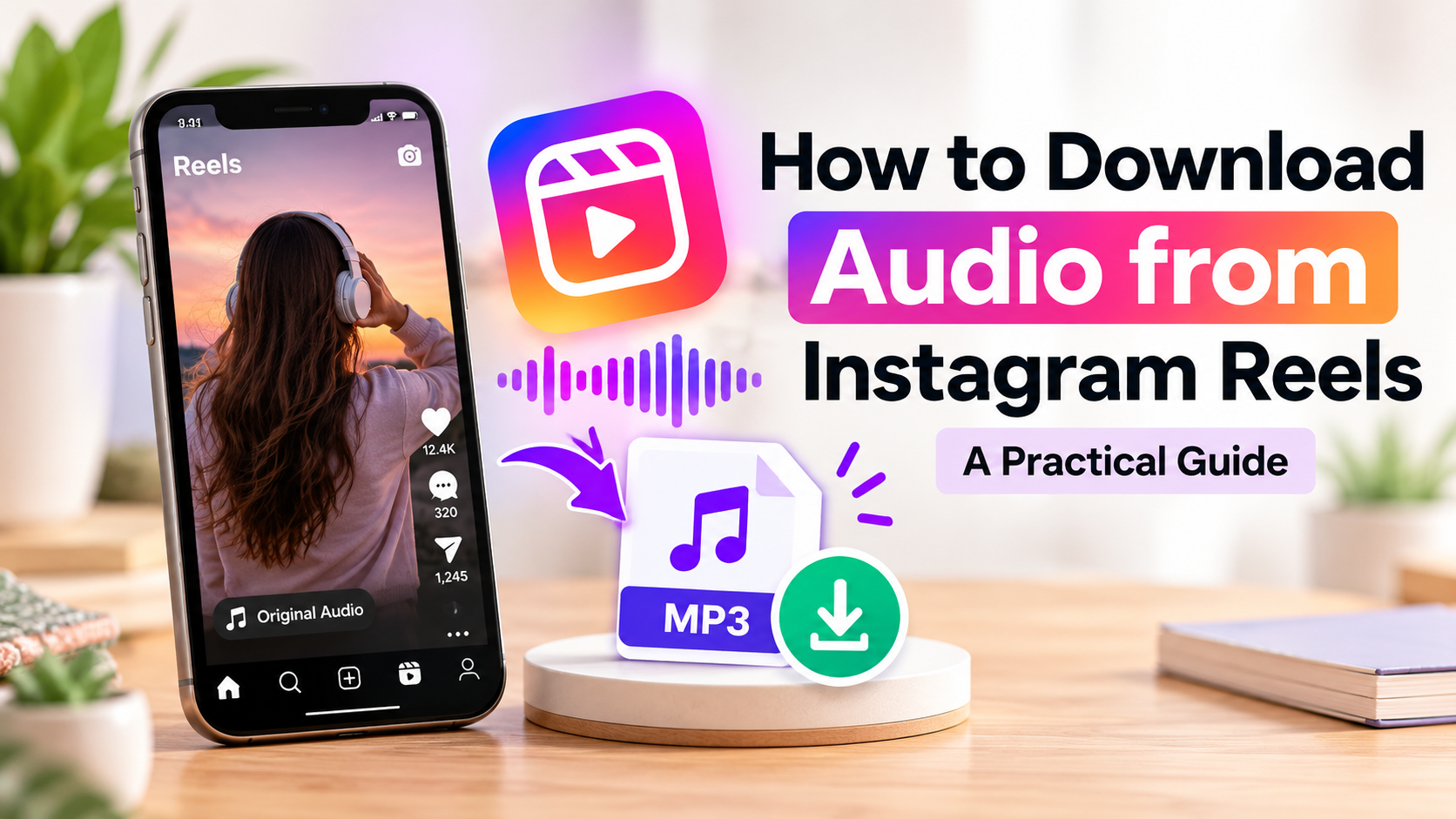
Instagram Reels combines music, voiceovers, sound effects, and original recordings to make short videos more engaging. Sometimes, users want to save a sound for personal reference, audio research, or an editing project they are authorized to work on. However, the right approach depends on the type of audio, the available tools, and the intended use.
Understanding how to find a Reel, check its audio, and choose a suitable download method can make the process easier. If you need to save audio from a supported Reel, an instagram audio download tool may be an option. It is also important to understand the difference between saving a sound and having permission to reuse it.
Why Do People Download Instagram Reels Audio?
Creators and video editors may want to keep audio references for different reasons. They might study how a sound fits a video transition, organize ideas for future content, or work with recordings they own or have permission to use.
Common uses include:
- Content research: Studying timing, sound effects, and editing techniques.
- Audio organization: Keeping relevant references together for future projects.
- Authorized editing: Working with recordings that are permitted for the intended project.
- Creative planning: Collecting ideas for tutorials, product demonstrations, and other videos.
Downloading a file is not always necessary. If you simply want to revisit a sound later, Instagram’s built-in saving features may be enough.
How to Download Audio from an Instagram Reel
The process depends on the source content and the tool you choose. Some browser-based services support audio extraction from publicly accessible Reels, while others offer different features or formats.
Step 1: Find the Reel
Open Instagram and locate the Reel containing the sound you want to reference. Identify whether it uses original audio, licensed music, spoken narration, or sound effects.
This matters because different types of audio may have different availability and usage restrictions.
Step 2: Copy the Reel Link
Use Instagram’s sharing options to copy the link to the specific Reel. Check that you have permission to access and save the content.
Make sure you copy the Reel’s URL rather than the creator’s profile link. Using the correct link helps avoid confusion when working with a compatible service.
Step 3: Choose a Suitable Tool
Choose a service that clearly explains its features, supported content, and privacy practices. Follow the service’s instructions and check whether audio extraction is available for your selected content. Do not assume that every Reel will work, because availability and functionality can change.
Step 4: Check the Downloaded File
If extraction is supported, play the resulting audio before using or organizing it. Confirm that the sound is correct, the file opens properly, and the quality is suitable for your intended purpose.
Give the file a descriptive name and keep the original Reel link with it. This makes the reference easier to identify later.
Can You Download Instagram Reels Audio as MP3?
MP3 is a widely supported audio format that works with many phones, computers, and editing applications. It can be convenient when you need a compatible file for an authorized editing or reference workflow.
If you need an MP3 file, a reel download audio mp3 tool may be an option, depending on the service’s supported formats. Check the available options before downloading, as not every service supports the same formats or source content.
After downloading, confirm the file format and play the audio to make sure it works as expected. If the file does not open in your preferred application, check the application’s supported formats before attempting any conversion.
Remember that converting or extracting audio does not change its copyright status. A downloadable MP3 is not automatically licensed for reuse.

What Should You Check Before Using an Audio Downloader?
Choosing a tool involves more than finding a download button. A few practical checks can help protect your device and account.
Privacy and account security: A basic service processing a public Reel link should not need your Instagram password. Avoid services that request login credentials or unnecessary account permissions.
Supported content: Some tools may not process every Reel. Private content, removed posts, unavailable sounds, or platform changes can affect whether a link works.
Audio quality: Listen to the resulting file and check that it is complete and clear enough for your intended reference or editing task.
Unexpected downloads: Be cautious of misleading buttons, suspicious redirects, and unfamiliar software you did not intend to install.
Format compatibility: Check that the file is supported by your phone, computer, or editing application.
These precautions help you assess a service without assuming that every third-party downloader is reliable.
Instagram’s Save Feature vs. Audio Downloading
Instagram’s built-in saving features and separate audio downloads serve different purposes.
Saving a Reel or audio within Instagram lets you return to it on the platform when the relevant feature is available. This is often the simplest option if you want to remember a sound or use it as inspiration for future content.
A separate download creates a local file when a compatible service supports the process. This can be useful for an authorized editing workflow, but it also means you need to manage the file responsibly and keep track of its source.
Choose the method that matches your actual need. If bookmarking the original Reel is sufficient, downloading a separate file may be unnecessary.
Copyright and Responsible Audio Use
Publicly accessible content is not automatically free to reuse. Music, original recordings, dialogue, and sound effects may be protected by copyright or subject to licensing restrictions.
Downloading audio does not transfer ownership or grant permission to publish it in another Reel, advertisement, or commercial project. Before reusing a sound, review the applicable platform rules and licensing terms. When necessary, obtain permission from the rights holder or choose audio licensed for your intended use.
Private content should also be respected. Do not use third-party services to bypass account privacy restrictions or access material without authorization.
Final Thoughts
Downloading Instagram Reels audio can be useful when you need a local reference file for a legitimate purpose. The key is to choose a suitable method, check the available formats, and handle the resulting file carefully.
Start by deciding whether Instagram’s built-in saving features meet your needs. If a separate file is necessary, verify that the source is supported, protect your account information, and check the result before saving it.
Most importantly, remember that downloading audio and having permission to reuse it are two different things. A careful approach helps you organize audio references while respecting creators’ rights and protecting your online security.
Focus Keyword: Instagram audio
SEO Title: Instagram Audio: How to Download Reels Sound
Slug: instagram-audio
Meta Description: Learn how to download Instagram Reels audio, check MP3 options, choose suitable tools, and understand copyright and safe audio use.
Meta Title: GB WhatsApp: Themes, APK Versions & Safety
Meta Description: Learn about GB WhatsApp themes, APK versions, anti-ban claims, and safety risks before installing an unofficial app.
Slug: gb-whatsapp-themes-apk-safety
GB WhatsApp: Themes, APK Versions, and Anti-Ban Claims Explained
GB WhatsApp attracts Android users with its custom themes, colorful interface, and extra settings. However, these unofficial features may come with security risks.
Some users look for the latest APK, blue themes, or anti-ban versions. But advertised features are not always verified.
Users exploring GB Whatsapp 2026 can learn about APK versions, customization options, and safety concerns before choosing a version.

What Is GB WhatsApp?
GB WhatsApp is an unofficial modification of WhatsApp developed by third parties rather than the official WhatsApp team. Depending on the build, it may offer different themes, interface settings, and other customization options.
For users interested in WA GB 2026 terbaru, the version label is only one detail to consider. It does not confirm who developed the file, whether it is authentic, or whether it is safe to install. Different websites may use similar names while distributing files that have not been independently verified.
GB WhatsApp should also not be confused with WhatsApp Business, an official application designed for business communication. A modified messaging app does not become an official product simply because it uses the WhatsApp name.
GB WhatsApp APK Versions: What Should You Know?
Version numbers help identify software releases, but they cannot establish an APK’s authenticity or security on their own.
For example, GB WhatsApp 21.25 APK download is a version-specific phrase that may appear on third-party download pages. The number does not verify the file or prove that it is a genuine release.
When evaluating a wa gb apk, consider these details:
- Version information: Check whether the page provides a release number and date.
- Compatibility: Review the stated Android requirements.
- Source transparency: Be cautious when the distributor provides no meaningful information about the file’s origin.
- Security warnings: Take Android and Google Play Protect warnings seriously.
- Update details: Clear release information is more useful than unsupported claims that a file is the latest version.
An older APK is not automatically safer than a newer one, and a higher version number does not guarantee better performance. Without reliable release information, it may be difficult to determine what a file contains.
GB WhatsApp Themes and the Blue Interface
Customization is one reason modified messaging apps attract attention. GB wa themes may change colors, backgrounds, icons, and chat layouts to create a different visual experience.
The term GB WhatsApp biru generally refers to a blue-themed interface or a build promoted under that name. It does not identify a standardized or officially supported WhatsApp release. Two websites may use the same label while offering different files or features.
Other themes may feature dark backgrounds, brighter colors, or alternative chat designs. However, appearance does not prove that an application protects personal information or handles messages securely.
If you mainly want to personalize your chats, consider the customization options available in the official WhatsApp app first. These provide a supported alternative without the same uncertainty associated with third-party modifications.
GB WhatsApp Anti Blokir: Can It Prevent Account Bans?
The term GB WhatsApp anti blokir is commonly used by third-party distributors to promote versions they claim may reduce the risk of account restrictions. However, this label is not a guarantee.
WhatsApp warns that unofficial applications can result in temporary or permanent account bans because their security and privacy practices are not verified by WhatsApp. A third-party distributor cannot guarantee that a modified app will avoid restrictions or remain compatible with WhatsApp’s systems.
Even when a page advertises GB WhatsApp terbaru 2026 anti banned, the wording should be treated as a promotional claim rather than proof of official approval. Download counts, positive comments, and screenshots cannot independently verify an APK’s safety.
For users who depend on messaging for work, family communication, or customer conversations, losing account access can be a serious inconvenience. The official app is the more dependable choice for people who prioritize supported updates and account reliability.
What to Check Before Installing a WA GB APK
An APK is the file format used to distribute and install Android applications. Installing one manually does not make it trustworthy. Before considering an unfamiliar messaging app, review the following points.
Check the Source
Look for clear information about the file’s origin and distributor. Be cautious of pages with misleading download buttons, repeated redirects, or requests to install unrelated software.
Although GBWhata.id provides information about GB WhatsApp APKs, readers should independently evaluate the source and risks before installing any unofficial file.

Review App Permissions and Security Warnings
Pay attention to the permissions an application requests and whether they make sense for its stated purpose. Permissions alone cannot prove that an app is safe or malicious, but unexpected requests deserve further investigation.
If Android or Google Play Protect displays a warning, do not dismiss it simply because a website describes the APK as safe. Never share account verification codes with anyone promising a safer version or protection from bans.
Consider Chat History and Account Reliability
Switching between modified applications can create problems with chat restoration. WhatsApp does not guarantee that chat histories from unofficial apps will transfer successfully, so review your backup options before making changes.
Also consider what would happen if the app stopped working or your account became restricted. Extra customization may not be worth the uncertainty if you rely on messaging every day.
GB WhatsApp vs. Official WhatsApp
The main difference between WhatsApp gb and the official application goes beyond themes and appearance. Support, security verification, and accountability also matter. The official app is maintained by WhatsApp and operates under its published policies. Wa gb apk is modified by third parties, meaning WhatsApp does not verify the security or privacy practices of those unofficial builds.
| Feature | GB WhatsApp | Official WhatsApp |
| Developer | Third parties | |
| Themes | May advertise additional options | Supported personalization features |
| Security practices | Not verified by WhatsApp | Officially maintained by WhatsApp |
| Account restrictions | Unofficial use may lead to restrictions | Designed for use under WhatsApp’s policies |
| Official support | Not supported by WhatsApp | Official support is available |
Features can vary between modified builds, so this comparison is not a guarantee that every version offers the same options.
For users who value predictable updates and official support, the standard application is the more dependable choice. Those considering a modified alternative should weigh its advertised features against the risks to account access and personal information.
Frequently Asked Questions
What Is WA GB 2026 Terbaru?
This Indonesian phrase refers to a modified messaging app advertised as the latest version for 2026. The label alone does not confirm its release date, authenticity, or safety.
What Does GB WhatsApp Biru Mean?
It usually describes a blue-themed interface or a third-party build promoted under that name. It is not an official WhatsApp release.
Can an Anti-Ban Version Prevent Account Bans?
No third-party version can guarantee that an account will avoid restrictions. WhatsApp warns that unofficial apps may lead to temporary or permanent bans.
Is an Older APK Safer to Use?
Not necessarily. An older file may lack updates, and its age does not prove that it is authentic or secure.
Can I Lose My Chats When Switching Apps?
Yes, chat restoration may not work as expected when moving from an unofficial client. Review your backup options before switching.
Final Thoughts
GB WhatsApp is commonly promoted for its themes, interface options, and anti-ban claims. However, a version number, blue theme, or safety label does not prove that an APK is genuine or secure.
Before installing a modified app, review its source, pay attention to security warnings, and consider the possibility of account restrictions or chat-transfer problems. If reliable updates, account access, and official support matter most, the official WhatsApp application remains the more dependable option.
SEO Title: FM WhatsApp APK Download: Features & Safety Tips
Meta Description: Explore messaging app features, Pro versions, APK safety checks, privacy risks, and what to know before installing unofficial apps.
Slug: fm-whatsapp-apk-download
FM WhatsApp APK Download: Pro Features, Old Versions, and Safety Tips
Have you ever searched for a messaging app that offers more customization options than the one you already use? Many Android users explore modified messaging apps because they want different themes, additional settings, or a more personalized chat experience. FM WhatsApp is one option they may consider.
Some users want to explore its advertised features or compare older releases with newer versions and FM WhatsApp Pro. Before you go ahead with an fm whatsapp apk download, it is important to understand the available features, download sources, and potential risks.
In this guide, we explain what to check before downloading an APK so you can make a more informed decision.

What Is FM WhatsApp?
FM WhatsApp is an unofficial modification of WhatsApp associated with additional messaging and customization options. Unlike the original application, it is distributed through third-party sources and does not have the same official support.
People interested in this modification often want to explore different interface styles, themes, and messaging controls. Others are simply curious about how it compares with the standard WhatsApp app.
However, features can vary between releases and distributors. A website may advertise a particular option that is unavailable in the file it provides. The application name alone also does not establish whether a download is genuine or trustworthy.
This is why it is important to look beyond promotional claims and understand both the potential benefits and the limitations of unofficial software.
What Is FM WhatsApp Pro?
The term FM WhatsApp Pro appears in some third-party download searches and listings. However, the word “Pro” does not automatically mean that a file is an official premium edition or that it comes from a verified developer.
Different websites may use similar names for different packages. As a result, users should not assume that every file advertised under this label has the same features, developer, or security protections.
Before considering a version described as Pro, check the information provided by its distributor. Look for clear version details, compatibility requirements, and credible information about the software’s origin.
Be cautious if a website promises unlimited features, guaranteed privacy, or complete protection without providing evidence. A promotional label is not proof of quality or security.
For most users, the more important question is whether an application is trustworthy, compatible with their device, and suitable for their needs.
What Should You Check Before Downloading an FM WhatsApp APK?
An APK is the file format used to distribute and install Android applications. Many legitimate apps use APK files, but the format itself does not guarantee that a file is safe.
Check the Source
Look for clear information about the website distributing the file. A trustworthy resource like fmwhapp.net explains what the file is, identifies the version being discussed, and avoids misleading claims.
Be careful with pages that display several confusing download buttons, redirect you to unrelated websites, or pressure you to install software immediately.
Whenever possible, use official app stores and authorized distribution channels. An unofficial modification may not be available through those channels, making independent verification more difficult.
Review the Version Information
A download page may describe a file as new, updated, or a Pro release. These labels should not be accepted without supporting details.
Check whether the listed version and release information are consistent. A recent year in a filename does not prove that the software was updated in that year.
If the website provides little information about the package or its source, consider that a reason to be cautious.
Check Device Compatibility
Applications have technical requirements that determine which devices and Android versions they support.
Before installing an APK or whatsapp mod, review the stated requirements and consider whether they match your phone. A file intended for a different Android version may fail to install or behave unexpectedly.
Avoid assuming that an older or newer package will automatically work better on your device.
Pay Attention to Security Warnings
If Android or your security software warns that a file may be harmful, take the warning seriously. Do not disable security protections simply to complete an installation.
A familiar app name, a professional-looking website, or positive comments do not guarantee that a file is safe.

These checks cannot eliminate every risk, but they can help you avoid some common mistakes when researching third-party software.
Why Do Some Users Look for Older Versions?
Not everyone searching for a messaging app wants the newest release. Some users prefer an interface they already know, while others investigate older versions after experiencing compatibility problems.
There are several possible reasons behind this interest.
Familiarity: An earlier version may have a layout or behavior that a user remembers and prefers.
Compatibility concerns: Someone using an older phone may want to understand whether a previous release supports their device.
Troubleshooting: A user experiencing installation errors or unexpected behavior may investigate earlier releases to identify possible differences.
However, an older version is not automatically more stable or secure. It may lack fixes, contain unresolved problems, or be incompatible with the current Android environment.
If you are experiencing a problem, try to identify its cause before changing versions. Insufficient storage, device compatibility, network issues, and problems with an installation file can all require different solutions.
Most importantly, avoid installing an older package from an unverified source simply because a website claims it works better.
FM WhatsApp Latest Version: What Should You Know?
Searches for the latest version usually reflect a desire to find updated features, better compatibility, or information about a recent release.
The challenge is that third-party websites may use the word “latest” differently. One page may describe a package as current even when its release information is unclear or outdated.
Before relying on a version claim, consider these questions:
- Does the page provide clear version information?
- Is there credible information about the release date?
- Are the compatibility requirements explained?
- Is the source identifiable and trustworthy?
- Are security claims supported by meaningful evidence?
A newer version number does not guarantee better performance, stronger privacy, or safer software. Likewise, an older release is not necessarily more reliable.
If you cannot verify the source or the details of a package, it is better to avoid assuming that it is safe to install.
Users who want dependable updates, security protections, and official support should consider the original WhatsApp application through an authorized distribution channel.
Is FMWhatsApp Safe to Use?
Safety is an important consideration with any unofficial messaging application. Because modified apps are distributed outside the official release process, users may have less reliable information about their developers, update practices, and handling of personal data.
There are three areas worth considering.
Privacy and Permissions
A messaging application may request access to contacts, photos, files, notifications, and other information on your device.
Review requested permissions carefully and consider whether they make sense for the app’s purpose. Avoid granting access to sensitive information without a clear reason.
You should also avoid sharing passwords, verification codes, or other account credentials with download websites or unfamiliar applications.
Account Restrictions
Unofficial messaging clients may violate the service’s terms and can lead to temporary or permanent account restrictions.
If you depend on messaging for work, family, or important conversations, consider whether the additional customization options justify the possibility of losing access to your account.
Updates and Support
Official applications generally have clearer support channels and established release processes. With an unofficial modification, the quality and frequency of updates depend on the third-party developer or distributor.
This makes it harder to establish whether a particular package receives appropriate security fixes.
For users who prioritize dependable communication and official support, the original WhatsApp app is generally the more straightforward choice.
FMWhatsApp vs Official WhatsApp
Both may be discussed in the context of messaging, but their distribution and support differ.
| Factor | FMWhatsApp | Official WhatsApp |
| Status | Unofficial modification | Official application |
| Distribution | Third-party sources | Official app stores and authorized channels |
| Customization | May advertise additional options | Provides supported customization settings |
| Updates | Depend on the third-party distributor | Provided through official release channels |
| Customer support | No official WhatsApp support for the modification | Official support is available |
| Account reliability | Unofficial use may trigger restrictions | Uses a supported client |
| Security assurance | Depends on the specific file and source | Benefits from official security and update processes |
The main consideration is not simply which app advertises more features. It is whether those features are worth the additional uncertainty surrounding support, privacy, and reliability.
Before choosing an unofficial modification, consider whether the official app already offers the settings you need.
Frequently Asked Questions
What Features Do whatsapp mod Offer?
They may offer additional themes, interface customization, and messaging controls. Available features vary depending on the version and distributor.
Is the Pro Version an Official Premium App?
Not necessarily. The “Pro” label on a third-party download page does not confirm that the app is an official premium product. Always check the source and version details.
Is It Safe to Download APK Files From Any Website?
No. APK files can contain legitimate or harmful software. Check the source carefully, review app permissions, and take security warnings seriously before installing anything.
Should I Choose an Older or Newer Version?
Neither is automatically better. Older releases may lack important fixes, while newer ones are not guaranteed to be secure. Consider compatibility, source reliability, and available release information.
Is a whatsapp mod Better Than the Official One?
That depends on your priorities. If you value official support, reliable updates, and account security, the original WhatsApp app is generally the more practical choice. Unofficial alternatives may introduce additional privacy and account risks.
Final Thoughts
FM WhatsApp attracts attention from Android users who want to explore messaging customization and alternative app versions. Searches for APK downloads and Pro releases show why it is important to understand what a download page actually offers instead of relying only on its title.
Before installing third-party software, verify the source, review the version information, check device compatibility, and take account security seriously. Remember that neither a recent release date nor an appealing feature list guarantees that an application is trustworthy.
A little research before installing an app can help you make a more informed decision about your device, your privacy, and the messaging experience you choose.
