

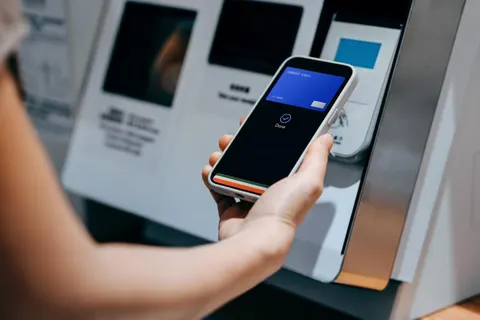
Not every business takes payments from a fixed position beside a reliable broadband connection. A gardener finishes work at a customer’s home. A maker attends a weekend market. A mobile service moves between appointments throughout the day. In each case, payment technology has to fit around movement, changing conditions and limited time to solve technical problems.
The first decision is therefore about the working day, not the appearance of the terminal. Consider where payments happen, who takes them and what other equipment is already being carried. A compact device may be useful, but its value depends on the full arrangement needed to make it work, including a phone, application, connection and power supply where applicable.
For a UK business, a small business card reader guide provides a starting point for understanding different device types. A SumUp, Square and PayPal POS comparison can then help structure a closer review of provider features and suitability. Check current availability and terms directly before purchasing, because a product name alone does not establish exactly what is included.
Describe a typical journey
Map one ordinary working day from leaving the premises to returning home. Note the number of stops, the likely payment amounts and the time available between customers. Include the moments when the phone is being used for navigation, photographs, scheduling or calls. These competing uses can affect whether a phone-connected reader is practical.
Then map a difficult day. Consider a long event, poor weather, a low phone battery and a customer waiting while another person calls. The aim is not to anticipate every possible failure. It is to identify the predictable pressures that the payment setup should handle without requiring an awkward collection of improvised solutions.
Understand the device’s dependencies
Some readers rely on a compatible phone or tablet and an application. Other devices have more functions built into the terminal itself. Ask exactly which tasks require another device and which can be completed independently. A standalone description should be checked against the functions the business actually needs, including receipts, refunds and product selection.
Confirm compatibility before ordering. Check the supported operating systems, connection method and any relevant device requirements using the provider’s current information. If a personal phone is being used for business, consider how staff access, interruptions and future phone changes will be managed. A cheap reader can become inconvenient if it depends on equipment that is not consistently available.
Think about connections at real locations
A connection that works in the office may behave differently at a market, inside a large building or on a rural route. Ask which connection methods the proposed device supports and whether any mobile connectivity is included in the price. Understand the practical limits instead of assuming that a signal indicator guarantees a smooth transaction.
Where possible, test the intended setup at representative locations. Note how the device reconnects after being moved or left idle. If the provider offers an offline function, read its conditions carefully and train staff accordingly. Offline capability is not a general promise that every attempted payment will be accepted or completed successfully later.
Plan power for the whole setup
A reader’s battery is only one part of the calculation. A connected phone, tablet, printer or mobile hotspot may also need power. Consider how long each item is used and whether charging is possible between appointments. Keep compatible charging equipment together so that the routine does not depend on finding the right cable at the last minute.
Check the provider’s recommendations for charging and care. A power bank may help where supported, but it should not conceal a failing battery or damaged connection. Test the complete arrangement during a normal day before relying on it at an important event. End-of-day battery levels provide a more useful practical reference than a guess based on occasional use.
Make the customer interaction comfortable
A mobile payment still needs a clear sequence. The customer should understand the amount, be able to use the device comfortably and receive a clear explanation of the result. Think about screen visibility, the position of the reader and the space available for the customer. A crowded stall or cramped doorway can make an otherwise simple process awkward.
Staff should avoid rushing from one screen to another while the customer is trying to follow the instructions. If the result is unclear, check the transaction record using the supported process before attempting payment again. A calm explanation helps preserve confidence, especially when the customer is paying in an unfamiliar setting.
Choose a receipt routine in advance
Receipt options vary by setup. Decide whether the business needs printed receipts, digital receipts or a supported choice between the two. If printing is important, include the printer, paper and power requirements in the equipment plan. A device that appears compact on its own may become part of a much larger kit.
For digital receipts, keep the process focused on the customer’s request. Check entered details carefully and use the provider’s supported receipt function. Do not assume that a contact detail supplied for a receipt also represents a request for marketing. Staff should understand the business’s approved process and provide a clear choice where alternatives are available.
Use products and references that help later
A simple payment amount may be enough for some sales, while other businesses need product descriptions, job references or a record of a deposit. Decide what information will make reconciliation easier at the end of the day. The payment record should connect sensibly to the work performed without requiring staff to enter unnecessary detail at every stop.
Keep naming consistent. If the same service has several labels in different systems, the owner may struggle to compare activity across weeks. For appointments or jobs, use a clear reference that links to the business record. Avoid putting unnecessary personal information into transaction notes when a simple internal reference will do.
Compare the full cost of mobility
Review equipment, processing charges, connectivity, software and any optional accessories together. Ask whether a quoted price assumes a subscription or other commitment. A low hardware price does not describe the ongoing cost of using the system, and a more expensive device is not automatically better for a business with occasional sales.
Build a few realistic scenarios using the business’s expected activity. Consider an ordinary month, a quiet month and a busy event period. Check whether the arrangement remains suitable when sales vary. Treat the calculation as an estimate and confirm current written terms, including any relevant restrictions, before making the final decision.
Prepare a clear handover
If several people use the equipment, explain who checks it out, charges it and returns it. Use supported staff access controls where available and make sure the right business account is active. A shared device should not leave the next employee guessing which settings have changed or whether yesterday’s transactions have been reviewed.
Keep a short guide with the essential steps for sales, refunds, unclear results and support. Include the approved way to report a damaged or missing device. A guide is most useful when it reflects the actual screens and equipment the team uses, so update it after significant software or hardware changes.
Run a trial before committing the whole workflow
Start with a controlled trial covering a normal sale, a receipt, a refund and reconnection after moving locations. Check the resulting records as well as the customer-facing steps. Ask whether the process remained easy when the phone was busy or the person taking payment was interrupted. These details reveal practical fit more clearly than a feature list alone.
Payment technology for a mobile business should reduce the effort required to finish a job or complete a sale. Choose around the whole working day, including power, connectivity, records and staff routines. A setup that is understandable and dependable in those conditions gives the business a stronger foundation than one selected only for its size or headline price.
