

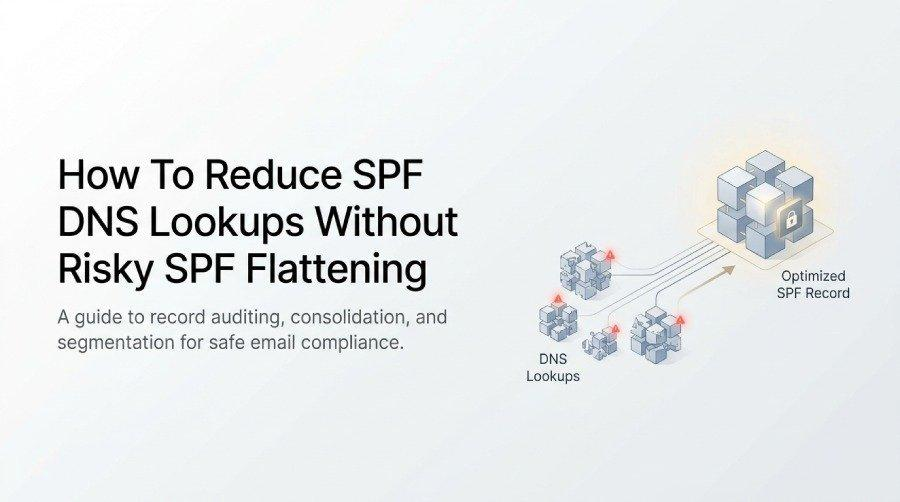
Managing SPF DNS lookups is essential for maintaining reliable email authentication and preventing email delivery issues. Although traditional SPF flattening can reduce DNS lookups, it may introduce risks such as outdated IP addresses and increased maintenance. This article explains how to reduce SPF DNS lookups safely through record auditing, sender consolidation, subdomain segmentation, and continuous monitoring without relying on risky SPF flattening.
Why SPF DNS Lookup Limits Matter
Sender Policy Framework (SPF) is at the core of modern email authentication standards, working together with DKIM and DMARC to ensure legitimacy in today’s complex email infrastructure. An SPF record, published as a DNS TXT record, defines which mail servers are permitted to send email on behalf of your domain. However, each time an SPF check occurs, the mail server performing authentication checks must resolve mechanisms in the SPF record—most critically, the include: mechanism and others like a, mx, and ptr—which can generate multiple DNS lookups.
RFC 7208, the defining specification for SPF, enforces a strict DNS lookup limit of 10. This 10 DNS lookups rule helps mailing providers protect themselves and their users against performance degradation and security risks related to DNS-based email authentication. If this limit is exceeded, major mailbox providers (like Gmail, Outlook.com, Zoho, or Yahoo) will return an SPF PermError, causing validation failure.
The burden for organizations is especially high when using numerous third-party senders such as Microsoft 365, Google Workspace, SendGrid, Mailchimp, Mandrill, Salesforce, Amazon SES, or Sendinblue—each often using their own include statements and sometimes nested mechanism chains. Exceed the limit, and your emails risk failing SPF compliance, resulting in delivery issues.
The Risks of Traditional SPF Flattening
Understanding SPF Flattening
SPF flattening is a process where all the mechanisms, especially include: mechanisms, in an SPF record are recursively resolved to replace their domains with a single list of IP addresses. The result is a static SPF record—often called a “flattened record”—with no further DNS lookups at the time of checking.

Why Flattening Can Be Risky
While SPF flattening might seem like a straightforward way to remain within the 10 DNS lookups configuration limit, it introduces several significant risks and maintenance burdens:
- Manual Flattening Leads to Stale Data: If you manually flatten your SPF record, IP addresses for third-party senders (like CRM tools or marketing platforms) must be regularly audited and updated. If vendors change their IPs (vendor IP changes), your static SPF will quickly become outdated, leading to SPF failures or even SPF error-induced mail blocks.
- Automated Flatteners Require Ongoing Oversight: Some opt for an automated flattening tool or hosted SPF service, such as PowerDMARC’s SPF flattening tool or PowerSPF dynamic SPF solution. While these can help, you still face the risks of DNS record bloat, increased management complexity, and dependency on a single third-party provider for SPF maintenance.
- Loss of Flexibility: Flattened records reduce your ability to leverage dynamic SPF changes pushed by your email services or vendors. If a provider (say, Salesforce or Zendesk) shifts IP ranges or modifies authentication standards in their include statements, your immediate SPF compliance can break without real-time SPF updates.
- Potential for Record Bloat and DNS Errors: Overly long SPF records, stuffed with explicit IP addresses, can hit DNS TXT record length limitations. This often leads to DNS-related SPF PermError events or truncation, making authentication checks unreliable.
Audit and Consolidate Your SPF Record Safely
Running an SPF Audit
A safe, robust SPF record begins with a thorough SPF audit. Use an SPF auditing tool or SPF checker to enumerate every include: mechanism, count your DNS lookups, and highlight risky nested mechanism chains. Before deciding to flatten my SPF, review your existing records and consider safer alternatives to maintain accurate authentication and reliable email delivery.
Steps to Safe SPF Consolidation
- Inventory Third-Party Senders and Mechanisms: List all third-party senders (Microsoft 365, Google Workspace, Mandrill, etc.) incorporated via include statements in your DNS records.
- Analyze for Redundancy: Identify duplicated or unnecessary mechanisms. For example, some marketing platforms may reference the same IP addresses or shared sending infrastructure—consolidate where feasible to minimize DNS lookups.
- Replace or Collapse Includes Where Possible: When multiple services use the same email provider (e.g., several internal tools using Google Workspace), you may only need a single include mechanism instead of several.
- Monitor Nested Includes: Some vendors’ SPF records themselves contain multiple include statements (nested mechanism). This indirectly contributes to the 10 DNS lookups limit, and these must be counted using a dedicated resolve SPF approach.
Avoid Manual Flattening Pitfalls
Manual flattening can seem tempting if you’re staring down the 10 DNS lookups ceiling, but it creates a static SPF record that is inflexible and risky. Only flatten includes that reference deprecated or rarely changing IPs, and even then, schedule regular SPF audit cycles to maintain accuracy.
Use Subdomains and Sender Segmentation to Reduce Complexity
Dividing your email infrastructure can offer significant freedom within the strict configuration limits imposed by the 10 DNS lookups rule. By segmenting senders across subdomains—even using separate SPF records for billing, support, or marketing—you can offload each team or platform onto its own unique DNS TXT record.
Practical Subdomain Strategies
- Segregate High-Volume Services: Assign services like Mailchimp or Sendinblue to marketing.<yourdomain.com> and tools like Zendesk or Salesforce to support.<yourdomain.com>, with each subdomain holding its SPF record near or below the DNS lookup limit.
- Delegate Business Units or Functional Groups: For organizations with multiple CRM tools or cloud services, issue distinct subdomains per department. This both simplifies SPF management and massively reduces the lookup count for each record.
- Align with Centralized Management Solutions: Use PowerDMARC or similar centralized SPF management platforms to streamline permissions and track which third-party services are attached to each subdomain. This ensures granular authentication checks and clean DMARC reports with lower maintenance burden.

Monitor SPF Changes and Maintain Long-Term Compliance
Continuous Monitoring and Alerts
Even well-audited, non-flattened SPF records require ongoing oversight to maintain SPF compliance and high email deliverability rates. Major third-party senders—especially those operating in cloud services or changing IP addresses dynamically—enforce authentication standards that may evolve quickly, leading to invisible failures without proper monitoring.
Change Monitoring Solutions
- Automatic Updates with Dynamic SPF Tools: Hosted SPF or dynamic SPF solutions, like PowerSPF, regularly synchronize the latest include statements and vendor IP changes, resolving SPF audit headaches while staying within the 10 DNS lookups configuration limit.
- SPF Maintenance Alerts: Integrate monitoring into your DNS registrar or email security console—PowerDMARC, for instance, can alert you when an update SPF record operation is needed due to new IP addresses or expanded service ranges, preempting potential SPF error or validation failure events.
- Analyze DMARC Reports: Use DMARC reports to track SPF failures in real time, especially around authentication checks for key mail server groups and third-party senders. Identifying failure trends can flag when an SPF record has become outdated or hit the lookup count threshold.
Proactive SPF Management
A robust SPF management discipline encompasses:
- Scheduled SPF Audits: Regularly run an SPF checker and update your DNS TXT records to adapt to evolving vendor infrastructure.
- Automated Tools: Employ SPF auditing tools for early detection of DNS record bloat and creeping maintenance burden.
- Stay Informed: Monitor emails and vendor updates for SPF-related announcements and adjust your SPF record as recommended by CRM tools, marketing platforms, or cloud services partners.
By approaching SPF DNS lookup management without risky, static SPF flattening, organizations safeguard their authentication checks, optimize email deliverability, and achieve long-term SPF compliance with leading mailbox providers and authentication standards.
