

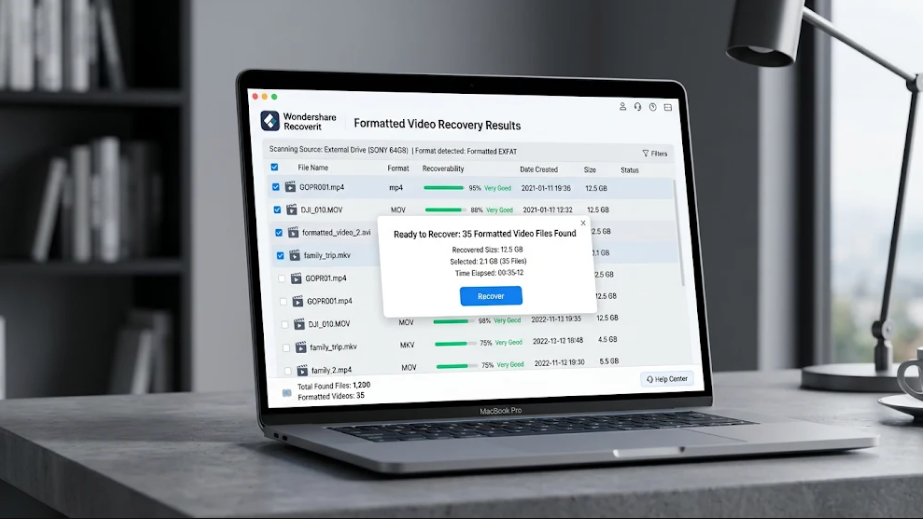
Formatting a camera or drone memory card is one of the easiest ways to lose footage – and one of the most misunderstood. People assume “format” means “wiped forever.” In reality, a quick format – what most cameras and drones do by default – only clears the file system index. The video data stays on the card until new recordings overwrite it.
That means formatted footage is often recoverable. Whether you formatted a camera card or a drone card by accident, the clips are usually still there, waiting for the right scan.
What Formatting Does to Your Footage
When a camera or drone formats a card, it performs a quick format:
- It clears the file system index that points to your videos.
- It writes a fresh, empty index.
- The video data itself remains on the card.
The danger is what happens next: every new recording after the format can overwrite the old footage. So, the first rule is to stop recording immediately when you realize the card was formatted.
Step-by-Step: Recover Formatted Video Files
Step 1 – Remove the Card and Stop Recording
Take the card out of the camera or drone at once. Do not record anything else on it. Connect it to your computer through a card reader.
Step 2 – Scan with Recoverit
Wondershare Recoverit is built for formatted-card recovery. Its AI-accelerated scanning rebuilds device-specific data patterns, finding video files the formatted index no longer references.
1. Launch Recoverit and click SD Card Recovery.
2. Connect the card to your computer and make sure that it can be recognized successfully. Select the card and click Scan.
3. Let the AI-accelerated scan rebuild the file patterns – formatted footage is found at the data level, not the index level.
Step 3 – Preview and Recover
When the scan completes, filter by video type and preview the clips. Recoverit plays video previews, so you can confirm the footage is intact before saving. Select what you need and click Recover, saving to a different drive than the card.
Camera vs. Drone Footage
Camera and drone footage are formatted differently, and recovery works best when the tool understands the device:
Camera cards use standard file structures that most recovery tools handle. Recoverit’s camera recovery module adapts the scan to camera-specific layouts.
Drone cards store footage in fragmented aerial-recording patterns. The drone recovery feature handles these, reassembling clips that generic tools miss.
Both are covered by the same video recovery tool, so you do not need separate software per device.
What If Only Some Clips Come Back?
If the first scan does not find everything, run a deep scan on the same card. Deep scans read the raw sectors and recover footage stored in fragmented areas or recorded longer ago. It takes more time but routinely finds the clips the first pass missed.
If a recovered clip will not play, do not delete it. Recoverit’s video repair can often rebuild the file structure – a “broken” clip after recovery is frequently one repair away from usable.
Mistakes That Cost Footage after a Format
- Recording on the card again. The #1 way formatted footage becomes unrecoverable.
- Reformatting “to try again.” Every format rewrites the index and risks more overwriting.
- Recovering to the same card. Save recovered footage to a different drive.
- Waiting too long. The card is safest when it sits unused after formatting.
Preventing Format Mistakes
- Confirm before formatting. Read the prompt; cameras and drones rarely need formatting.
- Back up before reformatting. Make it a rule: no format without a verified backup.
- Label your cards. Know which cards hold unbacked-up footage.
- Use two-slot cameras. Mirroring gives you a fallback.
- Format at the start of a shoot, never mid-workflow.
Conclusion
Formatted video files from a camera or drone are usually recoverable – quick formatting clears the index but leaves the footage on the card. Stop recording, connect the card, and scan with a tool that rebuilds device-specific patterns. With Wondershare Recoverit, you can recover formatted videos from cameras and drones in three steps – connect, scan, preview – and save your footage to safety. The clips you thought were wiped are still on that card, and they are worth the recovery.
