

A familiar video format can suggest an immediate idea: put your own character into the entrance, replace the dancer, or give an exaggerated reaction a different face. Turning that idea into a long scene description can feel like an unnecessary hurdle. With AI viral video templates, the format already provides the action and built-in instructions. You choose a suitable scene, upload replacement reference images, and review the new version. The creative work shifts toward selecting the right subject and situation for a recognizable performance.
Understand What a Template Already Supplies
A ready-to-use template establishes a sequence: who performs the main action, how the moment develops, and what the scene looks like. In the template workflow offered by genjutsu ai, you do not need to write a custom prompt to guide that predefined format.
Your contribution is the replacement subject and the meaning you give the action. A dramatic entrance becomes a different joke when an ordinary errand receives red-carpet treatment. A celebration changes when the achievement is finding a missing charger.
Choosing a template is therefore an editorial decision. Start with what your version should communicate, rather than choosing an effect and hoping a caption will explain it later.
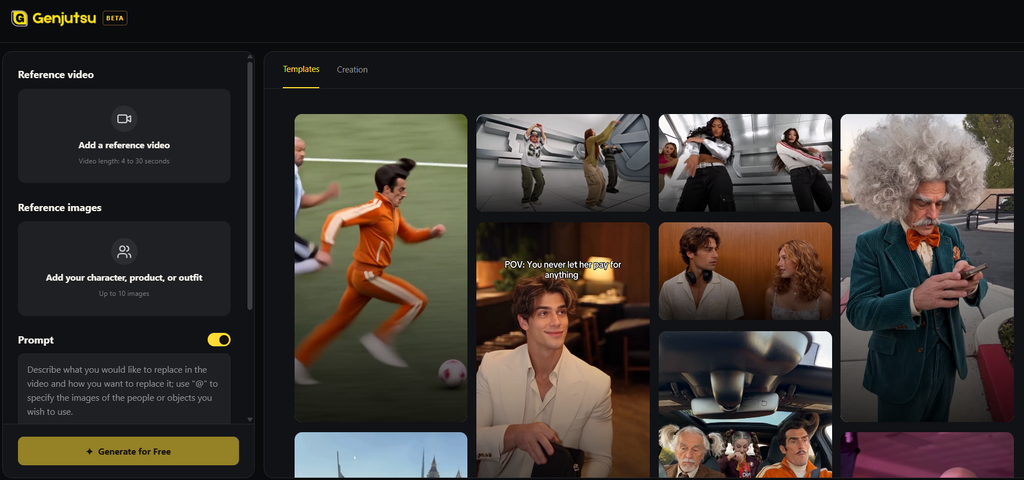
The template gallery provides existing formats, while reference uploads supply the new visual subject.
How to Build a Prompt-Free Trend Adaptation
Step 1: Write a Short Situation, Not a Generation Prompt
Describe the idea in everyday language: my recurring character arrives late to a casual lunch with excessive confidence. This is a planning note for you, not text you must enter into the template.
Identify the movement that supports the situation. You need an entrance and an attitude, rather than an unrelated dance. That distinction helps narrow the selection before you upload images.
Keep the premise understandable without knowledge of your earlier posts. A new viewer should be able to connect the subject and action through a short setup.
Step 2: Watch the Complete Preview
Check the beginning, central action, and ending. Notice where the performer is visible, whether the scene changes abruptly, and whether the important gesture is hidden by another person or prop.
Consider your replacement’s appearance. A detailed outfit needs framing that leaves it readable. An animal character may translate a broad reaction differently from a human subject.
Choose the template that already fits the intended moment. If the action conflicts with the idea, a different format is usually a clearer starting point than trying to explain away the mismatch.
Step 3: Prepare Consistent Reference Images
Use images showing the same person or character design. Keep facial features, hairstyle, costume, and distinctive accessories aligned across the references.
Make the important details visible. A scene built around expression benefits from clear facial images, while a broad performance needs an understandable overall silhouette.
For a recurring account, begin with approved assets you can reuse. Consistency makes comparisons easier and helps separate a weak template choice from unclear subject references.
Step 4: Upload and Generate
Select the template and add the replacement images through the available interface. Its built-in instructions guide the transformation without requiring you to compose a custom prompt.
Before generating, confirm the selected format and images match your intended idea. Afterward, watch the output as a complete sequence. The absence of prompt writing does not remove the need to assess the result.
If the subject becomes inconsistent or the movement looks confusing, identify the issue before trying again. Clearer images and a simpler action address different problems.
Step 5: Add the Setup That Makes the Clip Yours
A short caption can explain why the subject is entering, reacting, or celebrating. Keep the central action visible when adding text.
For TikTok or Instagram Reels, review the finished post as something a viewer might encounter without prior context. The caption and opening should establish the situation without a lengthy introduction.
Use visual assets and added audio appropriate for the intended publication. A familiar format offers a creative structure, not a guarantee of reach or permission to reuse unrelated third-party material.
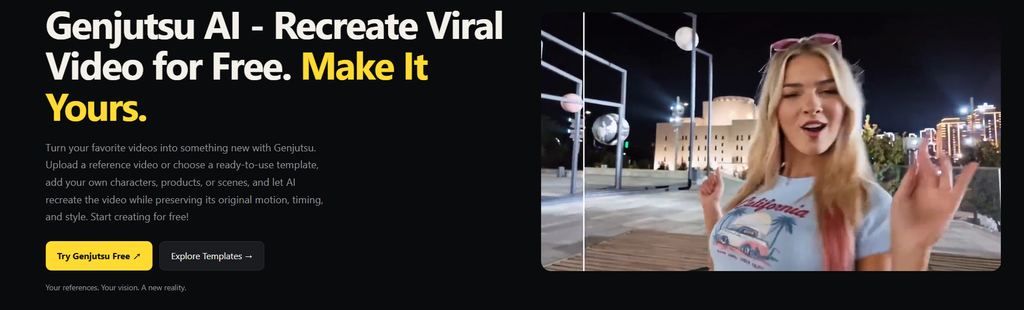
The product homepage introduces recreating familiar video formats with replacement visual subjects.
Example Case: One Character in Three Familiar Formats
Imagine a fictional creator introducing an original virtual person named Leo, who overreacts to small events. They want an entrance, a surprised reaction, and a celebration without writing separate custom generation prompts. This is a hypothetical content plan, not a report of tested outputs.
The creator previews suitable templates and reuses consistent Leo images. The entrance becomes “arriving at the lunch I did not organize.” The reaction becomes “the parcel is arriving early.” The celebration becomes “finding the missing charger.”
They would check each draft for facial consistency and a readable main gesture. Then they would compare the posts together: do the different actions express the same personality?
If the reaction looks angry rather than surprised, the creator can choose another format. If the action fits but Leo’s appearance changes, the references need attention. Not every revision requires inventing a prompt for the template route.
Choose the Next Format with a Purpose
Separate useful variations from repeated jokes. If every selected template ends in the same surprised expression, choose a different situation or emotion for the next post. Prompt-free creation becomes more useful when it expands what your recurring subject can communicate, rather than producing several versions that differ only in their backgrounds.
Keep notes about which actions suit the recurring subject and which situations need too much explanation. A small set of relevant templates is more useful than a large collection with no connection to the account.
For creators using AI viral video templates, prompt-free generation is a way to begin with a defined action and concentrate on the creative twist. Select a compatible format, provide consistent images, and review whether the finished scene communicates your particular idea.
