

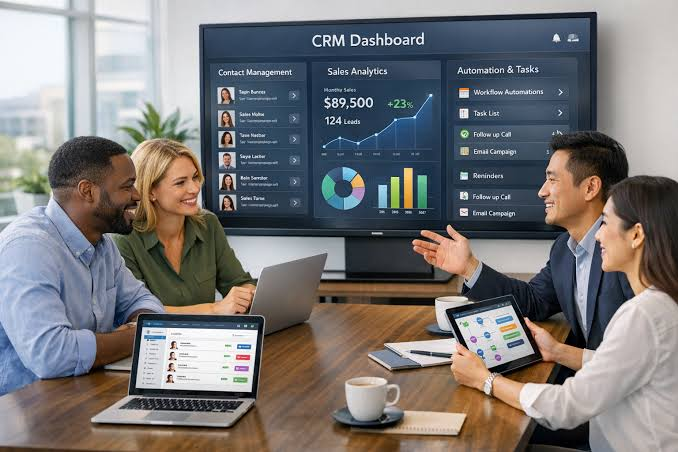
Small software houses often struggle with scattered client information, missed follow-ups, delayed project updates, manual invoicing, and poor communication between sales and development teams. In this fictional case study, KernDev, a software development company providing custom technology solutions, is presented as the technology partner helping a growing software house transform its operations through a centralized CRM platform. The hypothetical company, called PixelCraft Solutions, has 25 employees and manages multiple client projects simultaneously. Its management wants to reduce administrative workloads, improve client relationships, and increase project visibility without hiring additional administrative staff.
The Challenge: Why PixelCraft Needed CRM Automation
Before introducing its customized CRM, PixelCraft relied on spreadsheets, email conversations, messaging applications, and separate project management tools. Sales representatives frequently forgot to follow up with prospects, developers received incomplete project requirements, and managers struggled to understand which projects were profitable.
The company also experienced delayed invoices, duplicated customer records, inconsistent reporting, and difficulties tracking employee workloads. These challenges affected customer satisfaction and prevented management from making informed business decisions.
To address these problems, the company explored customized CRM development services to create a centralized platform that could connect sales, marketing, project management, finance, and customer support.
100 CRM Automation Features for Small Software Houses
A well-designed CRM should do more than store contact information. It should automate repetitive activities, connect departments, and give management better control over daily operations. The following 100 features represent a hypothetical functionality roadmap for PixelCraft’s CRM.
1. Lead Management and Sales Automation
- Automatic Lead Capture: Collect inquiries from website forms and landing pages.
- Lead Assignment: Distribute incoming prospects among sales representatives automatically.
- Lead Scoring: Rank prospects according to budget, project requirements, and engagement.
- Duplicate Lead Detection: Identify repeated customer records before they create confusion.
- Follow-Up Reminders: Notify sales representatives about pending conversations.
- Lead Status Tracking: Monitor prospects from initial contact to final conversion.
- Sales Pipeline Automation: Move leads between stages based on predefined conditions.
- Proposal Generation: Create professional proposals using stored client information.
- Automatic Email Responses: Send acknowledgment emails when prospects submit inquiries.
- Lost Lead Analysis: Record why prospects decline proposals and identify recurring problems.
2. Client Relationship Management
- Centralized Client Profiles: Store customer information in one accessible location.
- Communication History: Maintain records of emails, calls, and important conversations.
- Client Segmentation: Group customers according to industry, budget, and service requirements.
- Meeting Scheduling: Coordinate discovery calls and client meetings.
- Automatic Meeting Reminders: Notify participants before scheduled appointments.
- Client Preference Tracking: Record preferred communication channels and working hours.
- Contract Management: Store agreements, renewal dates, and contractual information.
- Client Feedback Collection: Automatically request feedback after project milestones.
- Relationship Health Scores: Identify accounts that may require additional attention.
- Client Renewal Alerts: Remind account managers about upcoming contract renewals.
3. Project Management Automation
- Automatic Project Creation: Generate project records after proposal approval.
- Task Assignment: Allocate development tasks according to team responsibilities.
- Deadline Notifications: Alert employees about approaching delivery dates.
- Milestone Tracking: Monitor project progress against agreed deliverables.
- Sprint Management: Organize development activities into structured sprints.
- Workload Distribution: Monitor employee assignments and available capacity.
- Project Status Updates: Notify clients and managers when milestones change.
- Dependency Tracking: Identify tasks that cannot begin until other work is completed.
- Time Tracking Integration: Record development hours against specific projects.
- Project Completion Alerts: Notify relevant teams when deliverables are ready.
4. Marketing Automation
- Email Campaign Automation: Send targeted campaigns to selected customer groups.
- Drip Email Sequences: Schedule follow-up emails based on customer interactions.
- Campaign Performance Tracking: Measure clicks, responses, and generated leads.
- Website Visitor Identification: Connect available visitor inquiry information with CRM records.
- Landing Page Integration: Capture leads directly from promotional campaigns.
- Customer Re-engagement: Contact inactive prospects with relevant service updates.
- Newsletter Scheduling: Automate regular business and product announcements.
- Referral Tracking: Record leads generated through existing customers.
- Marketing Lead Attribution: Identify which campaigns generate qualified opportunities.
- Unsubscribe Management: Automatically respect customer communication preferences.
5. Billing and Financial Automation
- Automatic Invoice Generation: Prepare invoices when approved milestones are completed.
- Payment Reminders: Notify customers about upcoming and overdue payments.
- Recurring Billing: Schedule invoices for ongoing development retainers.
- Expense Tracking: Record project-related operational expenses.
- Budget Monitoring: Compare estimated project budgets with actual spending.
- Payment Status Tracking: Monitor paid, pending, and overdue invoices.
- Tax Information Management: Store relevant tax details for financial documentation.
- Quotation Automation: Generate estimates using predefined service pricing.
- Profitability Reports: Compare project revenue against recorded costs.
- Accounting Integration: Synchronize financial information with accounting applications.
6. Employee and HR Automation
- Employee Profiles: Maintain employee information and professional skills.
- Attendance Tracking: Record working hours and attendance information.
- Leave Management: Automate leave applications and approval notifications.
- Task Performance Reports: Summarize completed assignments and outstanding work.
- Employee Onboarding: Generate onboarding checklists for new employees.
- Skills Management: Track technical expertise and development experience.
- Training Reminders: Schedule employee learning and certification activities.
- Performance Reviews: Organize periodic employee evaluation workflows.
- Internal Notifications: Share important operational updates with relevant teams.
- Resource Availability Tracking: Identify available employees for upcoming projects.
7. Customer Support Automation
- Automatic Ticket Creation: Convert customer support inquiries into tickets.
- Ticket Assignment: Route issues to the appropriate support specialists.
- Priority Classification: Categorize tickets according to urgency.
- Response Time Monitoring: Track how quickly support teams respond.
- Resolution Tracking: Monitor open and resolved customer issues.
- Knowledge Base Integration: Provide access to frequently requested solutions.
- Automatic Support Acknowledgments: Confirm receipt of customer complaints.
- Escalation Alerts: Notify managers when critical tickets remain unresolved.
- Customer Satisfaction Surveys: Collect feedback after support interactions.
- Support History: Display previous complaints and resolutions within client profiles.
8. Reporting and Business Intelligence
- Sales Dashboard: Display leads, conversions, and sales performance.
- Revenue Forecasting: Estimate future revenue using available pipeline information.
- Project Profitability Dashboard: Compare financial performance across projects.
- Employee Productivity Reports: Review workloads and completed assignments.
- Client Retention Analytics: Monitor customer retention trends.
- Lead Conversion Reports: Identify the strongest sources of new business.
- Marketing ROI Tracking: Compare campaign spending with generated opportunities.
- Operational Performance Reports: Monitor important business activities.
- Custom Report Generation: Create reports according to management requirements.
- Automated Weekly Summaries: Deliver scheduled performance updates to managers.
9. Integration and Workflow Automation
- Email Platform Integration: Synchronize business communication with client records.
- Calendar Integration: Connect appointments and project deadlines.
- Slack Integration: Send relevant project notifications to communication channels.
- Accounting Software Integration: Connect CRM billing records with financial systems.
- Project Management Integration: Synchronize tasks and project information.
- Payment Gateway Integration: Connect payment transactions with customer accounts.
- API Connectivity: Exchange information with external business applications.
- Cloud Document Storage: Connect contracts and project files with client records.
- Workflow Triggers: Launch actions when predefined business conditions are met.
- Cross-Department Data Synchronization: Keep shared information consistent across teams.
10. Security and Administrative Automation
- Role-Based Access Control: Restrict information according to employee responsibilities.
- Multi-Factor Authentication: Add another verification layer during account access.
- Automatic Data Backups: Schedule regular backups of important business information.
- Audit Logs: Record important activities performed within the CRM.
- Session Management: Control active user sessions and account access.
- Data Validation: Prevent incomplete or incorrectly formatted records.
- Automated Access Revocation: Remove permissions when employees leave.
- Data Retention Rules: Apply predefined policies to stored business information.
- Security Alerts: Notify administrators about suspicious account activity.
- System Health Monitoring: Track application availability and technical performance.
How KernDev Could Implement the CRM Solution
For this fictional project, KernDev would begin by examining PixelCraft’s existing workflows, identifying operational bottlenecks, and prioritizing the features that offer the greatest business value. Rather than developing all 100 features simultaneously, the team could introduce the CRM in phases, starting with lead management, client communication, project tracking, and invoicing.
As an experienced software development company, KernDev can approach this type of project through business analysis, UI/UX design, custom development, integration, quality assurance, deployment, and ongoing technical support. A dedicated development team could also adapt the architecture as the software house expands its workforce and client portfolio.
