


Imagine scrolling through your social media feed. Your thumb moves in a rhythmic, almost hypnotic motion. Image. Image. Image. Then, suddenly, you stop. Why? Because something moved. A subtle shimmer of water, a gentle sway of trees, or a character in a portrait blinking slowly. In an ocean of frozen pixels, motion is the lighthouse that captures attention.
We are living in a visual economy where attention is the scarcest currency. For years, you have likely relied on high-quality photography to tell your brand’s story or capture personal memories. But let’s be honest: in a world dominated by TikTok and Instagram Reels, a static JPEG often feels like a whisper in a crowded room. You pour hours into capturing the perfect shot, only for it to be scrolled past in a fraction of a second. The frustration is real. You know your visual content deserves more eyes, but you lack the thousands of dollars for a professional animation team or the hundreds of hours needed to master complex software like After Effects.
This is where the narrative changes. This is where Image to Video AI enters the frame, not just as a tool, but as your personal creative director.
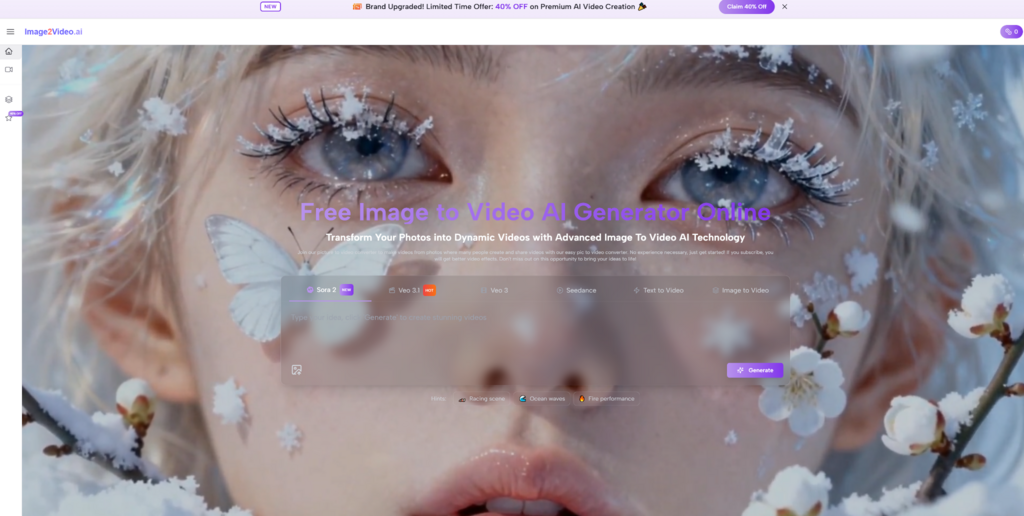
My Personal Journey: From Frozen Pixels to Fluid Storytelling
I remember the specific moment I realized I needed a change. I was looking at a travel photo I took years ago—a stunning shot of a rainy street in Kyoto. It was beautiful, but it felt dead. I could remember the sound of the rain and the neon lights flickering, but the image was silent. I wanted to convey the feeling of that night, not just the geometry of it.
I stumbled upon various tools, most of them clunky or requiring a steep learning curve. Then I decided to test the waters with a newer generation of AI. When I uploaded that Kyoto photo to the platform, I didn’t just get a slideshow effect. I saw the rain start to fall. The neon lights began to pulse. It wasn’t just a converted file; it was a memory restored.
This wasn’t magic in the mythical sense; it was the result of sophisticated neural networks understanding depth, lighting, and physics. It was my first direct experience with the engine behind Image to Video AI, and it fundamentally shifted how I view digital content creation.
The Mechanics of Magic: How It Actually Works
To understand why this specific tool stands out, we have to look under the hood. Most people think of “video generation” as simply panning across a photo (the Ken Burns effect). That is ancient history.
What we are dealing with here is Generative Interpretation.
When you upload an image, the AI doesn’t just see a flat collection of colored dots. It analyzes the scene semantically. It identifies “this is water,” “this is a cloud,” or “this is human hair.” By understanding the subject matter, it predicts how those elements should move in the real world.
The Three-Step Creative Flow
The beauty of Image to Video lies in its deceptive simplicity. It strips away the intimidating dashboard of professional video software and leaves you with pure creative control.
- The Upload (The Foundation): You provide the source material. This is your anchor. The higher the quality of your input, the more data the AI has to work with.
- The Prompt (The Direction): This is where you become the director. Unlike basic converters, you can use text prompts to guide the animation. You might type, “leaves rustling in the wind” or “camera slowly zooming in with cinematic lighting.” This text-to-video capability bridges the gap between your imagination and the final output.
- The Generation (The Rendering): The AI synthesizes the pixels, generating new frames that bridge the gaps between the static present and the dynamic future. It creates buttery-smooth transitions that look organic, not mechanical.
The Comparative Advantage: Why Not Just Use Traditional Software?
You might be wondering, “Can’t I just do this in Photoshop or Premiere?” Technically, yes. But at what cost? Let’s look at the trade-offs.
In the traditional workflow, animating a simple scene involves masking layers, setting keyframes, adjusting bézier curves for smooth motion, and rendering large files. It is a process that punishes creativity with technical drudgery.
Below is a breakdown of how this AI-driven approach compares to the old guard of video production.
| Feature / Aspect | Traditional Animation Software | Generic Slideshow Makers | Image to Video AI |
| Learning Curve | Steep (Months to master) | Low (Minutes) | Zero (Instant) |
| Creative Control | High, but manual | Very Low (Templates only) | High (via AI Prompts) |
| Time to Output | Hours or Days | Minutes | Seconds |
| Motion Quality | Depends on user skill | Mechanical / Stiff | Organic / Fluid |
| Cost Efficiency | Expensive subscriptions | Often free with watermarks | Accessible / Freemium |
| Prompting Ability | Non-existent | Non-existent | Advanced Text-to-Video |
As you can see, the leverage you gain here is massive. You are trading hours of technical labor for seconds of AI processing, without sacrificing the “wow” factor.
Deep Dive: Features That Bridge the Gap
Let’s use a narrative technique I call the Before-After-Bridge to understand the specific features available to you.
Feature 1: Text-to-Video Control
Before: You have a picture of a campfire. You want the fire to crackle and smoke to rise. In traditional software, you have to find stock footage of fire, overlay it, blend the modes, and hope it looks real.
After: You simply upload the photo and type “fire burning brightly, smoke rising slowly.”
The Bridge: The AI interprets your text and manipulates the pixels of the fire to animate them specifically, keeping the rest of the image (like the logs or the background trees) stable or subtly reacting to the light.
Feature 2: High-Fidelity Preservation
Before: Many online converters compress your image so badly that the resulting video looks like a blurry mess from 2005.
After: Your 4K landscape photo remains crisp, with the motion added natively at high resolution.
The Bridge: The algorithms prioritize resolution retention. It understands that for a brand or a portfolio, clarity is just as important as motion.
Strategic Use Cases: Who Is This For?
You don’t need to be a Hollywood director to find value here. The utility of turning images into video spans across various industries.
For E-Commerce and Marketers
If you are selling a product, a static image is a proposal; a video is a demonstration. Imagine a product shot of a waterproof watch. A static image shows the watch. An AI-generated video shows water droplets rolling off the glass face. That subtle motion triggers a psychological response in the buyer—it makes the product feel real and tangible.
For Content Creators and Influencers
The algorithms of Instagram, TikTok, and LinkedIn heavily favor video content. By converting your best photography into video loops, you essentially hack the algorithm. You get the reach of a video with the aesthetic quality of professional photography.
For Storytellers and Educators
History teachers can take archival photos and add subtle movement, bringing historical figures to life for students. Writers can animate their book covers to create engaging trailers for social media.

The Emotional Resonance of Motion
There is a reason why we cry at movies more often than we do at paintings. Motion implies time. It implies that a moment is fleeting, which makes it precious.
When I used the tool to animate an old photo of my late grandfather, adding a gentle smile and a blink, it was an emotionally charging experience. It felt like visiting him for a brief second. This is the hidden power of this technology. It isn’t just about marketing metrics or click-through rates; it is about emotional connection.
By using AI Video Maker, you are not just making “content.” You are creating an experience. You are inviting your audience to step inside the frame with you.
Future-Proofing Your Creative Toolkit
We are standing on the precipice of a new era in digital creation. The line between “photographer” and “videographer” is blurring. Soon, there will only be “creators.”
Adopting tools like this now places you ahead of the curve. While your competitors are still debating which filter to use on a static post, you are publishing dynamic, living scenes that demand attention. You are leveraging the power of artificial intelligence to act as your production assistant, freeing your mind to focus on the big ideas rather than the technical minutiae.
Conclusion: Your Story, Set in Motion
The world is moving fast. Your content should too.
You have the vision. You have the images. What you missed was the bridge to take them from “seen” to “felt.” Technology is no longer a barrier; it is a catalyst. Whether you are looking to boost your brand’s engagement, create mesmerizing art, or simply relive a memory in a new way, the power is now at your fingertips.
Don’t let your best moments remain frozen in time. Unlock the potential of every pixel. It is time to stop just capturing the world and start animating it.
