

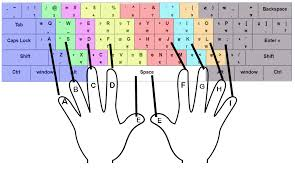
For thousands of aspirants across India, securing a government job is the ultimate career goal. While preparing for general knowledge and aptitude tests is tough, many candidates face an unexpected stumbling block during the final stage: the Hindi skill test or typing exam.
The confusion rarely stems from a lack of typing speed; it stems from a lack of technical understanding about how Hindi is typed in the digital age. The central dilemma faced by candidates for posts in SSC, Railways, and various state-level clerical jobs is the conflict between legacy training and modern digital requirements.
The Old School vs. The New Standard
Historically, Hindi typing was taught on mechanical typewriters using the Remington layout. When computers arrived, fonts like Kruti Dev mimicked this layout perfectly. It became the de-facto standard for DTP operators, stenographers, and older government offices. Many typing institutes across tier-2 and tier-3 cities still train students exclusively on this layout.
However, the modern internet and contemporary government portals operate on Unicode (often represented by the Mangal font). Unicode is universal; it works on websites, email, and mobile devices without needing specific font files installed.
The Candidate’s Nightmare
Imagine a scenario: A candidate spends six months perfecting their typing speed using Kruti Dev because that is what their local institute taught them. They arrive at the exam center or need to submit an online application form, only to realize the interface only accepts Unicode text.
If they try to copy their practiced text from a Kruti Dev document and paste it into a browser based portal, the result is gibberish. The candidate has the skill, but the technical format is wrong. Retyping everything in a new layout (like Inscript) under time pressure is impossible.
The Essential Tool for an Aspirant’s Toolkit
This is where smart digital tools bridge the gap between preparation and execution. Candidates need to understand that while their typing skill might be rooted in the older layout, their output must often be digitally compliant.
Rather than relearning typing from scratch right before an exam, smart candidates utilize reliable online tools to convert their practice documents. Having access to a fast, accurate krutidev to unicode conversion tool is essential for anyone navigating this space. It allows a typist to work in their comfort zone (the legacy layout) and instantly transform their work into the universally accepted standard required for online submissions and modern office systems.
Conclusion
Don’t let technical jargon derail your career prospects. Success in modern government typing exams requires a two-pronged approach: disciplined practice on the keyboard and a clear understanding of digital formats. By leveraging conversion tools, aspirants can ensure their hard work is presented accurately, regardless of the platform required by the examiner.
