

Most of us speak far faster than we type. Even a quick typist who manages 120 words per minute still talks quicker than that, and for anyone with a long inbox or a report due by evening, the gap adds up fast. Dictation closes that gap. The catch is that a lot of dictation tools send your voice to a cloud server, which means you need a connection and you have to trust someone else with your words. That is exactly where offline dictation software changes the picture.
What offline dictation actually means
When dictation runs offline, the speech recognition happens on your own computer. Your voice is processed locally, the text appears on screen, and nothing travels over the internet. SpeechPulse works this way. It uses Whisper voice recognition, a well respected speech model, and runs it right on your machine. You get the accuracy without handing your audio to a third party.
Offline voice typing in any app
A dictation tool is only useful if it works where you already work. SpeechPulse types into any text input area, so you can dictate into Microsoft Word, a browser, a notes app, an email window or a plain text editor. You do not need to copy and paste from a separate window. You click where you want the words, you speak, and the text lands at your cursor.
This is what makes offline voice typing feel natural. There is no special workspace to learn. You keep using the programs you like and simply swap the keyboard for your voice whenever it suits you.
Two ways to start talking
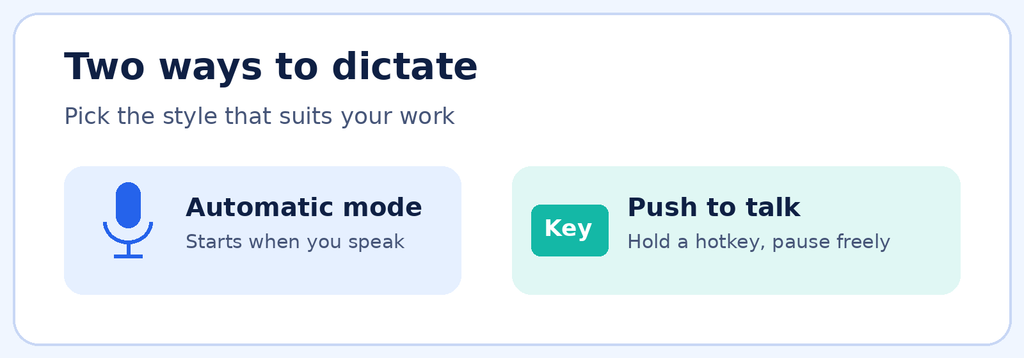
SpeechPulse gives you a choice in how dictation begins. In automatic mode, it notices when you start and finish speaking and transcribes without any key press. If you prefer more control, push to talk mode lets you hold a hotkey of your choice while you speak and pause freely whenever you need to think. Some people use one mode for quick replies and the other for long documents, and switching is easy.
Punctuation that fits your style
Punctuation is where many dictation tools frustrate people. SpeechPulse offers automatic punctuation, where the software adds commas and full stops for you, and a manual mode where you say the punctuation aloud. Pick whichever matches how you think and talk. There are also optional AI templates for tidying grammar, summarising text or shaping a draft into an email.
Speech to text without internet
Think about the places where a connection is poor or simply unavailable, such as a train, a remote office, a flight or a hotel with unreliable service. Speech to text without internet means your work does not stop in those moments. It also means your drafts, client notes and private thoughts stay on your computer. For lawyers, consultants, clinicians, writers and anyone handling sensitive material, that is a real comfort.
Speech to text offline Windows and Mac
If you are searching for speech to text offline Windows support, SpeechPulse has you covered, and it is available for macOS too. Whichever system you use, setup is simple. Download it, install it, choose your language and start talking. It supports transcription in 99 languages, including English, French, Spanish, Italian, German, Japanese, Chinese and Russian, and it can also translate speech into English.
Who benefits most
Writers can get a first draft down while the ideas are still fresh. Professionals can clear emails faster. People who find typing painful or tiring can work at the speed of speech instead. One user shared that typing by hand limited them to about 20 words per minute, while dictation lets them keep pace with their own thoughts. That is a big shift in daily life.
Try it for yourself
The best way to judge dictation is to use it with your own voice and your own work. SpeechPulse comes with a thirty day free trial, so you can test it properly before deciding. If you want reliable offline dictation software that respects your privacy and works across your apps, download the trial and give it a few days of real use.
