

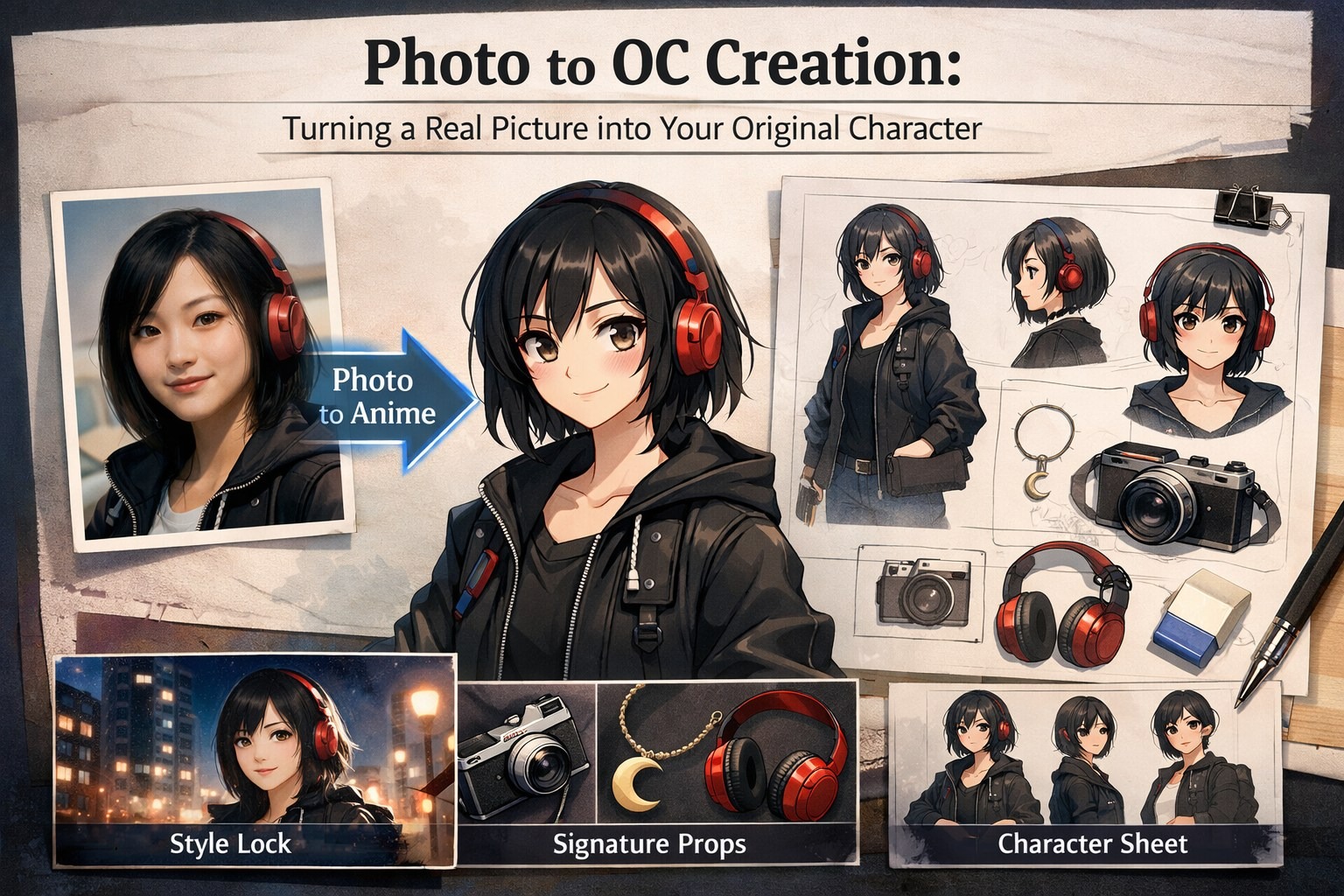
If you’ve ever tried to design an original character seriously, you’ll know the frustrating part isn’t getting one good image—it’s getting the second and third image to still look like the same person. I’ve done the classic loop: I land a design I like, I try to “iterate,” and suddenly my OC has a different jawline, a different vibe, and somehow a totally new hairstyle I never asked for.
The most practical fix I’ve found is starting from a real photo as a structural anchor. Not because I want to “copy” a person, but because a clean reference quietly solves the boring problems—proportions, lighting cues, basic facial structure—so I can spend my time on the parts that actually make an OC feel original: story, silhouette, and a few defining choices that repeat on purpose.
When I want a quick baseline in an anime look, I usually begin with a simple photo-to-anime conversion and treat it as my “style lock.” If you want to test that approach, this page is the fastest entry point I’ve used: photo to anime.
Below is the workflow I actually follow when I’m trying to get an OC from “one nice image” to “a character I can reuse.”
Why This Works (When It Works)
I don’t think of these tools as a creativity replacement. I use them like a concept artist who can produce ten drafts while I’m still deciding what I really want. The real value isn’t the first output—it’s the moment I can compare variations side by side and notice patterns in my own taste.
This is what I catch myself doing when I’m reviewing outputs:
- I keep saving versions with sharper eyebrows → my OC probably needs a more assertive personality.
- Every version I like has a clean silhouette → too many accessories are hurting the read.
- Warm lighting makes the character feel friendly → cold lighting pushes them toward “rival” or “anti-hero” energy.
That feedback loop is what makes the process feel like design, not gambling.
The OC Workflow I Use: Photo → Style → Starter Sheet
I keep it simple on purpose. When I overcomplicate this, consistency collapses.
1) I choose a source photo that’s “boringly usable”
The photo doesn’t need to be amazing. It just needs to be readable.
What I look for:
- Face is clear, not tiny in the frame
- Lighting is normal (not harsh sunlight + deep shadows)
- Minimal obstructions (hands, sunglasses, heavy hair across the face)
- Not too much distortion (wide-angle selfies can warp proportions)
If I only have a messy photo, I still try it—but I lower expectations and plan to do more cleanup later.
2) I lock the art direction early
This is where people drift without realizing it. If you don’t decide a style, your OC becomes a moving target.
A trick that helps me: I pick the genre before the aesthetic.
Instead of “anime girl with cool outfit,” I decide something like:
- night-shift paramedic in a neon city
- space courier who never removes their headset
- cozy café mage who’s secretly overpowered
- urban exorcist with a calm, tired expression
Genre choices automatically shape outfit, props, and expression. It stops the design from becoming random.
3) I build a starter character sheet (even a small one)
I don’t aim for a perfect studio turnaround on day one. I aim for a starter sheet I can reuse.
My minimum starter sheet is:
- Front face, neutral
- 3/4 face, slight expression
- Waist-up showing outfit details
- One “signature prop” image (headphones, camera, pendant, bag, etc.)
Once I have these, the character stops being a single pretty picture and starts behaving like an asset.
The Consistency Problem (and the Fix That Actually Helped Me)
My biggest early mistake was thinking I needed “more descriptive prompts.” I’d add more words, more details, more constraints… and I’d still get drift.
What worked better was using fewer details, but making them stronger and repeating them consistently.
The three anchors I rely on
When I do this right, I can change pose and outfit without losing the character.
- One defining facial cue
I choose one thing and I repeat it. Not ten things.
- “slightly downturned eyes”
- “rounded cheeks”
- “narrow jawline”
- “soft, straight eyebrows”
- A color rule
Hair color + one accent color.
- “black hair, teal accent”
- “chestnut brown hair, red accent”
- A signature item
Something that appears often enough to become identity.
- red headphones
- an old film camera
- a crescent pendant
- fingerless gloves
When I keep these three stable, the OC reads as the same person, even when everything else changes.
The Quick Comparison I Use Before Starting
| Approach | What I use it for | Where it fails | How I patch it |
| Pure text prompt OC | fast ideation, weird concepts | identity drifts fast | I add 2–3 anchors and stop adding extra details |
| Photo → anime stylization | stable face base + fast style lock | can feel “too close” to the source | I push design changes: hair/outfit/age/setting/props |
| Starter character sheet | reuse for story/game/branding | takes more setup | I do a small 4-image sheet first, expand later |
Prompt Patterns I Actually Use (So It Doesn’t Read Like a Robot)
When I’m getting good results, my prompt reads more like a creative brief than a technical command. Here are three patterns I reuse.
Pattern A: Role + vibe + setting
“A composed night-shift paramedic OC in anime style, lit with soft, diffused glow, standing by rain-slick streets with shimmering reflections, wearing a tired yet kind expression.”
Pattern B: Design constraints (short and firm)
“Keep the same face. Short wolf cut, teal highlights, streetwear jacket, subtle freckles.”
Pattern C: A story snapshot
“He’s a courier who never removes his headset. Dawn light on a rooftop, wind tugging his jacket, confident half-smile.”
I’ll add camera words occasionally, but I keep them light. If I stuff the prompt with lens specs and technical jargon, it starts feeling like I’m forcing the output instead of guiding it.
One habit that made a bigger difference than I expected: I save my best outputs into a folder and label them like:
- “face anchor”
- “outfit anchor”
- “color rule test”
- “prop reference”
That tiny organization step makes the next session easier, and it keeps my OC from drifting into a new person every time.
If you want a single place to build and iterate OCs without juggling a bunch of disconnected tools, I’ve been using OC maker as the hub for this kind of workflow.
FAQ (Based on Problems I Actually Ran Into)
“Is this cheating?”
I don’t see it that way. I still make the decisions. The tool just speeds up iteration. The creative part—character concept, vibe, repeated design language, what to keep and what to cut—still sits with me.
“How do I make my OC feel less generic?”
I add one deliberate contradiction. That’s my shortcut.
- cute face + serious job
- elegant outfit + messy hair
- bright colors + gloomy setting
- calm expression + chaotic environment
Contrast is where personality shows up.
“What’s the fastest way to improve results?”
Better inputs and fewer, stronger anchors:
- cleaner photo reference
- repeat the same 3 anchors
- build a starter sheet instead of chasing random single images
Final Take
The best OC workflow isn’t the one that produces the prettiest first image. It’s the one that helps me produce a character I can reuse—across outfits, moods, scenes, and story beats—without the identity melting every time I iterate.
When my OC starts drifting, I don’t panic anymore. I just go back to the three anchors: one facial cue, one color rule, one signature item. Once those are stable, the rest becomes fun again.
