

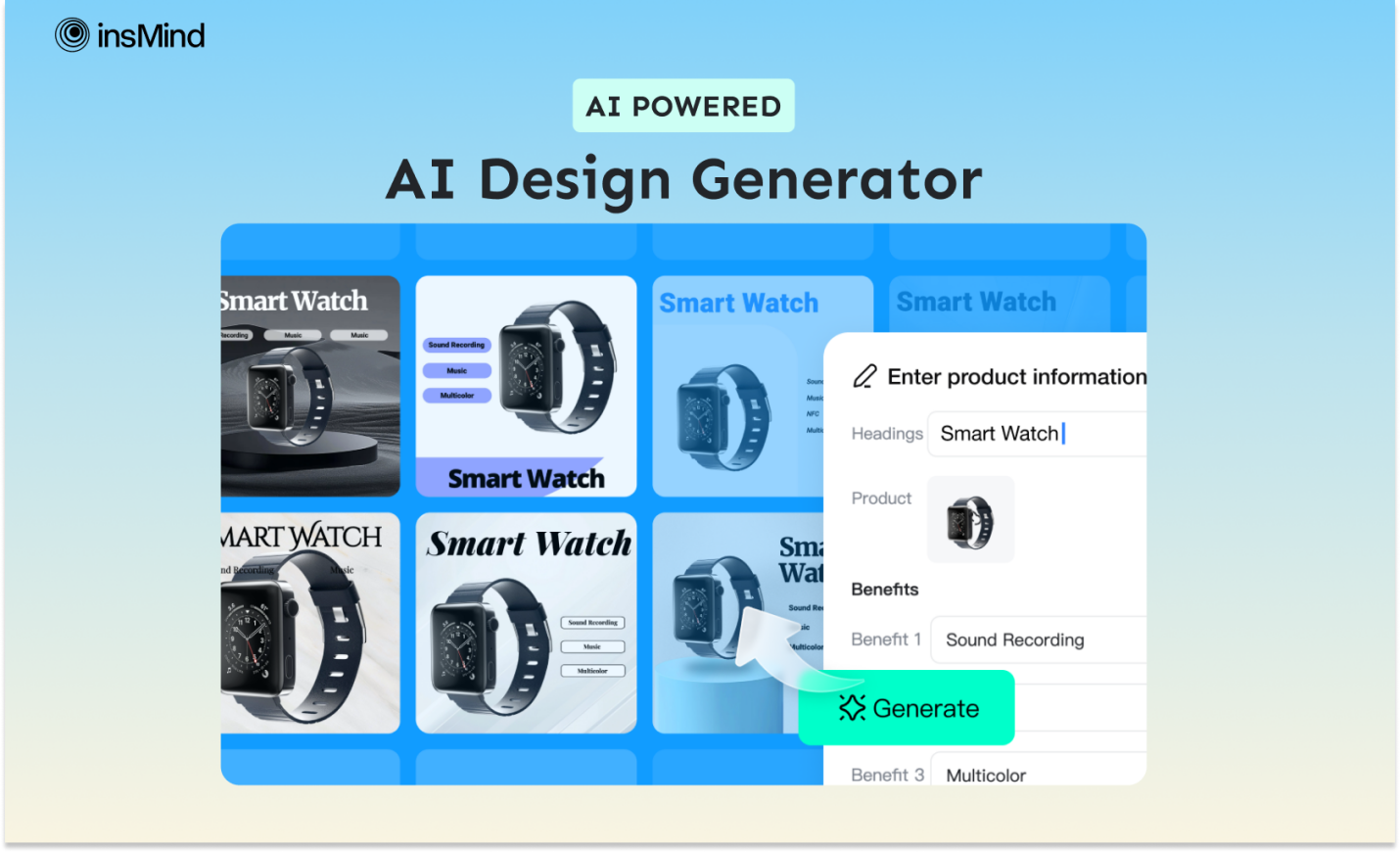
The design and marketing industry is no longer behind AI revolutions like other businesses that compete for consumer attention. Now, traditional, time-consuming product flyer making has been transformed with AI design generators.
Such tools use machine learning algorithms to better understand marketing strategies, design trends, and consumer preferences. To create product design flyers with minimal effort, read this guide thoroughly, which discusses AI graphic design generators in detail.
Part 1: Discover the Power of AI Design Generator of insMind: Crafting Product Flyers
When it comes to enhancing product images without delving into complex software, the insMind AI photo editor stands at the top with its numerous AI tools. Among them is an AI graphic design tool that can professionally design flyers, banners, and brochures for your product marketing campaigns. It can change your marketing game by crafting compelling designs of product images.
To create an informative product design, you need only upload an image of your product, insert its name, and describe its benefits. Moreover, users still get the flexibility to choose a design from multiple AI-generated product flyers that best align with their brand theme.
Part 2: How to Generate Unique Product Flyers Using insMind AI Design Generator?
If you wish to create graphics for your ad or posters that won’t go unnoticed, you must read the instructions below carefully and craft them yourself.
Step 1: Access the AI Design Generator Tool
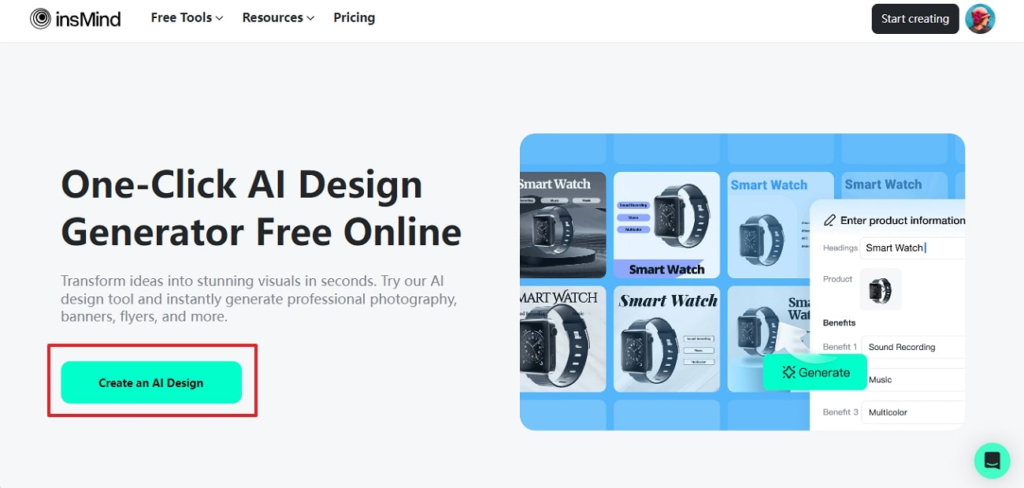
Navigate to the main webpage of insMind. There, you can find the “AI Design Generator” from the “Free Tools” bar. Click the button, this will take you to the editing interface, where you have to upload the image and proceed to create the design.
Step 2: Adjust the Product Settings
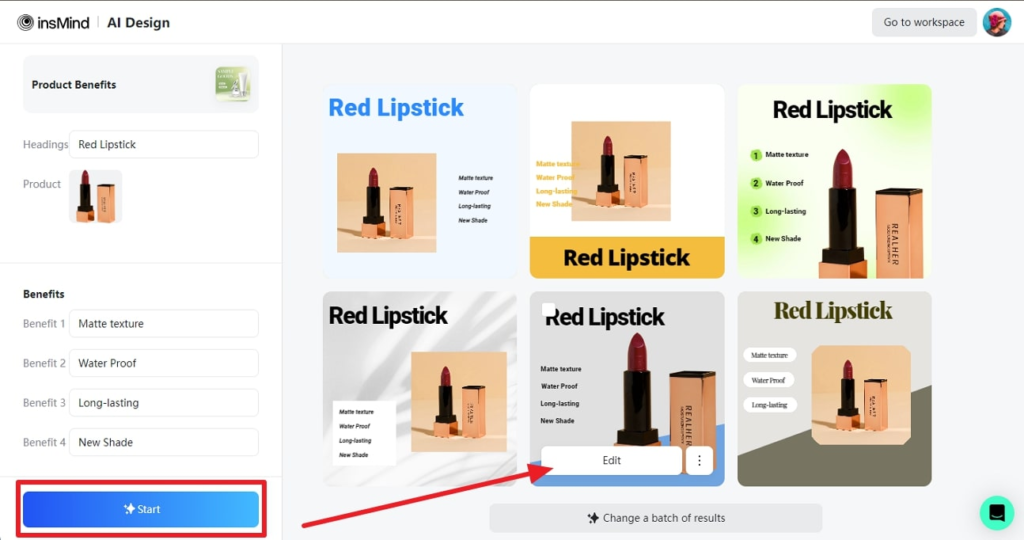
First, tap the “Product” button from the left panel and upload your product image for design creation. Then, insert the required information in the “Headings” and “Benefits” text boxes to press the “Start” button. Now, wait for the results; once they are generated, hover over your preferred one to hit the “Edit” button.
Step 3: Download the AI Design Image
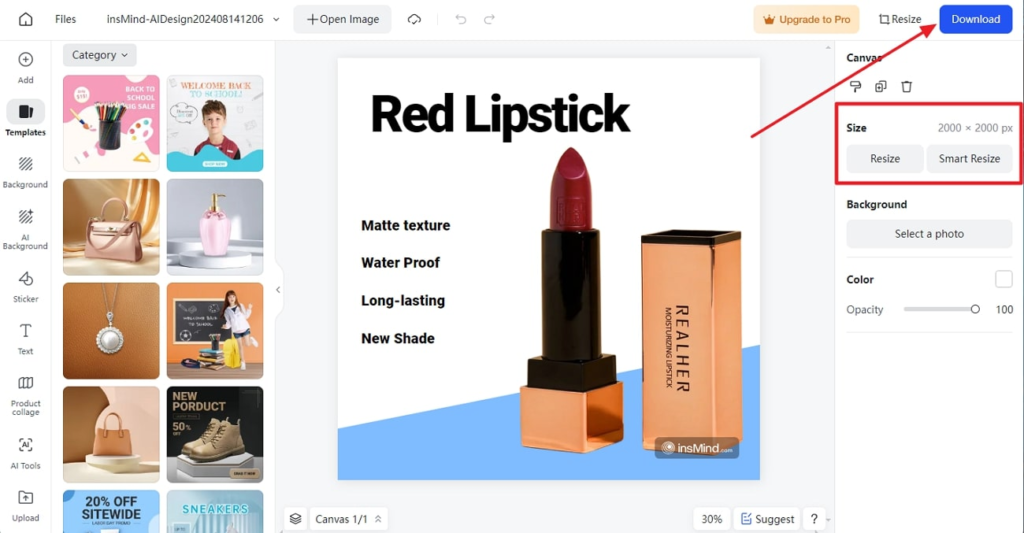
Next, adjust the size of the generated flyer based on the platform requirement where you intend to upload it. For this, use the “Size” section with the “Resize” and “Smart Resize” buttons for adjustments. Later, press the “Download” button at the top-right corner to export designs with desired quality and format settings.
Part 3: Some Inspiring Benefits of Creating the Product Flyer Through insMind
Despite its automated processing nature, insMind allows users to customize and further enhance their AI designs. In addition, there are several benefits of using the insMind design generator, which you can explore through the points given below:
- Consistency in Branding: Considering your product’s nature, insMind generates designs that are consistent over time and specific to eCommerce marketing strategies, ensuring your flyers align with eCommerce branding guidelines.
- Data-Driven Designs: This AI tool uses machine learning algorithms to analyze consumer behavior and provide flyers with detailed information about the product, helping you increase consumer engagement.
- Easy and Time Saving: insMind’s AI design tool works while considering users’ convenience and user-friendliness with fruitful templates so everyone can craft compelling but tailored designs within seconds.
- No Prior Knowledge Required: To use this innovative technology, users are not expected to show prior technical expertise or follow comprehensive tutorials; instead, anyone without basic AI knowledge can operate it.
Part 4: Unlock Your Creativity with insMind’s Free Tools: Beyond AI Design Generator
Notably, insMind’s expertise isn’t limited to AI design generators; countless other basic and AI-powered features can elevate your visual content. If you don’t want to hire a professional designer, look into insMind’s other tools below to enhance your product images from all aspects.
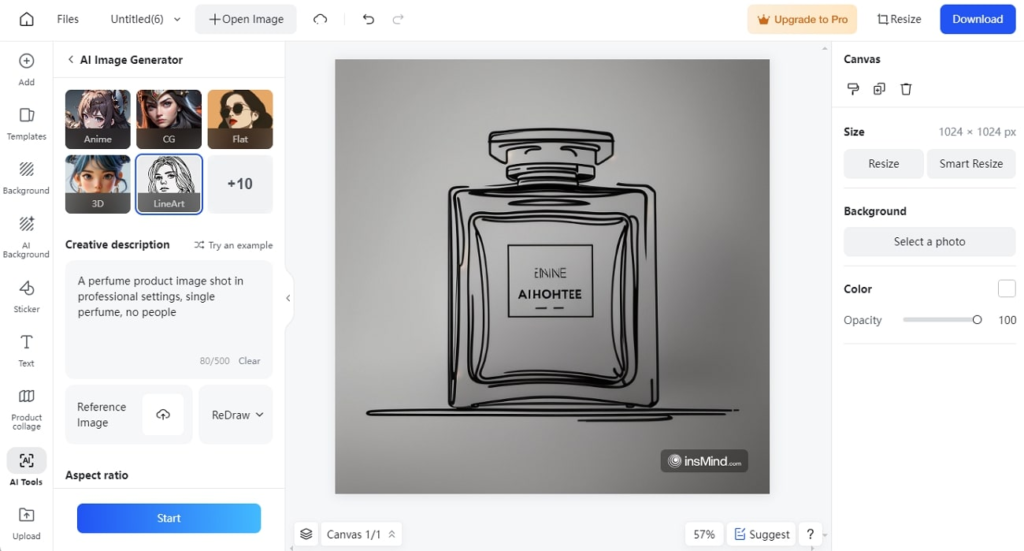
- AI Image Generator: If you need a unique flyer for your upcoming product marketing campaign, you can try its AI image generator, which crafts compelling images with text instructions.
- Photo Collage: Showing multiple product images impacts consumer engagement, so insMind provides effortless collage-making with multiple predesign templates, making a collage with one tap.
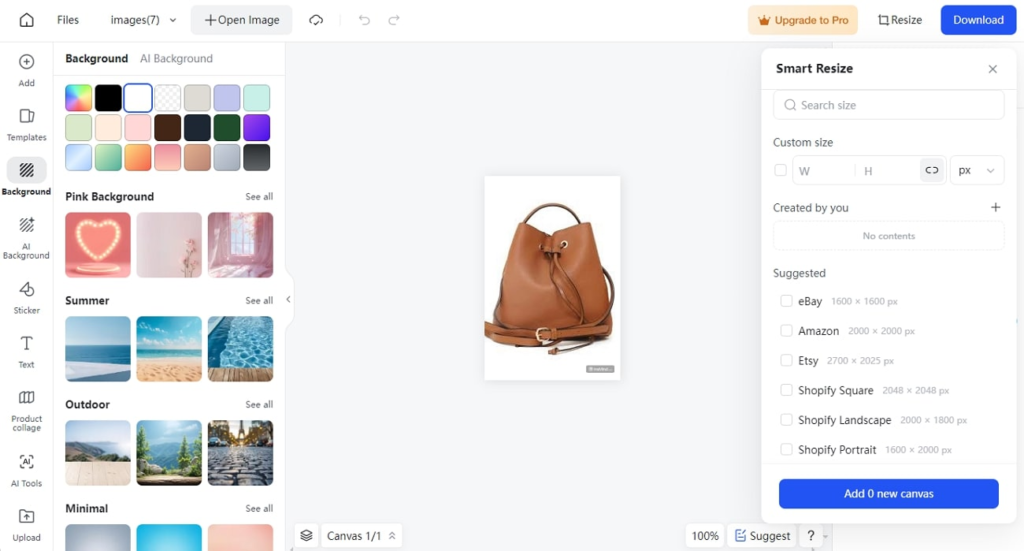
- Smart Resizer: Instead of manually resizing images to post on every social media forum, insMind’s smart resizer provides templates that users can pick and get instant resized images.
- AI Background Remover: When you want different versions of images or don’t like the background of a product image, use this tool to eliminate the background without delving into cutout brushes.
Conclusion
In short, designing a product image or enhancing it from all aspects is no longer a manual task as AI transforms the marketing niche. Now, AI-powered image editors such as insMind come into play for designing product flyers and banners with AI design generators for free. Besides, there are countless other tools to revamp your marketing campaign with a few taps, which you must explore by heading to its official site.
