

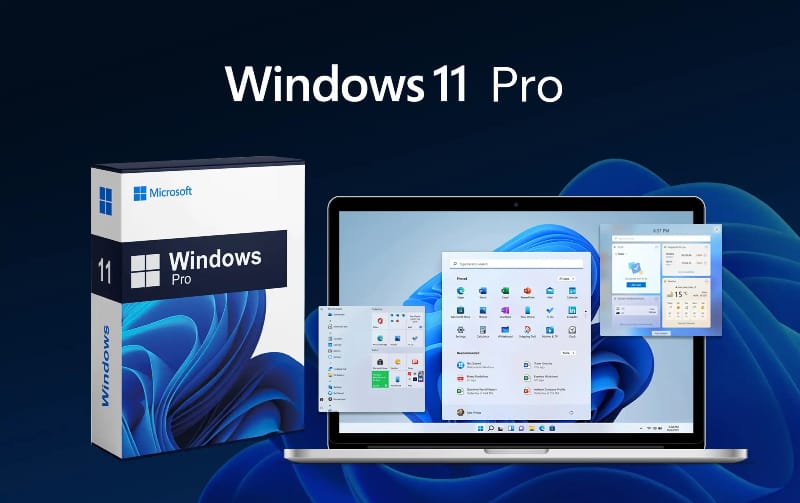
Windows 11 Pro, the latest operating system from Microsoft, brings a host of new features, improved performance, and enhanced security to users worldwide. As with any major OS release, obtaining a legitimate product key is essential for activating and enjoying the full capabilities of Windows 11 Pro. This comprehensive guide will explore what Windows 11 Pro keys are, their importance, how to obtain them, and tips for purchasing them safely.
What Are Windows 11 Pro Keys?
A Windows 11 Pro key is a unique 25-character code used to activate the operating system. This key is a critical component in ensuring that the software is genuine and that users have access to all features and updates. Without a valid key, users may be restricted to a trial version with limited functionality, and they might also face persistent activation reminders.
Importance of Windows 11 Pro Keys
- Legitimacy and Security:
- Using a genuine Windows 11 Pro key ensures that the operating system is legitimate. This legitimacy is crucial for receiving regular security updates and patches from Microsoft, which protect your computer from vulnerabilities and cyber threats.
- Full Feature Access:
- A valid key unlocks all the features of Windows 11 Pro, including advanced security options, business management tools, and enhanced productivity features. These are especially important for professional and business users who rely on these functionalities.
- Customer Support:
- Users with a legitimate key have access to Microsoft’s customer support for troubleshooting and technical assistance. This support can be invaluable if you encounter any issues with the operating system.
How to Obtain Windows 11 Pro Keys
1. Direct Purchase from Microsoft:
- The most straightforward and secure way to obtain a Windows 11 Pro key is through the official Microsoft website. Purchasing directly from Microsoft guarantees that the key is legitimate and that you receive all the associated benefits, such as updates and support.
2. Authorized Retailers:
- Windows 11 Pro keys can also be purchased from authorized retailers, both online and in physical stores. Ensure that the retailer is reputable and recognized by Microsoft to avoid counterfeit keys.
3. Digital Marketplaces:
- Platforms like Amazon, Newegg, and others often sell Windows 11 Pro keys. When buying from these marketplaces, it’s crucial to check the seller’s ratings and reviews to ensure that you’re purchasing a legitimate key.
4. Volume Licensing:
- For businesses and organizations, Microsoft offers volume licensing options. These licenses are cost-effective for deploying Windows 11 Pro across multiple machines and come with additional management tools and support.
5. OEM Keys:
- Original Equipment Manufacturer (OEM) keys are typically pre-installed on new computers. These keys are tied to the hardware and cannot be transferred to another device. However, OEM keys can sometimes be purchased separately for use on custom-built PCs.
Tips for Purchasing Windows 11 Pro Keys Safely
- Avoid Deals That Seem Too Good to Be True:
- Extremely low prices can be a red flag for counterfeit or stolen keys. Genuine Windows 11 Pro keys are valuable, and substantial discounts should be approached with caution.
- Verify Seller Credentials:
- Ensure that the seller is reputable and has positive reviews. Look for sellers who are authorized by Microsoft or have a long-standing history of selling legitimate software keys.
- Check Return Policies and Guarantees:
- Purchase from sellers who offer a return policy or guarantee. This provides a safety net in case the key is invalid or does not work as expected.
- Beware of Third-Party Websites:
- Third-party websites that are not well-known or have dubious reputations should be avoided. These sites often sell counterfeit keys, which can lead to software deactivation and potential legal issues.
- Use Secure Payment Methods:
- When purchasing online, use secure payment methods such as credit cards or PayPal, which offer buyer protection in case of fraud.
How to Activate Windows 11 Pro with a Product Key
Activating Windows 11 Pro with a product key is a straightforward process. Here’s how you can do it:
- Open Settings:
- Go to the Start menu and select “Settings.”
- Navigate to Activation:
- In the Settings menu, go to “System” and then select “Activation.”
- Enter Product Key:
- Click on “Change product key” and enter your 25-character Windows 11 Pro key.
- Complete Activation:
- Follow the on-screen instructions to complete the activation process. Once activated, your Windows 11 Pro will be fully functional, and you will have access to all its features and updates.
Benefits of Upgrading to Windows 11 Pro
1. Enhanced Security:
- Windows 11 Pro includes advanced security features such as BitLocker, which encrypts your data to protect it from unauthorized access, and Windows Defender, which offers comprehensive protection against malware and cyber threats.
2. Improved Productivity:
- Features like Snap Layouts, Virtual Desktops, and a redesigned Start menu help enhance productivity by allowing users to organize their workspace more efficiently.
3. Business Management Tools:
- Windows 11 Pro offers various business management tools, including Group Policy management, Mobile Device Management (MDM), and the ability to join a domain. These tools are essential for businesses that need to manage multiple devices and users.
4. Remote Work Capabilities:
- With the increasing trend of remote work, Windows 11 Pro provides features like Remote Desktop, which allows users to connect to their PC from anywhere, and Microsoft Teams integration for seamless communication and collaboration.
Conclusion
Obtaining a legitimate Windows 11 Pro key is essential for unlocking the full potential of Microsoft’s latest operating system. Whether you purchase directly from Microsoft, through an authorized retailer, or via a digital marketplace, ensuring the authenticity of your key is crucial for security, full feature access, and support. By following the tips outlined in this guide, you can confidently purchase and activate your Windows 11 Pro key, enjoying all the benefits this advanced OS has to offer.
