

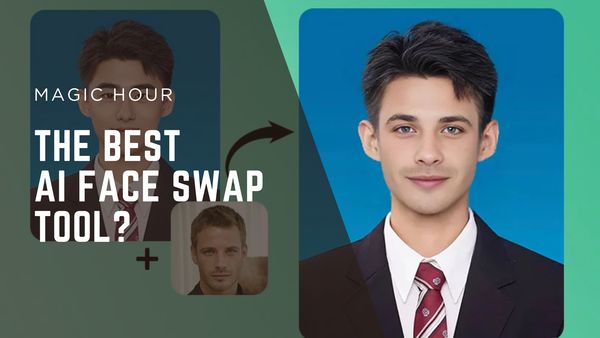
Just upload your picture, and watch the amazing AI smoothly swap your face with the one you picked. Face swap ai has really become super easy to use, so anyone can make funny videos, memes, or cool collages without needing to be a tech genius. Plus, when you combine it with other stuff like uncrop tools or an ai image enhancer, you open up even more creative doors.
In this simple guide, we’re gonna walk you through everything there is to know ’bout face swap technology. From how to get started to downloading your final masterpiece, we’ve got you covered with clear instructions that make the whole thing super simple. So let’s jump in and unlock your photo editing power!
How to Start with Face Swap AI
Face swap tech is now incredibly reachable, letting anyone transform photos in just a few clicks-and sometimes it doesn’t even take that long! Basically, at its core, face swapping works by finding a source face (yours or someone else’s face) and then gently blending it onto a target photo or video. Behind the scenes, some really smart AI models do the tricky work: finding faces, lining up features, and making sure the light and colors match up so the result looks totally natural.
To begin, you’ll need to pick which kind of tool you want to use:
- Web-based apps – These are perfect for new users. No downloads required, and everything is processed remotely on big servers.
- Local applications – These are usually better if you’re dealing with really high-res photos or long videos, as they use your own computer’s power.
For the best looking swaps, here are some tips for picking your images. You really want to make sure your pictures are good!
- Use clean, well-lit photos where faces are easy to see.
- Start with a neutral look-no big smiles or angry faces-for more realistic results.
- Try to pick pictures where the source and target faces are looking at similar angles.
- Higher resolution images (like 1024×1024 pixels) give you way sharper output.
Most apps have a really simple three-step process: upload your main image or video, upload the face you want to use, and click to make it happen. Even though the process feels like magic, the quality of your input images makes a massive difference to what you get out. Therefore, choosing the right images is honestly the most important thing you can do to make a convincing face swap that doesn’t shout “I was edited!”
Using the Tool: Uploading to Downloading
Okay, so you’ve picked your tool, let’s go through the actual steps. Most face swap ai apps follow a basic three to four-step process that gets you from upload to download in a snap.
The simple way it works is usually like this:
- Upload your base content – This is the picture or video with the face you want to switch out. Remember: high-res, clear, and well-lit faces work best.
- Add a replacement face – Upload the face you’re swapping in. For the greatest outcome, pick a picture where the face is angled similar to the one in your target photo.
- Select faces (if needed) – Some apps are smart and can find multiple faces, letting you pick which ones to swap. This is great for group photos or clips with a few people.
- Preview and download – After it’s done processing, take a look to be sure it looks natural. Most apps then let you download your face-swapped image or video in a good quality format.
For videos, the process is pretty much the same but might take a bit longer based on your computer’s hardware. Also, many tools offer extra options to improve your swaps, including face enhancement features that sharpen details and help create more natural blends. Maybe they even let you use a free ai image generator to make new base images!
Finally, just remember that matching up the light and the expression between your two images gives you the best, most believable results. Seriously, even small tweaks to things like brightness and contrast can make a huge improvement to the final picture.
Beyond the Basics: Making Your Creations Even Better
More advanced face swapping techniques let users enhance their creations with other tools that make facial detail and clarity much better. Uncrop technology can intelligently expand images, which is super useful for adding promotional text or changing the dimensions. Multi-face swapping features allow you to replace up to four faces in one picture-perfect for group shots. You can even turn static images into videos or animated GIFs, and some platforms even support batch processing, which saves time. Creative options just keep growing, like cross-style swapping between different types of media while keeping the face accurate, which makes these complex tools easy for everyday users.
For people who want to build their own tools, developer APIs let them add face swap capabilities into custom applications. This takes the tech outside of just standalone apps and into specialized professional setups. This is also really useful for people who want to use an ai image editor with prompt for more specific and detailed results, especially when they also want an ai photo enhancer or to ai enhance image after the swap.
Conclusion
Face swap tech has completely changed how we edit and personalize photos, allowing beginners to create incredible transformations with a simple upload-swap-download. The most critical thing is the quality of your source images-good light, high-resolution photos with clear faces will give the best results. Extra tools like ai enhance image, uncrop tech, and multi-face swapping really expand what you can do, letting users make fun videos, personalized memes, and pro collages super easily. As face swap ai keeps advancing, it makes skills that used to need professional training available to everyone. This guide is here to encourage you to try face swapping and create fresh, engaging visual content without any stress.
