

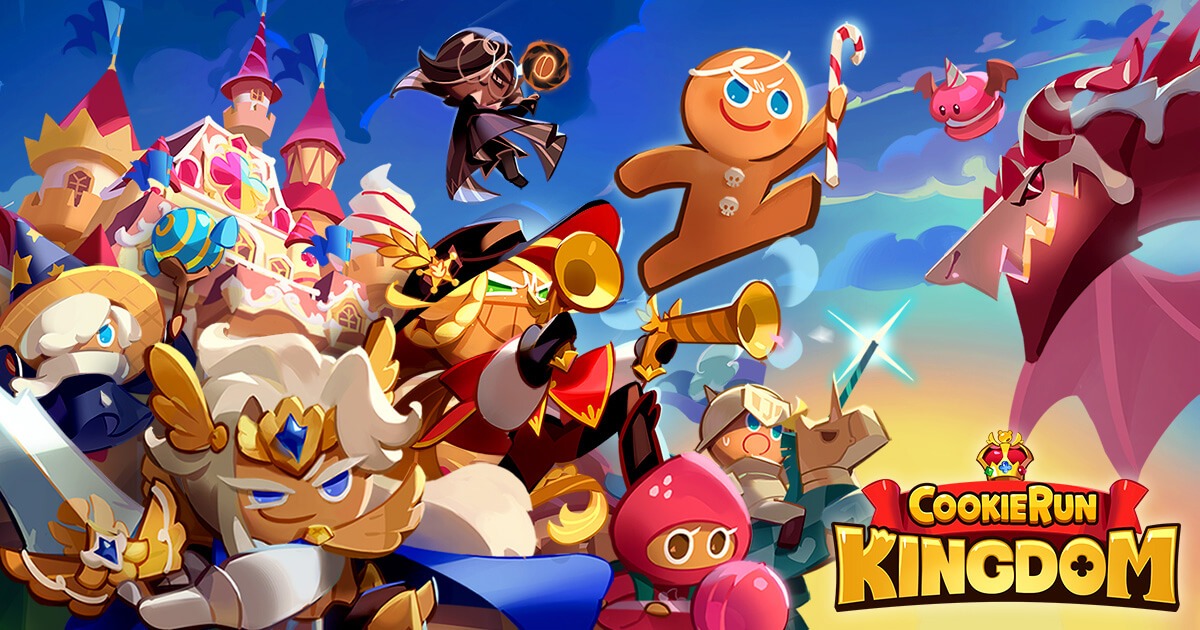
Look, Cookie Run: Kingdom on your phone? It’s fun at firstquick raids, and cute cookies everywhere. But after a couple of hours, that tiny screen starts fighting you, your thumbs cramp up, and your battery’s gasping. That’s when the PC enters the chat. I’ve switched plenty of times, and it’s not some miracle; it’s just smarter. Bigger view, solid controls, no random crashes. Let’s walk through why it clicks, step by step.
Introduction: Why Users Want to Play Mobile Games on PC
We all grab our phones for a fast game session, right? Works great on the go. But sit down for a real grind? Phones falter, neck aches from hunching, heat building up, progress vanishing on a bad swipe. PC sorts that. More room to see what’s happening, keys that actually listen. For example, playing cookie run kingdom pc gives you that extra clarity, where you’re juggling team health and boss moves, it means landing those clutch plays instead of guessing. Practical win.
Game Overview: Type, Platforms, Basic Gameplay
It’s not just a strategy RPG. It’s a full blown cookie kingdom that somehow takes over your life in the best way possible. You’re not only sending cookies into battle. You’re building their homes. Managing resources. Choosing who fights. Deciding who gets stronger. Every cookie has its own personality and skills. Some hit hard. Some heal. Some just cause absolute chaos in the best way. Then you add toppings to give them those little power boosts right when things start getting intense And the battles are not mindless. Timing matters. Positioning matters. Using the right combo at the right second can flip the entire fight. While all that is happening, your kingdom keeps growing. You are farming materials.
Upgrading buildings. Fending off raids. Competing with other players. It feels like spinning plates, but in a good way The basics are simple enough. Gather resources. Build a squad. Take on raids. Jump into PvP. But the real depth sneaks up on you. You start matching pets with cookies for clutch heals or sudden damage bursts. You hunt down rare soulstones to power up your favourites. You test different team combinations just to see what works best in certain battles. Some fights reward calm planning more than frantic tapping. That is where it gets addictive. Every decision feels like it matters. Playing Cookie Run Kingdom on PC makes it even better. On a bigger screen, you can actually track cooldowns properly. You spot enemy patterns more easily. You manage your squad with way more control. It feels cleaner, sharper, more strategic.
Why Some Users Choose to Play on PC
People pick PCs because it fixes the little frustrations that add up. On mobile, you’re always zooming to check a bar or icon, miss stuff, lose fights. PC spreads it out; you spot cooldowns, enemy tells at a glance. Controls don’t betray you mid-combo. Chatted with guildmates who made the jump suddenly; they’re topping leaderboards more often. Not magic, just fewer mistakes letting you play your best.
What an Android Emulator Is
Emulators are basically your PC running Android like it’s a phone inside. It grabs your computer’s speed, turns touch into mouse clicks, and blows up the screen. No weird hacks needed. For games like this, it means playing the mobile version exactly as is, but with desktop perks. Smooth bridge, no fuss.
Playing the Game on PC with MuMuPlayer (As One Solution )
I go with MuMuPlayer because it just works, light on your system, no constant tweaks. For example, you can play Cookie Run: Kingdom on PC, and it runs clean, raids stay at steady frames even when chaos hits. Its engine cuts down the drops you see in bulkier ones. Mapping keys is simple: pin skills to fingers you use, and the mouse picks targets sharply. Less memory hog means it fits older laptops too, without skimping on play.
Step-by-Step Guide (Download → Install → Play)
Super straightforward, I’ve done it in 5 minutes.
- Hit the official MuMuPlayer site, download the file. It’s small, grabs fast.
- Run setupclick along, it builds the Android space.
- Boot it up, hop into the Play Store, find Cookie Run: Kingdom, install.
- Link your account progress pops right back. Set keys for skills, go full-screen.
- Jump in, tweak graphics to your screen. Try a quick fight; feels right away.
- Keep it updated for fresh fixes.
Benefits of Using an Emulator on PC
These tools deliver real edges you feel right off.
Larger Display
A bigger canvas means tracking boss patterns early, juggling cooldowns easily, and scanning your kingdom layout without endless zooms. Decisions land quicker position squads smart, dodge what’s coming.
Keyboard & Mouse Control
No more swipe slips. Keys’ fire skills on point, mouse nails aim. The chain moves fluidly, and reacts to shifts fast. Turns frantic taps into controlled plays.
Stable Performance
Your PC’s power keeps frames even, graphics cranked on mobile slowdowns. Long hauls or big events? Steady, so strategy stays front and center.
Multi-Instance Support
Fire up extras farm side accounts while the main pushes raids. Builds everything faster, keeps the guild humming without device juggling.
FAQ
1. Do I need a powerful PC to run MuMuPlayer?
No. A basic Windows PC with decent RAM can handle it. Lower the graphics if your system is older.
2. Will my game progress be saved?
Yes. Just log in with your existing account, and your progress will sync automatically.
3. Can I customize controls on the PC?
Yes. You can map skills and actions to keyboard keys and use your mouse for precise control.
4. Does MuMuPlayer affect in-game performance?
It usually improves stability. Frame drops and overheating issues common on phones are reduced.
5. Is it legal to play mobile games this way?
Yes. You are still running the official mobile version through the Play Store, just on a PC environment.
Conclusion
Running Cookie Run: Kingdom through something like MuMuPlayer on PC sharpens the whole deal with clearer sightlines, reliable moves, and sessions that don’t quit on you. Makes tackling tough starts less of a chore, more of a flow. Worth the quick setup if you’re in deep. Give it a shot; it changes how you see the game.
