

Adding visual appeal to your WooCommerce product pages goes beyond simply having high-quality photos. In the early days of online shopping, most stores relied on basic dropdown menus to display product variations like color or size.
While functional, these menus often left customers guessing what a product actually looked like, especially when items had multiple colors or patterns. Over time, online stores began using variation swatches to give shoppers a clearer view of their options.
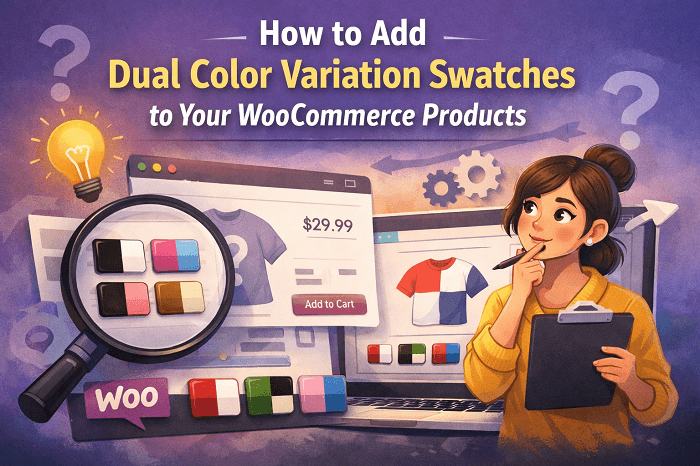
Dual color variation swatches emerged as a solution for products that combine two shades in a single item; think two-tone clothing, furniture with mixed finishes, or accessories with contrasting elements. These swatches not only make it easier for customers to choose the right combination but also improve the overall shopping experience by making product pages more engaging and intuitive.
By the end of this guide, you’ll understand exactly why dual color swatches are important for your store and how to add them to your products. You’ll have the confidence to implement them yourself, creating a more interactive and customer-friendly WooCommerce experience.
Benefits of Using Dual Color Variation Swatches
Using a plugin like the Variation Swatches for WooCommerce can completely change the way customers interact with your products. Instead of navigating through dropdown menus or guessing color combinations, shoppers can instantly see how two colors look together, making the buying process faster and more intuitive.
This small change can have a big impact on both engagement and conversions. Here are some key benefits of using dual color swatches:
- Simplified Buying Process – Customers can select variations with fewer clicks, seeing exactly what the product looks like in two colors combined.
- Enhanced Visual Appeal – More engaging than text labels or standard dropdowns, dual color swatches give your product pages a polished, professional look.
- Reduced Returns & Higher Satisfaction – Clearer visual representation helps set accurate expectations, which can lower return rates and improve customer happiness.
- Interactive & Informative Experience – When paired with tooltips or image previews, customers can explore options quickly without leaving the page, keeping them engaged longer.
- Customizable & Flexible – Plugins like Extendons allow control over swatch shapes, sizes, and positions, so your pages stay consistent with your site’s design.
- Product-Level Control – Choose which products get dual color swatches and which stick to single color or standard options, giving you full control over your store’s appearance.
Overall, dual color variation swatches aren’t just a visual upgrade; they make shopping smoother, more enjoyable, and more reliable for your customers. With a feature like this, your store can feel more interactive and professional while helping shoppers make confident purchase decisions.
Add Dual-Color Swatches with a Variation Swatches Plugin
Adding dual color variation swatches helps customers see exactly how two colors combine on a product, making it easier for them to choose the right option. Using a plugin that supports dual color swatches simplifies the process and allows your product pages to display variations more clearly.
Steps to Set Up Dual Color Swatches
- Access Product Settings – Go to your WordPress admin panel and edit the product you want to add dual color swatches to.
- Select Attributes – Under the product data section, choose the attributes you want to display as swatches.
- Choose Dual Color Swatch Type – For each relevant attribute, select dual color as the swatch type. This ensures the swatch shows both colors together in a single option.
- Adjust Appearance – Use the plugin settings to customize swatch shape, size, and label font. You can also decide how out-of-stock variations appear, whether blurred, hidden, or crossed out.
Once these settings are applied, your dual color swatches will appear on both the product page and shop pages, allowing customers to view and select product variations directly. This setup gives shoppers a clear view of your products, reduces confusion, and helps them make confident purchase decisions.
The Plugin that Gets the Job Done
Not all WooCommerce variation swatches plugins are created equal, and selecting the right one is key to getting the best results for your store. Based on features, flexibility, and ease of use, here are some of the top options available:
Variation Swatches for WooCommerce by Extendons
This WooCommerce color swatches plugin by Extendons tops the list because it lets you add dual color swatches quickly, customize their size and shape, display them on both product and shop pages, and even edit variations from the cart. It provides a complete solution for stores that want to make their product variations interactive and visually appealing.
WooCommerce Variation Swatches by PluginHive
A solid option for simple color or image swatches, although it lacks some of the advanced dual color and product level customization features that Extendons offers.
WooSwatches by IconicWP
Offers a user friendly interface with good customization options for colors and images, but managing dual color swatches is not as intuitive as with Extendons.
YITH WooCommerce Color and Label Variations
Useful for single color swatches with some labeling options, but limited in multi-color support.
While all of these plugins can improve the shopping experience, the Extendons plugin stands out for stores that specifically need dual color swatches.
Its ease of installation, detailed customization, and ability to show all attributes on the shop page make it a strong choice for online store owners looking to make product selection faster and more interactive.
Conclusion
Dual color variation swatches are more than just a cosmetic upgrade for your WooCommerce products. They make it easier for customers to select variations, reduce confusion, and present your products in a clear, attractive way.
By choosing the right plugin, particularly Variation Swatches for WooCommerce by Extendons, you can implement these swatches without hassle, configure them according to your store’s needs, and provide a better shopping experience overall. If you want your product pages to be both visually appealing and highly functional, adding dual color swatches is a step you shouldn’t skip.
