

If you’ve been using AI tools for image or video generation, you’ve probably noticed one major limitation: lack of consistency and control.
Every time you generate something, you start from scratch.
That’s exactly where OpenArt Worlds changes the game.
Instead of creating isolated images, OpenArt Worlds allows you to build persistent, explorable 3D environments — something no other AI creative platform is currently doing at this level.
For the first time in AI content creation, creators are no longer at the mercy of what the model decides to generate. OpenArt Worlds lets you build a fully navigable 3D world from a text prompt or image, walk through it freely, and take the shot from exactly the angle and composition you want. The camera is yours. The framing is yours. The story is yours. Impact-Site-Verification: f2bd811a-bf17-4533-a7d4-5dcad0f6b3a1
And right now, you can get 20% OFF with code: WORLDS20 (limited time).
What Is OpenArt Worlds?
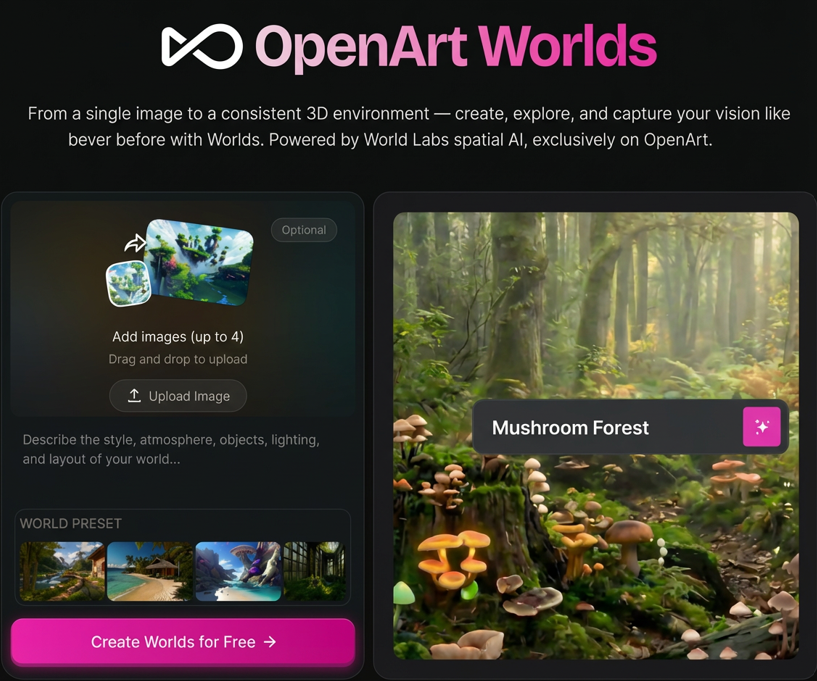
OpenArt Worlds is a new feature inside OpenArt powered by World Labs spatial AI, allowing users to:
- Turn a single image into a full 3D environment
- Explore scenes with camera control
- Maintain visual consistency across content
- Reuse environments for multiple projects
This is a big shift from traditional AI tools that generate static outputs only.
Why OpenArt Worlds Is Different
Insight
Most AI tools today:
- Generate one image → done
- No continuity
- No spatial understanding
OpenArt Worlds advantage:
- Persistent world
- Navigable space
- Reusable scenes
👉 This is especially powerful if you’re creating content at scale.
Key Features Breakdown
1. From Image → Full 3D World
You can upload 1–4 images and instantly turn them into a coherent 3D environment.
- AI fills missing areas
- Maintains style consistency
- Adds depth automatically
This means:
→ One image = endless camera angles
2. Camera Control (Huge Upgrade)
Unlike normal AI tools, you can:
- Move camera
- Change perspective
- Create multiple shots from the same scene
👉 This is extremely valuable for:
- Video creators
- Storytelling content
- Ads & creatives
3. World Presets for Fast Start
OpenArt provides presets like:
- Nature scenes
- Fantasy worlds
- Beach environments
- Sci-fi landscapes
These help beginners skip the learning curve and go straight to creation.
4. Visual Consistency Across Content
This is where OpenArt Worlds becomes a serious content engine.
Instead of:
❌ Regenerating different scenes every time
You get:
✅ One world → many outputs
Perfect for:
- Brand storytelling
- YouTube videos
- TikTok series
- Virtual characters
Best Use Cases (High-Converting Angles)
1. Filmmakers & Video Creators
Problem: Scene inconsistency between shots
Solution:
- Build 1 world
- Shoot multiple angles
- Keep visual continuity
👉 Result: Faster production + professional output
2. Social Media Creators & Virtual IP
Create a consistent universe for:
- AI influencers
- Story content
- Personal brands
👉 This increases:
- Audience retention
- Brand recognition
3. Game Designers & Concept Artists
- Prototype environments instantly
- Export ideas to Unreal / Blender
- Test layouts before development
👉 Huge time saver in early-stage production
4. Architects & Spatial Designers
- Show clients walkable environments
- Present ideas visually instead of static images
👉 Better communication = higher conversion
Real Experience: What It Feels Like to Use
From testing, the workflow is simple:
- Upload image
- Describe environment
- Generate world
- Explore & adjust
Within minutes, you get:
- Depth
- Lighting
- Environment coherence
👉 The experience feels closer to using a game engine than a typical AI tool.
Pricing + Discount (Important)
OpenArt uses a credit-based + subscription model.
💡 Current promotion:
👉 Use code: WORLDS20
→ Get 20% OFF monthly plans
⚠️ Limited-time (valid until March 27)
Pros & Cons
Pros
- Unique 3D world generation (no direct competitor)
- Strong consistency across outputs
- Great for video & storytelling
- No hardware required (cloud-based)
Cons
- Learning curve for advanced use
- Credit usage can increase quickly
- Still evolving (early-stage feature)
Who Should Use OpenArt Worlds?
Best fit:
- Content creators scaling output
- Affiliate marketers building assets
- YouTubers / TikTok creators
- Game & concept designers
Not ideal if:
- You only need simple images
- You don’t care about consistency
Affiliate Insight (Important for Monetization)
Why this converts well:
Demand
High (AI content creation booming)
Monetization
Recurring subscription → good LTV
Differentiation
Unique feature (3D worlds) → easy angle
Best Funnel Strategy
Awareness
- “AI tools comparison”
- “Best AI tools for creators”
Consideration
- OpenArt Worlds review (this article)
- Tutorials (how to create worlds)
Conversion
- Demo + results + CTA + discount code
Final Verdict
Quick Take
OpenArt Worlds is not just another AI tool — it’s a new category of creative workflow.
If you’re serious about:
- Content scale
- Visual consistency
- Advanced AI workflows
→ This is worth testing.
