

In this digital age, our smartphones have become an extension of ourselves, holding invaluable personal and professional information. Many iPhone users will choose to set a screen lock on their iPhone to protect their privacy from being exposed. However, what happens when you forgot iPhone passcode or find yourself locked out due to various reasons? Fear not, as we delve into the ultimate guide on how to unlock your iPhone without a passcode, there are still viable ways for users to unlock their iPhone again.
The Importance of Unlocking Your iPhone Without a Passcode
The need to access your iPhone without a passcode can arise for various reasons. Perhaps you’ve forgotten your passcode, or you’ve purchased a second-hand device with an unknown passcode. In such scenarios, unlocking your iPhone without a passcode becomes crucial to regain access to your device and its data.
Common Methods to Unlock an iPhone Without a Passcode
There are several methods to unlock an iPhone without a passcode, ranging from built-in features to third-party software solutions. Let’s explore some of the most common ones:
Using Siri to Bypass the Passcode on an iPhone
Siri, Apple’s virtual assistant, can sometimes be exploited to bypass the passcode on an iPhone. By activating Siri and asking a specific question, you may gain access to certain features and settings, allowing you to bypass the passcode. However, this method doesn’t always work and may depend on the iOS version and device model.
Using Find My iPhone to Unlock Your Device Remotely
If you’ve enabled Find My iPhone and associated your device with your Apple ID, you can use this feature to remotely erase your device and remove the passcode lock. This method is effective but requires that Find My iPhone is enabled and the device has an active internet connection.
Unlocking Your iPhone Without a Passcode Using Third-Party Software
Third-party software solutions like TunesKit iPhone Unlocker offer a convenient way to bypass passcode locks on iPhones and iPads. TunesKit iPhone Unlocker is a powerful tool designed to help users unlock their iPhones and iPads without a passcode. With its intuitive interface and straightforward process, it offers a hassle-free solution for bypassing passcode locks. Here is a step-by-step instruction to guide you through the unlocking process.
Select Unlock Mode: choose “Unlock iOS Screen” mode if you want to unlock your locked iPhone.

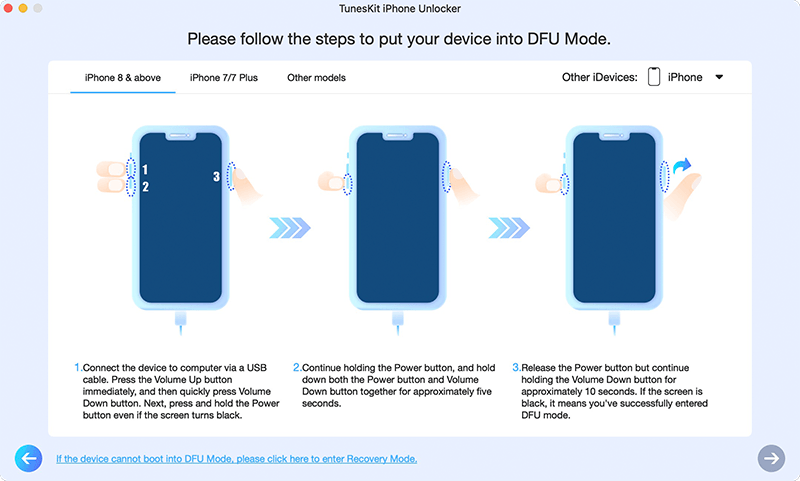
Follow On-Screen Instructions: please follow the on-screen instructions provided by TunesKit iPhone Unlocker to put your iPhone into Recovery Mode or DFU Mode.
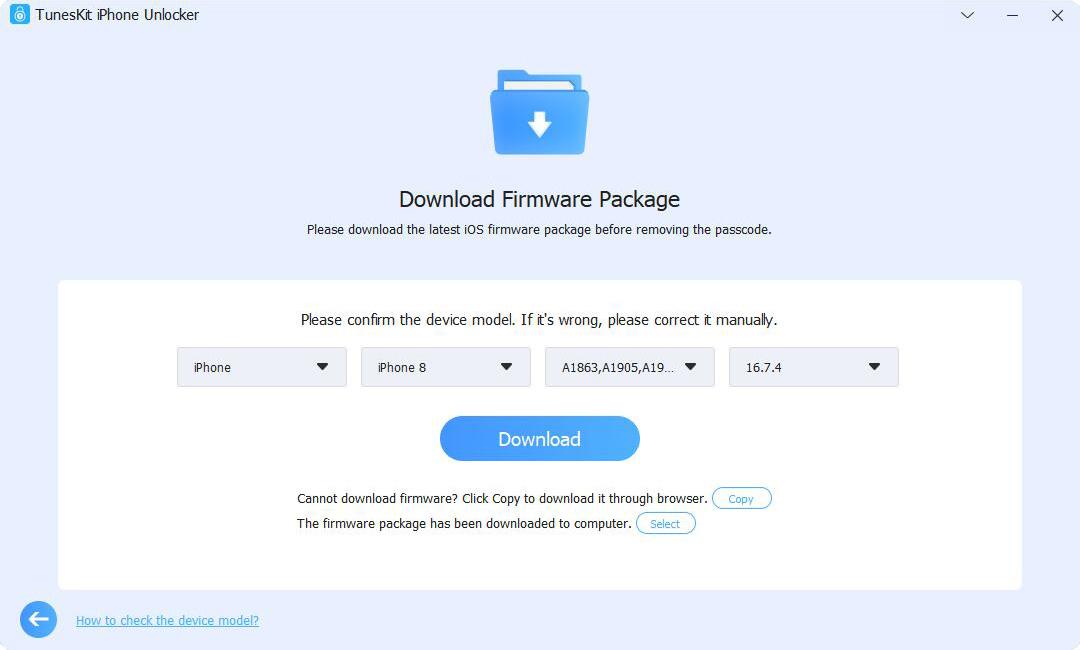
Download firmware package: In this step, the program will show detailed information about your iPhone. Ensure that all the information is correct. Click “Download” to start downloading firmware package.
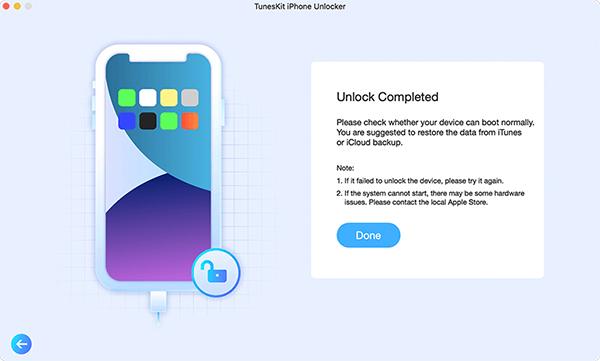
Unlock Your iPhone: After downloading the firmware package, TunesKit iPhone Unlocker will begin unlocking your iPhone. It won’t take much time.
To get better understanding, you can watch the video tutorial below.
Pros:
Simple and intuitive user interface.
Supports a wide range of iOS devices and versions.
Quick and efficient unlocking process.
Offers additional features like removing Apple ID without a password and bypassing screen time locks.
Cons:
Requires a computer to use.
Paid software, although a free trial is available.
Tips and Tricks to Prevent Passcode Lockouts in the Future
To avoid getting locked out of your iPhone in the future, consider implementing the following tips and tricks:
Regularly backup your device using iTunes or iCloud.
Use a memorable passcode or consider using biometric authentication like Touch ID or Face ID.
Enable two-factor authentication for added security.
Keep your device and iOS updated with the latest software releases.
Frequently Asked Questions About Unlocking iPhones Without a Passcode
Can I unlock my iPhone without losing data?
Yes, using solutions like TunesKit iPhone Unlocker, you can unlock your iPhone without losing data.
Is it legal to unlock an iPhone without a passcode?
It’s generally legal to unlock your own device if you’ve forgotten the passcode. However, it’s essential to respect the privacy and security of others’ devices.
Can I unlock a stolen iPhone?
No, unlocking a stolen iPhone is illegal and unethical. It’s essential to return stolen devices to their rightful owners or authorities.
Conclusion
Unlocking your iPhone without a passcode is essential in various situations, and there are multiple methods available to achieve this. Whether you choose to utilize built-in features like Siri and Find My iPhone or opt for third-party software like TunesKit iPhone Unlocker, ensure that you follow the necessary precautions and legal guidelines. By choosing the right method and taking preventative measures, you can regain access to your device and safeguard your valuable data.
