

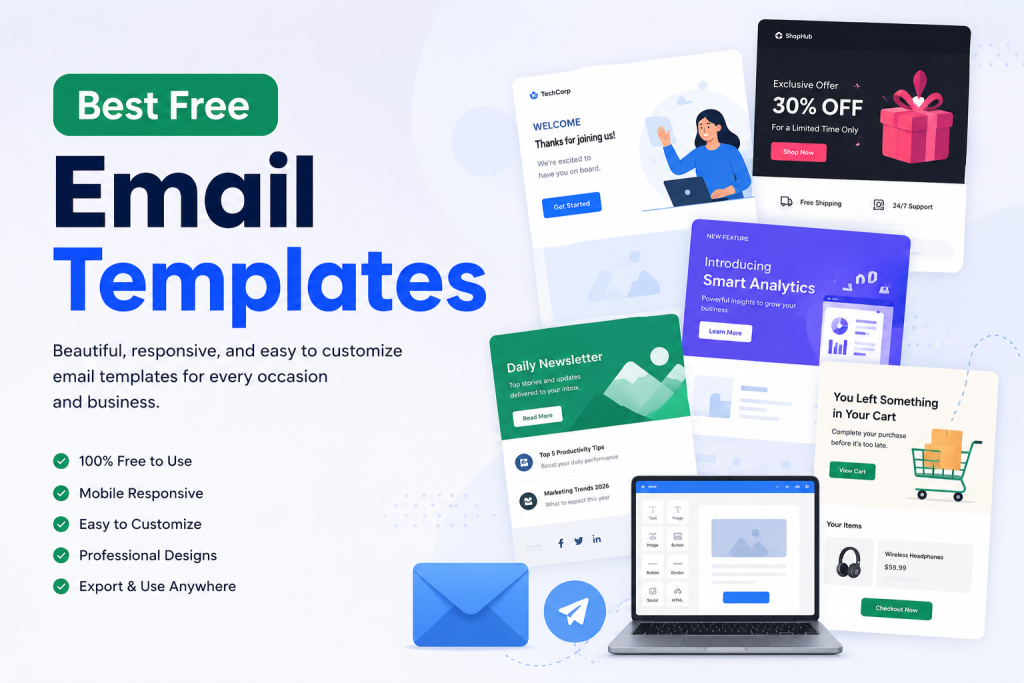
A good email template can save hours of design work. Instead of building every campaign from scratch, marketers can start with a ready-made layout, customize the content and branding, and launch campaigns much faster.
This is especially useful for small businesses, SaaS companies, ecommerce stores, agencies, and marketing teams that send emails regularly. A strong collection of Free email templates gives teams a reliable starting point for welcome emails, promotions, newsletters, product updates, and other campaigns.
The best templates in 2026 should be mobile responsive, easy to customize, visually clean, and designed around a clear marketing goal.
Here are 10 email templates every business should consider using.
1. Welcome Email Template
Best for: New subscribers, customers, and trial users
A welcome email is often the first direct interaction a new subscriber has with your brand.
That makes the design and message especially important.
A good welcome template usually includes:
- Company logo
- Clear welcome message
- Short introduction
- Main customer benefit
- Primary CTA
- Helpful next step
The email should not overwhelm new subscribers with too much information. Instead, focus on introducing the brand and helping recipients understand what they should do next.
For SaaS companies, this might mean completing account setup. For ecommerce businesses, it could be exploring products or using a welcome discount.
2. SaaS Onboarding Email Template
Best for: Software companies and subscription platforms
SaaS onboarding emails help new users understand how to use a product successfully.
A typical onboarding template may include:
- Welcome message
- Setup instructions
- Product screenshots
- Feature highlights
- Help resources
- CTA to continue onboarding
The layout should be simple and easy to scan.
Instead of explaining every feature immediately, guide users toward the actions that help them experience the product’s main value.
A short sequence of onboarding emails can often work better than one extremely long message.
3. Product Update Email Template
Best for: Product launches and feature announcements
Whenever you launch a new feature, improve an existing product, or release an important update, a reusable product announcement template can save time.
A strong product update email generally includes:
- Feature name
- Short introduction
- Product image or screenshot
- Key benefit
- CTA to try the feature
- Supporting information
Focus on the impact of the update rather than simply listing technical changes.
Readers usually care more about what the new feature allows them to do than how it was developed.
4. Promotional Email Template
Best for: Sales, discounts, and seasonal campaigns
Promotional emails need to communicate the offer quickly.
Recipients should understand the main benefit within seconds of opening the message.
A typical promotional template contains:
- Strong headline
- Discount or offer
- Product image
- Short supporting copy
- Main CTA
- Genuine deadline when applicable
Avoid filling promotional emails with too many competing messages.
One offer and one strong CTA will usually create a clearer experience than several unrelated promotions placed together.
5. Newsletter Email Template
Best for: Content marketing and regular company updates
A reusable newsletter template helps businesses send consistent campaigns without redesigning the email every week or month.
A newsletter might include:
- Main article
- Secondary content
- Company news
- Useful resources
- Product update
- CTA buttons
- Footer and social links
The structure should remain familiar from one newsletter to the next.
That consistency makes it easier for subscribers to scan the email and find the content that interests them.
6. Re-Engagement Email Template
Best for: Inactive subscribers and customers
Subscribers sometimes stop opening emails, visiting your website, or using your product.
A re-engagement campaign gives you an opportunity to bring those users back.
A good re-engagement template can include:
- Direct headline
- Reminder of the product’s value
- New feature or benefit
- Special offer when appropriate
- Clear CTA
Keep the email focused.
An inactive subscriber usually does not need ten different reasons to return. One relevant reason and one clear action are often enough.
7. Abandoned Cart Email Template
Best for: Ecommerce stores
Abandoned cart emails remind shoppers about products they added to their cart but did not purchase.
A useful template generally includes:
- Product image
- Product name
- Price
- Short reminder
- CTA to return to cart
- Optional customer-support information
The design should make it easy for the shopper to recognize the product immediately.
You can also include genuine urgency, such as limited availability or a real promotion deadline, but avoid fake scarcity.
Trust is more valuable than short-term pressure.
8. Event Invitation Email Template
Best for: Webinars, conferences, product launches, and workshops
Event invitation emails should communicate essential information quickly.
A good event template contains:
- Event name
- Date
- Time
- Location or webinar format
- Short description
- Main benefit
- Registration CTA
The reader should not have to search through paragraphs to understand when the event happens or how to register.
Keep the layout clean and make the registration button one of the strongest visual elements in the email.
9. B2B Lead Nurturing Email Template
Best for: Sales teams and B2B companies
Many B2B prospects are not ready to buy immediately.
Lead nurturing emails help businesses stay useful and relevant while prospects move through the buying journey.
A good template might include:
- Customer problem
- Helpful insight
- Short solution
- Case study or resource
- Soft CTA
These emails should feel informative rather than overly aggressive.
For B2B audiences, credibility and relevance are usually more persuasive than excessive promotional language.
10. Customer Feedback Email Template
Best for: Surveys, reviews, and customer research
Feedback emails work best when they are short and clear.
The recipient should immediately understand what you want them to do.
A simple feedback template can include:
- Thank-you message
- Short request
- Survey or review CTA
- Estimated completion time
- Optional incentive
Avoid adding unrelated promotions to this email.
When the main objective is collecting feedback, every part of the design should support that goal.
What Makes a Good Free Email Template?
Not every free template is worth using.
A professional email template should provide more than an attractive layout.
Mobile Responsive Design
Your email should remain readable on desktops, tablets, and smartphones.
Images need to resize correctly, content should not require horizontal scrolling, and CTA buttons should remain easy to tap.
Easy Customization
A good template should allow you to edit:
- Headlines
- Body content
- Images
- Logos
- Colors
- Buttons
- Links
- Spacing
Using an HTML Email Builder can make this process much easier because marketers can customize layouts visually instead of manually editing every part of the HTML.
Clear Visual Hierarchy
The reader should immediately understand the most important part of the email.
Headlines, images, copy, and CTA buttons should guide recipients naturally toward the main action.
Email Client Compatibility
An email can look perfect in a browser preview and still behave differently in an inbox.
Templates should be designed with major email clients such as Gmail, Outlook, Apple Mail, and mobile apps in mind.
Reusable Structure
The best templates are not limited to one campaign.
A flexible promotional template, for example, can be reused for Black Friday, seasonal promotions, product launches, and limited-time offers by changing the content and imagery.
Why Templates Are Better Than Starting From Scratch Every Time
Building an email from scratch offers complete design freedom, but it also requires more time.
Marketers may need to handle:
- Layout structure
- HTML
- CSS
- Responsive behavior
- Image sizing
- CTA styling
- Email-client rendering
- Testing
Templates remove much of that repetitive work.
Instead of beginning with a blank canvas, teams can start with a proven structure and focus on the campaign message.
This becomes particularly valuable when a business sends several campaigns each month.
Keep Your Branding Consistent
Email templates work best when they look like part of the same brand.
Your emails should use consistent elements such as:
- Logo
- Colors
- Typography
- Button styling
- Image style
- Footer structure
Brand consistency should also continue into one-to-one business communication. Using professional Email Signature templates can help keep employee signatures aligned with the same visual identity used in marketing campaigns.
When newsletters, promotional emails, transactional messages, and employee communications feel connected, the brand appears more professional and recognizable.
How Many Email Templates Does a Business Need?
You do not need dozens of completely different designs.
Most businesses can handle the majority of their campaigns with a relatively small template library.
A practical collection might include:
- Welcome email
- Newsletter
- Promotion
- SaaS onboarding
- Product update
- Re-engagement
- Abandoned cart
- Event invitation
- Lead nurturing
- Customer feedback
From there, each template can be adapted to different campaigns.
This creates consistency while significantly reducing production time.
How to Choose the Right Template
Start by identifying the goal of the email.
Ask one simple question:
What should the recipient do after reading this message?
If the goal is purchasing a product, choose a promotional layout.
If the goal is helping a new user get started, choose an onboarding template.
If the goal is educating subscribers, use a newsletter or content-focused layout.
If the goal is recovering an inactive customer, choose a focused re-engagement template.
Do not select a template purely because it looks impressive.
The structure should support the action you want the reader to take.
Final Thoughts
The best free email templates in 2026 are not simply attractive designs. They are reusable frameworks that help businesses create consistent campaigns without rebuilding every email from the beginning.
Start with templates for your most common customer journeys, customize them to match your branding, keep the content focused, and test every campaign across mobile and desktop email clients.
A small library of well-designed templates can make email production significantly faster while helping marketing teams maintain a more consistent and professional brand experience.
