

Logging in should be quick and uneventful, and on Jojo 66 it usually is. This guide explains how to reach your account, what to do if a login does not work, and how to keep your account safe from other people. Whether you play every day or only now and then, the same habits apply: use the correct login page, enter your details carefully, and never share your password. A little care at login time protects your balance, your game history, and your personal details, so it is worth getting this part right.
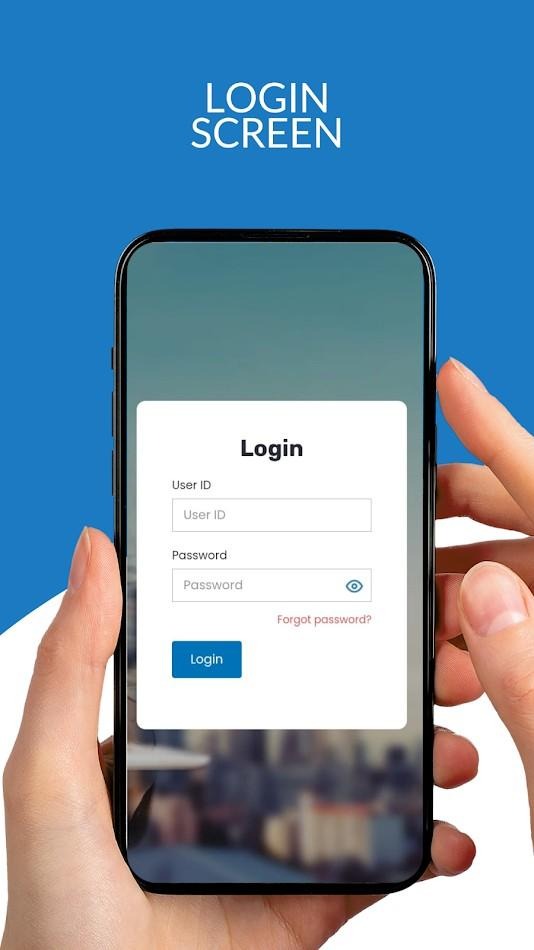
How to Log In to Your Account
To log in, open the Jojo 66 platform on your phone and find the login button, which is usually shown near the top of the home screen or beside the register option. Tap it to open the login form. Enter the mobile number or username you used when you registered, then type your password exactly as you set it. Passwords are sensitive to capital letters, so check that your keyboard has not changed a letter by accident. Once both fields are filled in, tap the login button and wait a moment for the platform to check your details. If they match, you will be taken to your account and the home screen will show that you are signed in.
What to Do If Login Fails
A failed login is usually caused by a small typing mistake, so stay calm and check the basics first. Read your mobile number or username again and make sure there is no extra digit or missing character. Retype your password slowly, watching each character as you enter it. If your phone offers to show the password while you type, use that option so you can spot an error. Check your internet connection as well, because a weak signal can stop the login from completing. If you have tried a few times and it still does not work, use the forgot password or help option on the login screen instead of guessing again and again.
Recovering a Forgotten Password
Forgetting a password happens to almost everyone, and most platforms offer a simple way to reset it. On the login screen, look for a link that says forgot password or something similar and tap it. You will usually be asked to enter the mobile number linked to your account. After that, follow the instructions shown on the screen, which may include entering a code sent to your phone. Once your identity is confirmed, you can choose a new password. Pick something strong that you have not used before, and write it down somewhere safe that only you can reach. After the reset, log in with the new password to confirm it works.
Keeping Your Account Safe
Your account is safest when only you know your login details. Never share your password with friends, family, or anyone who contacts you claiming to be from the platform, because genuine support will not ask for it. Avoid logging in on a shared or borrowed phone when you can, and always log out when you finish if you do. Keep your phone locked with a PIN or fingerprint so nobody can open your account from your device. Be careful with links sent by strangers that promise free rewards or quick money, since these are often used to steal accounts. A few steady habits like these keep your account in your hands alone.
Simple Login Habits Worth Keeping
Good login habits are small actions that add up over time. Log in only from your own device and your own connection when possible, and avoid public Wi-Fi for account access. Change your password now and then, especially if you ever think someone may have seen it. Check your account activity from time to time, and if you notice anything you do not recognise, change your password straight away and look for the support section. Keep your app or browser up to date, since updates often include security fixes. With these habits in place, opening the jojo 66 game platform each day becomes a simple, safe routine rather than a worry.
Safe login is mostly about care: use the right page, type your details slowly, recover your password through the steps shown on the screen if you forget it, and keep your password private. Do those things and your account stays yours.
