

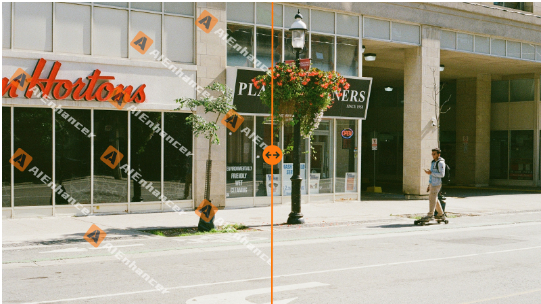
Images often reach us in a half-finished state. They are sharp enough, composed well enough, but still marked by something temporary—a logo, a text layer, a reminder that the image was never meant to be final. Fixing that last detail should not feel heavy or risky. It should feel like restoring an image to what it already wanted to be: usable, presentable, and ready to move forward.
Why Image Cleanup Is a Workflow Problem, Not a Design One
The Gap Between Draft and Delivery
Most images are not created once and published immediately. They circulate. They get reviewed, shared, and reused. Watermarks appear early for good reasons, but they often stay too long. By the time the image is approved, the creative work is done, yet the file is still blocked from real use.
Overediting Creates New Friction
When a simple issue like a watermark appears, the instinct is to open a full editor and start adjusting everything. That approach introduces new variables. Colors shift, edges soften, and suddenly the image no longer matches what was approved. What was meant to be a small fix turns into a new round of decisions.
A Precise Entry Point Into Image Cleanup
Removing Only What Does Not Belong
AIEnhancer’s watermark remover is designed around a narrow but important responsibility. You upload a single image, and the tool removes the visible watermark automatically. The surrounding area is reconstructed so the image remains visually coherent, without changing resolution, color balance, or overall clarity.
Predictability as a Feature
In production environments, predictable results matter more than dramatic ones. A reliable watermark remover gives teams confidence. The output looks like the input, minus the watermark. There are no surprises to explain and no secondary fixes to apply.
Creating a Neutral Starting Point
Once the watermark remover has finished, the image returns to a neutral state. At that point, teams can pause and decide whether the image is finished or whether it needs further refinement. That pause is important—it keeps decisions deliberate.
When Clean Is Not Enough
Clarity and Resolution as a Choice
Some images, once cleaned, reveal their limits. They look acceptable at small sizes but lose impact when scaled. AIEnhancer includes AI image enhancement tools that improve resolution, sharpness, and color depth when higher visual quality is required. Enhancement is optional, applied only when the use case justifies it.
Protecting the Original Look
Not every image benefits from enhancement. Brand assets, archival photos, or documentary visuals often need to remain faithful to their original appearance. Separating enhancement from watermark removal allows teams to preserve authenticity while still removing blocking elements.
A More Honest Review Process
When cleanup and enhancement are separate, reviews become clearer. Stakeholders know whether an image was merely cleaned or actively improved, which reduces subjective feedback and shortens approval cycles.
Editing as a Controlled Step
Structure Is Not the Same as Quality
Editing usually addresses structure rather than image quality. A new aspect ratio, a tighter crop, or a shift in emphasis might be required for a specific platform. These changes are contextual, not automatic.
AIEnhancer supports this phase through its AI image editor, where users can choose models, set output ratios, and guide changes with prompts. This step builds on earlier cleanup rather than competing with it.
Keeping Intent Visible
By isolating editing as its own step, AIEnhancer makes creative intent easier to understand. Teams can see which changes were deliberate and which problems were simply removed earlier by the watermark remover.
Less Rework, Fewer Loops
Clear stages reduce confusion. If something feels off, teams know whether to revisit editing, enhancement, or cleanup, instead of guessing which automated process caused the issue.
Supporting Tasks That Keep Images Practical
Managing File Size Without Side Effects
Large images can slow down websites and workflows. AIEnhancer offers intelligent image compression tools that reduce file size while maintaining acceptable quality. Compression is explicit and optional. The watermark remover never compresses files automatically.
Restoring Images With History
Old photo restoration serves a different purpose. Scratches, fading, and damage require reconstruction, not cleanup. AIEnhancer keeps restoration tools separate so historical images can be repaired without unintended changes elsewhere.
One Platform, Clear Responsibilities
By keeping these tools together while defining their roles clearly, AIEnhancer supports complete image workflows without turning every action into a black box.
How This Plays Out in Real Work
Marketing Teams on Tight Deadlines
A marketing team might start with a watermark remover to clear licensed images, decide no enhancement is needed, and move straight to publishing. The cleanup step is fast, predictable, and safe.
Designers Managing Mixed Sources
Designers often inherit assets from multiple sources. A watermark remover normalizes images early, allowing designers to focus on composition or enhancement only when it adds value.
Small Teams Wearing Many Hats
For smaller teams without dedicated design resources, clarity matters. A watermark remover removes marks automatically. Editing and enhancement remain available but never forced.
A More Sustainable Way to Use AI
Automation With Boundaries
AIEnhancer applies AI where it reduces friction, not where it replaces judgment. The watermark remover automates removal within strict limits, while other tools wait for human decisions.
Consistency Over Novelty
In most professional settings, consistency beats experimentation. By separating cleanup, enhancement, and editing, AIEnhancer helps teams deliver reliable results across large sets of images.
Keeping Humans in Control
AI executes tasks, but decisions remain human. Whether to enhance, edit, compress, or restore is always a choice, not an assumption.
Closing Perspective
Watermarks are rarely the real problem. They are a symptom of images moving through real workflows. AIEnhancer treats watermark removal as the first, focused step toward readiness. The watermark remover clears what no longer belongs, without disturbing what already works.
From there, enhancement, editing, compression, and restoration remain available when images need more than cleanup. This balance—clear entry points and optional depth—keeps image workflows fast, intentional, and easier to trust.
