


Between soccer practice, dentist appointments, work meetings, and school events, modern family life can feel like an endless juggling act. Despite living in a digital age with smartphones and apps at our fingertips, missed appointments and scheduling conflicts remain frustratingly common. Notes get buried, text reminders go unread, and that permission slip due date somehow slips through the cracks again. The truth is, individual screens and scattered notifications aren’t enough to keep an entire household synchronized. Enter the smart digital calendar display—a dedicated, always-visible device designed to bring order to domestic chaos. These smart displays serve as a centralized command center where every family member can see what’s happening today, this week, and beyond at a single glance. In this article, we’ll explore exactly what a digital calendar display is, how it benefits busy families, walk through setting one up step by step, and reveal how it doubles as an entertainment hub that enhances daily life.
What is a Digital Calendar Display? The Basics Explained
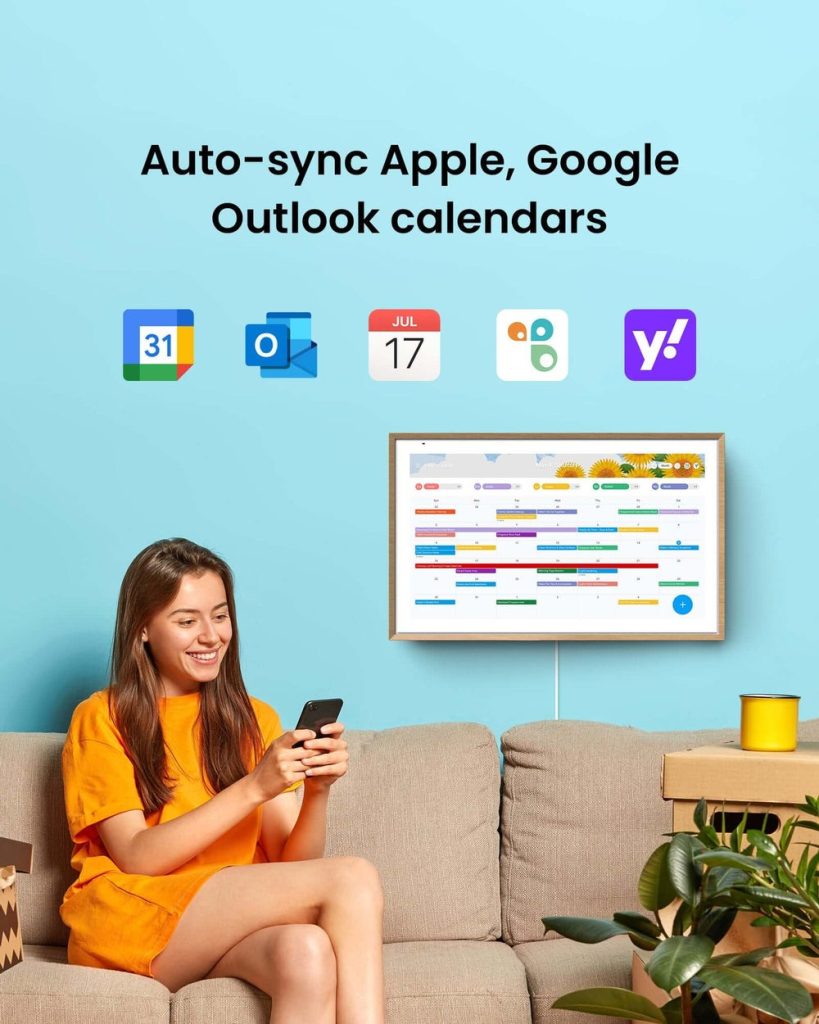
A digital calendar display is a dedicated smart device that presents your schedule, reminders, and household information on an always-on screen designed for quick, at-a-glance viewing. Unlike checking your phone or opening a laptop, these devices remain perpetually visible—functioning much like a traditional wall calendar but with the intelligence of modern technology baked in. They come in various form factors, including wall-mounted panels that blend seamlessly with your décor and tabletop displays that sit on kitchen counters or entryway consoles. Most feature intuitive touchscreen interfaces that make adding or editing events as simple as tapping and typing. What truly sets them apart is cloud syncing capability—any change made from a smartphone, tablet, or computer instantly appears on the display. They integrate with popular platforms like Google Calendar, Apple Calendar, and Outlook, pulling all your scattered schedules into one unified view. But a digital calendar display goes well beyond showing dates. It serves as a central home organizer, displaying weather forecasts, to-do lists, meal plans, and even family photos, transforming a single screen into your household’s information hub.
Key Benefits of a Digital Calendar Display for Families
For families constantly navigating overlapping schedules, a digital calendar display acts as the ultimate family organizer—one that everyone in the household can actually use. The biggest advantage is shared visibility. When the week’s commitments are displayed prominently in a common area, there’s no more “I didn’t know about that” excuse. Every soccer game, parent-teacher conference, and grocery run lives in one place, accessible to everyone from the teenager rushing out the door to the grandparent visiting for the weekend. This shared awareness naturally reduces scheduling conflicts and the stress that comes with last-minute surprises. Parents spend less time verbally relaying plans or sending group texts that get ignored, and kids develop a sense of responsibility by checking the display themselves. The digital calendar also fosters accountability—when chores and tasks are visible to the whole family, follow-through improves dramatically. Beyond logistics, there’s an emotional benefit worth noting. Families report feeling more connected when they can see each other’s activities and milestones laid out visually, creating a sense of teamwork rather than isolated chaos.
Easy Scheduling and Task Management
Collaborative scheduling becomes effortless when every family member can add, edit, and view appointments from the shared display or their own mobile device. Color-coding is a game-changer here—assign each person a unique color, and you can instantly scan the week to see who’s busy when. Recurring events like weekly piano lessons or biweekly trash duty only need to be entered once, then they populate automatically going forward. Most digital calendar systems also support to-do lists and chore assignments, so tasks like “pick up dry cleaning” or “submit field trip form” sit right alongside scheduled events. Mobile app access means a parent can add a new appointment from the office and it appears on the kitchen display within seconds. This seamless two-way syncing eliminates the friction of traditional planning methods and keeps every family member operating from the same playbook.
Visual Reminders for Family Events
There’s a reason sticky notes on the fridge have endured for decades—visual cues work. A digital calendar display takes that principle and supercharges it. Upcoming birthdays can feature festive graphics or photos of the birthday person, making celebrations feel anticipated rather than forgotten. Holiday countdowns, anniversary reminders, and school project deadlines pop up with customizable alerts that grab attention without requiring anyone to unlock a phone. Some displays use gentle animations or shifting highlight colors as an event approaches, creating a natural sense of urgency that static text simply can’t match. For younger children who can’t yet read detailed schedules, icons and images provide an intuitive way to understand what’s coming next. These visual triggers engage the whole family, turning passive information into active awareness and dramatically reducing the chance that important moments slip by unnoticed.
Step-by-Step Guide to Setting Up Your Digital Calendar Display
Getting your digital calendar display up and running doesn’t require technical expertise—just a bit of planning and about thirty minutes of your time. The following walkthrough covers everything from unboxing to full customization, so your family can start reaping the organizational benefits right away.
Step 1: Unboxing and Initial Placement
After unpacking your device and removing any protective film, your first real decision is placement. Choose a high-traffic area where family members naturally gather or pass through multiple times a day—the kitchen is the most popular choice, followed by a hallway near the front door or a shared living room wall. Make sure the spot has a nearby power outlet, since most displays need continuous power to stay on. If you’re wall-mounting, use the included bracket or a compatible mount and check that the screen sits at a comfortable eye level for both adults and children. For tabletop models, position the display where it won’t get knocked over but remains clearly visible without anyone having to walk over and lean in.
Step 2: Connecting to Your Home Network and Devices
Power on the display and follow the on-screen prompts to select your home Wi-Fi network. Enter your password using the touchscreen keyboard, and the device will typically verify the connection within seconds. Next, download the companion app on your smartphone or tablet—this app acts as your remote control, letting you manage the display from anywhere. Sign in with your household’s primary account, then pair the app to the display by scanning a QR code or entering a pairing code shown on screen. If you have a partner or older children, have them install the app on their devices as well so everyone can push updates. Should the Wi-Fi connection fail, move the display closer to your router during initial setup or consider a Wi-Fi extender if the chosen location has a weak signal. Restarting both the display and router usually resolves stubborn connectivity issues.
Step 3: Syncing and Customizing Your Calendars
With the network connected, navigate to the calendar settings and link your existing accounts—Google Calendar, Apple Calendar, Outlook, or whichever platforms your family already uses. Most displays walk you through authentication with a simple login or OAuth prompt. Add each family member’s calendar individually so their events pull in automatically. Assign a distinct color to each person—blue for Dad, green for Mom, orange for the kids—so the weekly view becomes instantly scannable. Set up shared calendars for household events like dinner plans or family outings that apply to everyone. Adjust reminder preferences next: choose whether alerts appear fifteen minutes, an hour, or a full day before events, and decide if you want audible chimes or silent visual notifications. Finally, personalize the display theme by selecting a background, choosing between daily, weekly, or monthly default views, and toggling widgets like weather, to-do lists, or an inspirational daily quote. Spend a few minutes experimenting with layout options until the screen feels intuitive for your household’s rhythm.
Integrating Digital Calendar Displays with Home Entertainment
A digital calendar display earns its spot in your home by doing far more than tracking appointments—it moonlights as a surprisingly capable home entertainment companion. When no one’s checking the schedule, the screen can cycle through a curated slideshow of family photos, turning an organizational tool into a digital picture frame that sparks conversation and nostalgia. Many models stream live weather dashboards, headline news tickers, and even recipe suggestions based on your meal plan for the day, keeping useful content flowing without requiring anyone to pick up a phone. Devices like the ApoloSign take this versatility further by combining digital calendar functionality with portable display capabilities, making them useful in multiple rooms or even outdoors. The real magic happens when you connect the display to your broader smart home ecosystem. Paired with platforms like Amazon Alexa, Google Home, or Apple HomeKit, your calendar display can trigger scene-based automations—dimming the lights and queuing a playlist when “Family Movie Night” appears on the evening schedule, or adjusting the thermostat before a dinner party you planned weeks ago. Some families use the display to pull up streaming service queues or control background music during gatherings, all from the same touchscreen they checked for soccer practice times that morning. This dual role as both organizer and entertainment hub means the device stays relevant throughout the entire day rather than sitting idle between schedule checks, making it one of the most versatile additions to any connected household.
Bring Your Family Together with a Smart Calendar Display
A smart digital calendar display does more than replace the paper calendar on your wall—it fundamentally reshapes how your family communicates, plans, and moves through daily life together. By centralizing everyone’s schedules into one always-visible screen, it eliminates the miscommunications and forgotten commitments that create household stress. The benefits compound over time: easy collaborative scheduling keeps everyone aligned, visual reminders ensure birthdays and deadlines never catch you off guard, and seamless integration with your home entertainment ecosystem means the device earns its place in your home around the clock. Whether you’re a parent managing three kids’ activity schedules, a couple balancing demanding careers, or a multigenerational household trying to stay connected, this single device brings clarity where confusion once reigned. The setup takes less than an hour, but the payoff—fewer missed events, less nagging, and a genuine sense of family coordination—lasts indefinitely. If you’re ready to move beyond scattered phone notifications and sticky-note chaos, now is the time to explore the digital calendar displays available and find the one that fits your household’s unique rhythm. Your future organized self will thank you.
