

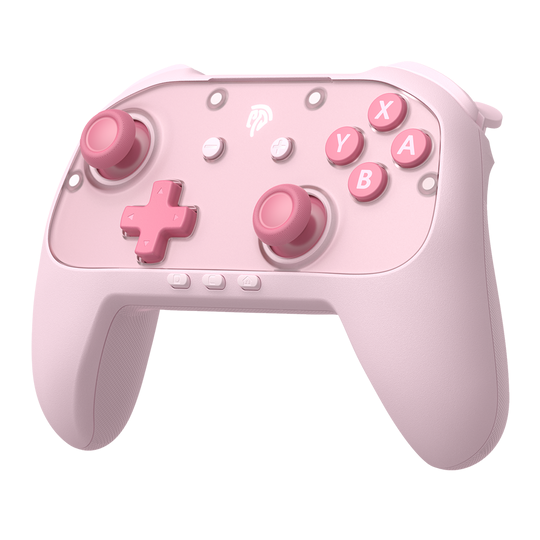
As gaming becomes an increasingly common activity for children, parents naturally worry about the safety of the devices their kids interact with daily. From ergonomic concerns to material toxicity, there’s a lot more to consider than just screen time limits. With the arrival of the Nintendo Switch 2, many families are eyeing the Pro Controller as the go-to option for a more comfortable gaming experience. But is it truly safe for young hands?
The answer isn’t as straightforward as a simple yes or no. Safety encompasses the controller’s physical design, its durability under enthusiastic use, and even the accessories that surround it. A controller might be well-built on its own, yet still benefit from protective cases, screen protectors for the console, and carrying solutions that prevent damage during transport. In this article, we’ll take a comprehensive look at whether the Nintendo Switch 2 Pro Controller meets the safety standards parents expect, identify potential risks, and explore practical accessories and strategies that create a secure gaming setup for kids of all ages.
The Fundamentals of Controller Safety for Young Gamers
When evaluating any gaming controller for children, parents should focus on several core safety dimensions. Ergonomic design tops the list—a controller should fit comfortably in smaller hands without causing strain during extended play sessions. Awkward grip angles or oversized buttons can lead to discomfort or repetitive stress issues over time. Material non-toxicity is equally critical; children often touch their faces or mouths after handling devices, so surfaces free from harmful chemicals like phthalates or lead-based coatings are essential.
Durability matters more than most parents initially realize. Kids drop controllers, squeeze them during intense moments, and occasionally toss them in frustration. A well-constructed controller should withstand these realities without cracking open or exposing internal components like batteries or circuit boards. The absence of small, detachable parts eliminates choking hazards, particularly for households with younger siblings nearby. Beyond the physical build, parents prioritize intuitive button layouts that don’t confuse young players and drop resistance that prevents costly replacements. These fundamentals form the baseline against which we can fairly assess the Nintendo Switch 2 Pro Controller’s suitability for children, moving beyond marketing claims to examine what actually matters for safe, everyday use.
Is the Nintendo Switch 2 Pro Controller Kid-Friendly? An In-Depth Analysis
The Nintendo Switch 2 Pro Controller builds on its predecessor’s reputation with a refined design that warrants close examination for child safety. In terms of size, it sits in a comfortable middle ground—slightly larger than the Joy-Cons but noticeably more ergonomic, with contoured grips that accommodate hands ranging from older children (roughly ages seven and up) to adults. Younger children with very small hands may find the reach to shoulder buttons or analog sticks somewhat challenging, though the textured grip surface helps prevent slipping during sweaty or enthusiastic play sessions.
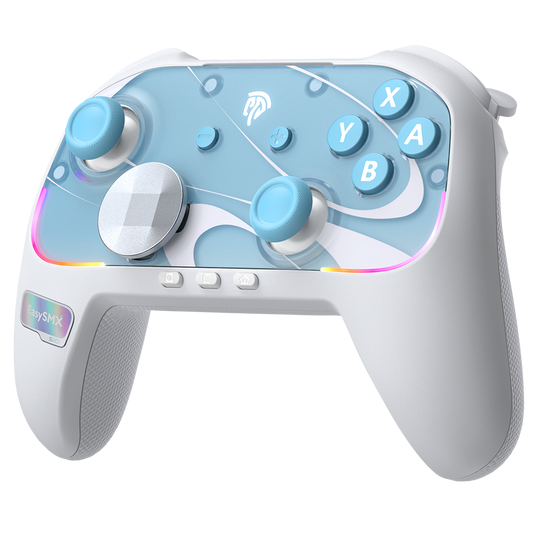
Weight distribution plays a significant role in comfort during longer gaming periods. The controller maintains a balanced feel that doesn’t fatigue wrists quickly, and the button layout follows Nintendo’s intuitive approach—familiar enough that most kids adapt within minutes. The analog sticks feature improved durability over previous generations, addressing the notorious drift issues that plagued earlier models. This matters for safety because a malfunctioning stick often leads to frustrated squeezing or banging, which can damage both the controller and surrounding objects.
From a hazard perspective, the battery compartment is fully sealed and requires tools to access, eliminating any risk of children reaching lithium-ion cells. There are no small detachable parts that could pose choking dangers, and the USB-C charging port sits flush against the housing. Electrical safety meets standard certifications, with proper insulation preventing any shock risk during charging. Compared to the standard Joy-Con controllers, the Pro Controller actually presents fewer safety concerns—no sliding rail mechanisms that can pinch small fingers, no thin wrist straps that could tangle, and a sturdier overall construction that better absorbs impact from drops. The main limitation remains its size relative to very young children, making it best suited for kids aged six and older who can grip it comfortably without overextending their fingers.
Boosting Safety with Must-Have Switch 2 Accessories
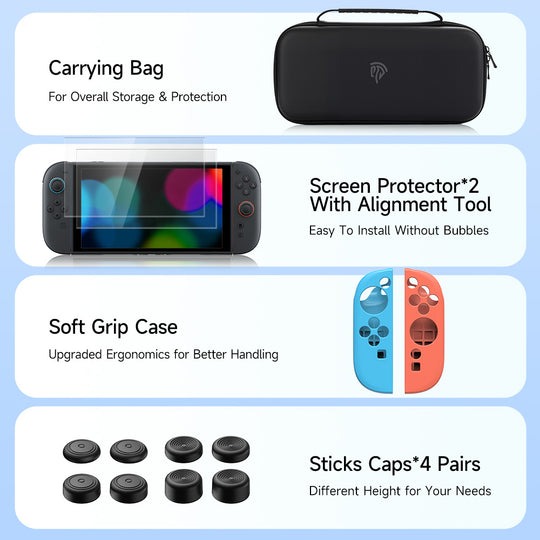
Even a well-designed controller benefits from additional layers of protection, especially when children are the primary users. The right accessories transform a standard gaming setup into one that withstands the unpredictable nature of young players while keeping everything organized and intact. Think of accessories not as optional extras but as essential safety infrastructure—each one addressing a specific vulnerability that kids inevitably expose through daily use.
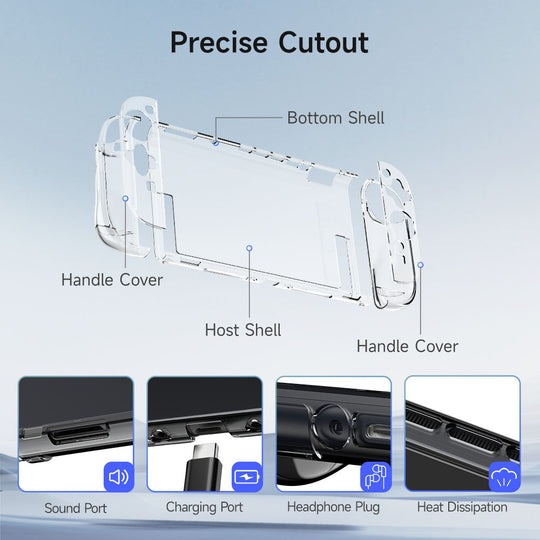
EasySMX Ergonomic Case: Improved Grip and Protection
An ergonomic case designed for the Nintendo Switch 2 serves dual purposes that directly impact child safety. The EasySMX case wraps the console in shock-absorbing material that cushions against drops—a near-daily occurrence in households with younger gamers. Beyond impact protection, the case adds textured gripping surfaces and slightly extended handles that make the device easier for small hands to hold securely. This improved handleability means children are less likely to lose their grip during active gameplay, reducing the frequency of drops in the first place. The added bulk also makes the console feel more substantial, discouraging the careless one-handed carrying that often leads to accidents.
Carrying Bag: Safeguarding Your Investment
A dedicated carrying bag addresses one of the most common ways gaming equipment gets damaged—transport between rooms, friends’ houses, or family trips. A quality bag keeps the controller, console, and smaller accessories organized in padded compartments, preventing them from banging against each other or getting lost in backpacks among books and snacks. For parents, this organization also means fewer missing charging cables or misplaced game cards. The structured interior prevents screen-down placement that leads to scratches, while the zippered closure keeps curious younger siblings from accessing components unsupervised.
Screen Protector: Essential for Console Safety
The Nintendo Switch 2’s display is its most vulnerable and expensive component. A tempered glass screen protector creates a sacrificial barrier against scratches from fingernails, styluses, or abrasive surfaces where kids might set the console down. More importantly, it provides impact resistance that can prevent screen cracks from moderate drops. Since children often play in tabletop mode with the screen exposed, this protection becomes critical. Installation takes minutes but saves potentially hundreds in repair costs, making it one of the highest-value safety investments available.
Other Switch 2 Accessories to Consider
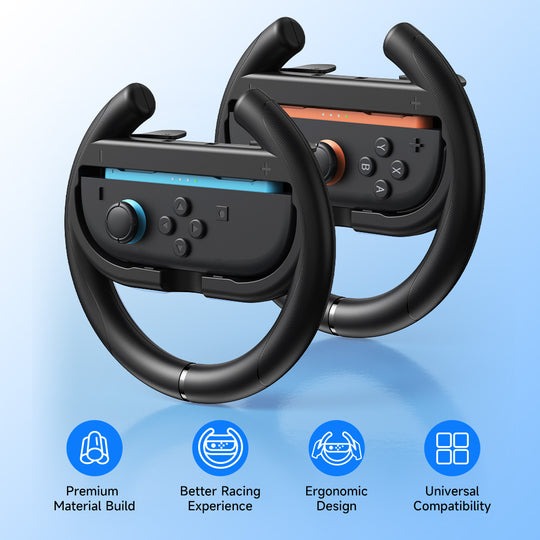
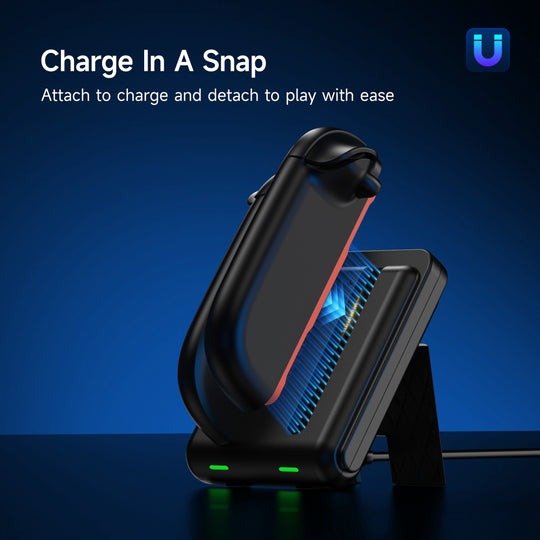
Rounding out a child-safe setup, parents should consider a charging dock that keeps the console in a stable upright position rather than balanced precariously on a cable, thumb grip caps that add cushioning to analog sticks while preventing wear, and silicone covers for Joy-Cons that absorb impact and improve grip. Each addition incrementally reduces risk while extending the lifespan of the entire system.
Practical Steps for Parents: Ensuring a Safe Gaming Experience
Creating a truly safe gaming environment requires more than just purchasing quality equipment—it demands intentional setup and ongoing attention. Start by thoroughly inspecting the Nintendo Switch 2 Pro Controller out of the box. Check for any manufacturing defects like loose buttons, unusual rattling sounds that might indicate internal components shifting, or rough plastic edges that could irritate skin during extended use. Run your fingers along seams and around the analog sticks to confirm everything feels smooth and properly assembled.
Once you’ve confirmed the controller is in perfect condition, install your protective accessories before handing anything to your child. Apply the tempered glass screen protector to the console first, since this is easiest done in a dust-free environment without eager little hands nearby. Fit the EasySMX ergonomic case next, ensuring it snaps securely without obstructing any ports or buttons. These two steps alone dramatically reduce the most common forms of damage children cause during their first excited interactions with new gaming equipment.
Designate a specific gaming area in your home—a spot with a stable surface for tabletop mode, adequate distance from a television for docked play, and enough clearance that swinging arms won’t knock over nearby objects. Keep the area free from drinks, food, and clutter that could cause trips or spills. Establish clear playtime boundaries appropriate for your child’s age, and supervise younger children during their first few sessions to observe how they handle the controller and whether they show signs of hand fatigue. Finally, build a weekly maintenance habit: wipe down the controller and case with a slightly damp microfiber cloth, check the carrying bag for forgotten snacks or loose items, and inspect the screen protector for chips that might indicate it’s time for a replacement. These consistent routines transform good equipment into a genuinely safe, long-lasting gaming setup.
A Safe Choice for Young Gamers with the Right Setup
The Nintendo Switch 2 Pro Controller can absolutely be a safe choice for kids when parents take a thoughtful, proactive approach. Its sealed battery compartment, absence of detachable small parts, ergonomic contoured grips, and improved joystick durability make it a solid option for children roughly six years and older. The design addresses many common safety concerns right out of the box, offering a sturdier and more comfortable alternative to the standard Joy-Con controllers.
However, the controller alone doesn’t guarantee a completely safe experience. Accessories play a critical supporting role—an ergonomic case like the one from EasySMX absorbs inevitable drops and improves grip for smaller hands, a tempered glass screen protector shields the console’s most fragile component, and a structured carrying bag prevents damage during transport. These additions work together to create layers of protection that match the realities of how children actually interact with gaming equipment. By combining quality hardware with purposeful accessories, designated play areas, age-appropriate time limits, and regular maintenance routines, parents can confidently let their kids enjoy gaming while keeping safety firmly in focus. The goal was never to eliminate fun—it’s to ensure that fun happens without unnecessary risk.
