

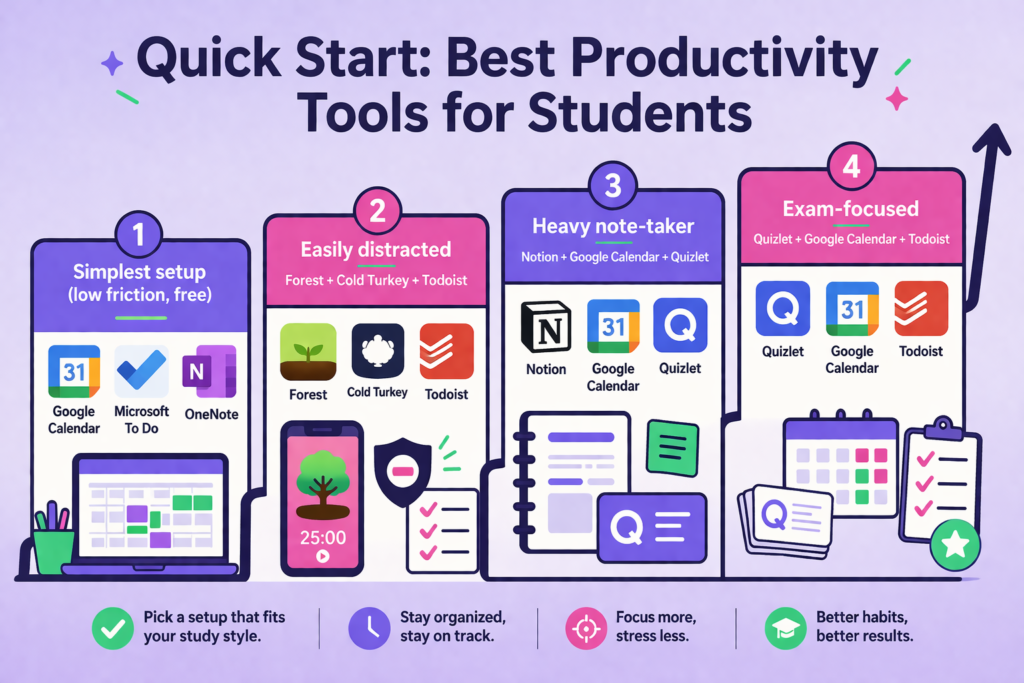
In today’s fast-paced digital world, productivity is no longer about working longer hours—it’s about working smarter. Whether you’re a university student managing assignments, a freelancer handling multiple clients, or a business professional juggling deadlines, the right productivity tools can help you stay organized, save time, and achieve better results.
The productivity software landscape has evolved significantly in 2026. Artificial intelligence, cloud collaboration, and automation have become essential features that help people focus on meaningful work instead of repetitive tasks. Choosing the right tools can improve time management, enhance teamwork, and simplify everyday workflows.
Among hundreds of available applications, three productivity tools consistently stand out because of their reliability, ease of use, and powerful features: Notion, Trello, and Canva. Each serves a different purpose while helping students and professionals become more efficient.
Why Productivity Tools Matter More Than Ever
Technology has transformed the way we learn and work. Students attend online classes, professionals collaborate with global teams, and freelancers manage projects across multiple time zones. Without proper organization, keeping track of deadlines, notes, meetings, and creative work can quickly become overwhelming.
Modern productivity tools eliminate unnecessary complexity by centralizing information, automating repetitive tasks, and making collaboration easier. Instead of switching between dozens of applications, users can streamline their workflow and focus on completing high-value tasks.
Learning how to use these digital tools effectively has become a valuable skill for students preparing for future careers and professionals looking to stay competitive in today’s technology-driven workplace.
Notion: The Complete Digital Workspace
Notion has become one of the most popular productivity platforms because it combines note-taking, document creation, databases, project planning, and collaboration into a single workspace.
Students can organize lecture notes, create study schedules, manage assignments, and track academic goals without using multiple applications. Professionals use Notion to document processes, manage projects, create company wikis, and collaborate with teams in real time.
Its flexibility allows users to build customized dashboards that match their workflow. Whether managing personal goals or coordinating large business projects, Notion adapts to individual needs instead of forcing users into a fixed structure.
The growing integration of AI-powered writing assistance and automation features makes Notion even more valuable in 2026 by helping users summarize information, generate ideas, and organize content faster.
Trello: Simplifying Project Management
Keeping track of multiple projects becomes challenging when tasks are scattered across emails, notebooks, and spreadsheets. Trello solves this problem with its visual Kanban board system.
Each project can be divided into boards, lists, and cards, allowing users to monitor progress from start to finish. Students can organize semester assignments, research projects, and exam preparation while professionals can coordinate marketing campaigns, software development, client work, and internal operations.
One of Trello’s biggest strengths is its simplicity. Even beginners can quickly understand how to move tasks through different stages such as “To Do,” “In Progress,” and “Completed.”
Power-Ups, automation, calendar integration, and collaboration features further enhance productivity by reducing repetitive work and improving communication among team members.
Whether working individually or as part of a large organization, Trello provides a clear overview of priorities and deadlines. Users seeking capable trello alternatives can try Lark. It combines task tracking, chat and document work inside one workspace for students and professional teams.
Canva: Designing Professional Content Without Experience
Visual communication has become essential across education, business, and digital marketing. Canva makes graphic design accessible to everyone regardless of technical expertise.
Students use Canva to create presentations, reports, resumes, infographics, and educational projects. Professionals rely on it for social media graphics, business presentations, marketing materials, proposals, and brand assets.
Thousands of professionally designed templates allow users to create high-quality visuals within minutes. AI-powered features help generate images, remove backgrounds, resize designs, and improve creative workflows without requiring advanced design skills.
For businesses, Canva improves collaboration by allowing team members to edit designs together while maintaining brand consistency.
As visual content continues dominating digital communication, Canva remains one of the most valuable productivity tools available.
Developing Digital Skills Beyond Productivity Tools
Using productivity software effectively is only one part of becoming successful in today’s digital world. Students and professionals also need practical skills in website development, design, artificial intelligence, and modern technologies.
Learning platforms that provide structured training can help individuals build these in-demand skills while preparing for future career opportunities. Fromweb development and WordPress to UX design and Photoshop, expanding technical knowledge increases productivity because users understand how digital systems work together.
If you’re looking to strengthen your digital skills while learning practical technologies, Ccodelearner offers educational resources, industry-focused courses, and technology content designed to help beginners and professionals continue improving their knowledge. Exploring platforms like https://ccodelearner.com/ can help learners stay updated with modern digital trends while building valuable career skills.
Choosing the Right Productivity Tool
The best productivity tool depends on your daily workflow rather than popularity.
If your priority is organizing notes, documents, and knowledge in one place, Notion offers unmatched flexibility.
If you frequently manage projects with multiple deadlines or collaborate with teams, Trello provides an intuitive project management experience.
If creating presentations, marketing materials, or visual content is part of your work, Canva delivers professional results without requiring graphic design expertise.
Many professionals combine all three tools because they complement each other instead of competing.
The Future of Productivity in 2026
Artificial intelligence is reshaping productivity software faster than ever before. AI assistants now summarize documents, generate reports, automate repetitive workflows, schedule meetings, and even assist with creative work.
Rather than replacing human creativity, these technologies allow students and professionals to spend more time solving problems, making decisions, and producing higher-quality work.
Those who embrace modern productivity tools while continuously improving their digital skills will have a significant advantage in education, freelancing, entrepreneurship, and corporate careers.
Final Thoughts
Success in 2026 depends on more than hard work it depends on working efficiently. Productivity tools like Notion, Trello, and Canva help eliminate unnecessary distractions, improve organization, and simplify collaboration for students and professionals alike.
Combining these tools with continuous learning creates a strong foundation for long-term career growth. As technology continues evolving, investing time in both productivity software and practical digital skills will help individuals stay competitive in an increasingly digital world.
Whether you’re managing university coursework, running a business, freelancing online, or building your professional career, adopting the right productivity tools today can make a measurable difference in your success tomorrow.
