

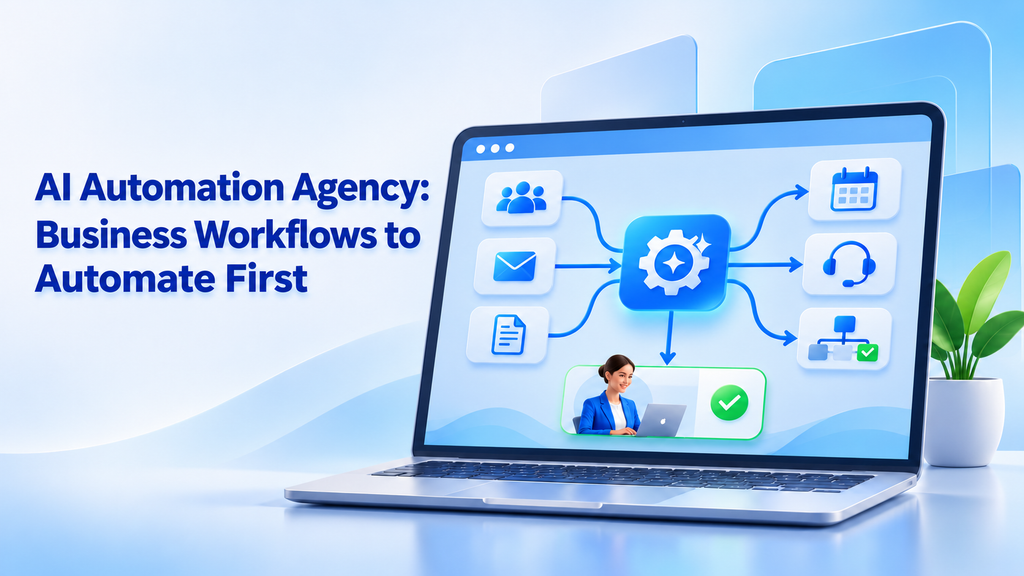
Many businesses want to use AI, but they are not sure where to start. An ai automation agency can help find the slowest tasks, connect business tools, and build systems that save time. The best first step is not to automate everything. It is to choose one workflow that happens often, takes too much time, and has a clear result.
AI can help businesses read messages, sort leads, update records, prepare reports, answer simple questions, and send reminders. These tasks may look small, but they take many hours when done every day.
A smart automation plan starts with simple work. Once the first workflow is tested and trusted, the business can automate more processes. This approach reduces risk and helps teams see real value early.
What Is an AI Automation Agency?
An AI automation agency helps businesses use artificial intelligence to improve daily work. The agency studies how a company operates and then builds software that handles repeated tasks.
Some agencies only connect ready-made tools. Others build custom systems that work with a company’s website, database, CRM, email platform, accounting tool, or internal dashboard.
The main goal is to make work easier and faster.
A typical AI automation project may include:
- Reviewing the current business process
- Finding repeated manual tasks
- Connecting different software tools
- Adding AI for reading or decision support
- Creating approval steps
- Testing the workflow
- Tracking the results after launch
AI is useful when a workflow includes information that changes from case to case. For example, customer emails may have different wording, but they may still need to go to the same department.
A normal rule-based system may struggle with different wording. AI can read the message, understand the main topic, and suggest the next step.
Still, AI should not make every decision alone. Sensitive or high-risk actions should include human review.
Why Should Businesses Automate Workflows First?
Many companies try to start with a large AI project. They may want a complete AI assistant, a smart dashboard, or a fully automated business system.
Large projects can be useful, but they often take more time and money. They also create more chances for errors.
A better approach is to start with one workflow. This gives the business a clear test.
For example, a company may choose to automate:
- Lead follow-up
- Customer support sorting
- Invoice data entry
- Appointment reminders
- Internal report creation
- CRM updates
- Document review
These tasks are good starting points because they happen often and have clear steps.
The company can measure the result by checking:
- Time saved each week
- Number of tasks completed
- Response time
- Fewer data entry mistakes
- Faster customer replies
- More follow-ups completed
When the first workflow works well, employees gain confidence in the system. The business can then move to more complex tasks.
How deventity Helps Automate Business Workflows
A successful AI automation project needs more than a tool. It needs a clear plan, good software design, and a strong understanding of the business process.
Dev Entity can help businesses plan and build practical software for mobile, web, AI, cloud, and automation needs.
The work usually starts with discovery. The team looks at how the business works today. They ask simple questions:
- Who completes the task?
- How often does it happen?
- Which tools are used?
- Where do delays happen?
- Which steps create mistakes?
- What data is needed?
- Which actions need approval?
- What result would show success?
After this review, the team can create a workflow plan. The plan may use existing tools, custom software, AI integrations, or a mix of all three.
This approach helps avoid unnecessary features. The goal is to build what the business needs first and leave extra ideas for later.
A useful workflow should be easy to understand. Employees should know what the AI does, what they need to review, and what happens next.
How to Choose the First Workflow
The first workflow should not be selected because it sounds exciting. It should be selected because it creates a real business problem.
Use these questions to find a strong starting point:
Does the Task Happen Often?
A task that happens every day or every week can create large savings over time.
If an employee spends ten minutes on a task, that may not sound like much. But if the task happens one hundred times each month, the total time becomes important.
Is the Process Easy to Explain?
The best first workflow has clear steps. Everyone should understand how the task starts, what information it uses, and what result it creates.
If the process changes every time, it may need more planning before automation.
Is the Data Available?
AI needs information to work. This information may come from emails, forms, documents, CRM records, or a company database.
If the required data is missing or incorrect, the workflow may not work well.
Can Success Be Measured?
A good project has a clear result. The company should know if the workflow is faster, more accurate, or less expensive after automation.
Is the Risk Manageable?
Start with a workflow where mistakes are not dangerous. Keep human approval for financial, legal, medical, or sensitive decisions.
Lead Capture and Follow-Up
Lead management is one of the best areas for AI workflow automation.
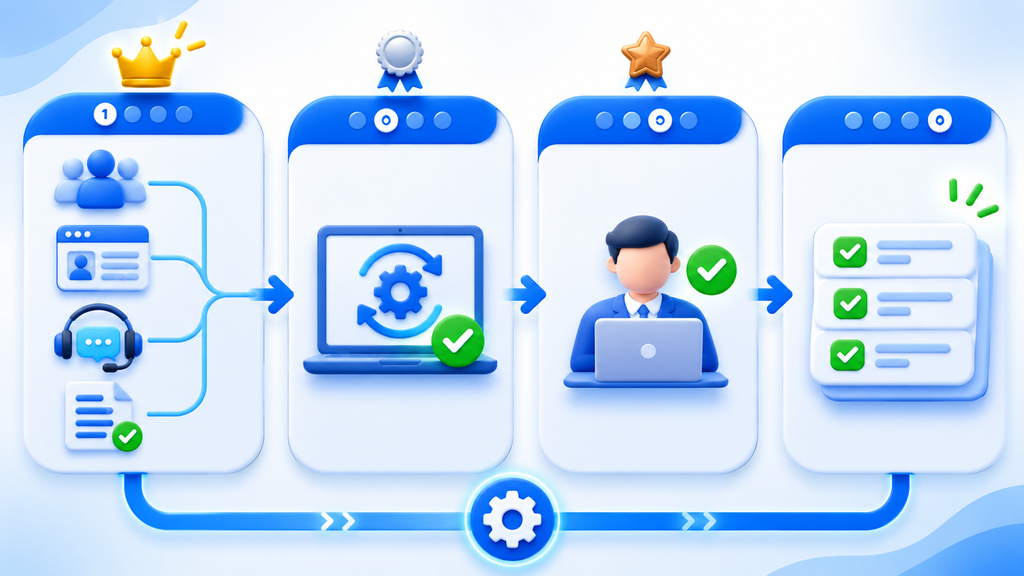
Businesses receive leads from websites, social media, online forms, phone calls, and email. Without a clear process, some leads may wait too long for a reply.
AI can help by:
- Collecting new leads
- Checking the information
- Identifying the lead’s needs
- Giving the lead a priority score
- Adding the lead to the CRM
- Sending a first reply
- Creating a follow-up task
For example, a person who asks for a product demo may receive a higher priority than someone who only downloads a guide.
The system can also send the lead to the correct sales employee based on location, product interest, or company size.
This does not remove the sales team. It helps them spend more time speaking with interested prospects instead of checking forms and copying data.
CRM Updates and Sales Tasks
CRM systems are useful, but they only work well when the data is accurate.
Sales employees often forget to update records after calls or meetings. They may also leave notes in different places.
CRM automation services can help keep records updated. AI can read call summaries, emails, or meeting notes and suggest changes to the CRM.
It can create tasks such as:
- Call the customer next week
- Send a price quote
- Schedule a product demo
- Follow up after the meeting
- Update the deal stage
The employee can review the suggestions before they are saved. This keeps the CRM useful without adding more manual work.
A clean CRM also helps managers understand the sales pipeline. They can see which deals are active, which leads need attention, and where customers stop moving forward.
Customer Support Triage
Customer support teams receive many types of messages. Some are simple questions, while others need technical help.
AI can read each message and sort it by topic, urgency, and department.
It can identify messages about:
- Billing
- Product problems
- Returns
- Account access
- Delivery status
- Technical questions
- Complaints
The system can send simple questions to a chatbot or help center. More serious problems can go directly to a trained employee.
AI can also create a short summary for the support agent. This saves the employee from reading a long message thread before replying.
The support team still controls the final answer. AI helps organize the work and reduce the time spent on sorting.
Document and Invoice Processing
Document processing is another strong starting point for automation.
Businesses receive invoices, contracts, order forms, applications, and reports. Employees may need to read these files and type information into another system.
AI can extract details such as:
- Company name
- Invoice number
- Total amount
- Due date
- Customer address
- Product information
- Contract dates
The extracted data can then be sent to an accounting system or internal database.
A human employee can review the information before approval. This is useful when the document contains an unusual charge or missing field.
Business process automation can make the process more consistent. It can also reduce the need to search through email attachments and spreadsheets.
Appointment Booking and Reminders
Appointment workflows are simple but valuable. Many businesses spend time answering booking requests, checking calendars, and sending reminders.
AI can help customers find available times and answer basic questions before an appointment.
The workflow may:
- Receive a booking request
- Check the calendar
- Offer available times
- Confirm the appointment
- Send a reminder
- Update the customer record
This can help clinics, consultants, salons, education providers, repair companies, and service businesses.
If the customer needs a special request, the workflow can send the conversation to an employee.
Internal Reports and Data Summaries
Managers often spend hours collecting information for weekly or monthly reports.
AI can bring data from approved systems and create a first draft of the report. It may summarize sales, customer support, project progress, or inventory.
The manager can then review the report and add important context.
AI should not be the only source of truth. The business should keep the original data available and check important numbers before sharing the report.
Still, automated summaries can reduce the time spent collecting information.
Email Sorting and Team Notifications
Email is still a major part of business work. Important requests can get lost when employees receive too many messages.
AI can sort emails by topic and urgency. It can identify messages that need a reply, an approval, or a handoff to another team.
For example, the system can:
- Mark urgent customer messages
- Send invoices to finance
- Send job applications to HR
- Send sales requests to the sales team
- Create tasks from project emails
- Alert managers about important issues
This type of automation can improve response time without changing the company’s email system.
The Role of an AI Workflow Automation Agency
An AI workflow automation agency helps businesses connect AI to real work. The agency does not only provide a chatbot. It designs the full process around the company’s tools and goals.
This may include:
- Workflow mapping
- Software integration
- AI model setup
- Database connections
- User permissions
- Approval steps
- Error handling
- Testing and monitoring
A workflow automation consultant can also help decide which tasks should use AI and which tasks should use normal rules.
Not every task needs AI. A simple rule may be faster, cheaper, and easier to maintain.
For example, sending a fixed email after a payment may not need AI. Reading a customer message and deciding which department should handle it may benefit from AI.
Good automation consultancy focuses on the right tool for the right task.
AI Automation Services for Small Businesses
Small businesses may not have a large technology team. They often need simple systems that can be managed without a full-time technical department.
AI automation services can help small companies reduce manual work without building a huge platform.
Useful starting points include:
- Lead capture
- Customer replies
- Appointment booking
- Invoice processing
- CRM updates
- Review requests
- Internal notifications
- Simple reports
A small business may begin with one workflow and add more later.
For companies in the United States, an ai automation agency usa can help design workflows around local tools, customer needs, and business rules. However, the most important factor is not location. It is whether the agency understands the business problem and can deliver a stable solution.
Human Review and Safe Automation
Automation should be designed with control in mind.
AI can make mistakes. It may misunderstand a message, extract the wrong number, or create an incorrect answer.
A safe workflow can include:
- Approval before sending
- Limits on what the AI can change
- Access controls
- Activity logs
- Error alerts
- Manual override
- Regular testing
High-risk actions should not happen without review. For example, changing bank details, approving a large payment, or closing a legal case should require a person.
The business should also decide who owns the workflow. Someone should be responsible for checking performance and updating the system when the process changes.
How to Measure Automation Results
A workflow is only successful if it improves the business.
Before building the system, record the current process. Measure how long the task takes and how many employees are involved.
After launch, compare the new results.
Useful measures include:
- Average time per task
- Number of completed tasks
- Customer response time
- Error rate
- Support backlog
- Sales follow-up rate
- Cost per process
- Employee satisfaction
Some benefits may be indirect. Employees may have more time for creative work, customer relationships, or strategic planning.
The business should review the workflow after a few weeks. Small changes can improve accuracy and user adoption.
Workflows to Avoid Automating First
Some workflows are not good choices for a first AI project.
Avoid starting with a process that:
- Has unclear steps
- Uses poor-quality data
- Changes every day
- Involves high legal risk
- Needs complex human judgment
- Has no clear success measure
- Depends on systems that cannot connect
It is also risky to automate a broken process. First remove unnecessary steps and fix unclear responsibilities. Then add automation.
A simple workflow that works well is better than a large system that employees do not trust.
How an AI Automation Project Usually Starts
A practical project often follows these steps:
1. Discovery
The team talks with employees and maps the current workflow.
2. Prioritization
The business chooses one task based on time, cost, risk, and value.
3. Design
The team decides what the AI will do, what normal software will do, and where human review is needed.
4. Development
The workflow is connected to the required tools and data.
5. Testing
The system is tested with real examples and unusual cases.
6. Launch
The workflow starts with a small group or limited number of tasks.
7. Improvement
The team reviews results, fixes problems, and plans the next workflow.
This step-by-step process helps the business avoid large mistakes and build trust.
Final Thoughts
An AI automation agency can help businesses save time by improving the workflows they already use.
The best first workflows are usually repeated, easy to measure, and connected to useful business data. Lead follow-up, CRM updates, customer support sorting, invoice processing, appointment booking, email routing, and report creation are strong starting points.
AI automation services should be planned around real business needs. A company does not need to automate everything at once. It can start with one process, test the result, and grow from there.
A good business automation agency also keeps people involved. Human approval, security, clear ownership, and regular testing help make the system safer.
When the right workflow is chosen, AI business automation services can improve speed, reduce errors, and give employees more time for valuable work. The goal is simple: make daily business operations easier, clearer, and more reliable.
