

Introduction
Short-form video has become one of the most effective ways to reach an audience online. Whether you create Instagram Reels, TikTok videos, or YouTube Shorts, viewers expect clear visuals, readable captions, clean audio, and an engaging pace.
The challenge is that editing can take longer than recording.
A simple 30-second video may require trimming clips, removing pauses, adding captions, adjusting the audio, choosing music, creating transitions, and exporting the video in the correct format. For creators who publish regularly, these small tasks can quickly add up.
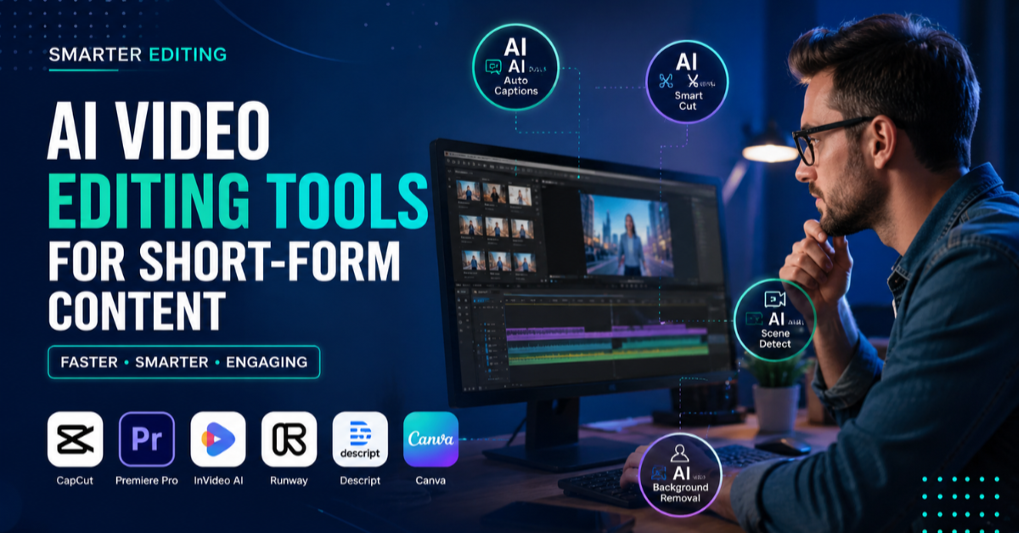
AI video editing tools are helping make the process faster. They can generate captions, identify highlights, remove backgrounds, improve speech, turn long videos into short clips, and assist with repetitive editing tasks.
That does not mean AI can replace creativity. A strong idea, a useful message, and good storytelling still matter. However, the right AI video editor can reduce the time spent on technical work and allow creators to focus more on the content itself.
Here are seven AI video editing tools worth considering in 2026.
1. CapCut — Best for Fast Social Media Editing
CapCut is a popular choice for creators who make short videos for TikTok, Instagram Reels, and YouTube Shorts.
It combines standard editing tools with templates, effects, captions, audio features, and AI-assisted options.
One reason many beginners prefer CapCut is that it does not require extensive editing experience.
You can import clips, remove unwanted sections, add text, adjust the speed, apply transitions, and prepare a vertical video from the same workspace.
Useful features include:
- Automatic captions
- Text-to-speech
- Background removal
- AI-assisted effects
- Video templates
- Audio and voice tools
- Speed controls and transitions
For example, if you record a short tutorial, automatic captions can save you from typing every sentence manually. You can then adjust the caption style and timing before exporting the video.
Creators who want to learn more about CapCut video editing tools can explore its features, supported platforms, and editing options in more detail.
A good choice for:
- Beginners
- Short-form creators
- Social-media videos
- Captions
- Template-based editing
2. Descript — Best for Editing Videos Through Text
Descript is useful for creators who work with podcasts, interviews, tutorials, or talking-head videos.
Instead of relying only on a traditional editing timeline, Descript creates a transcript of the spoken content.
You can edit the video by editing the text.
If you remove a sentence from the transcript, the corresponding section can also be removed from the video.
This approach can make long recordings easier to manage.
Descript also offers tools for:
- Automatic transcription
- Text-based video editing
- Removing filler words
- Creating captions
- Screen recording
- Improving spoken audio
Imagine editing a 30-minute interview.
Finding and removing every unnecessary pause on a timeline can take time.
With a searchable transcript, you can quickly locate the section you want to change.
A good choice for:
- Podcasts
- Interviews
- Educational videos
- Talking-head content
3. OpusClip — Best for Turning Long Videos Into Short Clips
Many creators already have long videos but do not have time to edit several short clips manually.
OpusClip is designed to help with that problem.
It can analyze longer videos and identify sections that may work as short-form content.
The tool can then help create clips formatted for platforms such as TikTok, Instagram Reels, and YouTube Shorts.
Depending on the video, it may assist with:
- Finding engaging moments
- Creating vertical clips
- Adding captions
- Reframing speakers
- Improving short-video layouts
This can be especially useful for podcasters, educators, business owners, and YouTubers who want to repurpose existing content.
However, AI-selected clips should always be reviewed.
A tool may identify a moment with strong speech or movement, but it may not understand the full context of the conversation.
A good choice for:
- Repurposing podcasts
- Webinars
- Interviews
- Long YouTube videos
4. Adobe Premiere Pro — Best for Advanced Video Projects
Adobe Premiere Pro is a professional video editing application used for YouTube videos, films, marketing campaigns, and commercial productions.
Its AI-assisted features can help with tasks such as:
- Creating transcripts
- Editing through text
- Improving speech clarity
- Automatically reframing videos
- Organizing and searching footage
Premiere Pro provides much more control than many beginner-focused editors.
Users can work with detailed timelines, color correction, audio layers, effects, and complex video projects.
The trade-off is that it takes longer to learn.
If your main goal is to create a quick 20-second Reel, the software may offer more tools than you need.
But if you produce longer videos or work on professional projects, the additional control can be valuable.
A good choice for:
- Professional creators
- Long-form YouTube videos
- Advanced editing
5. Canva — Best for Branded Social Media Videos
Canva is widely known as a design platform, but its video tools are also useful for creators and small businesses.
It provides ready-made layouts that can help users create:
- Product videos
- Social-media promotions
- Educational clips
- Announcements
- Short advertisements
- Branded content
Users can add animated text, images, music, video clips, and visual elements without starting from a blank screen.
Canva works particularly well when a consistent visual style is important.
A business can use the same fonts, logos, and design elements across multiple videos.
It may not offer the same level of timeline control as professional video-editing software, but it is a practical option for quick marketing content.
A good choice for:
- Businesses
- Marketers
- Social-media managers
- Branded videos
6. VEED — Best for Captions and Browser-Based Editing
VEED is an online video editor designed for users who prefer working in a browser.
It offers tools that can help with:
- Automatic subtitles
- Video resizing
- Text overlays
- Background removal
- Audio editing
- Social-media exports
Captions are particularly important for short-form content.
Many viewers scroll through social platforms with the sound turned off, so clear subtitles can make a video easier to understand.
VEED can be useful when you need to upload a video, add captions, make a few edits, and export it without installing desktop software.
A good choice for:
- Captions
- Quick online editing
- Simple social-media videos
7. Runway — Best for Creative AI Video Effects
Runway focuses on AI-powered creative tools and can be useful for creators who want to experiment with visual effects and generated video.
Its tools can support tasks such as:
- Removing or replacing backgrounds
- Removing unwanted objects
- Generating video elements
- Creating visual effects
- Experimenting with AI-generated scenes
Runway may be more useful for creative projects than everyday social-media editing.
For example, a creator could use it to produce a visual concept that would be difficult or expensive to film.
Because AI-generated visuals can sometimes produce unexpected results, creators should review the output carefully and make adjustments where necessary.
A good choice for:
- Creative effects
- Experimental visuals
- AI-generated video projects
How to Choose the Right AI Video Editor
The best AI video editing tool depends on what you create and how you work.
Before choosing one, consider these questions.
Do you mainly create Reels, TikTok videos, or YouTube Shorts?
Look for automatic captions, vertical video support, quick trimming, templates, and easy social-media exports.
Do you create long videos?
A professional editor may provide better control over audio, color, timelines, and multiple video tracks.
Do you record podcasts or interviews?
Transcription and text-based editing can save a significant amount of time.
Do you want to reuse long videos?
A tool that automatically finds highlights and creates short clips may be more useful than a traditional editor.
Do you need branded marketing content?
Choose a platform that makes it easy to use consistent fonts, logos, colors, and layouts.
The right tool is not necessarily the one with the most AI features.
It is the one that fits your workflow and helps you create better content consistently.
Practical Tips for Creating Better Short Videos
AI can speed up editing, but it cannot automatically make every video interesting.
These simple practices can improve the final result.
Start with a clear hook
The opening should tell viewers why they should continue watching.
Instead of beginning with a long introduction, start with the most useful, surprising, or relevant point.
For example:
“Most creators make this editing mistake in the first five seconds.”
A clear opening gives the viewer a reason to stay.
Keep the pacing focused
Remove long pauses, repeated points, and clips that do not support the main message.
Fast editing does not always mean adding more effects.
Sometimes it simply means removing unnecessary content.
Add captions that are easy to read
Use clear text, good spacing, and enough contrast.
Avoid placing captions where platform buttons may cover them.
Automatic captions can save time, but always check names, technical terms, and unusual words because AI transcription can make mistakes.
Use effects to support the message
Transitions, zooms, and visual effects can make a video more engaging, but too many can distract viewers.
Use an effect when it improves the story—not only because it is available.
Create content consistently
A simple editing workflow is often more useful than a complicated workflow you cannot maintain.
Creators who publish frequently can save time by starting with popular CapCut templates for short videos and then customizing the clips, text, music, and effects to match their own content.
Are AI Video Editing Tools Worth Using?
For many creators, yes.
AI tools can reduce the time spent on repetitive tasks such as:
- Writing captions
- Removing pauses
- Finding highlights
- Cleaning up audio
- Resizing videos
- Removing backgrounds
- Creating first drafts
However, AI should be treated as an editing assistant rather than a complete replacement for creative judgment.
You still need to decide:
- Which message matters most
- Which clips support the story
- Whether the captions are accurate
- Whether the pacing feels natural
- Whether the final video is useful to the intended audience
The best results usually come from combining AI speed with human review.
Final Thoughts
AI video editing is making content creation more accessible for beginners while helping experienced creators work faster.
If you mainly create short videos, a simple editor with captions, templates, and social-media tools may be enough.
If you edit podcasts or interviews, text-based editing can save hours.
For long-form or professional projects, advanced software may offer the control you need.
The most important thing is not to use every AI feature available.
Choose tools that solve real problems in your workflow, keep your editing process efficient, and allow your creative style to remain visible.
As AI video tools continue to improve, creators who learn how to combine automation with strong storytelling will be better positioned to produce useful and engaging content.
