

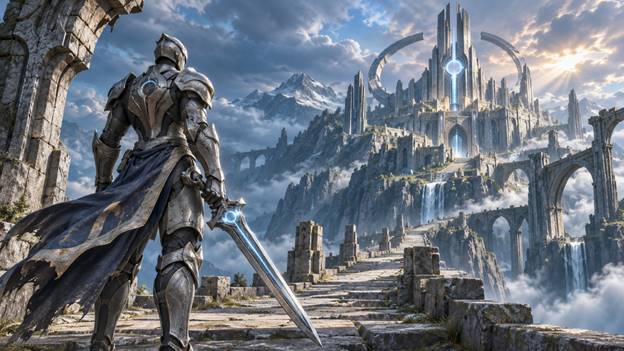
Infinity Blade PC: A Complete Guide to the Trilogy
Infinity Blade PC brings the celebrated action role-playing trilogy to Windows through a fan-made preservation project. With three separate game packages, keyboard and mouse controls, standalone launchers, and uncapped frame rates, the project adapts the series for desktop play while keeping its original adventures at the centre of the experience.
For returning fans, it offers a way to revisit familiar battles and striking fantasy environments. For newcomers, an infinity blade download introduces a trilogy built around sword fighting, character progression, and a story that develops across three chapters. Understanding how the packages, controls, and installation process work makes getting started much easier.
What Is Infinity Blade PC?
Infinity Blade PC is a community-created Windows port of the Infinity Blade trilogy. The original games were developed by CHAIR Entertainment and published by Epic Games, beginning with the first Infinity Blade on iOS in December 2010. Infinity Blade II followed in December 2011, and Infinity Blade III completed the trilogy.
The PC project focuses on preserving these adventures and making them playable on desktop computers. It is an unofficial fan effort, with the original games and their intellectual property belonging to their respective owners.
Each chapter has its own downloadable package. Players can begin with the first adventure, continue through the full trilogy, or return to a particular instalment without downloading every game together.
Three Games, Three Distinct Adventures
The trilogy follows a connected journey, but each chapter has its own setting, progression, and role in the larger story. Separate builds give players flexibility while preserving the identity of each game.
Infinity Blade I
The first chapter introduces Siris and his journey through the God King’s citadel. It establishes the series’ sword-fighting foundations and the atmosphere that defines its fantasy world.
For newcomers, this is the natural starting point. Beginning here provides context for the characters and conflicts that continue throughout the trilogy. The PC adaptation brings that opening adventure to modern desktop resolutions and frame rates.
Infinity Blade II
Infinity Blade II continues the adventure with a larger world, dual-wielding, heavier enemies, and a longer campaign. It expands on the foundations of the first game while giving players more to explore and master.
Playing the second chapter after the original creates a more connected experience. Familiarity with the earlier adventure helps players appreciate how the combat options and story develop.
Infinity Blade III
The final chapter introduces a wider world and shared combat while bringing the story of Siris and Isa to its conclusion. It completes the trilogy rather than functioning as a replacement for the earlier games.
For anyone planning a complete Infinity blade pc playthrough, following the chapters in order provides the clearest route through the narrative.
Features That Adapt the Trilogy for Desktop Play
Moving a mobile series to Windows involves more than displaying the same game on a larger screen. Controls, graphics options, and launching tools all influence how comfortably it works on a computer.
Keyboard and Mouse Controls
The port includes keyboard and mouse support, with configurable keybinds. This allows players to adjust their controls around a desktop setup.
Taking a few minutes to review those bindings before starting can make the opening battles easier to understand. A comfortable layout helps players concentrate on combat timing and enemy movements.
Standalone Launchers
Each game includes a standalone launcher for graphics settings and controls. Having separate launchers also suits the three-package structure, allowing players to configure the chapter they intend to play.
Before beginning a session, players can review the available settings and choose a configuration that suits their display and hardware.
Uncapped Frame Rates
Uncapped frame rates are another central feature of Infinity Blade PC. They allow performance to extend beyond a fixed frame-rate ceiling when the computer and game settings support it.
Actual performance still depends on the system. Higher resolutions place greater demands on the graphics hardware, so a balanced configuration is more useful than simply selecting every maximum setting.
Understanding the Infinity Blade Download Packages
An infinity blade download is organised by chapter. Infinity Blade I, Infinity Blade II, and Infinity Blade III are distributed separately, with individual version details, package sizes, and update information.
This structure makes it practical to download one adventure at a time. Players with limited storage can begin with the first game and add the sequels later, while returning fans can choose the chapter they want to revisit.
Before downloading, check:
- The chapter name and package version.
- The download size and available storage.
- The listed requirements for that build.
- The installation instructions included with the package.
- Any relevant update notes.
Keep each extracted game in its own folder. This makes the separate builds easier to manage and helps avoid mixing files between chapters.
System Requirements and Platform Compatibility
The main platform for Infinity Blade PC is 64-bit Windows, with Windows 10 and Windows 11 highlighted for the desktop builds. The listed requirements also include DirectX support, a Visual C++ redistributable, storage for the selected package, and keyboard and mouse input.
The installation guidance specifically identifies DirectX 9 as a required runtime. Even on a newer Windows computer, checking the game’s runtime requirements remains a useful part of setup.
The project describes 1080p at 60 frames per second as a comfortable performance target, while higher resolutions depend on the graphics hardware. This should be treated as guidance rather than a guaranteed result on every computer.
Linux through Wine or Lutris and macOS through CrossOver or Parallels are also listed as compatibility routes. These involve additional software, so their setup differs from running the Windows builds directly.
How to Install Infinity Blade PC
The basic installation process follows three steps. Preparing the files carefully can prevent unnecessary setup problems.
Download and Extract Your Chosen Game
Choose the package for the chapter you want to play. Once the infinity blade download finishes, extract the archive with a suitable tool such as 7-Zip.
Extract the full package into a convenient folder before attempting to launch it. Keeping the original folder structure intact helps the executable find the files it needs.
Open the Binaries Folder
Open the extracted game directory and locate the Binaries folder. Run the game executable from within the extracted files.
Review the launcher’s graphics options and controls before beginning. This is a useful opportunity to select a suitable resolution and become familiar with the available keybinds.
Install DirectX 9 if Prompted
Install the required DirectX 9 runtime if the game prompts you to do so. The broader installation guidance also covers common errors, controller setup, and other usual fixes.
Once setup is complete, begin with a short session to check that the controls, display settings, and game performance suit your computer.
Updates, Fixes, and Save Management
The port’s update notes cover practical improvements across the trilogy. Infinity Blade I includes localisation work, a Rockslide fix, and corrections involving battle behaviour. Infinity Blade II includes fixes for high-frame-rate behaviour affecting dodging, object rotation, and menus, alongside a Combo Slash correction.
Infinity Blade III lists visual changes, protection against launching another instance while the game is already running, and support for Wayland fractional scaling.
These details make version information worth checking before installation. Different chapters have their own updates, so the version of one package does not describe the entire trilogy.
Save management also deserves attention. Save folders are located under My Games in the user’s Documents directory. Backing up the relevant saves before replacing a build or moving to another computer helps preserve progress.
A Community Project Built Around Preservation
Preservation gives Infinity Blade PC a purpose beyond the move to a different platform. The project aims to keep the trilogy accessible through desktop builds, updated controls, and continued community work.
The original creators remain central to that legacy. CHAIR Entertainment developed the games, Epic Games published them, and the fan community contributes the work needed to adapt and maintain the PC experience.
For players, that effort creates an opportunity to experience all three chapters in a format suited to a desktop setup.
Conclusion
Infinity Blade PC offers a practical way to explore the complete trilogy through three standalone packages, configurable controls, desktop launchers, and uncapped frame rates. Each chapter contributes a different part of the adventure, making the full sequence especially rewarding for newcomers.
Choosing the right infinity blade download, checking the requirements, and following the extraction and runtime instructions provide a clear starting point. From the God King’s citadel to the final chapter of Siris and Isa’s story, this fan-made project keeps the trilogy available for another generation of desktop players.
