

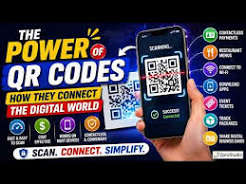
A decade ago, a QR code was something you half-heartedly pointed a dedicated scanning app at, usually because a flyer or a train station poster told you to. Today, that same black-and-white square has quietly become one of the most reliable pieces of everyday technology we have — a small but essential bridge between the physical world and the digital one. You’ll find it on restaurant tables, parking meters, medicine boxes, art installations, boarding passes, and business cards. And unlike most tech trends, its rise hasn’t been loud. It’s simply become infrastructure.
A Brief History of the Square
QR codes (short for “Quick Response” codes) were invented in 1994 by Masahiro Hara, an engineer at the Japanese company Denso Wave, a subsidiary of Toyota. The original goal was mundane but important: automotive parts needed a way to be tracked faster and more accurately than the traditional barcode allowed. A standard barcode can only hold a small amount of data read in one direction. Hara’s QR code solved that by encoding information in two dimensions — both horizontally and vertically — which meant it could store roughly 100 times more data than a barcode in the same physical space, and be read in a fraction of a second from any angle.
For nearly two decades, QR codes remained mostly a manufacturing and logistics tool. Their consumer breakout took much longer than most people realize — it wasn’t until smartphone cameras began decoding QR codes natively, without a separate app, that the format finally found its mainstream audience. That single shift, more than any marketing campaign, is what turned QR codes from a curiosity into a habit.
The Technology Behind the Square
Part of what makes QR codes so durable as a technology is the way they’re built to survive damage. Every QR code includes built-in error correction, meaning it can still be read correctly even if up to 30% of the code is smudged, torn, or obscured by a logo placed in the center. This is why you’ll often see QR codes on wrinkled receipts, weathered outdoor signage, or product packaging that gets handled roughly in shipping — the format was engineered from the start to be resilient in real-world, imperfect conditions.
The data itself can represent far more than a website link. A single QR code can encode plain text, a phone number, an SMS message pre-filled with content, an email with a subject line already written, Wi-Fi network credentials that connect a device automatically, a calendar event, GPS coordinates, or a vCard containing someone’s full contact details. This flexibility is a big part of why the format has spread into so many unrelated industries at once.
From Gimmick to Infrastructure
For a long time, QR codes had a reputation problem. Early implementations were clunky — codes that led to broken links, unoptimized mobile pages, or landing pages requiring yet another app download. Marketers used them because they were novel, not because they were genuinely useful, and usage rates reflected that skepticism.
The pandemic years changed the equation almost overnight. Contactless became a health necessity rather than a convenience, and QR codes were one of the few existing technologies that could deliver a touch-free experience without asking businesses to build anything new. Restaurants swapped shared laminated menus for a code printed on a table tent. Retailers used codes for touchless loyalty check-ins. Health clinics used them for check-in paperwork. What started as a stopgap solution stuck around because, once people got used to scanning instead of touching, typing, or downloading, they didn’t want to go back.
Where QR Codes Are Showing Up Now
The use cases today go far beyond restaurant menus. A few of the more notable areas of growth:
- Retail & Payments — in-store checkout, loyalty programs, and product pages linking straight from packaging
- Travel — boarding passes, hotel check-in, and rental car pickup instructions
- Healthcare — patient check-in forms, prescription information, and equipment manuals
- Real Estate — property listings and virtual tour links on yard signs
- Education — linking printed worksheets and textbooks to supplementary video content
- Events — ticketing, seating charts, and speaker bios at conferences
What ties all of these together is the same underlying value proposition: a QR code removes the need to type a long URL, search for a business by name, or manually enter information into a form. It replaces several steps with one motion — point, scan, done.
Static vs. Dynamic Codes
Not all QR codes work the same way behind the scenes. A static QR code has its destination baked directly into the pattern — once printed, it can never be edited, and every scan goes to exactly the same place forever. A dynamic QR code, on the other hand, points to a short redirect URL that the creator can update at any time without changing the printed code itself. This matters more than it sounds: a restaurant using a dynamic code for its menu can update prices and dishes without reprinting a single table tent, and a marketer running a print campaign can redirect the code to a new landing page mid-campaign based on performance. Dynamic codes also typically allow scan tracking, giving businesses a rough sense of how many people are actually engaging with a given placement.
The Scanning Side of the Equation
Most of the conversation around QR codes focuses on generation — how to make one, how to design one, how to brand one. But the scanning experience matters just as much, and it’s often overlooked. Not everyone has a phone new enough to decode QR codes directly through the native camera app, and plenty of situations call for scanning a code from an image rather than pointing a live camera at a printed one — a screenshot from a friend, a code emailed as an attachment, or a code embedded in a PDF.
This is where a dedicated QR scanner earns its place. A good browser-based tool needs no download, no account, and no extra storage taken up on a phone that’s probably already full — open a website, allow camera access if you’re scanning something in front of you, or upload an image if you’re not, and the decoded content — a link, a block of text, Wi-Fi credentials, or a contact card — appears instantly, without ever leaving your device.
That accessibility matters more than it might seem. A QR code ecosystem is only as strong as its weakest link, and for a meaningful number of users, the weakest link isn’t the code itself — it’s not having a convenient way to read it. Removing the app requirement removes friction at exactly the moment a business or event organizer needs it removed.
A Note on Trust
As QR codes have become more common, so has awareness that they can be misused — a code is just a container for data, and it doesn’t visually reveal what it contains until it’s scanned. Because of this, tools that show you the decoded content — the actual link or text — before automatically opening anything in a new tab give users a meaningful layer of control. Being able to glance at a destination URL before tapping through to it is a small habit that goes a long way toward safer scanning, especially for codes encountered in public or unfamiliar settings.
What’s Next for QR Codes
The next wave of QR code use is likely to lean further into verification and authenticity. Luxury goods manufacturers are experimenting with codes that let customers confirm a product isn’t counterfeit. Governments in several countries are piloting QR-based digital ID and vaccination record systems. Augmented reality is another growth area — codes that, once scanned, layer digital content over the physical world through a phone’s camera, used everywhere from museum exhibits to furniture assembly instructions.
None of this requires the underlying technology to change much. The QR code itself has barely evolved since 1994 — what’s evolved is our collective comfort with scanning first and asking questions later. As long as the scanning side of that equation stays simple, fast, and free of unnecessary downloads, QR codes will keep doing what they’ve quietly done for the last several years: making the gap between physical and digital just a little smaller, one scan at a time.
A Format Built to Last
It’s worth pausing on why QR codes have had this kind of staying power when so many other pieces of 2000s-era technology have quietly disappeared. Part of the answer is that the format was released as an open standard — Denso Wave holds the original patent but chose early on not to exercise it, which meant any company, in any country, could build QR code generation and reading into their own products without paying a licensing fee. That decision, more than any single feature of the format, is probably the biggest reason QR codes became a universal standard instead of one of several competing proprietary formats fighting for adoption.
The other part of the answer is that QR codes never really asked users to change their behavior. There was no learning curve, no new gesture to master, no account to create just to read one. You point a camera, and something happens. That kind of technology — invisible, low-friction, and not tied to any single company’s app or ecosystem — tends to outlast flashier alternatives precisely because it doesn’t ask anything of the person using it beyond a single glance and a single tap.
Frequently Asked Questions
A few questions that come up often as QR codes keep expanding into new areas:
- Do I need an app to scan a QR code? Most modern phone cameras can decode a QR code natively, but for scanning from an uploaded image, or on older devices, a browser-based scanner works without any installation at all.
- Can a QR code contain a virus? The code itself can’t run code on your device — it can only encode data such as a link or text. Risk comes from where that link leads, not from the code’s pattern itself.
- Do QR codes expire? A static code never expires — the data is permanent. A dynamic code depends entirely on whether its creator keeps the underlying redirect active.
- Can I scan a QR code without an internet connection? You can decode the code offline, since decoding just reads the pattern, but opening a website or link it contains requires a connection.
