

Picture a typical Tuesday evening: you’re racing home from work, the kids are hungry, and you’re staring blankly into the fridge with no idea what to cook. Meanwhile, the laundry is piling up, permission slips need signing, and your grocery budget quietly spirals out of control. For millions of busy parents, this isn’t an occasional bad day—it’s the default setting.
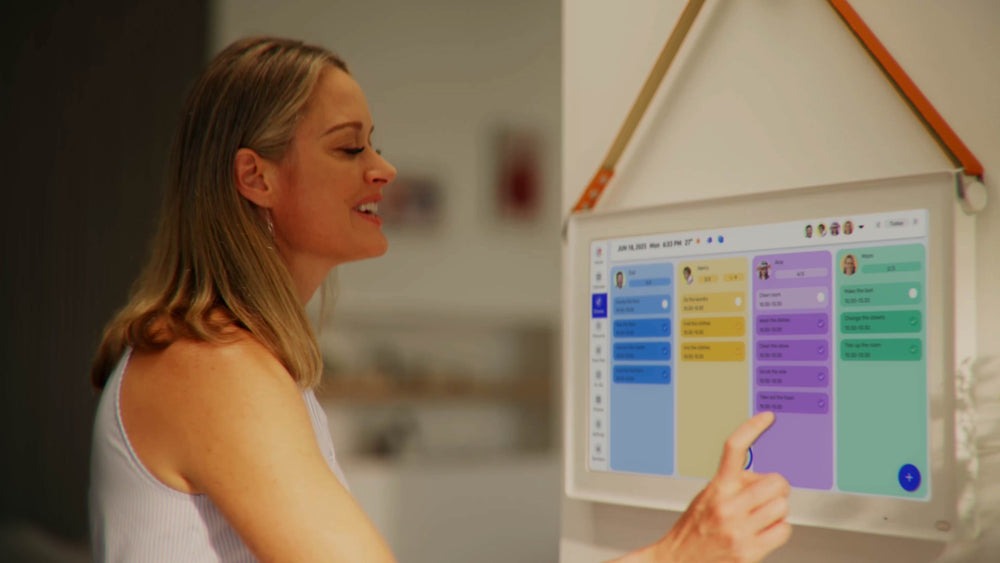
The calendar screen offers a genuine way out. More than a simple scheduling tool, it functions as a visual command center that brings your entire household into focus—meals, chores, budgets, and reminders all living in one place. The real problem isn’t a lack of effort; it’s fragmentation. When meal plans live on sticky notes, grocery lists stay buried in text threads, and chore assignments exist only in someone’s memory, chaos becomes inevitable.
This article walks you through a practical, step-by-step approach to transforming your calendar screen into an efficient meal planning hub. You’ll learn how to build a reusable meal framework, sync chore management with your family’s schedule, track grocery spending, and automate repetitive tasks—so you spend less time managing the household and more time actually enjoying it.
Why the Calendar Screen is Your Ultimate Household Command Center
Most people think of a calendar as a place to store appointments. The calendar screen is something fundamentally different—it’s a living dashboard where every moving part of your household becomes visible, manageable, and connected. Instead of mentally juggling what’s for dinner, whose turn it is to vacuum, and how much you’ve spent at the grocery store this week, everything occupies the same shared space. That shift alone changes how a family operates.
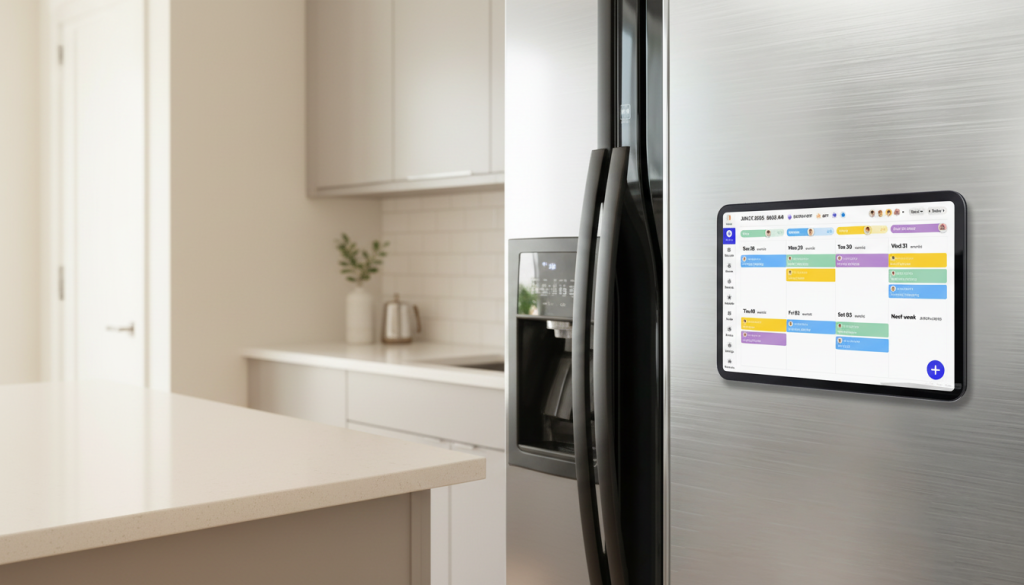
For busy parents, the real enemy isn’t busyness itself—it’s fragmentation. Meal ideas get scribbled on paper, grocery lists live in someone’s phone, chore expectations go unspoken, and the weekly budget exists only as a vague anxiety. Each fragment demands its own mental energy, and together they create the overwhelming feeling that nothing is ever quite under control. A well-configured calendar screen collapses all of that into a single source of truth that every family member can access and contribute to.
When meals, chores, reminders, and spending targets share one visual platform, patterns emerge naturally. You start noticing that Wednesday evenings are always rushed, so that’s not the night for a complex recipe. You see that grocery runs cluster at the end of the week, burning time you don’t have. The calendar screen doesn’t just organize information—it reveals it, turning reactive household management into something genuinely proactive. For families ready to stop putting out fires and start preventing them, this is where that transformation begins.
Step-by-Step Guide to Setting Up Meal Planning on Your Calendar Screen
Choosing and Customizing Your Calendar App
The foundation of an effective meal planning system is picking a calendar app that works for your whole family, not just you. Google Calendar and Apple Calendar both support shared access, meaning your partner can see tonight’s dinner plan without a single text message. What separates a useful setup from a cluttered one is color-coding: assign one color to breakfast, another to dinner, and a third to grocery runs. This visual separation lets anyone glance at the week and immediately understand what’s happening. If you want to go further, digital calendar platforms like Everblog are built with household coordination in mind, allowing meal notes, ingredient lists, and reminders to travel directly within each calendar entry, so nothing gets lost between apps.
Building Your Meal Planning Framework
Start by auditing your week before adding a single meal. Identify which evenings are genuinely rushed—those slots need 20-minute recipes or slow-cooker meals started that morning. Reserve complex cooking for weekend nights when time is less compressed. Once you have a realistic picture, create a recurring weekly template: block Monday through Sunday with meal slots, then fill them using a rotation of 10 to 15 family favorites. This prevents the daily “what’s for dinner?” paralysis without locking you into a rigid plan.
Linking meals to grocery lists is where the system pays off most. When you input a meal into your calendar, attach a simple notes field listing its core ingredients. By Sunday evening, scanning the week’s entries gives you a complete shopping list in minutes. Set an automated reminder every Friday afternoon to review next week’s meals and generate that list before the weekend rush. Add a second reminder on Wednesday for a mid-week inventory check—this catches missing ingredients before they become a last-minute scramble. These two recurring alerts alone eliminate most of the reactive grocery trips that quietly drain both time and budget.
Integrating Chore Management for a Harmonious Home
Meal planning and chore management are more connected than most families realize. When dinner is scheduled but the kitchen is already buried under laundry and yesterday’s dishes, even the best meal plan falls apart. The calendar screen solves this by treating chores not as a separate system, but as part of the same weekly rhythm that governs meals and schedules.
The most effective approach is to map chores around the meal slots you’ve already established. If Sunday is your big cooking day, Saturday becomes the natural time to clean the kitchen and run a grocery pickup. If Tuesday is taco night—quick and low-effort—that’s a reasonable evening to also assign a load of laundry or a bathroom wipe-down. Pairing chores with meals creates a logical flow rather than a separate to-do list that competes for attention.
To build this into your calendar screen, create a dedicated chore category with its own color, distinct from meal entries. Assign specific tasks to specific family members directly within the calendar event—not a separate chore chart on the fridge that gets ignored by Wednesday. When your teenager sees “vacuum living room – Alex” sitting in the shared family calendar alongside dinner plans, it carries more weight than a handwritten list. Shared calendar access means accountability is built in without constant reminders from you.
Set recurring weekly events for non-negotiable tasks: trash on Thursday nights, floors on Saturday mornings, bathroom cleaning every other Sunday. For rotating responsibilities, use the notes field to indicate whose turn it is and update it weekly. This small habit takes two minutes and eliminates the “I didn’t know it was my turn” conversation entirely. When chore management lives inside the same calendar screen as your meals, the household stops feeling like competing priorities and starts functioning as one coordinated system.
Leveraging Budget Organization and Focus Sessions
Grocery spending is one of those household expenses that feels manageable until you actually look at the numbers. Without a tracking system, it’s easy to overspend by $50 or $100 a month on impulse buys and duplicate purchases—items already sitting in the pantry. Your calendar screen can double as a lightweight budget tracker by turning each grocery event into a spending log. When you add a grocery run to the calendar, include a notes field with your target budget for that trip. After shopping, update it with the actual total. Over four weeks, you’ll have a clear picture of where the money goes and which meal types consistently push you over budget.
Meal cost awareness changes purchasing behavior naturally. Once you notice that elaborate Thursday dinners regularly spike the weekly total, you can swap one ingredient or simplify the recipe without abandoning the meal entirely. This isn’t about rigid penny-counting—it’s about making the invisible visible so small adjustments happen before the damage is done.
Focus sessions take this one step further by protecting the time needed to actually execute your plan. A focus session is a dedicated, distraction-free block—typically 30 to 45 minutes—reserved for a single household task: meal prepping Sunday’s ingredients, planning next week’s menu, or reconciling the grocery budget. Schedule these as non-negotiable calendar events, treated with the same weight as a work meeting. Sunday at 10 a.m. for meal prep, Friday at noon for next-week planning—consistency matters more than the specific time you choose. When focus sessions appear on the shared family calendar, they also signal to everyone else that this time is committed, reducing interruptions. Over time, these short weekly blocks compound into a household that runs predictably rather than reactively.
Automating Tasks to Save Time and Reduce Stress
Once your meal plan and chore schedule are running on the calendar screen, automation is what keeps the whole system alive without constant manual effort. The goal isn’t to set up a complicated tech stack—it’s to eliminate the repetitive decisions and reminders that quietly consume mental energy every week.
Start with recurring events for your most predictable meals. If Friday is reliably pizza night and Sunday is always a roast or slow-cooker meal, lock those in as permanent weekly entries. They never need rescheduling, and they anchor the rest of the week’s planning around known constants. From there, set a recurring Friday afternoon reminder titled “Build next week’s grocery list”—this single automated prompt, arriving at the same time every week, replaces the scattered last-minute shopping trips that inflate both spending and stress.
For inventory management, schedule a standing Wednesday reminder to check pantry staples: oils, grains, canned goods, and spices. Catching a gap mid-week means you can add one item to an existing grocery run rather than making a separate trip. If your grocery store offers a pickup or delivery service, sync your finalized list to that platform directly from your calendar notes each Friday—many services allow scheduled orders, so you can automate the pickup slot alongside the list itself.
Smart home integration adds another layer for families already using voice assistants. Linking your calendar to a device like Google Home or Amazon Echo lets you hear the week’s meal plan aloud during the morning routine, keeping everyone informed without anyone checking a screen. Even without smart devices, the calendar’s built-in notification system—set to alert family members 30 minutes before a chore deadline or meal prep window—handles the reminding so you don’t have to.
From Chaos to Coordination: Making Your Calendar Work for Your Family
The calendar screen is more than a scheduling tool—it’s the infrastructure that holds a busy household together. When meal planning, chore management, budget tracking, focus sessions, and task automation all live in one shared visual space, the daily friction that exhausts most families begins to dissolve. You stop reacting to the evening’s chaos and start shaping the week before it arrives.
The steps outlined here aren’t complicated, but they do require a deliberate start. Pick your calendar app this week and set up color-coding for meals and chores. Build your first weekly meal template using the rotation method. Assign one focus session on Sunday for prep and one on Friday for planning. Add two recurring reminders—grocery review and mid-week inventory—and watch how quickly the reactive scramble fades. Involve every family member by sharing calendar access, so accountability and awareness become part of the household culture rather than one person’s burden.
Small, consistent changes compound fast. Within a month of using your calendar screen as a true command center, you’ll spend less money at the grocery store, fewer evenings staring blankly into the fridge, and more time actually present with your family. The system does the remembering so you don’t have to. Start today—open your calendar, block your first meal slots, and take the first step toward a household that runs with you, not against you.
