

Chatting with an AI assistant has become second nature for drafting emails, brainstorming ideas, and working through personal problems. But there’s an uncomfortable tradeoff most people don’t think about until it’s too late: every message typed into a hosted chatbot gets stored somewhere outside their control. Therapy-adjacent conversations, financial planning notes, half-formed business ideas, all of it sits on a company’s servers, subject to their retention policies and their security practices, not yours.
A local ai chat setup removes that tradeoff entirely. By running the chat interface and the underlying model on your own hardware, every exchange stays exactly where you put it. This article covers why that matters, what’s needed to get a private chat assistant running, and how to make it something you’d actually want to use every day.
What Makes Local Chat Different from Cloud Assistants
Cloud-based chat assistants are convenient because someone else handles the infrastructure. That convenience comes at a cost: your prompts are processed on remote hardware, potentially logged, and in some cases used to improve future versions of the model. Even with strict privacy policies in place, the fundamental structure means your data travels somewhere you can’t see or verify.
A self-hosted chat interface flips this arrangement. The model, the conversation history, and the processing all happen on infrastructure you own. There’s no network request leaving your home for the actual inference step, which means no third party ever sees what you typed, regardless of how sensitive the topic. For anyone discussing legal matters, health concerns, or unreleased creative work, this distinction isn’t abstract, it’s the difference between private and permanently logged.
Response Quality Without the Tradeoffs
Modern open-weight models have closed much of the quality gap with commercial offerings, especially for everyday tasks like drafting text, answering general questions, or working through ideas out loud. The experience feels remarkably similar to using a hosted assistant, just without the data ever leaving the premises.
Building a Private Chat Interface Step by Step
The technical barrier to entry has dropped considerably. A typical setup starts with an inference backend that loads a language model into memory, followed by a browser-based chat frontend that connects to it. Most people can have a working interface running within an hour, even without deep technical background, since installation scripts now handle the bulk of the configuration automatically.
Choosing hardware depends on how much conversational speed matters. A mid-range GPU handles smaller models with near-instant responses, while CPU-only setups still work fine for less time-sensitive use, just with a noticeable delay before replies start streaming in. Either way, the setup runs entirely offline once the model is downloaded, so an internet connection becomes optional rather than required.
Customizing the Experience
Because the whole stack is under your control, tweaking system prompts, adjusting response length, or switching between different models for different tasks becomes trivial. There’s no waiting on a vendor to add a feature you want.
Keeping It Accessible Without Sacrificing Privacy
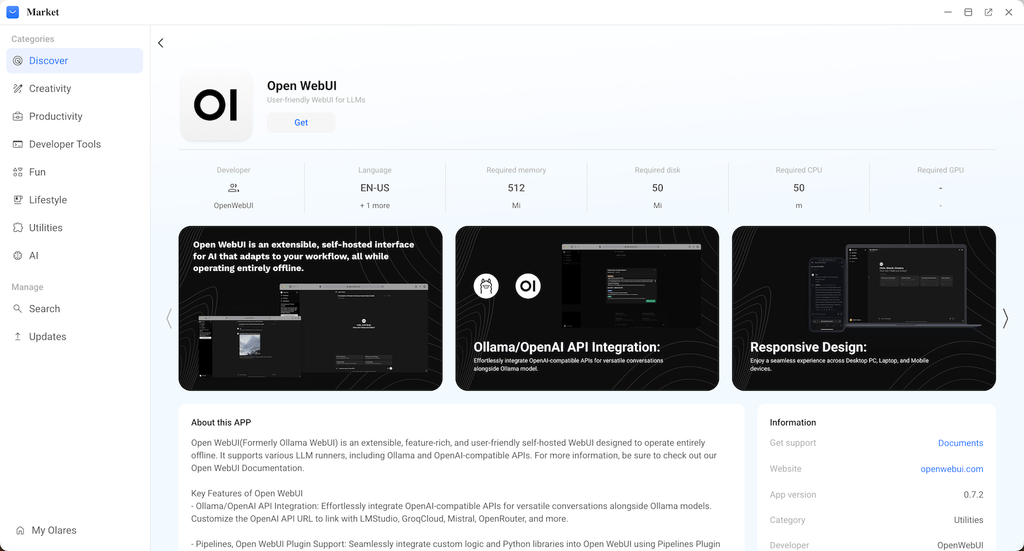
One challenge with self-hosted tools is accessibility. A chat assistant only running on a desktop under a desk isn’t very useful when you need it from your phone on the go. This is where a private cloud platform like Olares becomes valuable, since it lets a self-hosted chat interface, such as Open WebUI, stay reachable from any device through a secure connection, without ever routing conversations through an external company’s servers.
This setup effectively gives you the convenience of a cloud service with none of the data exposure. The model still runs at home, the conversations still stay local, but access follows you wherever you are.
Making the Switch Worthwhile Long Term
Adopting a local chat assistant works best when it replaces habitual use of hosted tools rather than sitting as a backup option. Setting it as the default chat tab, connecting it to notes or documents for quick reference, and getting comfortable with its quirks all help it stick as part of daily routine.
Performance will occasionally lag behind the very latest commercial models, but for the vast majority of everyday conversations, the difference is negligible next to the privacy gained.
Bringing Your Conversations Back Under Your Control
Deciding to run a chat assistant locally is really a decision about who gets to see your thinking as it happens. With the current generation of open models and simplified setup tools, that decision no longer requires sacrificing usability or convenience. A private chat assistant can be just as responsive and helpful as its cloud counterparts, minus the permanent record sitting on someone else’s servers.
For anyone who has ever paused before typing something sensitive into a chatbot, that hesitation is worth listening to. A local setup removes the need for it entirely.
