

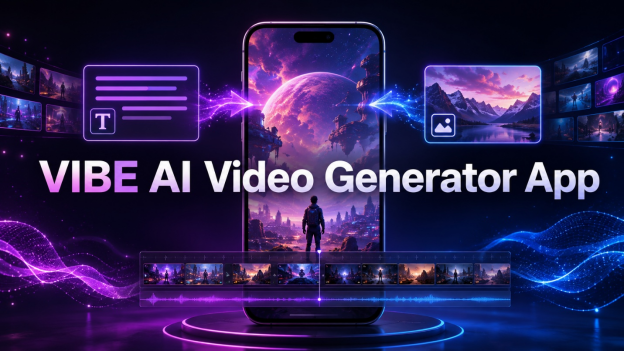
Video has become one of the most effective formats for sharing ideas, introducing products, promoting brands, and entertaining audiences. However, conventional video production often requires cameras, editing software, technical knowledge, and considerable time. The VIBE AI Video Generator app provides a more accessible approach by transforming written prompts and still images into engaging videos with the help of advanced artificial intelligence.
Designed for creators, marketers, YouTubers, e-commerce businesses, and brands, the app brings a broad collection of AI video models together in one mobile platform. Instead of moving between different tools for different visual styles, users can select a suitable model, describe a scene, and generate content through a streamlined creative process.
The VIBE AI Video Generator app supports both text-to-video and image-to-video generation. It also provides options for creating content in vertical and landscape formats, making the finished clips suitable for TikTok, Instagram Reels, YouTube Shorts, standard YouTube videos, advertisements, and other digital channels.
What Is the VIBE AI Video Generator App?
The VIBE AI Video Generator app is a mobile video creation platform available for iOS and Android devices. It uses multiple artificial intelligence models to generate videos from written descriptions or uploaded images.
Users can enter a simple idea, such as a futuristic city during a rainstorm, or provide a more detailed prompt containing information about the subject, movement, lighting, camera angle, environment, and visual style. The chosen AI model then interprets those instructions and produces an original video.
The app also allows users to upload photographs, illustrations, product images, and other still visuals. They can describe how the subject or camera should move, allowing the AI to animate the image while preserving its main composition and appearance.
This flexible structure makes the VIBE AI Video Generator app useful for short-form social content, cinematic experiments, product promotions, visual storytelling, AI characters, fantasy environments, and many other creative projects.
Access Multiple AI Video Models in One Place
One of the most valuable aspects of the platform is its extensive model selection. VIBE combines 39 AI video models within a single app, allowing users to experiment with different approaches to motion, realism, speed, atmosphere, and visual consistency.
Its collection includes recognized models such as Kling 3, Kling O3, Google Veo 3.1, Veo 3.1 Fast, Sora 2, Sora 2 Pro, Seedance 2.5, Seedance Pro, WAN, Grok Imagine Video, LTX, Luma Ray, PixVerse, and Vidu. The app also includes AI image models that can support a broader visual creation workflow.
Every model has different creative strengths. Kling 3 focuses on natural motion and character consistency, while Veo 3.1 is suitable for cinematic visuals, realistic lighting, and detailed scenes. Veo 3.1 Fast provides a speed-oriented option when creators need to test an idea quickly.
Sora 2 can interpret complex compositions and realistic physical movement, while Sora 2 Pro is intended for more ambitious and professional-looking productions. Seedance is particularly useful for expressive human movement and dynamic choreography. PixVerse supports artistic effects and stylized transformations, while Vidu can animate images without losing the essential qualities of the original composition.
Having these choices inside the VIBE AI Video Generator app gives creators more control over the final result. A model that works well for a realistic product reveal may not be the best choice for a fantasy sequence or energetic dance video. The ability to compare different models makes it easier to match the generation method with the creative objective.
Create Videos Directly From Text Prompts
Text-to-video generation turns written ideas into moving scenes. Users do not need an existing photograph or recorded clip to begin. They can simply describe what they want to see.
A short prompt may contain the main subject and setting, but detailed instructions can provide greater control. An effective prompt can describe the following elements:
- The main subject or character
- The surrounding location
- The action taking place
- The type of camera movement
- The lighting and time of day
- The mood of the scene
- The preferred visual style
- The intended video orientation
For example, a creator could describe a traveler walking through a neon-lit street at night, with rain reflecting colorful signs and the camera slowly following from behind. The selected model interprets the description and builds the scene without requiring a physical location, actor, or filming equipment.
The VIBE AI Video Generator app makes this process approachable for beginners while still giving experienced creators room to develop detailed cinematic prompts. It can be used to visualize concepts, prepare social media content, build atmospheric transitions, or experiment with ideas before committing to a traditional production.
Bring Still Images to Life
Image-to-video generation provides another useful way to produce original content. A user can upload a photograph, illustration, screenshot, character design, or product image and turn it into an animated clip.
The animation can include natural subject movement, environmental changes, camera motion, lighting effects, or a combination of these elements. A static product photograph might become a smooth commercial reveal, while an illustrated character could be transformed into a moving scene.
This feature can be particularly useful for e-commerce owners and marketers who already have a collection of product photographs but lack video assets. Instead of arranging a new photoshoot or recording every item manually, they can explore animated presentations based on their existing images.
Artists can also animate digital illustrations, while creators can add movement to portraits, fictional characters, landscapes, and imaginative environments. The VIBE AI Video Generator app supports this process through models designed to preserve visual identity while creating coherent motion.
Built for TikTok, Reels, Shorts, and YouTube
Modern creators frequently publish across several platforms, each with its own preferred video format. VIBE supports native 9:16 vertical video for TikTok, Instagram Reels, and YouTube Shorts. It also supports 16:9 landscape output for traditional YouTube content and other widescreen presentations.
This reduces the need for extensive resizing after generation. Creators can select an orientation that matches the intended destination and produce a clip that is ready for the appropriate screen format.
Pro users can export videos without a watermark, allowing businesses and professional creators to publish clean content that maintains their own identity. Unlimited remixing also provides room to revise prompts, explore alternative movements, and develop a stronger final version.
The VIBE AI Video Generator app is well suited to several popular content categories, including:
- Product showcases and commercial reveals
- User-generated-style advertisements
- ASMR and sensory sequences
- Cinematic action scenes
- AI characters and virtual personalities
- Sports and high-energy motion
- Science-fiction and cyberpunk environments
- Fantasy worlds and mythical creatures
- Surreal comedy and imaginative concepts
These categories demonstrate how the same platform can support both promotional and entertainment-focused projects.
AI Avatars and Visual Restyling
Beyond basic generation, VIBE includes options such as AI avatars and visual restyling. AI avatars can function as realistic digital presenters for a brand, business, or content channel. This gives creators a way to produce spokesperson-style content without appearing in front of a camera.
AI restyling can change the visual appearance of a clip by applying a different artistic direction. A standard scene might be transformed into an anime-inspired sequence, a futuristic cyberpunk composition, or another distinctive visual style.
These capabilities help creators maintain variety across their content while working inside a consistent production environment. A marketer can develop polished promotional visuals, while an independent artist can explore experimental aesthetics without learning several separate editing applications.
A Simple Video Creation Workflow
The production process inside the VIBE AI Video Generator app can be completed in a few clear steps.
First, the user chooses between creating a video from text or animating an existing image. For text-to-video, the creator writes a prompt describing the desired scene. For image-to-video, the creator uploads a visual and adds instructions explaining how it should move.
Next, the user selects an AI model. This choice can be based on the desired style, generation speed, motion quality, realism, or creative effect.
After the video is generated, the result can be reviewed and remixed. The prompt may be adjusted to refine the action, camera movement, atmosphere, or composition. Once the clip matches the intended vision, it can be exported in vertical or landscape format.
This workflow makes the platform suitable for quick content experiments as well as more carefully planned campaigns.
Benefits for Creators and Businesses
For individual creators, VIBE can reduce the technical barriers associated with video production. An idea can be developed without expensive equipment, complex animation software, or access to a large creative team.
For marketers, the app can support rapid campaign testing. Different product scenes, visual hooks, and advertising concepts can be generated and compared before selecting the strongest direction.
E-commerce businesses can transform product photos into animated promotional assets. YouTubers can create intros, supporting visuals, atmospheric sequences, and short-form content. Brands can use AI avatars, product videos, and stylized clips to expand their visual communication.
The mobile format is another practical advantage. Since VIBE is available on iPhone, iPad, Android phones, and Android tablets, users can generate content without being tied to a desktop production environment.
Free Access and Pro Capabilities
The VIBE AI Video Generator app provides a free starting option that does not require a credit card. This allows new users to explore AI video creation and test selected models before considering expanded capabilities.
Eleven video models can be used without an account, while the Pro experience unlocks the complete collection of 39 AI video models. Pro also provides higher generation limits and removes watermarks from exported content.
This structure gives beginners an accessible entry point while offering broader functionality for creators who produce videos frequently or need professional publishing features.
How to Get Better AI Video Results
Clear prompts generally produce more controlled results. Instead of describing only a subject, it helps to include its environment, action, lighting, mood, and camera behavior.
Creators should also select models according to the project rather than using the same option for every video. A fast model may be ideal for testing concepts, while a higher-fidelity model may be more appropriate for a final cinematic clip.
When working with images, high-quality source visuals with a clear subject can make motion instructions easier to interpret. It is also useful to describe movement precisely, such as a slow camera push, a gentle turn of the head, flowing fabric, or a smooth rotation around a product.
Remixing is an important part of the process. Small changes to wording can significantly affect the output, so experimenting with alternative descriptions can help creators reach the right result.
Final Thoughts
AI video creation is making professional-looking visual production more accessible to creators, businesses, and marketers. By combining text-to-video, image-to-video, AI avatars, visual restyling, multiple export formats, and a wide selection of advanced generation models, VIBE creates a flexible environment for modern content development.
Whether the goal is to animate a product photograph, build a cinematic fantasy scene, create an AI spokesperson, or prepare vertical content for social media, the platform offers an efficient mobile workflow. Its selection of Kling, Sora, Veo, Seedance, and other models also allows users to choose the technology that best matches each creative idea.
The VIBE AI Video Generator app brings advanced video generation into one convenient space, helping users move from an initial concept to a shareable visual story with fewer production barriers.
