

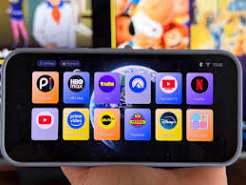
The shop assistant has the recycling envelope open. Your new phone makes calls, the photographs have appeared, and it would be easy to hand over the old one. Tonight the television asks you to confirm a login, and the confirmation goes to the phone in that envelope. A transfer is finished when the new device can perform the jobs you depend on. A familiar wallpaper is a poor way of deciding.
Make a short list before either phone leaves your hands. Do you use the phone to watch television, cast a programme to another screen, pay for the account, approve a sign-in, or contact the person who sold the subscription? Those are separate jobs. A family member who never watches on their phone may still be the only person able to find the order receipt. Ask them what they do when something goes wrong.
Find the account behind the icon
An app icon tells you which application opens. It may tell you very little about who supplied the viewing account. Open the existing player and note the exact app name and publisher shown in its store listing. Separately record the name on the receipt and the address you normally use to manage the service. Do not keep a screenshot containing a password or a complete playlist address in a photo album that automatically gets shared with relatives.
If the service you are considering is Golden OTT, bookmark the brand’s homepage in the new browser and give the bookmark an unmistakable name. A bookmark on its own will not transfer a purchase made through an independent seller. It does give you a reliable place to return when an advert for a similarly named app turns up in search. The subscription email and the application store receipt belong on separate lines of your transfer list.
Check whether the old handset can still receive messages after you move the SIM. Email recovery and authenticator approvals may involve different steps. Use the instructions supplied by the account or authenticator you already use. Before removing anything, make sure you can reach the recovery method from the new device. Store recovery material somewhere private. Your seller does not need a copy to answer a question about device compatibility.
Rehearse an ordinary evening
Start the new phone from its locked screen. Find the intended app without using the old phone as a guide. Try a programme you are entitled to watch. Leave the app, return and check whether the same account is still selected. If casting matters, use the same television and network you normally use. A picture playing on the handset proves very little about whether the button your family uses on the sofa will find the screen.
Try one change at a time. If you move the account, install a different player and change the television input during the same attempt, a blank screen will tell you almost nothing. A useful note might say that the programme started on the handset, that the living room screen appeared in the list, and that tapping it left the television menu unchanged. That is a much better starting point for help than saying the new phone does not work.
Before starting playback on both phones, check what the account allows. Installing the same app twice and watching in two places simultaneously are not necessarily the same entitlement. Stop playback on the old device first. If the seller says a device must be removed from the account, ask how to recognise the right entry. Old names such as Bedroom TV can survive a move, especially when two people in the household have named devices independently.
Move the money trail as well
Don’t overlook the family shortcut that was never part of an app. A handwritten station list, a bookmark inside a browser and the alarm somebody sets for a favourite programme can all vanish during a perfectly successful phone migration. Before the trade-in, ask the viewer to show you how they started last night’s programme. Watch their thumb rather than reading out the route you think they use. They may go through a home-screen shortcut to a website nobody remembered setting up. Recreate the shortcut using the verified address, and let its owner give it a name they will still recognise after the next software update.
Find the date, amount, currency and seller on the last service receipt. For a future order, the subscription durations and prices give you a reference for comparing what is on offer. They do not identify which account paid your last bill. If a family member paid through a store, check that store separately before assuming a fresh download means you need to purchase the plan again. Keep the receipts somewhere the account owner controls.
A friend who helps with installation may also be the person who sold access. That changes who can locate the order, not who should know your phone passcode. The information for sellers who manage customer accounts explains why a reseller account is a separate category from a viewer account. A household moving phones ordinarily wants help with its existing order. It has no reason to share its recovery codes or open a business account just to complete the transfer.
Set the old phone aside, powered off, while you try one last exercise. Ask the ordinary viewer to start a programme and the account owner to find the receipt. Then ask both people where they would go if the app requested another login. If the only answer involves switching the old phone back on, you have found a loose end while it is still cheap to fix. Write down what worked in language a family member will recognise.
Only then prepare the old handset for trade-in using the manufacturer’s own steps. Allow enough time for steps that need the device in your possession; a shop queue is a bad place to discover you have forgotten a password. What you want to walk away with is simple: a working phone, a receipt you can find, and a television evening that no longer depends on a piece of hardware someone else now owns.
