

The Bottleneck Is Often the Last Mile
Short-form video has become less constrained by ideas than by execution. A creator may know the hook, have a script, and even own a usable camera. The friction arrives when that idea has to become a finished clip with a face, a voice, believable timing, captions, and a clear ending. For a small team, each handoff can turn a twenty-second concept into a two-day task.
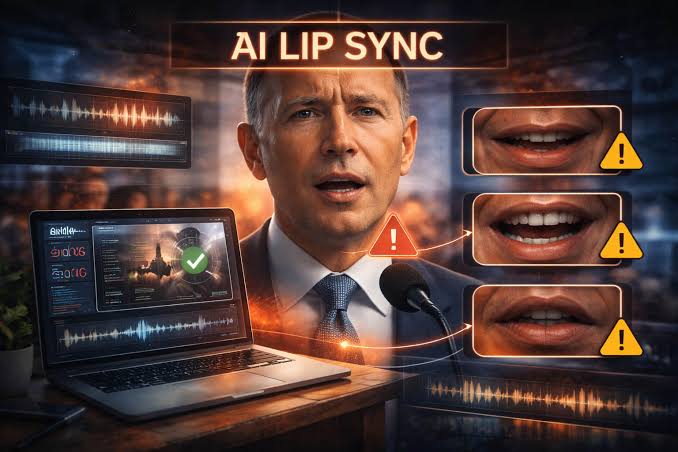
That is why AI lip sync deserves to be treated as a production layer rather than a novelty effect. The useful question is not whether software can make a face move. It is whether it can remove a repetitive step while leaving the creator in charge of the message, pacing, and tone. When used that way, it can help a product demo, a tutorial, or a short social explanation reach a first watchable draft much faster.
The distinction matters because the web is already full of clips that look technically generated but say very little. Faster production does not automatically create better communication. A tool earns its place when it gives people more time to make the script sharper, the claim more accurate, and the final edit more considerate of the viewer.
Start With a Script That Can Survive the Screen
A face on screen makes weak writing more obvious. Before choosing an avatar or uploading audio, reduce the message to one useful promise. A good short clip usually answers a small question: what changed, why should the viewer care, and what can they do next? If the script tries to explain a whole product category, it will sound hurried even with excellent visual quality.
Make the Promise Specific
Write for the ear, not for a product page. Sentences should be short enough to say in one breath, but they should still contain a real point. Replace vague claims such as ‘revolutionary results’ with a visible outcome: a product team can turn a release note into a quick walkthrough; a teacher can introduce a lesson before the screen recording begins. Those details give the speaker somewhere to go.
Mark Emphasis Before Generation
It also helps to read the script aloud before generating anything. Mark the words that need emphasis and the places where a pause would make the thought easier to understand. AI lip sync can align mouth movement to spoken audio, but it cannot decide which sentence deserves a beat. That remains an editorial choice.
Build the Clip in Deliberate Passes
The most reliable workflow separates writing, performance, and finishing. In the first pass, create a plain spoken script and trim it until every sentence contributes. In the second, choose a portrait, avatar, or recorded clip that fits the message. A formal training update needs a different visual tone from a playful launch teaser. In the third, generate the talking sequence and inspect it closely before adding polish.
Treat the First Output as a Review Copy
For creators who need a quick way to test that middle stage, an AI lip sync workflow can pair a clip or avatar with a script or audio track and produce a draft that is ready for editorial review. The useful outcome is not an automatic final cut. It is a concrete version that makes pacing problems visible while they are still inexpensive to fix.
Add Accessibility and Visual Context
Finish with context. Captions help when viewers are watching without sound. A simple visual insert can clarify what the speaker is describing. A cutaway should support the spoken point instead of competing with it. If the clip promotes a product, show the relevant action rather than filling the frame with logos. These choices make the final piece feel made for a person rather than assembled for a feed.
Use Synthetic Performance With Clear Boundaries
The closer a generated performance comes to a real person, the more important consent and disclosure become. Do not use somebody’s likeness or voice without permission. Do not create a speaker who appears to endorse an opinion, a product, or a political claim they never made. Those are not merely legal concerns; they are trust concerns, and audiences have become more alert to them.
Permission and Disclosure Come First
A sensible policy is simple: label material when a reasonable viewer could mistake it for a real recording, keep source files and permissions organized, and avoid giving a generated character authority it has not earned. For a fictional mascot, a product avatar, or an internal training narrator, that boundary is easier to maintain. For a public figure or a customer testimonial, it is rarely worth the risk.
Review Details That Automation Misses
Human review also catches smaller problems. Check names, numbers, pronunciation, cultural references, and the timing of subtitles. Watch the final clip once with sound and once without it. AI lip sync may save time in production, but publishing still requires someone who can decide whether the result is clear, fair, and appropriate for the audience.
Measure Whether the Video Actually Helped
Views alone are a weak success metric. For an explainer, completion rate and the number of viewers who reach the next step can be more useful. For a social post, comments may reveal whether the message was understood or merely noticed. For an internal update, ask whether the clip reduced repeat questions. These signals tell you whether the production shortcut supported the communication goal.
Keep a small record of what changed between versions: a shorter opening, a stronger example, fewer claims, clearer captions, or a more appropriate voice. Over time, this creates a practical library of editorial decisions rather than a collection of tool settings. That library is what makes a team faster without becoming generic.
FAQ
How do I know whether a synthetic presenter is helping the message?
Compare it with the simplest alternative: a screen recording, live presenter, or text-led edit. Keep the generated presenter only if it makes the opening easier to follow or gives useful context that the visual alone cannot provide.
What source material produces the most reliable AI lip sync?
Start with clean audio, a clearly visible face, and a script written for speech. Heavy background noise, fast delivery, extreme head angles, and jargon that has not been checked for pronunciation all make review more important.
When should a video disclose that the presenter is generated?
Disclose it whenever a reasonable viewer might take the performance for a recording of a real person. Clear labeling is especially important for testimonials, expert commentary, customer communications, and any content that could affect trust.
A Faster Draft Should Lead to Better Judgment
The real value of AI lip sync is not that it removes people from video making. It is that it can move a rough idea into view sooner, where a writer, marketer, teacher, or creator can make better decisions. Use the saved time to improve the script, add context, and review the result carefully. A short video earns attention when it respects the viewer’s time; the technology should make that easier, not optional.
