

A seasonal menu review can involve more material than expected: dish descriptions, customer comments, preparation notes, and several competing ideas. AI PPT Maker offers a way to turn that information into a presentation draft. The interesting question is whether the draft helps the restaurant team make a better decision.
For this kind of task, I would judge the product on clarity before appearance. Attractive food imagery is useful, but the meeting still needs to explain what is changing, why it is being proposed, and which questions remain open.
Here is how I would assess AI PPT Maker for a menu planning discussion.
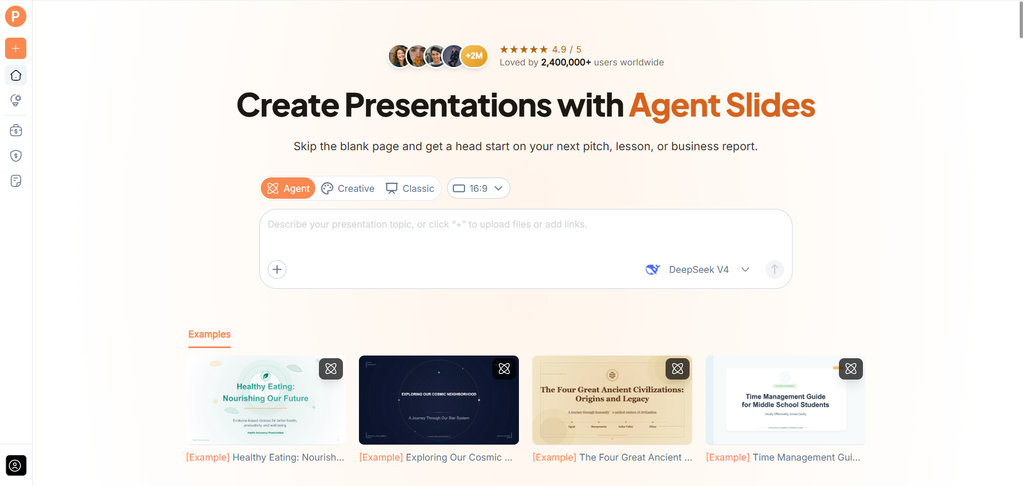
(Create presentations with AI PPT Maker)
The Starting Point: Several Documents, One Meeting
Menu planning rarely begins with a perfectly organized brief.
The kitchen may have preparation notes. Front-of-house staff may have recorded recurring questions. The owner may have a short list of priorities for the next season.
The first useful feature in AI PPT Maker is mixed input. Agent, Creative, and Classic all support adding source material and supplementing it with text instructions.
That means the presentation request can include existing documents alongside an explanation of what the meeting should resolve.
What I Would Include in the Brief
I would use a current menu summary, approved proposal notes, and selected feedback suitable for the discussion.
The request would explain the audience and distinguish proposed dishes from confirmed changes:
Create an internal presentation for a seasonal menu review. Explain the proposed changes, the reasons recorded in these notes, preparation considerations, and unresolved questions. Keep suggestions separate from approved decisions. Do not invent customer demand or sales figures.
The purpose is to give AI PPT Maker clear boundaries, not ask it to design the menu itself.
Outline Review Is More Valuable Than Another Food Photo
All three modes in AI PPT Maker let you review and adjust the outline before generating slides.
For this use case, that matters. A draft could otherwise spend several pages introducing the restaurant and leave little room for the actual decisions.
I would check whether the outline covers the proposed changes, supporting observations, operational questions, and next steps.
Compare Dishes on the Same Basis
A useful review needs consistent information.
If one proposed dish includes preparation notes and another has only a description, the presentation should make that gap visible. It should not disguise uneven evidence with equally polished pages.
AI PPT Maker gives you an outline to inspect before the visual treatment makes everything look complete.
I would use that stage to remove repetition and identify missing information.
Agent Helps When the Explanation Needs Work
Agent mode supports multi-round conversation in AI PPT Maker.
That would be useful if the first draft describes the dishes but does not explain why they are being considered.
A follow-up could say:
Connect each proposed change to the observations in the source notes. Where the reason is unclear, identify the question for discussion rather than adding an explanation.
Another could ask for simpler language for colleagues who do not use the kitchen’s terminology.
The practical benefit is being able to add context as the presentation develops. Agent exports PPTX for further editing in PowerPoint.
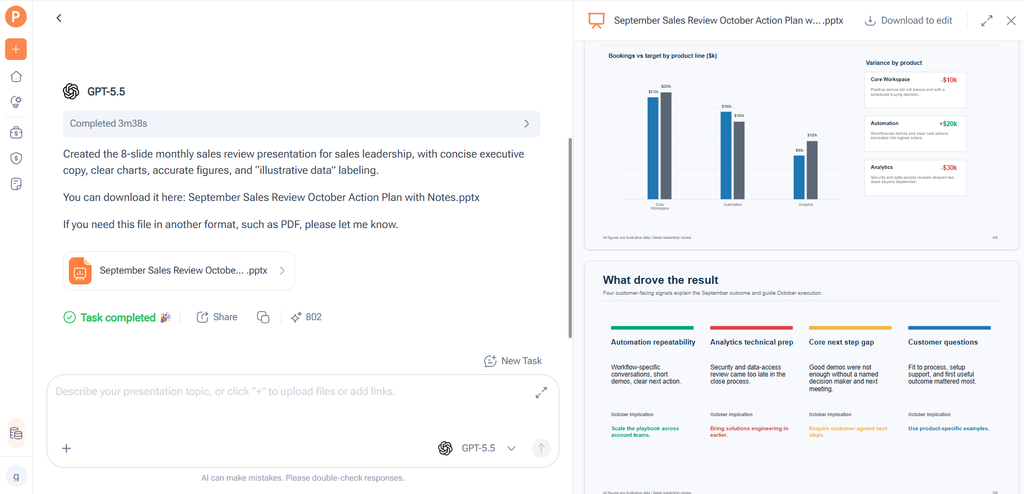
(AI PPT Maker Agent presentation preview)
Creative Has a Role, but the Image Format Matters
Menu discussions are visual. Creative mode in AI PPT Maker offers a visually expressive approach and exports PNG images.
I would consider it for concept pages where the finished visual treatment is useful. However, a menu review often involves wording changes during and after the meeting.
If individual text elements need to be edited in PowerPoint, Agent or Classic may be a better fit because they support PPTX downloads.
The choice should follow the work. A beautiful page is less useful if the format makes the next revision inconvenient.
Use Actual Food Images for Actual Dishes
Agent includes AI image generation, which can support conceptual illustrations.
For a specific menu item, I would use an approved photograph of the actual dish when available. A generated image should not imply that it shows the kitchen’s finished preparation.
That distinction matters in a discussion where appearance is part of what colleagues are evaluating.
AI PPT Maker can help organize the presentation, while the team supplies accurate visual evidence.
Classic Offers a Straightforward Route to Consistency
AI PPT Maker provides more than 1,000 templates, and Classic uses a template-based workflow.
For a restaurant that reviews menus regularly, a consistent format could make the meeting easier to follow. Colleagues would know where to find the proposal, the reason, and the open questions.
I would choose a readable layout rather than a different visual style for every dish.
Classic also offers downloads including PDF, Keynote, and outlines in TXT or Markdown. The outline option is useful when the team wants to inspect the structure separately from the designed pages.
The Draft Should Reveal Questions, Not Hide Them
A menu review may involve uncertain demand, preparation capacity, or incomplete information.
AI PPT Maker should be assessed on whether the presentation preserves those uncertainties.
I would check each concise statement against the source notes. “Guests have asked about this option” should not become “this is our most requested dish.”
Likewise, a suggested change should not appear as an approved launch.
The product’s value is helping explain the material, while the restaurant team remains responsible for the decision.
My Review Checklist Would Be Practical
Before using the deck, I would ask:
- Can colleagues distinguish proposed and confirmed changes?
- Does each proposal have an understandable reason?
- Are missing details visible?
- Are the images representative of what is being discussed?
- Can the chosen download format support revisions?
Other options include PPT Maker and NoteGPT’s AI Slide Generator. I would assess the AI PPT Maker draft against these practical questions rather than simply comparing appearances.
The Best First Test Is a Small Menu Review
I would begin with a few proposed changes, not the restaurant’s entire menu history. That makes the draft easier to check and gives the team a manageable discussion.
AI PPT Maker is worth evaluating as a way to organize existing menu information into a clear review deck. Start with current notes, define the meeting’s decision, and inspect the outline before generating slides. Try AI PPT Maker(https://aipptmaker.ai/) with one upcoming menu discussion, then verify the wording and images. Keep PPT Maker(https://pptmaker.io/) in mind as another option as you develop your presentation workflow.
