

Growth marketing teams spend an absurd portion of their work week waiting on basic image alterations. A campaign manager drafting a promotional newsletter or launching a paid search experiment often needs a simple tweak: stripping a cluttered background from a product render, removing an outdated price badge, or adjusting image dimensions for social channels. Relying on an AI Photo Editor fundamentally shifts this production bottleneck by enabling marketers to perform precise visual adjustments directly in the browser.
The traditional friction does not stem from complex creative direction. It happens because full-featured desktop suites require dedicated graphic design licenses, steep technical learning curves, and manual layer masking for everyday tasks. When a digital campaign requires twenty localized creative variants by end of day, routing minor touch-ups through an overloaded design queue burns valuable momentum. Comparing modern prompt-driven editing against legacy desktop software reveals where automated workspaces deliver measurable efficiency gains.

The Production Bottleneck In Modern Growth Campaigns
Fast-moving growth sprints depend on rapid creative iteration. When testing ad creative across paid social channels, performance marketers routinely observe creative fatigue within seven to ten days. Refreshing those ad variants should be a ten-minute job, yet traditional workflows turn it into a multi-stage handoff.
The campaign coordinator writes a creative ticket, uploads the source asset to a shared server, and waits for a production artist to open a heavy desktop application. In many marketing departments, that single ticket sits in the backlog for forty-eight hours before anyone touches a layer mask. By the time the revised image returns, the campaign window has narrowed.
PicEditor AI changes this operational equation by providing an accessible, browser-first editing environment. Instead of maintaining cumbersome desktop toolchains across an entire commercial team, marketers can manipulate existing visual assets without leaving their core planning workflow.
Evaluating The Hidden Cost Of Manual Masking Workflows
Pen tools and manual alpha masking provide absolute pixel control, but that precision comes at an immense labor expense. Isolating an intricate product outline, such as a beverage bottle with condensation or a piece of tech hardware with antenna lines, can take an experienced retoucher twenty minutes of manual clipping.
Multiply that duration across twenty regional variants, and an entire afternoon disappears into repetitive edge tracing. For fast-turnaround marketing collateral, perfection along invisible sub-pixel borders yields diminishing returns compared to getting fresh creative live into market testing.
Turnaround Expectations Across Distributed Marketing Teams
Modern marketing organizations operate across multiple time zones with decentralized content contributors. Expecting remote copywriters and regional coordinators to navigate complex desktop color spaces and layer hierarchies introduces recurring version control errors.
Browser-based tools standardize asset handling by accepting universal image formats and providing straightforward export presets. Team members collaborate without emailing gigabyte-sized layered project files back and forth across messaging channels.
Direct Comparison Across Core Marketing Production Criteria
Deciding between desktop suites and generative editing platforms requires analyzing everyday marketing demands rather than edge-case design scenarios. While high-end fashion retouching and print billboard prep continue to require desktop power, digital marketing collateral demands agility, clean isolated products, and consistent branding.
The table below summarizes the core operational differences between modern prompt-driven editing platforms and traditional desktop software suites:
| Production Metric | Traditional Desktop Suites | Generative Browser Workspaces |
| Setup And Hardware Requirements | High-spec workstation with dedicated graphics hardware | Any standard modern web browser with internet connection |
| Software Learning Curve | Steep; requires weeks of specialized interface training | Zero; driven by intuitive natural language prompts and chips |
| Average Asset Turnaround | Thirty to forty-five minutes per masked variant | Less than two minutes from upload to finished export |
| Background Isolation Speed | Manual pen tracing or complex contrast masking | Single-click automated background removal and replacement |
| Cross-Team Collaboration | Heavy layered project files requiring local storage | Centralized cloud uploads supporting instant previewing |
As demonstrated across these evaluation criteria, browser workspaces eliminate unnecessary mechanical friction for routine creative deliverables. This allows marketing teams to focus their creative energy on copy hooks, audience targeting, and campaign analytics rather than mechanical clipping paths. When a performance team tests multiple value propositions across different customer personas, being able to tweak visual elements on the fly prevents creative fatigue from choking campaign performance.
Furthermore, managing subscription seat costs across large marketing organizations creates friction when only a fraction of team members require daily design tooling. Providing casual contributors with an intuitive online platform reduces software overhead while ensuring marketing collateral adheres to clean visual standards.
Hands-On Feature Workflow In A Browser Workspace
The practical advantage of generative editing becomes apparent during hands-on execution. The workspace homepage accepts JPEG, PNG, and WEBP formats up to 30 MB, supporting high-resolution product photography directly from studio asset libraries.
Rather than managing complex layer stacks, marketers interact with clear action chips such as Remove background, Erase object, and Enhance photo. PicEditor AI structures these capabilities so team members can move from raw snapshot to finalized ad card without opening secondary utilities. These predefined modules streamline the most frequent visual requests encountered during ad prep.
Automating Background Swaps For E-Commerce Promotions
Consider a seasonal promotion requiring a consumer product to transition from a plain studio white background to an outdoor summer scene. In a legacy program, this requires cutting out the subject, sourcing a stock background, adjusting color grading, and manually painting cast shadows across several distinct layers.
In a natural language workspace like a ChatGPT Photo Editor, you simply instruct the system: “Place this product bottle on a rustic wooden patio with soft natural morning sunlight.” The engine interprets the prompt, integrates realistic ground contact shadows, and balances ambient color temperatures in a single generation cycle. This eliminates hours of manual retouching when testing dozens of thematic backdrops for seasonal digital campaigns.
Removing Outdated Badges And Clutter In Seconds
Marketing assets frequently become outdated due to expired promotional banners, previous year timestamps, or obsolete regulatory badges. Erasing these elements manually often leaves visible smudges or mismatched texture patches on patterned backdrops.
Selecting the Erase object chip allows you to brush over the obsolete element. The inpainting algorithm analyzes adjacent textures and reconstructs the underlying surface seamlessly, preserving gradient fidelity without manual cloning. When running campaigns across diverse channel requirements, PicEditor AI maintains high output fidelity without forcing team members to master pen tools or complex feathering parameters.
Where Dedicated Desktop Software Remains Essential
Adopting generative tools does not mean discarding professional desktop software entirely. Technical marketing leaders understand where each tool fits within the broader production stack.
Desktop software remains non-negotiable for multi-page print collateral, Pantone color matching for packaging fabrication, and complex typography composition requiring OpenType ligatures and kerning adjustments. When an asset requires CMYK color profile separation for an offset printing press, desktop suites provide the required pre-press controls.
Furthermore, if an image contains confidential pre-release hardware schematics that cannot be uploaded to external cloud environments due to corporate non-disclosure agreements, on-premise desktop editing remains the appropriate compliance pathway.
Calculating Return On Investment For Marketing Workflows
Evaluating design tool ROI requires looking at the total labor hours saved across a typical campaign sprint. When campaign managers spend thirty minutes per asset filing creative requests, tracking project revisions, and re-exporting slightly modified banners, weekly creative velocity grinds to a halt. Converting routine image prep into an immediate self-serve task frees senior designers to focus on high-impact brand campaigns while marketing managers launch ad experiments on schedule.
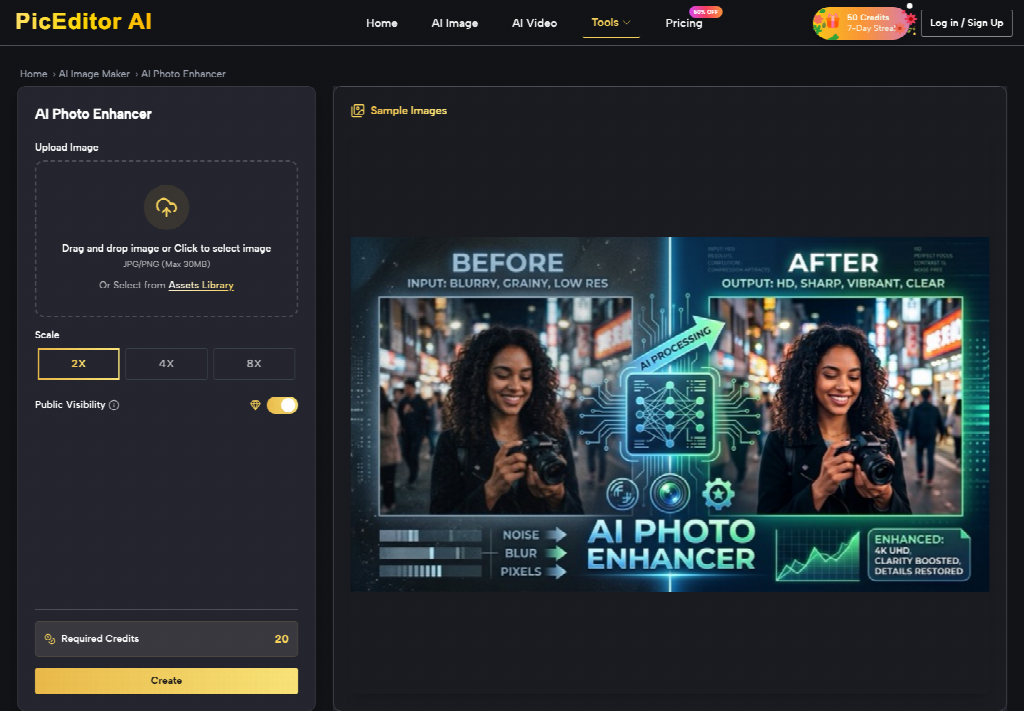
Furthermore, cloud-based workspaces minimize software overhead by centralizing generative image operations within standard browser environments. Rather than provisioning high-cost desktop workstations and specialized creative licenses for every junior coordinator, organizations equip teams with responsive self-serve tools that maintain high visual standards without inflating departmental software budgets.
Final Verdict For Digital Marketing And Growth Teams
For the vast majority of digital performance marketing tasks, speed and agility outweigh the need for sub-pixel layer manipulation. PicEditor AI provides digital teams with an agile creative engine that turns routine image touch-ups into immediate, self-serve actions.
By empowering growth managers and content creators to generate clean, optimized promotional assets on demand, businesses shorten testing loops and keep campaigns fresh. Reserve your specialized desktop licenses for foundational brand identity design, and deploy browser-based editing to keep everyday growth assets moving at the speed of the market.
