

You spent days scripting, shooting, and editing a video, then published it into a feed where most people scroll with the sound off — and where search engines can’t watch a single frame. The fastest way to get more reach from the same footage isn’t making more videos; it’s unlocking the words already inside them. Turning audio into text with the devoice audio to text tool produces captions, transcripts, and translations that make your content watchable, readable, searchable, and understandable around the world.
The Hidden Reach Problem in Video and Audio
Two structural facts quietly cap the audience of almost every video and podcast. First, a large share of mobile and social viewing happens with the sound muted — on a commute, in an office, in a quiet room at night, or simply by habit. A video that depends entirely on audio loses those viewers in the first few seconds, no matter how good the visuals are.
Second, the spoken content of a video is invisible to search. Platforms and Google can index a title, a description, and a few tags, but they can’t listen to a 20-minute episode and understand the topics, questions, and keywords it answers. So a video packed with useful information can still rank for almost nothing, while a thin page with well-structured text outranks it.
Text solves both problems at once. Captions recover the muted viewers, and transcripts expose the spoken content to search. The same transcript can then be translated, repurposed, and distributed — multiplying reach without a single new shoot.
How Transcripts and Captions Drive Growth
1. Win the Muted Majority
When captions appear on screen, a muted video becomes immediately understandable. Viewers can decide whether your content is worth their attention within the first seconds instead of scrolling past because there’s no sound. Captions also keep people watching longer, because they can follow along in noisy environments or wherever headphones aren’t convenient.
2. Improve Watch Time and Comprehension
Reading along while listening reinforces understanding and helps viewers keep track of complex ideas, names, and numbers. Captions are especially effective for tutorials, interviews, and technical content, where missing a single term can lose the thread. Better comprehension translates into longer watch time and higher completion — metrics every platform rewards.
3. Make Content Accessible to Everyone
Captions and transcripts are essential for viewers who are deaf or hard of hearing, and they make content far easier to follow for people watching in a second language. Accessibility isn’t just an ethical plus; it expands your potential audience and is increasingly expected by both platforms and enterprise buyers.
4. Unlock SEO and Discoverability
A transcript turns an hour of speech into indexable text full of the exact phrases your audience searches for. Add it to a page or paste it into a description and the video suddenly has long-form keyword coverage, headings, and answerable questions. Podcasts benefit even more: a show with no transcript leaves almost all of its SEO value on the table.
5. Translate to Enter New Markets
Once the words are text, translation is one step away. Localized subtitles and descriptions let a single video reach viewers in other languages — turning a domestic audience into a global one without re-recording anything.
What One Transcript Can Produce
Subtitles (SRT/VTT): Timestamped captions for the video, ready for the editor or hosting platform.
Full transcript: Indexable text for a page, blog post, or episode description.
Translated subtitles: Localized captions and descriptions for new language markets.
Chapter markers: Natural sections used for timestamps and navigation.
Blog & newsletter: The spoken script, lightly edited into written content.
Social snippets: Exact quotable lines pulled from the transcript.
How the devoice Audio to Text Tool Fits the Workflow?
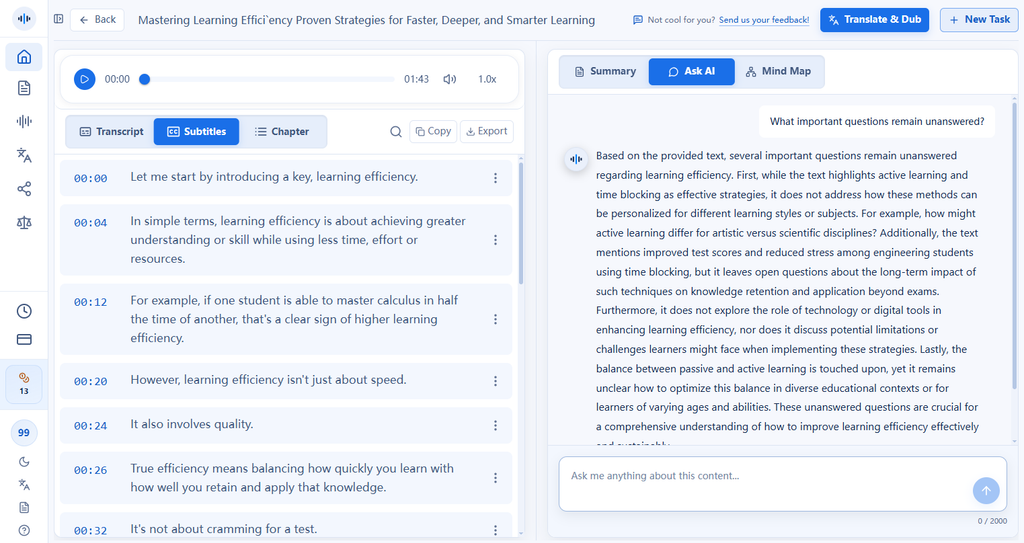
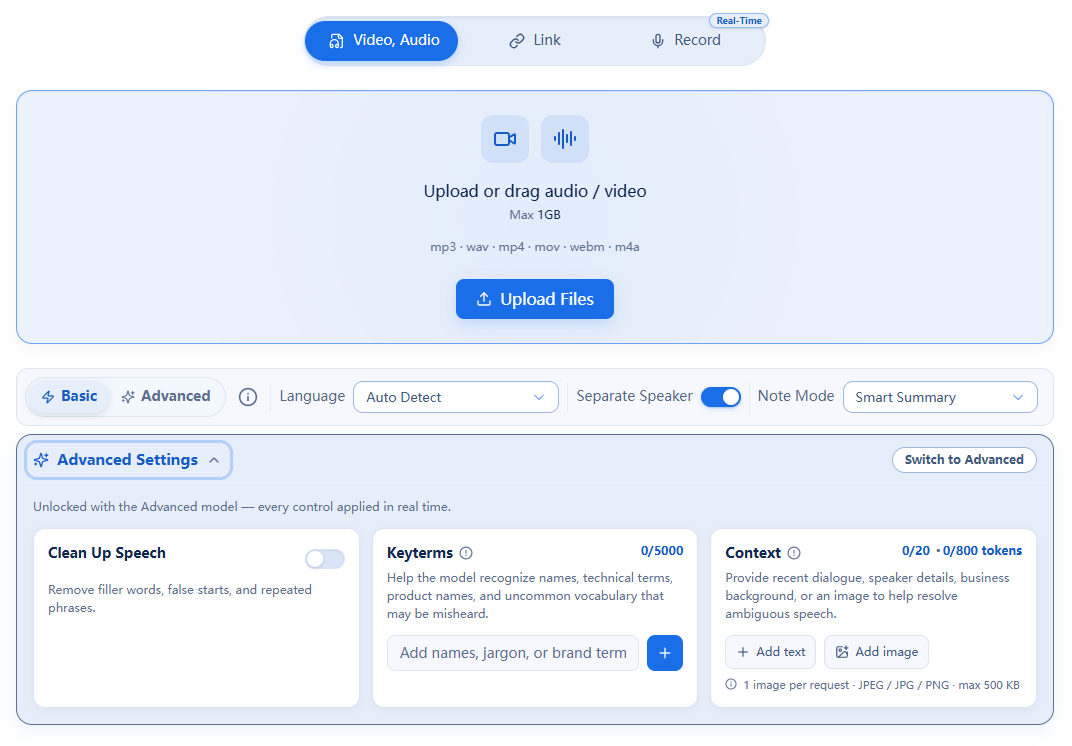
The devoice audio to text tool is designed for the whole reach workflow, not just a raw dump of words. Upload a file or paste a link, and you can process up to five videos or recordings together. The transcription includes word-level timestamps and optional automatic speaker labels, so multi-person interviews and panels stay clear.
From there, you can generate an AI summary, translate the text into another language, chat with the transcript to pull key points, or generate a mind map of the structure. For captions and SEO specifically, the important outputs are the timestamped subtitle files and the clean written transcript:
- Export SRT or VTT for captions that sync line-by-line with the video.
- Export TXT or DOCX to publish an indexable transcript or turn it into an article.
- Export CSV for structured analysis of many episodes.
- Translate the transcript to create subtitles in 100+ auto-detected languages.
Because it runs entirely in the browser, there’s nothing to install and no production machine to tie up — you can caption a video between edits.
A Reach-First Workflow for Every Video
- Upload or link. Add the video or audio file, or paste its URL, batching up to five at once.
- Transcribe. Enable speaker labels if needed and confirm the language; get word-level, timestamped text.
- Create captions. Export SRT or VTT and drop it into your editor or upload it to your hosting platform.
- Publish the transcript. Add TXT or DOCX text to the page or description for search indexing.
- Translate and repurpose. Translate subtitles for new markets and pull quotes and summaries into social posts.
Why the Same Footage Deserves a Second Life
Most creators treat publishing as the finish line. But a video without captions or a transcript is only reaching a fraction of the audience it could — the people who happen to watch with sound on, in the right language, and who find it through the handful of words in the title. Layer text on top and the same asset reaches muted viewers, hard-of-hearing viewers, international viewers, and search traffic.
That’s compounding growth: captions improve retention, retention improves distribution, transcripts improve discoverability, and translation opens new geographies — all from one transcription pass. When producing new footage is the most expensive thing you do, extracting more reach from what you’ve already made is the obvious next move.
Frequently Asked Questions
Why do captions matter if people can just turn up the volume?
A large share of social and mobile video is watched on mute, in public, at work, or late at night. Captions let those viewers follow along immediately, and they also help viewers who are hard of hearing or learning the language.
Do transcripts help SEO?
Search engines cannot watch or listen to video, but they can index text. A transcript or captions file exposes the words, topics, and keywords in your video, giving it more opportunities to rank.
Can I translate my transcripts to reach other languages?
Yes. DeVoice auto-detects more than 100 languages and can translate the transcript for subtitles or localized descriptions.
What subtitle formats can I export?
You can export SRT and VTT subtitle files as well as TXT, DOCX, and CSV, covering most video editors, hosting platforms, and content workflows.
How fast can I caption a video?
Upload a file or paste a link, the AI transcribes with word-level timestamps, and you export an SRT or VTT in minutes rather than the hours manual captioning takes. Up to five tasks can run together.
Make Your Next Video Watchable, Searchable, and Global
Generate captions, indexable transcripts, and translations from any video or podcast — free to start, in your browser, no install required.
