

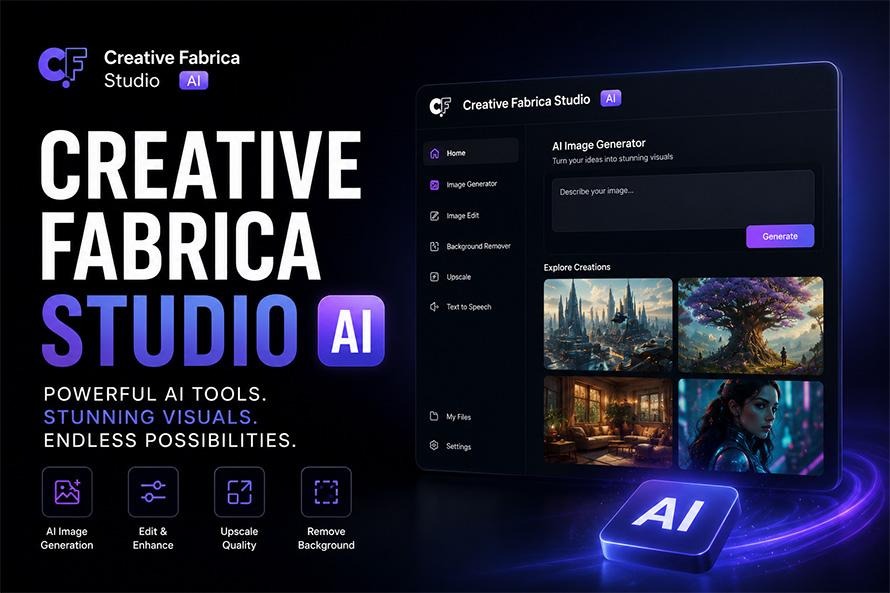
AI image generation has moved well beyond creating simple concept art. Today, creators expect images that are detailed enough for websites, marketing campaigns, presentations, digital products, and even print. As image quality improves, AI becomes more useful for everyday creative work instead of only helping with brainstorming.
One of the biggest improvements in recent AI tools is the ability to separate quick drafts from polished final images. Rather than spending time producing every concept at the highest quality, creators can first explore different ideas and then generate a refined version once they know exactly what they want.
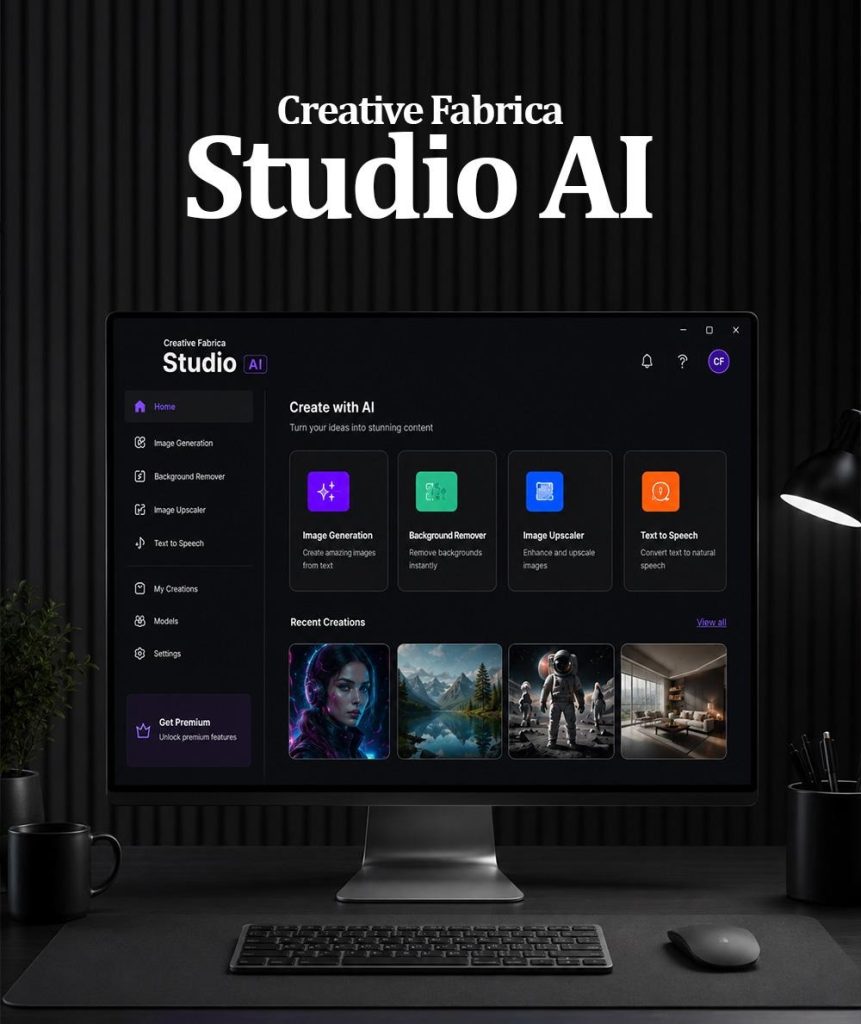
The latest version of the Creative Fabrica Studio AI for content creation follows this approach with local AI image generation, High Quality Rendering, built-in LoRAs, background removal, image upscaling, and text-to-speech. Together, these features help creators move from an idea to a finished asset without relying on several separate applications.
Why Image Quality Matters More Than Ever
People notice image quality immediately, even if they cannot explain why one graphic looks better than another.
A blog header with sharp details attracts more attention than one with blurry textures. A product image with realistic lighting creates a stronger first impression than one that looks flat. Marketing graphics, YouTube thumbnails, posters, and presentation slides all benefit from clearer visuals.
Think about a travel company launching a new holiday package. The team creates several destination concepts before choosing the strongest one. Quick drafts help compare beaches, mountains, and city scenes, but the final campaign needs polished images that appear professional on websites, social media, and printed brochures.
This is where High Quality Rendering becomes valuable. Instead of treating every image the same, creators can save time during the planning stage and reserve detailed rendering for the artwork that will actually be published.
Built-in LoRAs Give AI More Creative Flexibility
High-quality rendering improves detail, but style is just as important.
A realistic product advertisement requires a different appearance than a children’s illustration or a fantasy book cover. Trying to achieve every style with prompts alone often produces inconsistent results.
Built-in LoRAs make that process much easier.
A LoRA is a small AI model that teaches the main image model a specific artistic style or concept. Instead of replacing the original model, it expands what the AI can create.
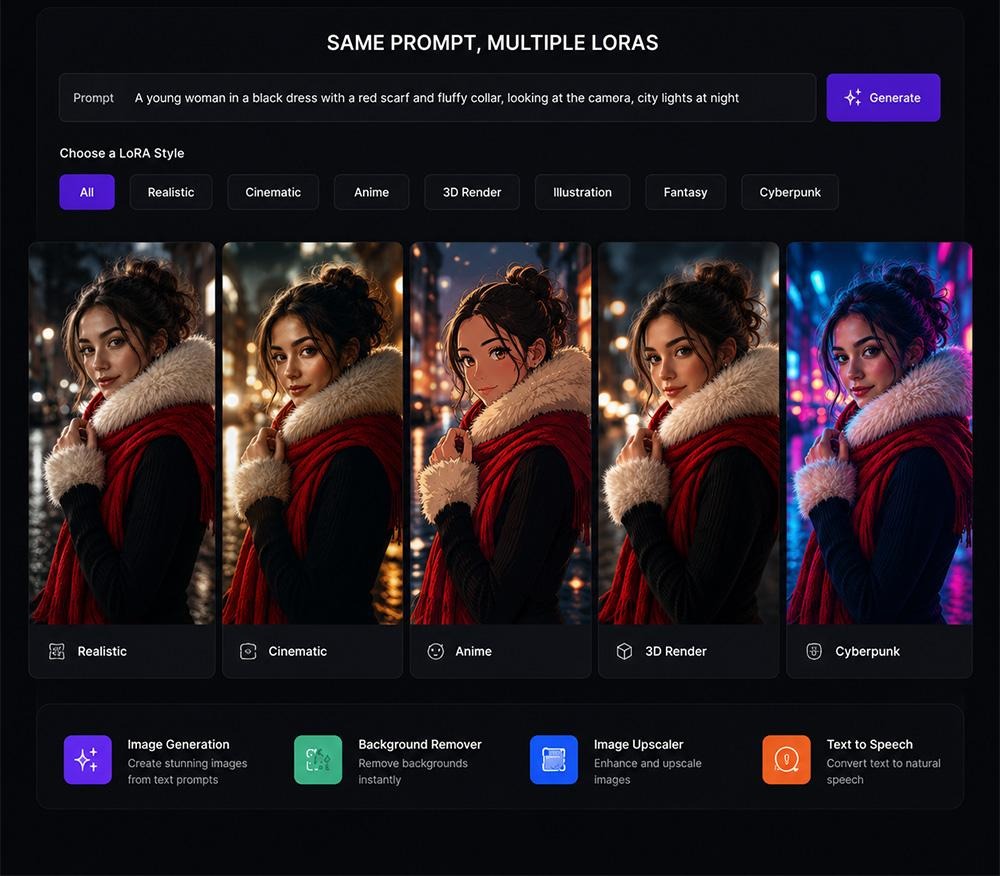
Creative Fabrica Desktop includes more than fifteen built-in LoRAs. You can apply different LoRAs to the same prompt and compare the results.
Imagine using the prompt:
“A cozy reading corner beside a large window.”
One LoRA creates a realistic interior photograph.
Another produces a watercolor illustration.
Another creates comic-inspired artwork.
Another transforms the same room into a fantasy scene.
This flexibility allows creators to build projects with a consistent visual identity while reducing the need for complicated prompts.
Background Removal and Upscaling Complete the Workflow
Generating an image is often only the beginning of a project.
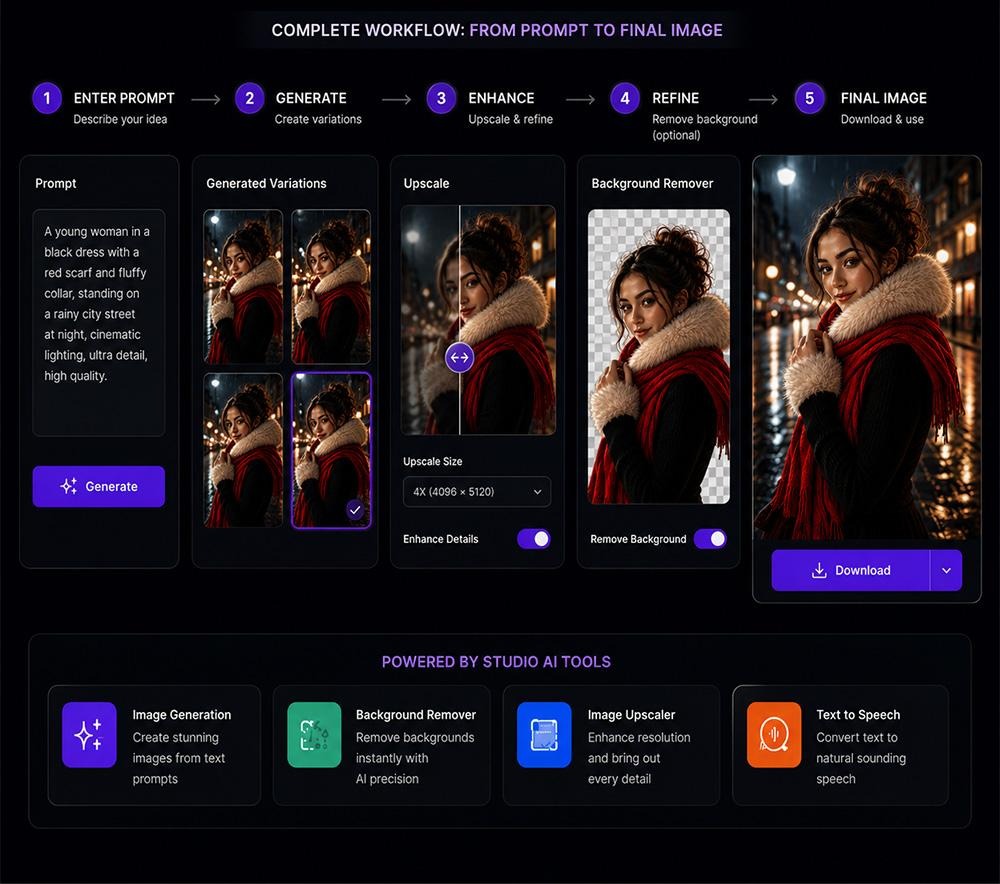
Suppose you create a promotional graphic for an online furniture store. The chair looks perfect, but the background does not match the rest of the campaign. Removing the background lets you place the chair into a new scene without creating another image.
Image upscaling is equally useful.
Imagine a blogger wants to reuse an older featured image for a redesigned website with larger page headers. Rather than recreating the artwork from scratch, the upscaler produces a cleaner, higher-resolution version suitable for modern displays and printed material.
Together, these tools help creators reuse and improve existing assets instead of replacing them every time requirements change.
A Practical Workflow for Better AI Images
Many people think AI image generation starts and ends with writing a prompt. In reality, the prompt is only the first step. A simple workflow can help you create stronger images while spending less time making corrections later.
Start by deciding what you want the final image to achieve. Is it for a blog header, a YouTube thumbnail, a product advertisement, or a presentation? Once you know the purpose, write a clear prompt and generate several draft images using Low Quality Rendering. This allows you to compare layouts, lighting, camera angles, and colors without waiting for detailed renders every time.
After choosing the strongest concept, switch to High Quality Rendering. This is where the image begins to look ready for publication. Details become sharper, textures appear more natural, and lighting feels more balanced.
The next step is selecting a built-in LoRA that matches your project. For example, a realistic style may suit a business website, while a watercolor LoRA could work well for greeting cards or children’s learning materials. A comic-inspired LoRA might be a better choice for entertainment content.
Following this process makes it easier to move from rough ideas to polished artwork while keeping your workflow organized.
Why High Quality Rendering and LoRAs Work Better Together
Many creators think High Quality Rendering and LoRAs solve the same problem, but they actually improve different parts of the creative process.
High Quality Rendering improves the technical quality of an image. It adds cleaner textures, better lighting, sharper edges, and more refined details. This makes the artwork suitable for websites, presentations, digital products, marketing campaigns, and print.
LoRAs influence the artistic direction of the image.
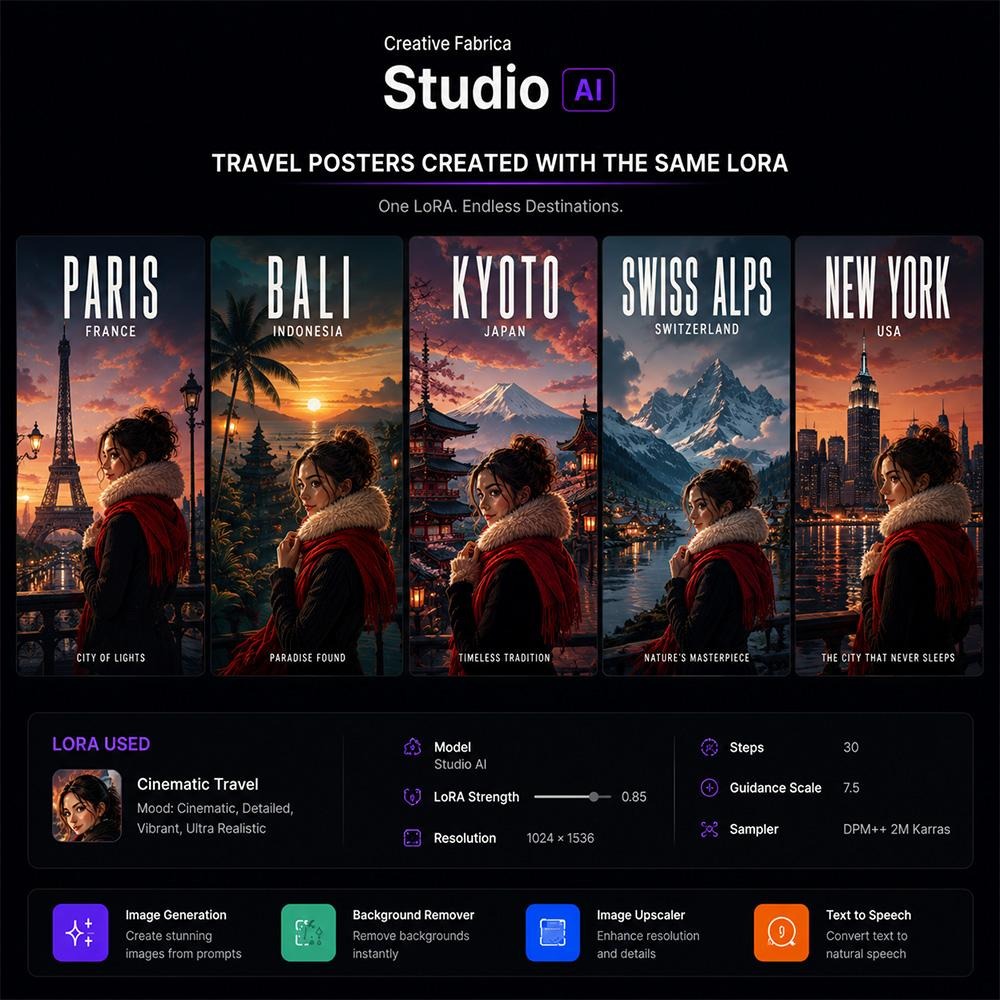
Imagine you are creating a collection of travel posters.
Using High Quality Rendering alone will give you detailed images, but each poster may still have a different artistic style.
Now apply the same built-in LoRA to every poster.
The beaches, mountains, cities, and countryside scenes begin to share similar colors, brushwork, and overall appearance. Even though the locations are different, the artwork feels like it belongs to the same collection.
This is useful for businesses building marketing campaigns, bloggers creating article series, online stores preparing seasonal promotions, or educators developing learning resources. Consistency helps every project look more organized, while High Quality Rendering gives each image the level of detail needed for professional use.
Local AI Supports Everyday Creative Work
AI is no longer limited to professional designers. People from many different backgrounds now use image generation during their daily work.
A blogger may create original illustrations for weekly articles.
A teacher can prepare classroom posters and worksheets.
An online seller might produce product banners and promotional graphics.
A small business owner can design social media posts for seasonal campaigns.
A freelancer may build presentation graphics for several clients in the same week.
Creative Fabrica Desktop supports these different workflows by combining several AI tools into one application. After generating an image, you can remove the background, upscale the final result for larger displays, or prepare narration for a presentation using the built-in text-to-speech feature.
Keeping these tools together helps reduce the time spent switching between different services and allows creators to focus on developing ideas rather than managing files.
Frequently Asked Questions
1. What is the purpose of High Quality Rendering?
High Quality Rendering creates cleaner images with improved lighting, sharper textures, and finer details. It is best used for images that are ready to publish or print.
2. Should I always use High Quality Rendering?
It is usually better to begin with Low Quality Rendering while exploring ideas. Once you choose your preferred concept, generate the final version using High Quality Rendering.
3. What is a built-in LoRA?
A built-in LoRA is a small AI model trained to produce a particular visual style or concept. It expands the creative options available without replacing the main image model.
4. Why are built-in LoRAs useful?
They allow you to experiment with different artistic styles immediately after installation. Since Creative Fabrica Desktop includes more than fifteen built-in LoRAs, you can compare different looks without searching for additional models.
5. Can I use the same prompt with several LoRAs?
Yes. This is one of the easiest ways to compare styles while keeping the same subject and composition.
6. What can I use background removal for?
Background removal is useful for product photography, portraits, marketing graphics, logos, online stores, presentations, and transparent PNG files.
7. When should I use image upscaling?
Image upscaling is helpful when preparing older graphics for larger displays, printed materials, website banners, presentation slides, or digital products.
8. Who can benefit from Creative Fabrica Desktop?
The application is suitable for bloggers, designers, marketers, educators, freelancers, online sellers, content creators, students, and small business owners who regularly create visual content.
Final Thoughts
High-quality AI images are not created by one feature alone. The best results come from combining a clear prompt, thoughtful experimentation, High Quality Rendering, and the right artistic style for the project.
The Creative Fabrica Studio AI Desktop App brings these pieces together through local AI image generation, High Quality Rendering, more than fifteen built-in LoRAs, background removal, image upscaling, and text-to-speech in one desktop application.
Whether you are designing blog graphics, marketing campaigns, educational resources, social media content, or digital products, having these tools in one workspace makes it easier to move from your first idea to a polished final result while maintaining a consistent visual style across every project.
