

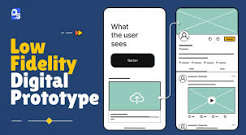
The one thing that a team would miss out on when they are pressed for time is prototyping and typically, this is the step that saves them the most time. Ever wonder why some apps are crunching through code without any problems and others have to be re-written from the ground up in a few months?
Typically, it is a question of whether or not the team actually performed a test prior to developing the idea. In this article, you’ll discover what real prototyping is, its importance and how it saves you money before you write a line of production code. The idea is to validate it through a low-cost system, and if the low-cost system indicates that the system will work, then expensive system construction starts.
Skipping Prototypes Costs More Than It Saves
But that’s the wrong way to do it, build first and test afterwards and it is the approach of many apps and frequently an unusual approach. Teams develop the code, deploy, only to find users tap the wrong buttons or fall out of onboarding.
A prototype is the opposite; it is a design arranged upside down. It is inexpensive, readily available and easy to use and that’s why it is so effective. The thing you’re not precious about is throwing away a Figma flow, but the thing that you’re precious about is a finished codebase and that’s the one that most teams fall into.
According to recent industry data, 70% of app projects fail before launch due to misaligned expectations and poor market validation. A gap prototyping exists specifically to close.
Catching Problems Users Won’t Tell You About
Users typically won’t discuss the problem. They just leave. When a person doesn’t know how to navigate, or doesn’t finish the onboarding process or doesn’t see a button, or when there is friction in the journey, it’s a clickable prototype that shows it first.
25% of apps are opened only once and most of the users will leave within 90 days. No, it’s not a marketing issue. That’s usually a first impression problem and a prototype is used to uncover first impression problems.
Thus, the need for low fidelity testing to keep discovering issues which won’t be resolved until months after production, after they were discovered.
What Good Prototyping Looks Like in Practice
Good prototyping takes place over time; it is not a perfect mock-up. You develop a prototype, present it to people and listen to where they hesitate, adjust it and present it once again.
Some of the most common methods that are successful for all app niches are:
- Low-fidelity wireframes for testing navigation logic early
- Clickable high-fidelity mockups for onboarding and checkout flows
- A/B variants of a single screen to settle design debates with data
- Short moderated user sessions, five to eight people is usually enough
| Prototype Type | Best For | Typical Cost | Time to Build |
| Paper/Low-fidelity | Navigation & flow logic | Very low | Hours |
| Clickable Mockup | Onboarding, checkout testing | Low-Medium | 1-3 days |
| High-fidelity Interactive | Stakeholder buy-in, investor demos | Medium | 3-7 days |
| Coded Prototype | Technical feasibility checks | Medium-High | 1-2 weeks |
Prototyping as a Communication Tool
Prototypes aren’t only catching logic bugs, they are also getting stakeholders, designers and developers to agree on what they are building. A common set of prototypes ends the “I thought you meant something else” conversation before anyone begins to lose speed.
Early Validation is something that many teams like the Meta App Designs are doing, and it helps them avoid a particular problem that can prove to be costly if it does occur, when it becomes a problem. In the first week a very rough prototype is better than a nice sounding internal demo in the sixth week.
Conclusion
Prototyping is not a step to take before the real development work begins, it’s a way to make rapid and low-cost missteps and only create what has already worked. Do not do this, and you’re playing with money that hasn’t been subjected to testing. Test it early and make sure it’s built correctly – not on a best-guess basis.
