

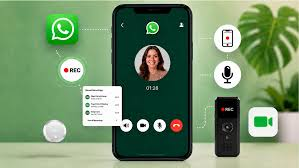
Recording WhatsApp calls is only half the job. The value comes from what you do afterwards: finding the right calls, scoring them fairly, and coaching agents on what you hear. This guide walks through a practical setup, from the first recording to measurable improvement.
What Is Qualitify and How Does It Work?
Qualitify is a call quality tool built for teams that sell and support customers over WhatsApp and the phone. It works in three stages: record, review, coach.
Your team’s calls are recorded automatically, either from the desktop app for WhatsApp calls or from the Android app, which records all calls on the device, not only WhatsApp. A fair sample of those calls reaches your reviewers, who score them against criteria you define. Supervisors then attach coaching plans to the results and compare scores before and after, so you can see whether the coaching actually worked.
Step 1: Start Your Free Trial and Install the App
Qualitify offers a 14-day free trial with 100 calls included and no card required, so you can test it on real conversations first.
- Start your free trial and set up your company.
- Install the desktop app on the computer your team uses for WhatsApp calls, or the Android app on agents’ phones to record all their calls.
- Place a short test call and confirm the audio appears in your account.
Step 2: Invite Agents and Set Daily Goals
Add each agent, then give each person a daily call goal. A goal can count incoming calls, outgoing calls, or both, so a sales agent making outbound calls and a support agent taking inbound ones are each measured fairly. Days your company doesn’t work are never counted as missed.
Step 3: Use the Call List
The call list shows who took each call, how long it ran, whether audio is available, and where it stands for review. Filter by agent, direction, date or review state, or search a customer name or number. Audio status is always stated, whether ready, uploading or deleted on schedule, and an unreviewed call is never shown as a zero.
Step 4: Build Your Scorecard
Create your own criteria, usually five or six, such as communication, accuracy, resolution, professionalism and closing. Two settings make the scorecard far more useful:
- Weighting: make important criteria count double, such as accuracy.
- Fail-the-call flags: mark serious mistakes, like quoting a wrong price, so a friendly tone can’t hide them.
Step 5: Review Calls Efficiently
Qualitify selects a fair sample for review, so coverage spreads across your team instead of landing on whoever is easiest to check. Each reviewed call shows the reason it was picked.
When you open a call, scrub the waveform to jump to key moments, raise the playback speed on long calls, and pin notes to the exact second they refer to, such as “04:38, could have offered the replacement sooner.” Drafts save as you work, so a long call never costs you progress.
Step 6: Read the Team Performance View
This view places calls, talk time and direction beside each person’s review coverage and score. Before drawing conclusions, check two figures: coverage, the share of an agent’s eligible calls that were reviewed, and the review count beside each score. An average from five reviews is a rough signal, while one from forty is far more reliable.
Step 7: Attach a Coaching Plan
A score alone changes nothing, so turn it into a plan: name the skill, assign a supervisor, and set a follow-up date. Agents see the plan written for them, while supervisors’ private notes stay private. At follow-up, compare reviews from before and after. If an agent’s closing score rises from 7.4 to 8.6 across several reviews, the coaching worked.
Step 8: Know How Recordings Are Protected
Audio is deleted automatically 30 days after each call, while scores, feedback and notes are kept. Because of that window, review your sampled calls within the month. Your company sees only its own calls, and recordings are never used to train AI models.
A Simple Weekly Routine
- Check the call list and confirm recordings are coming in from every device.
- Review the sampled calls for each agent.
- Share one or two specific notes per agent.
- Check whether current coaching plans are improving scores.
To see the full workflow before committing, watch it in the live demo.
Final Thoughts
The teams that get real value from call recording build a routine: capture every call, review a fair sample, score against clear criteria, coach on specifics and measure the result. Follow these steps and your calls become a steady source of improvement instead of a blind spot.
