

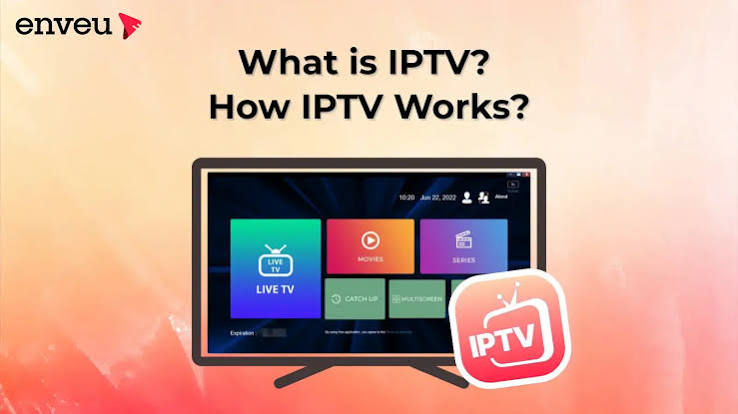
So, here’s the thing. You know that box people talk about that brings all your channels through the internet? That’s an IPTV box. No dish on the roof, no wires all over the wall. Just one small box and your internet.
A lot of folks are tired of paying huge cable bills every month. So they look for something cheaper and easier. That’s where an IPTV set-top box comes in. It’s small, it’s simple, and it does the job without all the extra stuff.
Here’s how I like to explain it. The internet is on one side. Your TV is on the other side. The IPTV set-top box just sits in the middle and turns the internet stuff into the show you’re watching. That’s really all it does.
Why So Many People Are Getting One
People are switching because cable just costs too much now. Every year the bill goes up a little more, and most people don’t even watch half the channels they’re paying for. So they start looking for something better.
Some reasons people like it:
- No dish, no wires, no mess
- Works with the internet you already pay for
- Costs way less than cable most months
- You get tons of channels in one place
- Setup takes just a few minutes
- You can watch shows from other countries too
Once it’s set up, you don’t even think about it anymore. You just turn on your TV, open the box, and your shows are right there.
How Does This Thing Even Work
Okay, here’s the simple part. Your box connects to your home Wi-Fi, or you can plug it in with a cable if you want a more stable connection. Then it connects to an IPTV Service USA provider, which delivers your channels directly to the box for easy streaming.
The service breaks the video into tiny pieces and sends them over the internet real quick. Your box grabs those pieces and turns them back into a picture on your screen. It happens so fast you don’t even notice it’s happening.
Most boxes also come with an app where you pick your channels or search for shows. Honestly it feels a lot like Netflix, except you’re watching live TV instead of just movies and shows.
Not Every Box Is The Same
People think all boxes are the same thing, but that’s not true at all. Some are tiny sticks that plug right into your TV. Others are bigger boxes with more power inside them. It depends on what you want.
| Box Type | Good For | Price Range |
| Android TV Box | Most people, apps and streaming | $30 to $80 |
| Small Streaming Stick | Tight spaces, travel | $20 to $50 |
| 4K IPTV Box | People who want sharp picture | $60 to $150 |
| Dual-tuner Box | Watching two channels together | $80 to $200 |
So if you just want something basic, the cheap one does fine. But if picture quality matters to you a lot, go for the 4K one instead.
Setting It Up Isn’t As Hard As You Think
People get scared about setup, but honestly it’s pretty easy. You just need Wi-Fi, a TV with an HDMI slot, and an IPTV Service that actually works. That’s really all you need to get going.
Plug the HDMI cable into your TV, turn the box on, connect to your Wi-Fi, then open the app. After that, you just log in with the details your service gave you, and boom, your channels show up on the screen.
Sometimes the box wants to update itself the first time you turn it on. It only takes a few minutes, so don’t worry about it. After that it’s smooth and ready to go whenever you want.
Stuff You Should Check Before Buying One
Don’t just grab the first box you see online. Take a second to think about what you actually need. Storage space, picture quality, and how it works with your service all matter more than people think.
A few things worth checking first:
- How much storage the box has inside
- If it does 4K or only regular HD
- How well it works with your chosen IPTV Service
- Your home internet speed, honestly
- What other people are saying in reviews
- If the company still sends updates for it
Checking this stuff first saves you from buying something that freezes all the time or just stops working after a few months.
Your Internet Speed Matters A Lot
A lot of people blame the box when their show keeps freezing, but most of the time it’s actually their internet that’s slow. The box needs a steady connection to keep everything running smooth.
For regular HD watching, you want at least 10 to 15 Mbps. But if you’re going for 4K, or two people are watching different things at once, you’ll want closer to 25 Mbps so nothing lags or buffers.
If your Wi-Fi keeps dropping, just plug the box in with an ethernet cable instead. Wired connections are way more stable, and you’ll notice a lot less freezing once you switch over.
Picking A Good Service To Go With It
The box is only half the deal here. The other half is finding a solid IPTV Service to pair with it. Even the best box in the world won’t help if the service behind it is weak.
Look for something with good uptime, a decent number of channels, and support that actually replies when you need help. A lot of services let you try things out first with a free trial before you spend any money.
If you’re shopping for an IPTV box and want a service that just works well with it, bossiptvusa.com is a solid place to check out. They handle different box types pretty smoothly.
Mistakes People Make With This Stuff
Grabbing the cheapest box without even checking reviews is a mistake a lot of people make. Sometimes spending a little more gets you something that lasts years instead of breaking down in a few months.
Another one is ignoring their internet speed completely. People get a great box, hook it up to slow Wi-Fi, then wonder why it keeps freezing. Match your box and your internet together, or you’ll keep running into problems.
Skipping research on the IPTV Service itself is another slip people make. Not every service is the same. Some have way more channels, better support, or smoother streaming than others, so compare a bit first.
Wrapping This Up
An IPTV box really can change how you watch TV at home. It’s cheaper, it’s flexible, and once it’s set up, you barely have to think about it again. You just turn it on and your shows are right there.
Just don’t forget, the box is only as good as the service running behind it. Take your time, check your internet speed, read a few reviews, and pick something solid. A little effort now saves you a lot of annoyance later.
