

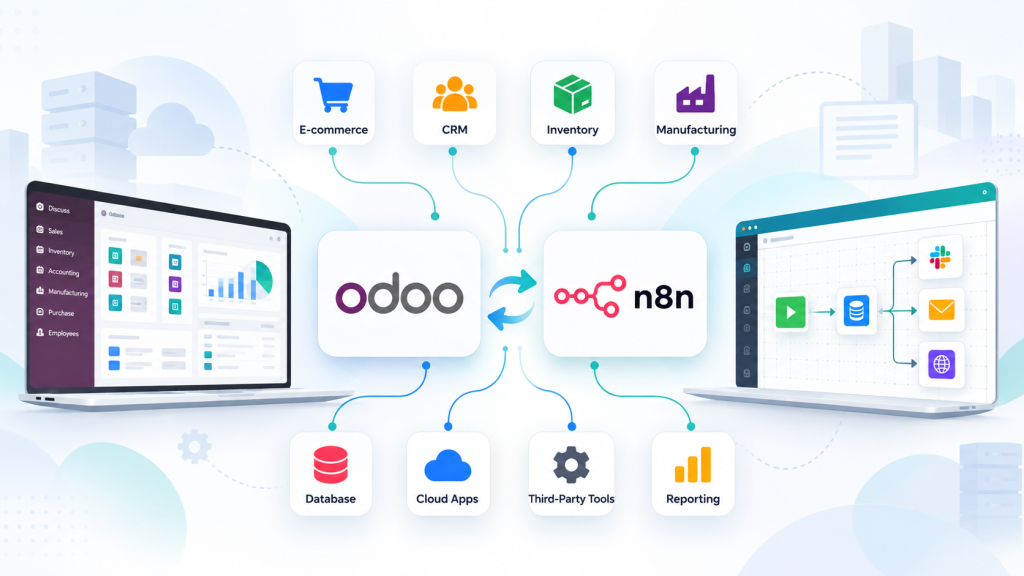
Businesses often rely on multiple applications to manage sales, inventory, accounting, customer relationships, and daily operations. While each tool may serve a specific purpose, problems arise when these systems operate independently. Teams end up entering the same information multiple times, correcting inconsistent records, and waiting for updates from other departments. Over time, these disconnected workflows make it harder to maintain accurate data and respond quickly to changing business needs.
Connecting these systems does not always require replacing existing software. Odoo can centralize core business processes, while n8n can automate data exchange between Odoo and other applications. With a well-planned n8n odoo integration, businesses can create connected workflows that reduce manual data handling and improve information consistency. This article explains how data silos develop, the challenges they create, and practical ways to connect business systems more effectively.
What Are Data Silos and Why Do They Occur?
Data silos occur when information is stored in separate systems or departments without a reliable way to share it across an organization. For example, a sales team might manage customer details in a CRM, while the accounting team maintains separate billing records and the warehouse tracks stock through another application. Each department can access its own information, but getting a consistent view across the business becomes difficult.
Several factors contribute to data silos. Businesses may adopt new applications as their needs grow without considering how those tools will communicate with existing systems. Some applications lack built-in integrations, while others use different data formats or identifiers. In other cases, teams rely on spreadsheets and manual data entry because no automated process connects their tools.
These gaps can create conflicting records. A customer’s contact details might be updated in one application but remain unchanged in another. Similarly, an order may appear in the sales system before its details reach inventory or accounting.
The core issue is not necessarily the number of applications a business uses. It is whether those applications can exchange accurate, relevant information when other teams need it.
How Data Silos Affect Business Operations
When business applications operate independently, the impact extends beyond inconvenience. Disconnected information can affect everyday decisions, coordination between departments, and the reliability of business processes.
1) Inconsistent business records: When customer details, product information, or order statuses differ between applications, employees may work with outdated information. This can lead to avoidable corrections and confusion during routine tasks.
2) Repeated manual work: Employees often need to copy information from one system to another. Besides consuming time, repetitive data entry increases the risk of typing errors, duplicate records, and missing details.
3) Delayed decision-making: Managers need current information to evaluate sales performance, inventory availability, and outstanding payments. When relevant data is spread across multiple tools, gathering and verifying it can delay decisions.
4) Limited operational visibility: Without connected systems, departments may have only a partial view of business activities. For instance, a sales representative might confirm an order without having an up-to-date view of inventory availability or fulfilment progress.
5) Difficulties as the business grows: As transaction volumes and application usage increase, manual coordination becomes harder to maintain. Processes that once worked for a small team may become unreliable when several departments depend on the same information.
Addressing these challenges requires more than adding another application. Businesses need reliable data flows that keep relevant systems aligned while preserving the role of each tool.
How Odoo n8n Integration Helps Connect Business Systems
Odoo centralizes business operations such as sales, inventory, accounting, and customer management. However, businesses may also rely on external applications for e-commerce, shipping, customer support, and reporting. When these tools operate separately, employees often need to transfer information manually to keep processes moving.
n8n helps connect these applications by automating data exchange through APIs, triggers, and predefined actions. Here is how this integration can work in a typical order fulfilment process.
How the Odoo n8n Integration Workflow Works
Step 1: An order is created in Odoo
When a customer places an order, Odoo records the relevant details, including customer information, products, quantities, and order status.
Step 2: n8n detects the event
A configured n8n workflow retrieves the order information when the relevant trigger or integration mechanism detects a new order or a change in its status.
Step 3: The workflow validates and maps the data
Before transferring information, n8n can check required fields and map Odoo’s data to the format expected by the destination application. This helps reduce missing information and mismatched fields.
Step 4: Data is sent to the connected application
n8n transfers the relevant order details to another system, such as a shipping platform or warehouse management application. The receiving system can then use the information to initiate its next process.
Step 5: The workflow handles the result
Depending on the configuration, the workflow can notify the relevant team, record the outcome, or flag failed requests for review. Error handling and monitoring help identify issues before they disrupt downstream processes.
What Makes This Approach Useful?
This workflow illustrates how Odoo and n8n can connect separate applications without requiring businesses to replace every tool they already use. Odoo remains the central platform for managing business records, while n8n coordinates information exchange between systems.
Successful integration depends on accurate data mapping, appropriate API permissions, and reliable error handling. When these elements are planned properly, automated workflows can reduce repetitive data entry, improve information consistency, and help departments work with more up-to-date records.
Practical Checklist for Overcoming Data Silos
Successful integration requires more than connecting applications. Businesses need to define how data should move, establish ownership, and ensure automated workflows remain reliable as operations evolve. The following checklist provides a practical starting point.
1. Audit Your Existing Systems
- List the applications used by each department.
- Identify where customer, product, order, and financial data is stored.
- Document manual data transfers, duplicate entries, and disconnected workflows.
- Identify which systems need to exchange information.
2. Define the Integration Requirements
- Select one business process with a clear operational problem.
- Specify which events should trigger the workflow.
- Define what information must be transferred and where it should go.
- Establish expected outcomes, such as fewer manual entries or faster order processing.
3. Establish Data Ownership and Standards
- Identify the authoritative source for each type of business record.
- Standardize customer IDs, product codes, order references, and status values.
- Define rules for duplicate records, missing fields, and conflicting updates.
- Determine whether information should move in one direction or both directions.
4. Configure Security and Access
- Use authenticated connections and appropriately scoped API permissions.
- Store credentials securely rather than embedding them in workflow logic.
- Limit access to the information and actions each integration requires.
- Review how sensitive business data is transferred, stored, and logged.
5. Test Before Going Live
- Test successful transfers, missing fields, duplicate records, and invalid data.
- Simulate API failures, timeouts, and unavailable destination systems.
- Verify that retry mechanisms do not create duplicate transactions.
- Confirm that the destination application receives the correct information.
6. Monitor and Improve
- Enable workflow execution logs and failure notifications.
- Assign responsibility for investigating and resolving errors.
- Review synchronization failures and data inconsistencies regularly.
- Re-test integrations when APIs, applications, or business processes change.
Implementation tip: Start with one high-priority workflow, validate its reliability, and expand gradually. A small integration that consistently transfers accurate data is more valuable than a complex network of workflows that is difficult to monitor and maintain.
Common Integration Challenges and How to Address Them
Although connecting business applications can improve data exchange, integration projects may encounter technical issues that affect data accuracy, workflow reliability, and ongoing maintenance. Identifying these challenges early helps businesses build more dependable connections.
1) Inconsistent Data Formats
Different applications may represent the same information differently. For example, one system might store an order status as Confirmed, while another expects confirmed. Field names, date formats, and product identifiers can also vary.
How to address it: Configure explicit data mapping and validation rules. Standardize important fields before transferring records, and define how unsupported or incomplete values should be handled.
2) Duplicate Records and Conflicting Updates
When multiple systems create or update records, the same customer or transaction may be recorded more than once. Bidirectional synchronization can also cause conflicting changes if ownership rules are unclear.
How to address it: Use stable identifiers to match existing records, define which system controls each data field, and establish rules for resolving conflicting updates.
3) API Limitations and Authentication Issues
Integrations depend on the capabilities and access requirements of the connected applications. API rate limits, expired credentials, permission restrictions, and changes to API endpoints can interrupt workflows.
How to address it: Review API documentation, apply appropriate access permissions, and monitor authentication failures and rate-limit responses. Maintain a process for updating credentials and adapting workflows when APIs change.
4) Workflow Failures and Delayed Synchronization
A destination application may become temporarily unavailable, or a request may fail because required data is missing. Without appropriate error handling, records can remain unsynchronized without anyone noticing.
How to address it: Implement logging, failure notifications, controlled retries, and a process for reviewing unresolved errors. Where workflows retry failed operations, ensure they can do so without creating duplicate records or transactions.
5) Ongoing Maintenance
Business requirements, application versions, and data structures change over time. An integration that initially works correctly may require adjustments as connected systems evolve.
How to address it: Assign clear ownership for each integration, document its dependencies, and test changes before deployment. Periodic reviews help ensure workflows continue to support current business processes.
Addressing these challenges during implementation helps businesses maintain more consistent data flows and reduces the risk of disconnected processes reappearing as their technology environment grows.
Choosing the Right Integration Approach for Your Business
Not every business needs the same integration strategy. The right approach depends on the applications involved, the complexity of data exchange, and the level of customization required.
Native integrations are often suitable when applications already support the required functionality. However, businesses that need to connect multiple tools or automate specific processes may benefit from API-based connections or workflow automation platforms such as n8n.
Finding the best odoo integration solution starts with understanding your existing systems, data requirements, security needs, and long-term maintenance expectations. The goal is to choose an approach that supports your business processes without introducing unnecessary complexity.
Before committing to a larger implementation, identify which applications need to exchange data, define the required information flows, and test a small workflow. This helps validate the integration’s reliability and identify potential issues before expanding it across additional systems.
Conclusion: Building a More Connected Business Environment
Data silos can create inconsistent records, repetitive work, and delays in business decisions. Connecting applications through well-planned integrations helps businesses exchange information more reliably without replacing their existing software.
Odoo and n8n provide a practical way to connect business processes across different applications. However, successful integration depends on consistent data standards, appropriate access controls, reliable error handling, and ongoing monitoring.
Businesses can start by identifying one disconnected workflow, defining how information should move between systems, and testing the integration before expanding it. Partnering with an experienced n8n workflow automation company can help organizations design maintainable workflows that align with their operational requirements and existing technology.
