

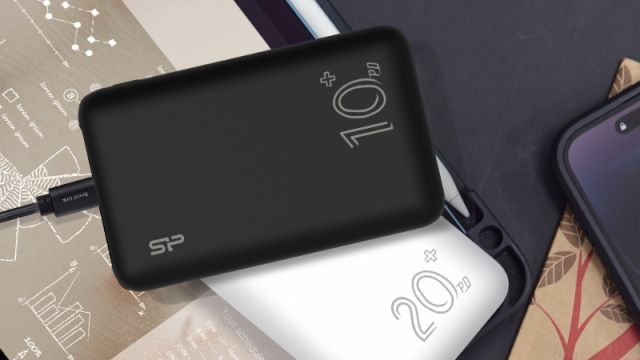
A student heading to class, a salesperson visiting customers, and a traveller catching an evening flight all need their phones charged. Yet their ideal charging accessories may look very different. One person values a small device that fits inside a pocket. Another needs enough energy for a long workday. A third might need to recharge more than one device before reaching a hotel.
Choosing a power bank is therefore less about buying the biggest capacity available and more about understanding personal routines. Battery size matters, but so do output power, portability, charging ports, cable requirements, and the kind of devices being used. Looking at a few everyday situations makes the decision easier.
The Student: Small Enough to Carry Every Day
For a student, the typical day may involve commuting, online research, messaging classmates, watching lessons, and listening to music. Phone battery life can drop well before the journey home, but a large portable charger may be inconvenient inside a bag already filled with books and other essentials.
A compact 10,000mAh model can be a reasonable starting point. It may provide useful backup power without the size of higher-capacity alternatives. The exact number of phone recharges will depend on the bank’s usable output, the phone battery, and charging conditions.
Built-in cables are worth considering for someone who frequently forgets accessories. A digital percentage display can also be useful: it shows whether the backup device itself needs charging before the following day.
The important question is whether the student will actually carry the product consistently. Extra capacity is less valuable if the accessory is routinely left at home.
The Professional: Power Between Appointments
A salesperson or field worker may rely on mobile data, maps, messaging, and calls for hours. They may spend most of the day moving between locations, with limited opportunities to use a wall charger.
In this case, a 20,000mAh class of product may be preferable to a compact option, particularly when other devices also need charging. A larger battery typically stores more energy, but it also introduces trade-offs in weight and size.
Port selection deserves attention. If someone uses a phone and wireless earbuds, multiple outputs may be helpful, although simultaneous charging can affect the available power per port. A built-in cable may simplify quick charging during travel between meetings.
The best choice should be based on how long charging access is unavailable, rather than assuming that every professional needs the highest possible capacity.
The Traveller: Plan for the Unexpected
Long journeys bring uncertainty. Flights can be delayed, buses can take longer than expected, and charging sockets may be unavailable or occupied. Travellers may use their phones for tickets, maps, hotel reservations, photographs, and communicating with family.
More capacity can be helpful on extended trips, but travel rules matter too. Airlines often regulate spare lithium batteries by watt-hour rating and require power banks to remain in carry-on baggage. Limits vary by airline and route, so passengers should check current requirements before flying.
Travellers should also think about convenience. A separate charging cable is easy to misplace. Multiple cables add clutter. Compact construction can make an accessory easier to pack, while a clear battery indicator helps determine whether another recharge is necessary.
For road trips, higher capacity may be useful. For air travel, checking watt-hours and airline restrictions should come before selecting the largest model on the shelf.
The Laptop User: Check Output Before Capacity
A laptop changes the comparison because it may require considerably more power than a smartphone. A product with a large battery is not automatically capable of charging a laptop.
The output wattage, USB-C Power Delivery support, port limits, and cable rating all need to match the laptop’s requirements. Some laptops accept relatively modest charging inputs; others require significantly more power, particularly while performing demanding tasks.
A model advertised as delivering up to 65W may suit certain compatible laptops, but that rating does not guarantee compatibility with every computer. Checking the laptop manufacturer’s charging specification remains essential.
This is a good example of why capacity and charging speed should be considered separately. One indicates the energy available; the other describes how quickly power may be supplied.
What Ronin Offers Across These Different Routines
These varied needs are reflected in the product range of Ronin, a Pakistani consumer technology brand offering multiple styles of portable charging.
Its Neutron R-4030 is a 10,000mAh model with attached cable options and advertised output of up to 22.5W, appealing to users who prioritize everyday portability. The Aqua R-4070 offers a 20,000mAh capacity with built-in cables, while the Megawatt R-4055 is a 30,000mAh model with advertised output of up to 65W for compatible devices.
The company also designs power bank PCBs in-house at its head office, publishes rated-capacity information, and states that every model undergoes 11 quality tests. Such details provide context beyond a basic capacity comparison, although buyers should still check specifications for the exact model they choose.
Make the Decision About Your Day
Before buying, ask how long you will be away from charging points, what devices you need to power, whether you prefer an attached cable, and how much weight you are willing to carry.
Then check output ratings, supported protocols, rated capacity, and any applicable travel restrictions. A charging product is only convenient when it works with the devices and situations for which it was purchased.
There is no universal best capacity. The better choice is the one that is present when needed, delivers appropriate power, and fits comfortably into the routine it is supposed to support.
