

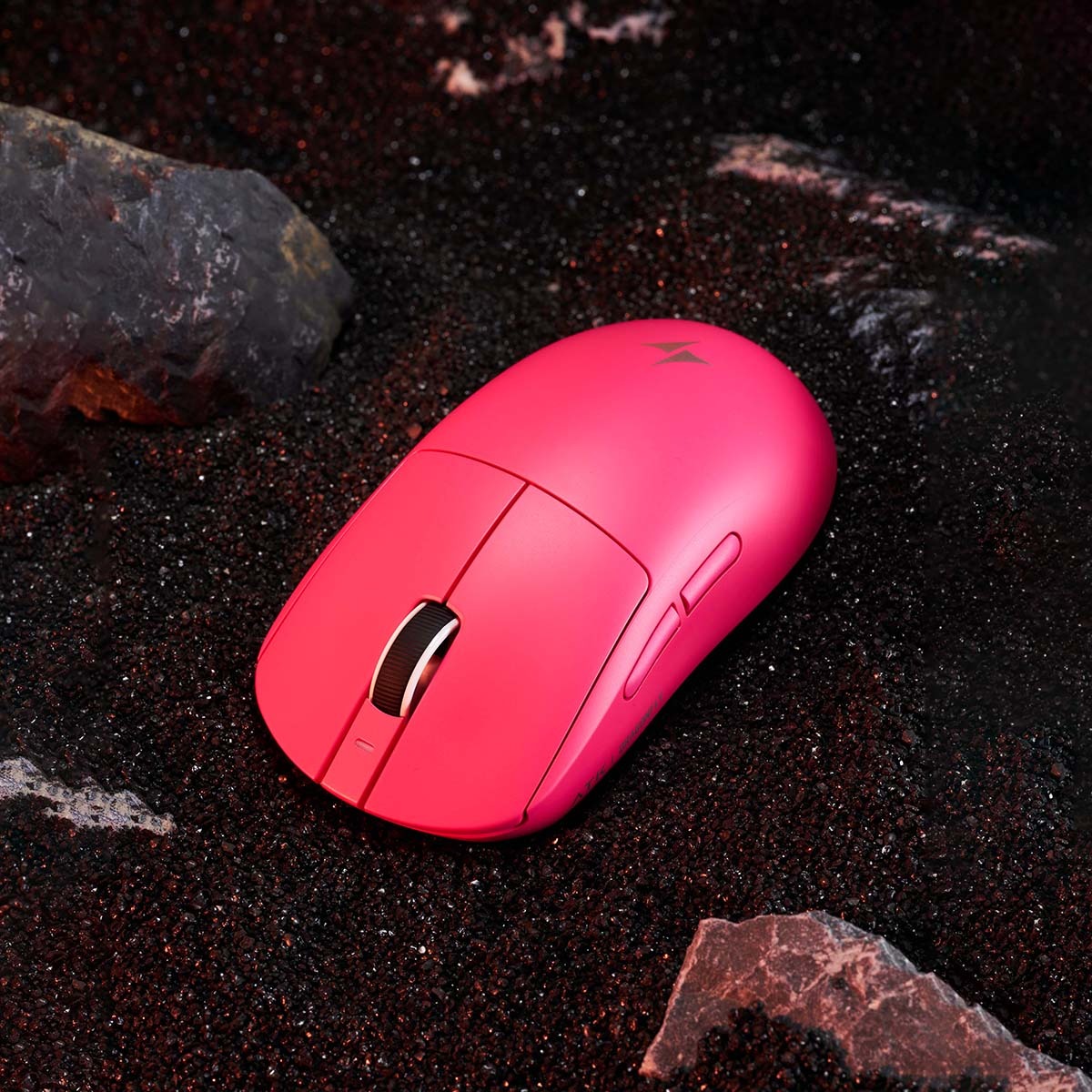
If you’ve ever had a crucial gaming moment ruined by a mouse cable snagging on the edge of your desk, you already know the frustration that wired setups can bring. That tangled cord doesn’t just clutter your space—it actively limits your range of motion, pulls against your aim, and breaks the immersion that makes gaming so compelling. Fortunately, the shift to wireless technology has transformed how gamers interact with their setups. What was once considered a compromise in speed and reliability has become a genuine game-changer, offering unrestricted movement without sacrificing responsiveness.
Today’s wireless gaming mice have closed the performance gap entirely. Cutting-edge sensors, ultra-fast wireless protocols, and ergonomic designs built for marathon sessions mean you no longer have to choose between comfort and competitive edge. Whether you spend a few hours a week exploring open worlds or grind ranked matches every evening, the right wireless mouse can elevate your experience. This guide will walk you through the evolution of wireless gaming technology, the features that matter most, and a practical framework for choosing a mouse that delivers both freedom and comfort tailored to your play style.
The Evolution of Wireless Gaming Mice: From Lag to Liberation
The story of wireless gaming mice is one of skepticism turned into triumph. When the first wireless mice appeared in the early 2000s, gamers dismissed them almost immediately—and for good reason. Those early devices relied on infrared signals or rudimentary radio frequency connections that introduced noticeable input lag, sometimes exceeding 20 milliseconds. For anyone playing fast-paced shooters or real-time strategy games, that delay was the difference between landing a headshot and staring at a respawn screen. Battery life was another pain point, with some models draining through disposable batteries in a matter of days. The wireless gaming mouse was, at that stage, little more than a novelty for desktop browsing.
The turning point came as manufacturers began investing seriously in proprietary wireless protocols designed specifically for gaming. Companies developed dedicated USB receivers operating at a 1,000 Hz polling rate, meaning the mouse reported its position to the computer a thousand times per second—matching and sometimes exceeding wired counterparts. Sensor technology evolved in parallel, with optical and laser sensors reaching levels of precision that made wireless viable even at professional esports tournaments. By the mid-2010s, advanced gaming mice using these custom wireless solutions were proving in blind tests that players couldn’t distinguish them from wired models.
This technological leap didn’t just benefit competitive players. The broader gaming community gained access to mice that offered genuine freedom of movement without the anxiety of missed inputs. Lighter materials like honeycomb shells and improved rechargeable batteries addressed weight and endurance concerns, making wireless the default recommendation for many enthusiasts. The evolution from laggy afterthought to liberation device happened faster than most predicted, and it reshaped expectations about what wireless technology could deliver in high-stakes gaming environments.
Breaking the Latency Barrier: How Modern Tech Delivers Speed
The secret behind today’s responsive wireless gaming mice lies in two core technologies: optimized RF (radio frequency) connections and enhanced Bluetooth protocols. Proprietary RF dongles transmit data at polling rates of 1,000 Hz or higher, achieving response times as low as one millisecond—effectively imperceptible to human reflexes. Unlike standard Bluetooth, which historically introduced 7–15 milliseconds of latency, newer Bluetooth Low Energy standards have narrowed that gap significantly, making dual-mode mice practical for gamers who switch between gaming rigs and laptops.
Adaptive frequency hopping further stabilizes the connection by automatically switching channels to avoid interference from Wi-Fi routers, other peripherals, and household electronics. Combined with high-precision sensors capable of tracking at speeds above 400 inches per second, these innovations mean that a modern wireless gaming mouse delivers the same instantaneous feedback that wired devotees once considered non-negotiable. For gamers seeking responsive control in every flick and micro-adjustment, the latency barrier has been not just lowered but effectively eliminated.
Key Features Defining Top Wireless Gaming Mice
With the latency debate effectively settled, the conversation around wireless gaming mice has shifted to a more nuanced question: which features actually matter when you’re choosing one? The answer depends on how you game, but several core attributes separate a capable wireless mouse from one that genuinely enhances your experience. Understanding these features helps you avoid overpaying for specs you don’t need while ensuring you don’t overlook the ones that will make the biggest difference in your daily sessions.
Low-latency performance remains the foundation. Even though most modern wireless gaming mice deliver sub-millisecond response times through proprietary RF connections, not all implementations are equal. Look for mice that support a 1,000 Hz polling rate at minimum, and pay attention to whether the manufacturer publishes independent latency benchmarks. A mouse that performs flawlessly in a controlled lab but stutters in a room crowded with Wi-Fi signals and Bluetooth devices won’t serve you well in a real-world setup. Adaptive frequency hopping and a strong, interference-resistant dongle connection are practical features worth prioritizing over flashy RGB lighting or excessive button counts.
Sensor accuracy is the next pillar. Today’s advanced gaming mice use optical sensors that track with precision across a wide range of DPI settings, from slow, deliberate movements in strategy games to rapid flick shots in first-person shooters. What matters most isn’t the maximum DPI number on the spec sheet—few gamers actually play at 25,000 DPI—but the sensor’s consistency at your preferred sensitivity. A reliable sensor won’t spin out during fast swipes or introduce unwanted acceleration, keeping your cursor exactly where your hand tells it to go.
Battery life rounds out the essential trio. Nobody wants their mouse dying mid-match, and modern rechargeable batteries have made that scenario rare. Many wireless gaming mice now deliver 60 to 100 hours on a single charge, with some models offering wireless charging through compatible mouse pads for truly uninterrupted play. If you tend to forget to plug things in overnight, prioritizing a mouse with exceptional battery endurance or convenient charging options will save you from frustrating interruptions. Beyond these three pillars, comfortable grip design deserves its own deep dive—because no amount of technical performance matters if your hand cramps after an hour of play.
Comfortable Grip Designs: Ergonomics for Endurance
The way your hand rests on a mouse determines how long you can play before fatigue sets in, and not every shape suits every player. Palm grip users lay their entire hand flat across the mouse, relying on the device’s contour to support their fingers and wrist—these players benefit from larger, sculpted bodies with pronounced curves that fill the hand naturally. Claw grip gamers arch their fingers and contact the mouse primarily with fingertips and the base of their palm, favoring a slightly shorter profile with defined edges for precise clicking. Fingertip grip players use only their fingertips, demanding a compact, lightweight mouse that moves effortlessly with minimal contact.
Ergonomic design goes beyond shape alone. Textured side grips made from rubber or silicone compounds prevent slipping during intense moments, especially when palms get warm. Weight is equally critical—mice in the 55 to 75 gram range reduce strain on the wrist and forearm over extended sessions, which is why many manufacturers, including brands like ATK Gear, have adopted lightweight shell constructions without sacrificing structural integrity. Some models include swappable side panels or adjustable palm rests, allowing you to fine-tune the fit to your hand size. For casual gamers who play several hours at a stretch, investing in a comfortable grip design isn’t a luxury; it’s the single most impactful factor in preventing the soreness and tension that can turn a relaxing hobby into a physical nuisance.
Choosing Your Ideal Wireless Gaming Mouse: A Step-by-Step Guide
Knowing what features exist is one thing—narrowing down the right wireless gaming mouse for your specific situation is another challenge entirely. The market is crowded with options at every price point, and marketing language can make every model sound like the perfect choice. Rather than getting lost in spec sheet comparisons or impulse-buying based on a flashy design, a structured approach helps you land on a mouse that genuinely fits your hands, your habits, and your gaming ambitions. The following steps break the decision process into manageable pieces, so you can shop with clarity instead of confusion.
Step 1: Evaluate Your Gaming Habits and Comfort Requirements
Before browsing any product pages, spend a few minutes honestly assessing how you game. Consider the genres you play most frequently—fast-paced shooters demand rapid, precise tracking, while RPGs and strategy titles reward deliberate, sustained control. Think about your typical session length, because a gamer who plays in 45-minute bursts has different ergonomic needs than someone who regularly logs four-hour stretches. Hand size matters too: measure from the base of your palm to the tip of your middle finger, and note whether you naturally adopt a palm, claw, or fingertip grip. If your current mouse leaves you with wrist stiffness or finger tension after playing, that’s a clear signal to prioritize a comfortable grip design and lighter weight in your next purchase. Writing down these details creates a personal checklist you can reference when evaluating specific models, keeping your actual needs front and center rather than letting hype dictate your choice.
Step 2: Compare Models Based on Performance and Ergonomics
With your personal requirements defined, start filtering advanced gaming mice through two lenses: technical performance and physical fit. For performance, focus on verified latency results from independent reviewers rather than manufacturer claims alone—look for mice with consistent sub-one-millisecond response times and stable connections in real-world testing environments with multiple wireless devices active. Check that the sensor performs reliably at your preferred DPI range without smoothing artifacts or tracking inconsistencies. For ergonomics, read hands-on grip reviews from users with similar hand sizes and grip styles to yours, and pay attention to weight specifications since even a 10-gram difference becomes noticeable over long sessions. Battery life should align with your charging habits: if you rarely remember to dock your mouse overnight, aim for models offering 70-plus hours per charge or wireless charging pad compatibility. Cross-referencing these criteria against three or four shortlisted models will quickly reveal which wireless gaming mouse delivers the best balance of responsiveness, comfort, and practical convenience for your setup.
Maximizing Your Wireless Gaming Experience
Owning the right wireless gaming mouse is only half the equation—how you configure and maintain it determines whether you actually unlock the full potential of your setup. A few deliberate adjustments to your settings, habits, and accessories can transform a good experience into one that feels seamlessly intuitive every time you sit down to play.
Start with your mouse’s software suite, which most manufacturers provide for free. Dial in your DPI to match the games you play most often, and save multiple profiles so you can switch instantly between a low-sensitivity setting for precision sniping and a higher one for fast-paced navigation in open-world titles. Adjust your polling rate to 1,000 Hz for competitive play, though dropping it to 500 Hz during casual browsing or single-player sessions can extend battery life without any perceptible difference in responsiveness. Speaking of battery management, developing a simple charging routine goes a long way. Plugging your mouse in while you step away for meals or overnight keeps it perpetually topped off, and if your setup supports wireless charging through a compatible mouse pad, you can eliminate the charging ritual altogether since the mouse replenishes power while you play.
Your physical environment matters more than most gamers realize. Position your wireless receiver as close to the mouse as possible—ideally on a USB extension cable placed near the front of your desk—to minimize signal interference and maintain rock-solid low-latency performance. Pair this with a quality mouse pad that complements your sensor type; cloth pads offer controlled glide for precise aim, while hard surfaces enable faster swipes for players who prefer high-speed movement. Keep the mouse feet and sensor lens clean with a microfiber cloth every couple of weeks, since dust buildup gradually degrades tracking accuracy.
Finally, don’t overlook the comfort side of optimization. If your mouse offers adjustable weight or swappable grips, experiment with different configurations over several sessions rather than settling on your first impression. A comfortable grip design paired with a wrist rest and proper desk height reduces cumulative strain, letting you maintain sharp reflexes deep into extended gaming marathons. These small, practical steps ensure that the freedom and responsiveness your wireless gaming mouse was built to deliver actually show up in every session you play.
Cut the Cord and Elevate Your Gaming Setup
The journey from tangled cables to unrestricted wireless freedom represents one of the most meaningful upgrades a gamer can make. As we’ve explored, modern wireless gaming mice have completely overcome the latency concerns that once kept players tethered to their desks. With proprietary RF connections delivering sub-millisecond response times, advanced sensors tracking every micro-movement with pinpoint accuracy, and batteries lasting days between charges, the technical case for going wireless is now airtight.
Yet performance alone doesn’t tell the whole story. A comfortable grip design that matches your hand size and play style is what transforms a capable mouse into one you can rely on session after session without fatigue or discomfort. By honestly evaluating your gaming habits, comparing models through the dual lens of responsiveness and ergonomics, and optimizing your setup with smart receiver placement and proper surface pairing, you position yourself to experience the full potential of wireless gaming. The freedom to move naturally, react instinctively, and play comfortably for as long as you choose isn’t a future promise—it’s available right now. Take the framework outlined in this guide, apply it to your next purchase decision, and unlock a gaming experience that feels as effortless as it is precise. As wireless technology continues advancing with even faster protocols and smarter power management on the horizon, the best time to cut the cord is today.
