

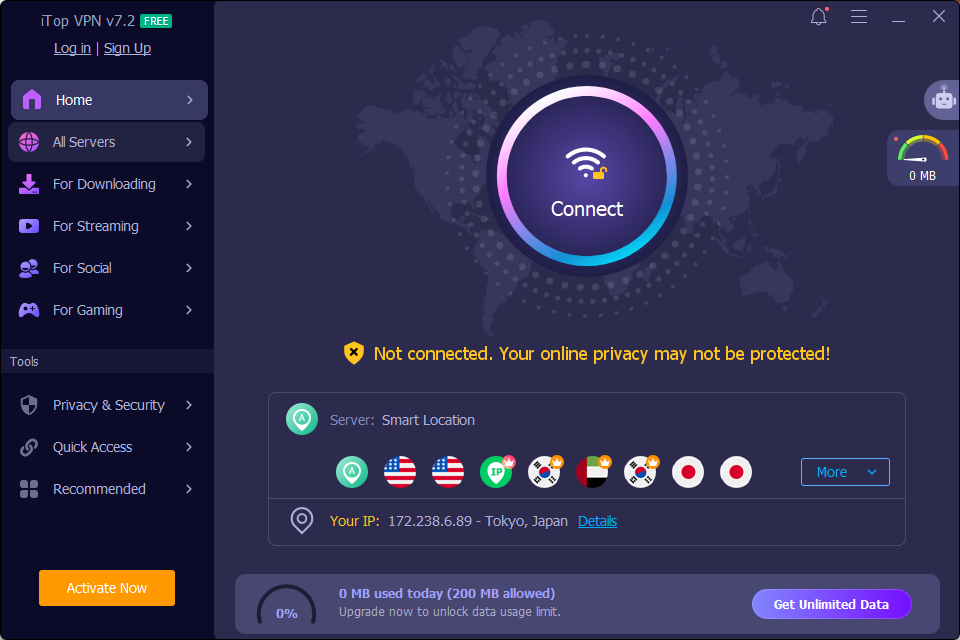
Millions of people browse daily without any protection. No VPN, no privacy tools, nothing. Your ISP watches every site you open. That was the moment I started taking my online privacy seriously. After researching several options, I chose iTop VPN as my free VPN for Windows.
iTop VPN is a Windows-compatible VPN tool that wraps your connection in encryption, swaps your real IP address for a private one, and stops third parties from tracking your browsing activity.
I installed iTop VPN on my Windows PC and ran it through real daily use. After several weeks of testing, here is what I actually found.
What Pushed Me to Get a VPN Finally
I rely on public Wi-Fi more than I should. Cafes, airports, hotel lobbies. These connections have zero protection. A stranger on the same network can intercept your data without much effort.
I needed a VPN for my Windows PC that wouldn’t slow me down or confuse me. iTop VPN stood out because it promised a no-login-required start. That was enough to make me try it.
How to Get iTop VPN Running on Windows in 3 Steps
The whole process took me under five minutes. No technical knowledge needed at any point.
- Step 1: Download iTop VPN for Windows, available for x64, x86, and Windows on ARM devices.
- Step 2: Run the installer and launch the top VPN for Windows. The wizard finishes in under a minute.
- Step 3: Pick a free VPN server and connect to it. No account or login required to get started.
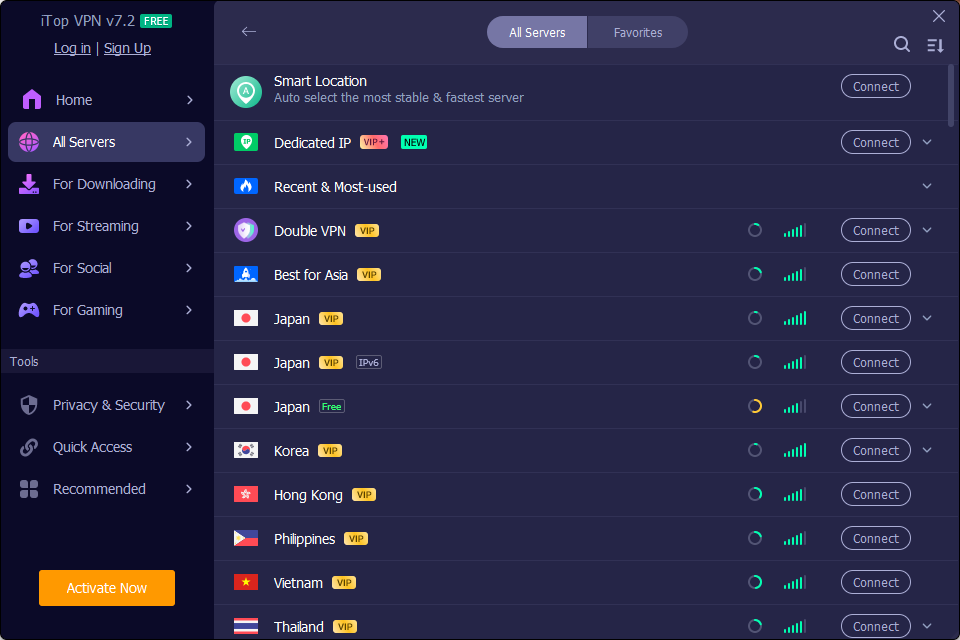
The app sits quietly in your system tray. It runs in the background while you work or browse freely.
What iTop VPN Actually Does to Protect You
This VPN layers several protections on top of each other. Here is a closer look at each one and what it meant for my day-to-day use.
Strong Encryption on Every Connection
iTop VPN routes your traffic through an encrypted tunnel. Hackers on public networks cannot read what you send or receive. Your ISP also loses visibility into your activity the moment you connect.
Kill Switch That Actually Works
I tested the kill switch by manually cutting the VPN mid-session. My internet dropped instantly. My real IP address never leaked. For a free tool, this level of protection was impressive.
A No-Logs Claim Worth Noting
iTop VPN states it follows a strict no-logs policy. Your browsing history and personal data are not stored on their servers.
Security Reinforce for Windows Users
This Windows-only feature scans your PC for vulnerabilities. It finds weak settings that could expose your data. It is a helpful extra layer beyond just VPN protection.

About iTop VPN
iTop Inc. builds privacy and productivity tools for PC users. Their flagship product is a VPN built around simplicity and everyday security.
iTop VPN runs on a network of 3,200+ global servers. It covers Windows, Mac, iOS, and Android with dedicated apps for each platform.
iTop also offers a wider suite of PC tools, including iTop Private Browser, iTop Easy Desktop, Smart Game Booster, and iTop PDF. All designed for non-technical users who want fast, reliable software.
- 3,200+ servers across multiple countries
- Servers optimised for streaming, gaming, and torrenting
- One-click connect with no login needed
- Supports x64, x86, and ARM Windows devices
The Things I Genuinely Liked
Several features stood out during my testing period. These are the reasons I kept it installed.
- Instant setup: Up and running in under five minutes on my Windows laptop.
- Speed held up well: Local servers like the UK and the US showed minimal speed loss.
- Free tier is real: You get actual protection on the free plan, not just a trial window.
- Streaming worked: Disney+, Hulu, and Amazon Prime Video all loaded without issues.
- Kill switch is reliable: Connection protection did not fail once during my tests.
- Security Reinforce is unique: No other free VPN I tested had this Windows-specific feature.
The Honest Downsides
I want to be upfront about the limitations. No tool is perfect, and these are real gaps worth knowing before you commit.
- 300 MB daily cap on the free plan: Fine for light browsing, but it runs out fast with video or downloads.
- Distant servers lag more: Australia and Asia servers showed noticeable slowdowns for me.
- Occasional app restart needed: A couple of times the connection stalled and needed a manual reset.
My Final Verdict
If you want a lightweight VPN for everyday browsing protection on Windows, iTop VPN is worth your time. It is fast to set up, easy to use, and the free plan gives you real value.
Start with the free version. No login needed, and it takes less than a minute to connect.
