

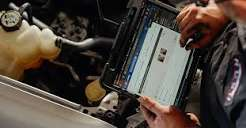
Increasing your shop’s average repair order (ARO) does not mean asking customers to approve every service or adding unnecessary work to their bills. It means helping them understand the condition of their vehicles and the repairs that may be needed. Automotive digital inspections help technicians document vehicle conditions and identify recommended services, giving customers a clearer picture of the work their vehicles may require. When customers have a clear understanding of existing problems, they can make more informed decisions about recommended services.
That is where digital vehicle inspection software can make a difference. Technicians can use photos, videos, and inspection notes to document vehicle conditions and explain their findings. Instead of relying only on verbal descriptions, service advisors can share visual evidence with customers and explain why certain repairs are recommended.
For auto repair shops, this can create better communication, support more informed customer approvals, and help capture additional recommended work. Over time, completing more approved services can contribute to a higher average repair order.
What Is Digital Vehicle Inspection Software?
Digital vehicle inspection software allows technicians to complete vehicle inspections using a mobile phone or tablet instead of paper forms. They can follow inspection checklists, record vehicle conditions, add technician notes, and attach photos or videos to document problems found during the inspection.
These digital reports make inspection results easier for customers to understand. For instance, when a technician identifies worn brake pads, a fluid leak, or damaged suspension components, visual evidence can help explain the condition and why the repair may be necessary.
DVI software can also connect inspection findings with estimates and other repair activities. This helps service advisors review the technician’s recommendations, prepare repair quotes, and share them with customers for approval.
Why Vehicle Inspections Matter for Increasing ARO
A customer may visit an auto repair shop for a specific issue, such as an unusual noise or an engine warning light. However, a complete vehicle inspection may reveal other maintenance needs or problems that require attention.
If these findings are not properly documented or explained, customers may not understand why additional services are being recommended. A verbal explanation alone may not provide enough information to support their decision.
Digital inspections help address this challenge by providing clear records of the vehicle’s condition. For example:
- Visual evidence: Photos and videos show customers the actual condition of worn or damaged components.
- Clear repair recommendations: Technician notes explain which issues need immediate attention and which can be monitored.
- Better customer communication: Service advisors can review inspection findings with customers instead of relying only on verbal explanations.
- More informed approvals: Customers can understand the reason behind each recommendation before deciding whether to approve the work.
- Organized service history: Previous inspection findings can help the team review outstanding maintenance needs during future visits.
When customers understand the condition of their vehicles, they have more information available to make decisions about additional repairs and maintenance.
How Digital Vehicle Inspection Software Can Increase ARO
The main benefit of digital inspections is not simply replacing paper checklists. They help repair shops present recommended work more clearly and manage the information needed to move repairs forward.
Show Customers the Actual Vehicle Condition
Photos and videos help customers see problems identified during an inspection. A technician can capture a worn tire, damaged belt, leaking hose, or corroded component and attach the evidence to the inspection report. This gives customers a clearer understanding of the recommended service.
Identify Additional Repair Opportunities
A vehicle inspection can reveal issues beyond the customer’s original concern. Technicians can document these findings and recommend appropriate maintenance or repairs. This gives service advisors an opportunity to discuss additional work that may benefit the vehicle.
Make Repair Recommendations Easier to Understand
Inspection reports can organize findings according to their condition and urgency. For example, items may be marked as good, requiring attention soon, or needing immediate service. This helps customers understand which repairs should be prioritized instead of receiving an unclear list of technical issues.
Build Trust Through Transparent Communication
Customers may feel more comfortable approving repairs when they can see the inspection findings themselves. Sharing photos, videos, and technician notes helps service advisors explain recommendations with supporting information. This keeps the conversation focused on vehicle condition and necessary work rather than pressure to purchase additional services.
Keep Track of Recommended and Declined Work
Not every customer will approve every recommendation during the initial visit. Some may choose to postpone maintenance or schedule additional repairs later. Keeping inspection findings and customer decisions organized can help service advisors review previous recommendations during future visits and discuss any outstanding work when appropriate.
What to Look for in Digital Vehicle Inspection Software
Not all DVI solutions offer the same capabilities. Auto repair shop owners should choose a system that makes inspections convenient for technicians, understandable for customers, and useful for service advisors.
Important features to consider include:
- Photo and video documentation: Allows technicians to capture visible evidence of vehicle problems.
- Digital inspection checklists: Provides a consistent process for inspecting different vehicle components.
- Technician notes: Helps explain inspection findings and recommended services.
- Customer-friendly inspection reports: Presents vehicle conditions in a clear format that customers can review.
- Digital approvals: Allows customers to review estimates and approve or decline recommended work through SMS or email.
- Estimate integration: Helps service advisors turn inspection findings into repair estimates with parts, labor, and other applicable charges.
- Repair order integration: Connects approved estimates with repair orders to support the next stage of the service process.
The right automotive inspection software should do more than create inspection reports. It should help your team use inspection findings to communicate with customers, prepare estimates, and organize approved repair work.
How Digital Inspections Connect With the Repair Order Workflow
A digital inspection becomes more useful when its findings can move into the shop’s regular repair process. If technicians complete inspections in one place and service advisors have to enter the same information into another system, it can create extra work and increase the chances of missing important details.
A connected workflow can make the process easier:
- Inspection: The technician completes the vehicle inspection using a mobile device and documents findings with photos, videos, and notes.
- Review: The service advisor reviews the inspection report and identifies the items that need to be discussed with the customer.
- Estimate preparation: Recommended services are added to an estimate along with the required parts, labor, and applicable charges.
- Customer approval: The estimate is shared through SMS or email so the customer can review the proposed work and respond.
- Repair order: Once approved, the estimate can be converted into a repair order, helping the shop organize the authorized work.
- Future follow-up: Recommendations that are postponed can be reviewed later using the available customer, vehicle, and service records.
This process helps keep inspection findings connected to estimates and repair activities instead of treating each task as a separate responsibility.
Increase Your ARO With a Better Inspection Process
Customers do not need pressure to approve more repairs. They need clear information about their vehicle’s condition and the services it may require.
Digital vehicle inspection software helps your shop share inspection findings, explain repair recommendations, and make customer approvals easier. By connecting inspections with estimates and repair orders, Torque360 helps automotive businesses keep recommended work organized and manage the repair process more efficiently.
See how Torque360 can help your shop simplify vehicle inspections, organize repair recommendations, and create a smoother process from inspection to customer approval.
