

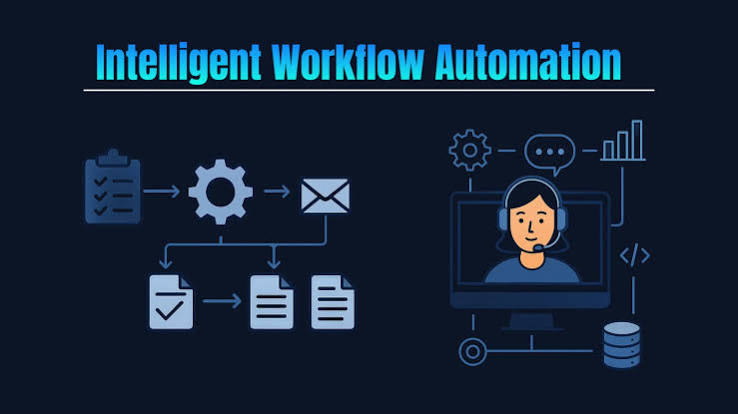
Workflow automation still usually means a human clicking through a queue faster. Agentic workflow automation is a different category: software that decides which step to run next. A fixed script, written once and never revisited, cannot make that call.
What Actually Makes a Workflow Agentic
A traditional automation tool follows a rule: if a form arrives, route it to department X. An agentic system reads the form, decides whether it actually belongs in department X based on its content, and escalates the cases it is unsure about before they get silently misrouted. That decision layer actually separates a script from an agent.
Where This Actually Pays Off
- Document-heavy operations: lease reviews, claims processing, compliance filings, where the volume of edge cases makes a fixed rule set brittle within months.
- Multi-system handoffs: an order that has to touch inventory, billing and shipping systems in sequence, where a single agent can hold context across all three, avoiding three separate integrations each guessing at the others’ state.
- Exception handling: the share of cases a rule-based system cannot resolve, usually where most of the actual labor cost sits.
Building a {{LINK2:Custom AI Workflow Builder}} That Does Not Fall Over
The hard part is not getting an agent to work in a demo. It is getting it to hold up when input data is messy, a schema changes without warning, and volume triples during a seasonal peak. Ariel Software Solutions has built agentic workflow automation for clients across logistics and financial services, work that draws on sixteen years of production software delivery since the company’s founding in 2010, experience that predates most frameworks currently in fashion. The company is ISO 9001:2015 certified, with engineering based in Mohali, Punjab and a US office in Sheridan, Wyoming.
A custom AI workflow builder built for one company’s actual document formats and system quirks tends to outperform a generic no-code automation platform the moment real-world messiness shows up, since the generic platform was built for an average case that rarely matches any one business exactly.
What to Check Before Rolling This Out
- Does the agent log its own decision path, so a human can audit why it routed a case the way it did?
- What happens when the agent is genuinely uncertain, does it guess or escalate?
- How is the system tested against edge cases the team has actually seen, beyond the happy path a demo shows?
Teams that skip this checklist tend to find out the hard way, usually during the first busy season after launch, that their agent handled the easy majority of cases fine and quietly mishandled the rest, without anyone noticing until a customer complained.
Rolling This Out Without Breaking Existing Workflows
Enterprise teams rarely can replace an entire process overnight, and trying to usually causes the rollout to fail for reasons that have nothing to do with the technology. The pattern that tends to work is narrower: pick one workflow with clear boundaries, high enough volume that the automation is worth building, and low enough stakes that a mistake during the first month stays easy to recover from.
That first deployment becomes the proof point the rest of the organization judges the technology by, fairly or not. A rollout that starts with the highest-stakes process in the company, because someone wanted to show immediate impact, tends to produce the one bad outcome that gets remembered long after ten quiet successes elsewhere in the business.
Once the first workflow is running cleanly, with a visible audit trail and a known escalation path, expanding to adjacent workflows becomes a much easier internal conversation, because the team is no longer selling a concept. It is showing a working system.
The teams that scale this successfully also budget for maintenance from the very start, before anything has broken. An agent’s accuracy drifts as the underlying data changes, the same way any model does, and a review cadence built into the operating plan catches that drift months before a customer or an auditor does.
That maintenance budget is easy to skip during planning, since it produces no visible output in the first quarter and rarely shows up as a line item anyone asks about. It tends to be the single biggest gap between a deployment that keeps working well after launch and one that quietly degrades for months before anyone on the team actually notices the difference.
