

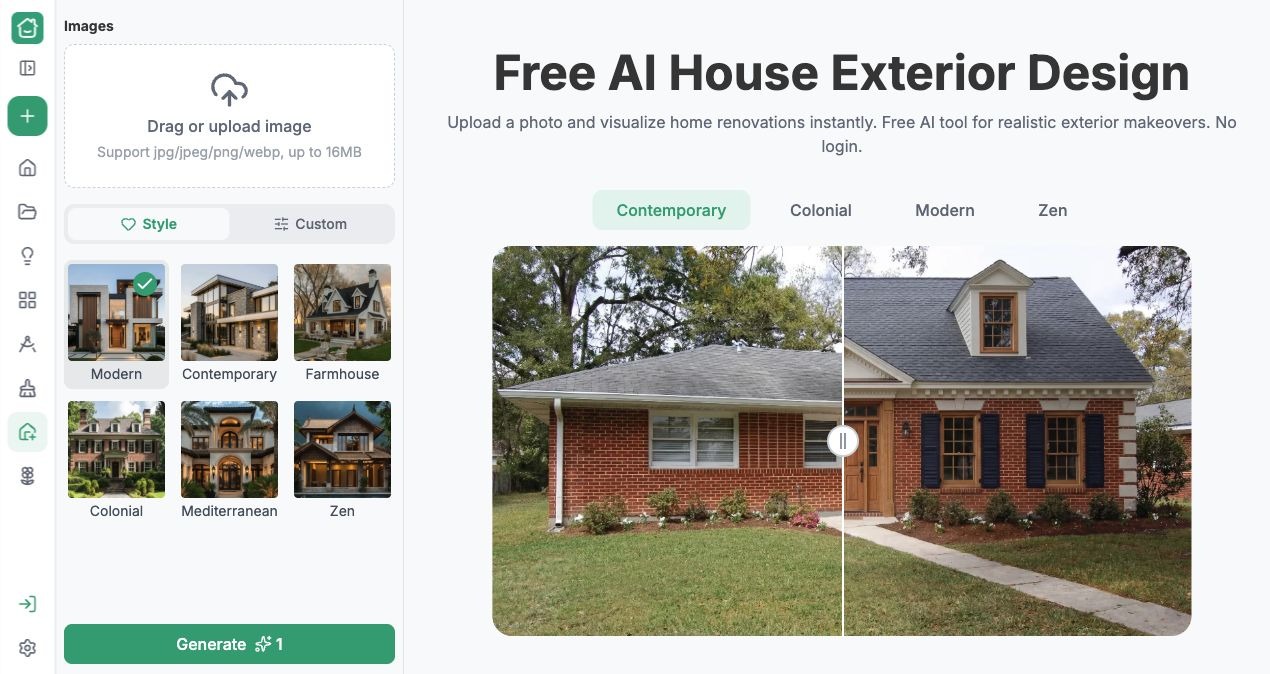
Choosing exterior paint can feel manageable until a small color card has to become the entire front of your house. For homeowners preparing to repaint, AI House Exterior Design offers a way to explore that change on a familiar building. RoomDesign provides free AI House Exterior Design so you can upload a house photo and develop a visual direction before ordering samples. The useful result is a clearer shortlist: colors you want to investigate on your own facade, rather than an expanding collection of attractive houses that look nothing like yours.
(RoomDesign exterior design interface with the official example.)
Replace the Color Card with Your Own Facade
A paint sample tells you something about a color, but little about its relationship with your roof, windows, porch, and driveway. A bright facade beside a dark roof can read very differently from the same facade under pale roofing. Start the exercise with the elements that will remain, because they are part of the decision.
Open the exterior design page and upload a clear photograph showing those relationships. A straight, unobstructed view makes comparison easier. Keep the original photo beside the generated options so you can distinguish a color idea from unrelated changes the image may introduce. Your question is specific: does this palette suit the house you already have?
Describe a Palette You Can Actually Compare
Use the style choices for a broad direction, or the Custom option to describe the palette more precisely. A useful starting request could be a warm off-white facade, muted trim, and a darker front door. Treat this as a suggested prompt, not a claim that a particular result has been tested.
Generate a preview and look at the balance between the large wall surfaces and the smaller accents. If the entrance disappears, try a different door contrast while keeping the rest of the request similar. RoomDesign helps make these relationships visible. You do not need to commission a complete renovation concept merely to discover whether you prefer a quiet palette or a stronger contrast.
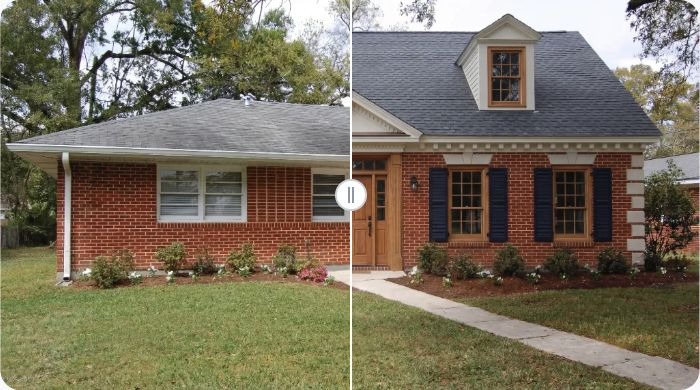
(Official exterior design example shown in RoomDesign; concept imagery.)
Use the Output to Narrow Your Choices
Compare the versions against the same practical goal. Perhaps you want the house to feel lighter without making every frame black, or you want the entrance to stand out without repainting the brick. Write that goal next to the shortlisted image. It provides a reason for choosing one direction over another.
Avoid judging only the prettiest generated scene. Check whether a version has added a porch, changed a window, or altered the roof. Those changes can make a palette seem more successful than it would be on the existing building. Keep the useful color relationship, then refine the request around the original features. The preview becomes a focused decision aid instead of a distracting makeover.
Turn the Shortlist into a Paint Conversation
Download the preferred concepts and take them to your painter or paint supplier. Describe the effect you want: a warmer wall tone, less contrast around the windows, or a door that is easier to notice. The picture gives that conversation a shared reference and can help the supplier identify suitable physical samples.
A generated color is not a manufacturer paint code. Compare real samples on the actual surface and view them in the light your house receives. Ask about substrate preparation and finish separately. The tool helps you decide what to investigate; the samples establish how a real product behaves. This sequence gives the online experiment a clear purpose before any painting begins.
Conclusion
Start with a photo that includes the roof and windows, compare a small set of coherent palettes, and verify your favorite with real samples. Keeping the decision focused makes the preview easier to use.
RoomDesign (https://roomdesign.io/house-exterior-design) helps turn uncertainty about exterior paint into visual options you can discuss. Upload your house photo, explore a palette, and bring a more concrete direction to your next paint decision.
Try RoomDesign: https://roomdesign.io/house-exterior-design
