

Most people download five or six entertainment apps, use two of them regularly, and forget the rest exist. The problem is never content there is more content available right now than any person could watch in several lifetimes. The real problem is access, organization, and the sheer friction of jumping between platforms to find something worth watching.
MovieBox has carved out a specific audience by addressing that exact frustration. It is not trying to be Netflix or Amazon. It functions as something closer to a content hub for Android users who want a straightforward, centralized way to manage their entertainment without navigating four separate apps every time they sit down to watch something.
This guide covers what MovieBox actually is, how it fits into the broader Android entertainment ecosystem, and what to know before using it.
What Is MovieBox and How Does It Work
At its core, Movie Box is an Android-based entertainment application focused on movie and TV show discovery and playback. Unlike subscription streaming services that produce their own original content behind a paywall, MovieBox operates more like an aggregator and media browser, pulling together titles that users can access through a unified search and catalog interface.
The app is not available on the Google Play Store, which means users typically download it as an APK file from the official source. This is not unusual in the Android ecosystem. Many legitimate apps operate outside the Play Store for various reasons, including content licensing arrangements, regional availability, or the developer’s preference for direct distribution. Android’s open architecture explicitly supports this through its “Unknown Sources” or “Install unknown apps” permission setting.
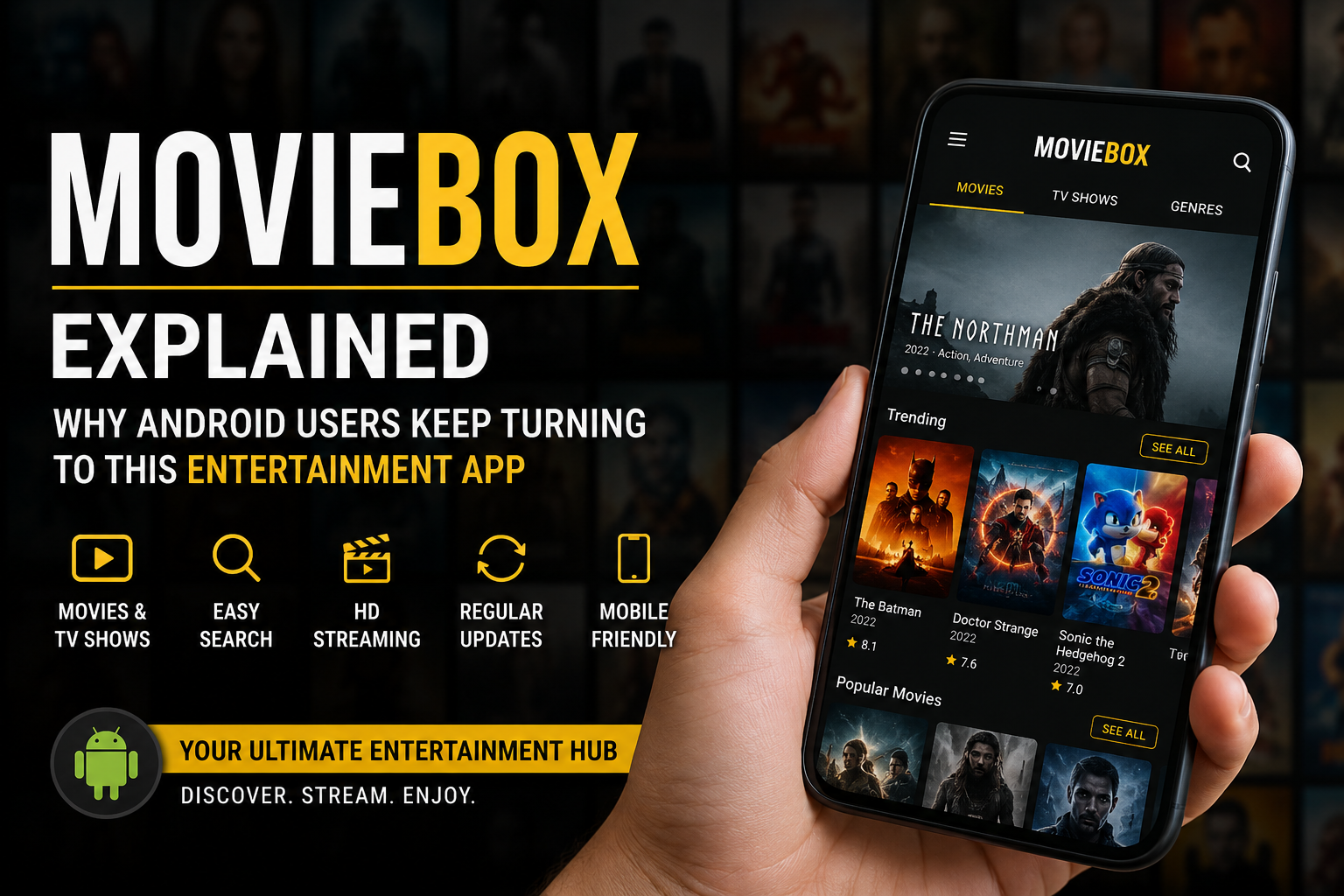
Once installed, the MovesBox interface is organized around a browsable content library. Users can search by title, genre, release year, or content type. The app presents movie and show information including descriptions, ratings, and playback options in a layout that prioritizes quick navigation over visual complexity.
Core Features at a Glance
- Centralized movie and TV show library with search and filter tools
- Genre-based content discovery including action, drama, documentary, and animation
- Detailed title pages with descriptions and ratings
- Mobile-optimized interface designed for one-handed navigation
- Lightweight APK with a relatively small storage footprint
- Regular content library updates
The Android Sideloading Landscape in 2024
Understanding MovieBox requires understanding how Android users actually consume entertainment apps. A significant portion of Android’s global user base regularly installs applications outside the official Play Store. This behavior is not niche or technical; it has become a mainstream habit driven by real gaps in what official stores offer.
Google’s own data has consistently shown that Android has a massive installed base in markets where Play Store availability is limited, app pricing is a barrier, or locally preferred apps simply are not stocked in the official marketplace. Sideloading fills those gaps.
The process itself is straightforward on any modern Android device. Users navigate to Settings, find the security or apps section, enable installation from unknown sources for their browser or file manager, download the APK, and open it to install. The entire process takes under two minutes for someone doing it for the first time.
Apps like MovieBox have found a real audience in this environment because they offer something the curated app store experience does not always deliver: breadth of content access without mandatory subscriptions for every individual platform.
How MovieBox Compares to Other Android Entertainment Options
Placing Move Box in context requires looking at the range of entertainment approaches Android users actually have available to them.
| App Type | Examples | Distribution | Primary Strength |
| Subscription Streaming | Netflix, Disney+, Prime Video | Play Store | Original content, offline downloads |
| Free Ad-Supported | Tubi, Pluto TV, Peacock Free | Play Store | Zero cost, broad catalog |
| Media Players | VLC, MX Player, Kodi | Play Store / APK | Local file playback, codec support |
| Content Hubs | MovieBox | APK Direct | Centralized discovery, no subscription wall |
The content hub category is genuinely distinct. Subscription services require an ongoing financial commitment to each individual platform. Free ad-supported apps vary significantly in catalog depth depending on licensing deals in a given region. Media players are powerful but assume you already have media files. MovieBox sits in a different position: it focuses on helping users find and access content without requiring a separate subscription to each source.
The User Experience: What Makes It Different
Entertainment apps live or die on interface quality. A rich content library means nothing if navigation is slow, search is unreliable, or the layout buries the content behind promotional noise.
MovieBox has consistently received feedback that its interface prioritizes content over clutter. The home screen loads a browsable selection of titles without autoplay trailers competing for attention or algorithm-driven promotional rows pushing paid upgrades. For users who find the modern streaming interface overwhelming, that restraint has genuine appeal.
Search and Discovery
One of the recurring complaints about subscription streaming platforms is that their search functions are algorithmically shaped to surface content from their own catalog first. A title the platform does not carry might not appear in results at all, even if you search for it by exact name.
MoviesBox approaches discovery differently. The search function operates against a broader catalog index rather than a commercially filtered result set. Users report being able to find older titles, foreign language films, and niche genre content that would surface poorly on mainstream platforms. For someone looking for a specific movie rather than asking an algorithm to choose for them, this distinction matters.
Device Compatibility
Movies Box App is built for Android, which means it runs natively on Android smartphones and tablets. Users with Android TV devices or boxes running Android-based operating systems can also sideload the APK and run it on a larger screen, though the interface is optimized for touchscreen use rather than remote navigation.
For users who want the MoveBox experience on a television, connecting an Android phone or tablet to a TV via HDMI or casting via Chromecast is the more reliable approach compared to running the mobile APK directly on a TV launcher.
Safe Downloading: What to Know Before Installing Any APK
Sideloading any Android application carries a responsibility that installing from the Play Store does not, because the Play Store’s review process acts as a baseline filter. When downloading an APK directly, the user takes on that verification role.
For Mover Box specifically, users should download only from the official MovieBox website rather than third-party APK repositories. The reason is straightforward: unofficial mirror sites frequently repackage popular APKs with modified code inserted, which can introduce adware or worse without the original developer’s knowledge.
Practical steps before installing any sideloaded app:
- Verify the source URL matches the app’s official domain
- Check file size against what the developer publishes, as significant discrepancies can indicate modification
- Run the APK through a reputable online scanner before opening it
- Review what permissions the app requests during installation and flag anything that does not match its stated function
- Keep an updated antivirus application active on the device
These precautions apply to any sideloaded application, not MovieBox specifically. Building this habit protects device security regardless of which apps a user installs outside the Play Store.
Content Discovery Habits Are Changing, and Apps Are Following
There is a broader shift happening in how people approach entertainment. The subscription model that defined the 2010s streaming boom is showing real strain. Research from multiple analytics firms has shown that viewer churn rates across streaming platforms have risen steadily since 2021. People subscribe, binge what they want, and cancel. Then they return months later for the next thing. The loyalty that Netflix counted on in its early growth phase is gone.
What has replaced it is a more intentional, more mercenary approach to content access. Viewers comparison-shop between platforms before subscribing. They use free trials strategically. They look for alternatives that let them access content without locking into another monthly commitment.
Applications like MovieBox App exist at the intersection of that behavioral shift and Android’s open ecosystem. They offer an alternative model for users who want to take more control over their entertainment setup rather than handing that control to a rotating cast of subscription platforms.
The Role of Mobile in Modern Viewing
Television is no longer the primary screen for a growing share of video consumption. Mobile viewing, particularly on smartphones, has risen across every demographic over the past five years. This is especially pronounced in South Asia, Southeast Asia, and Sub-Saharan Africa, where smartphone penetration significantly outpaces television penetration and data costs have dropped to the point where streaming is accessible to a much broader population.
An app built specifically for Android touchscreen devices, optimized for mobile data consumption, and available as a direct APK download without Play Store restrictions is genuinely well-matched to the viewing habits of those markets. MovieBox’s user base reflects this geographic distribution.
What MoviesBox Does Well and Where It Has Limits
Strengths
- Broad content library with consistent updates across movie and TV categories
- Clean, uncluttered interface that loads quickly on mid-range Android devices
- No mandatory account creation or subscription paywall to begin browsing
- APK-based distribution makes it accessible in markets with Play Store limitations
- Mobile-first design that works well on smaller screens
Limitations to Consider
- Not available on the Play Store, so installation requires enabling sideloading
- Interface is optimized for mobile; TV use requires workarounds like casting
- Updates need to be manually installed rather than arriving automatically through a store
- Content availability can vary by region depending on licensing arrangements
Neither list is exhaustive, and individual experience will vary based on device, Android version, and regional factors. The most honest framing is that MovieBox suits a specific type of Android user: someone comfortable with APK installation, interested in broad content access, and looking for an interface that does not push subscription upgrades in every interaction.
Frequently Asked Questions
Is MovieBox available on the Google Play Store?
No. MovieBox is distributed as a direct APK download rather than through the Google Play Store. Users need to enable the “Install unknown apps” permission on their Android device before installing it. This is a standard Android feature available on all devices running Android 8.0 and above.
Which Android versions does MoviBox support?
MovieBox is compatible with Android 5.0 and above. For the best experience, a device running Android 8.0 or later is recommended. Older devices may experience slower load times or occasional interface scaling issues, though core functionality generally remains intact.
Can Move Box be used on a smart TV or Android TV box?
The MovieBox APK is built for mobile Android and works best on smartphones and tablets. It can be sideloaded on Android TV devices, but the interface is not optimized for remote control navigation. Casting from an Android phone to a TV using Chromecast or a similar protocol provides a more consistent large-screen experience.
Does Movie Box require an account to use?
Basic browsing and content access in MovieBox does not require account creation. Some features or functions within the app may offer optional account-based personalization, but the core experience is accessible without registration, which distinguishes it from most mainstream streaming platforms.
How often is the MovieBox App content library updated?
The MovieBox library receives regular updates as new titles are added to its catalog. Unlike subscription services that make a marketing event out of monthly additions, MovieBox updates are ongoing rather than announced on a fixed schedule. Users browsing the app regularly will notice new titles appearing across genre categories.
Is it safe to download Movie Box as an APK?
Downloading MovieBox from its official website is the recommended approach. As with any sideloaded APK, users should avoid third-party mirror sites, verify the file size matches what the developer publishes, and scan the file before installing. Maintaining an active mobile security application is a reasonable precaution for anyone who regularly sideloads Android apps.
Final Thoughts
MovieBox is not trying to compete with Netflix on original content or match the catalog depth of Amazon Prime Video. It occupies a different space: a mobile-first Android entertainment app that gives users a centralized, accessible way to browse and watch content without a subscription gatekeeping every title.
For Android users who are comfortable with APK installation and frustrated by the fragmentation of modern streaming, it solves a real problem. The interface is clean, the content library is regularly maintained, and the lack of a mandatory subscription model is a deliberate design choice rather than an oversight.
